Samsung - Galaxy Tab S10 FE+ Book Cover Keyboard -AI Key - Black
About this product
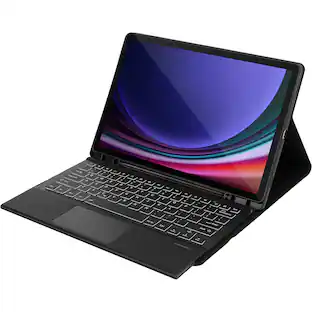
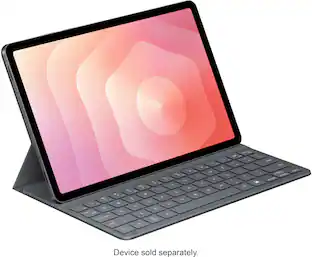
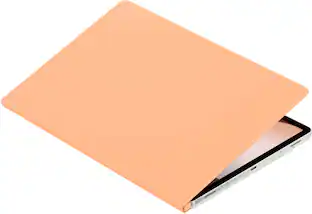
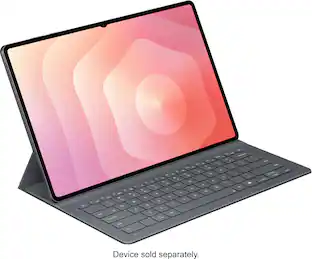
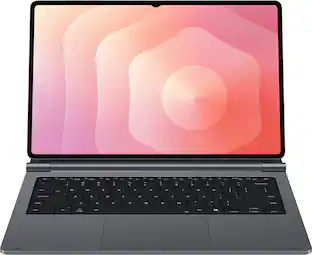
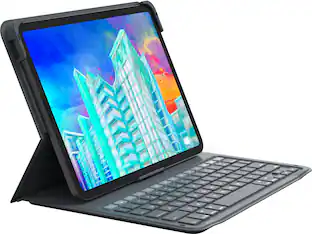
Protection meets productivity with the Book Cover Keyboard AI Key. Snap it onto your Galaxy Tab S10 FE+ and enjoy instant access to AI assistance on the go with the designated key. Simply tap it, write a command and sit back as AI helps you search the web, schedule meetings and more.
Color
BlackYour key to instant AI access
The dedicated key gives you quick access to AI assistance. Simply tap it, write in your prompts and let Bixby or Gemini handle your query it’s that easy.¹,²
PC like experience anywhere you go
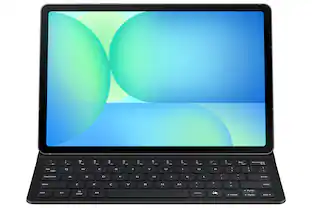
Get that PC feeling with the Galaxy Tab S10 FE+ Book Cover Keyboard AI Key . The function keys and trackpad on your keyboard, combined with DeX Mode on your tablet, deliver a PC like experience with a single tap.
On the go flexibility
With its magnetic design, you can easily detach and reattach the back cover to tailor your Galaxy Tab S10 FE+ to fit your everyday needs.³
Versatile viewing comfort
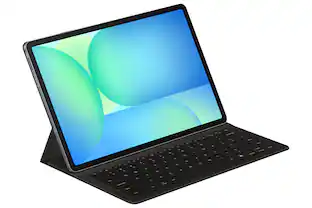
Take it all the way back to 150 degrees for a new level of freedom with the Book Cover Keyboard AI Key. Adjust the hinge on the back to find your perfect position to send emails, enjoy your favorite content and more from any angle.
Enhance your productivity with wireless sharing
With Wireless Keyboard Sharing, you can connect to compatible Galaxy devices and type or navigate on them with ease.⁴ It's like seamlessly switching to your phone and using it the same way as you would your tablet.⁵
- Model CompatibilitySamsung Galaxy Tab S10 FE+, Samsung Galaxy Tab S9 FE+IlluminatedNo
Reviews
Rating 4.2 out of 5 stars with 5 reviews
The vast majority of our reviews come from verified purchases. Reviews from customers may include My Best Buy members, employees, and Tech Insider Network members (as tagged). Select reviewers may receive discounted products, promotional considerations or entries into drawings for honest, helpful reviews.

- Logitech - Slim Folio Keyboard Folio for Apple iPad (7th, 8th & 9th Generation) - Graphite$67.99The price was $99.99
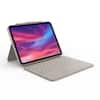
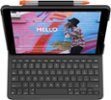
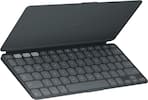
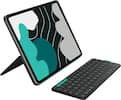
Compare similar products
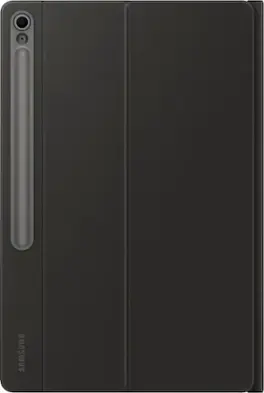
Protection meets productivity with the Book Cover Keyboard AI Key. Snap it onto your Galaxy Tab S10 FE+ and enjoy instant access to AI assistance on the go with the designated key. Simply tap it, write a command and sit back as AI helps you search the web, schedule meetings and more.
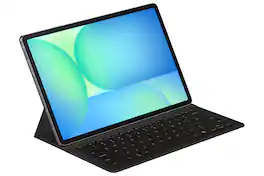
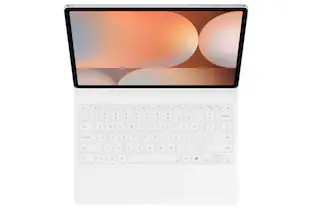
Tap into AI with the Book Cover Keyboard Slim AI Key. Protect your Galaxy Tab S10 FE+ with a slim cover that turns it into a complete workstation with a designated AI key. Tap it, write in your prompts and then sit back while AI does the rest.

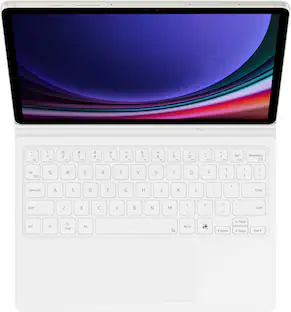
Tap into AI with the Book Cover Keyboard Slim AI Key. Protect your Galaxy Tab S9/S9 FE/S10 FE with a slim cover that turns it into a complete workstation with a designated AI key. Tap it, write in your prompts and then sit back while AI does the rest.¹
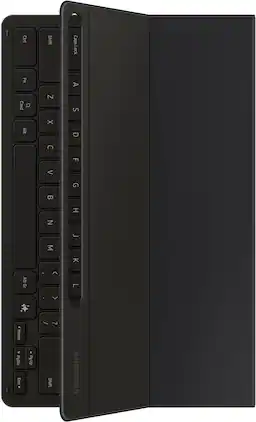
Tap into AI with the Book Cover Keyboard Slim AI Key. Protect your Galaxy Tab S10+/S9+/S9 FE+ with a slim cover that turns it into a complete workstation with a designated AI key. Tap it, write in your prompts and then sit back while AI does the rest.¹
| Pros for Samsung - Galaxy Tab S10 FE+ Book Cover Keyboard -AI Key - Black | |||
|---|---|---|---|
| There were no pros for this product— | Overall Performance, Protection, Ease of Use, Keyboard, Battery Life | Portability, Fit, Protection, Keyboard Quality, Connectivity | Portability, Overall Performance, Fit, Screen Quality, Design |
| Cons for Samsung - Galaxy Tab S10 FE+ Book Cover Keyboard -AI Key - Black | |||
| There were no cons for this product— | There were no cons for this product— | There were no cons for this product— | Viewing Angle |
Specs
Is this keyboard compatible with the Samsung Galaxy Tab S10 Lite?
Answered by SamsungAloha SamS, thank you for asking us your question about the Samsung Galaxy Tab S10 FE+ Book Cover Keyboard. The advertised book cover keyboard is compatible with the Galaxy Tab S10 FE+. If you have any other questions for us, please do not hesitate to contact Support. Thank you for being a faithful Samsung customer. - Debra
How many gbs? And led?
Answered by SamsungHey there Piper, thanks for asking us your question about the Samsung Galaxy Tab S0 FE+ Book Cover Keyboard. The advertised Book Cover Keyboard is a plug and play accessory. However, the Galaxy Tab S10 FE+ offers 128GB of storage with 8GB of memory. Feel free to contact Support if you have any other questions for us. Thanks for being a faithful Samsung customer. - Debra
Is there any way (even if its through a combination of keys) to write the unicode characters é, è, ç, ã, á and à? Also, is this a QWERTY or a QWERTZ keyboard?
Answered by SamsungAloha Eduardo, thank you for asking us your question about the Samsung Galaxy Tab S10 FE+ Book Cover Keyboard. The advertised Galaxy Tab S10 FE+ Book Cover Keyboard utilizes a QWERTY layout. Feel free to check out your product manual online to get better acquainted with your device. Feel free to contact Support if you have additional questions for us or if you would like any further assistance. Thanks for choosing Samsung! - Debra

How many keys does this keyboard have?
This keyboard has 80 keys.
This question and answer was generated by AI based on customer and product data.What is the function of the AI key on this keyboard?
The dedicated AI key provides quick access to AI assistance like Bixby or Gemini. You can tap it, write a command, and the AI will help you search the web, schedule meetings, and more.
This question and answer was generated by AI based on customer and product data.

Customers often buy these together
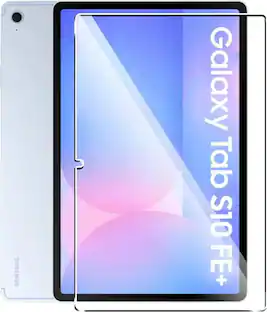 $44.49The price was $48.15

More to consider
 $117.99The price was $139.99
Explore tech essentials Sponsored
 Clearance$79.99The price was $199.00
 Clearance$149.99The price was $199.00
Discover related products
 $549.99The price was $679.00
 $12.99The price was $13.99