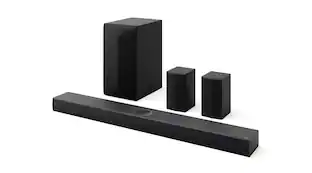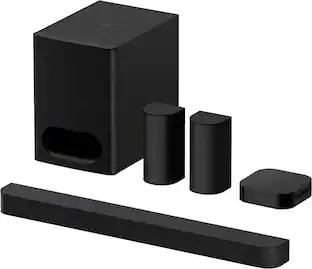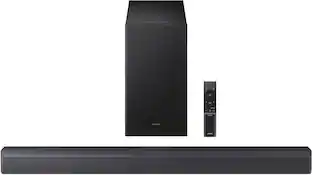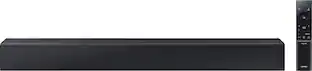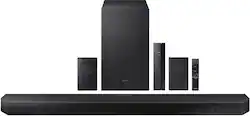
Samsung - HW-Q750B 5.1.2ch Soundbar with Wireless Dolby Atmos / DTS:X - Black
- Key Specs
- Wireless Connectivity: Bluetooth (The manner in which a device sends data to another device over a short distance without the use of wires or cables.)
- Wireless Subwoofer Connectivity: true
- App Compatible: true (The product can be connected to a program or software application on a mobile device, which then receives collected data from the product.)
- Wall Mountable: true (The product is able to be secured to a wall. Some products are designed ready to mount, while others may require additional hardware/accessories for installation.)
- Dialogue Enhancement: true (Improves clarity of dialogue in audio playback. This is typically achieved with dedicated speakers and/or technology that separates dialogue from the rest of the audio in order to make it clearer.)
- Works With: Amazon Alexa, Google Home (Compatible with or able to be connected to other smart devices or applications.)
- Voice Assistant Built-in: Not Applicable (A digital assistant built into the device that uses voice commands to answer questions and control smart devices.)
- General
- Brand: Samsung
- Model Number: HW-Q750B/ZA
- Product Name: HW-Q750B 5.1.2ch Soundbar with Wireless Dolby Atmos / DTS:X
- Color: Black
- Audio
- Number of Channels: 5.1.2 (The number of discrete channels of sound output. This can be a single number or multiple numbers separated by decimal(s). The first number is the primary, horizontally directed audio channels. The number after the first decimal, if applicable, is the number of subwoofer outputs or channels. The number after the second decimal, if applicable, is the number of height or atmospheric channels designed to immerse the listener by producing overhead sound effects.)
- Surround Sound Supported: Dolby Atmos, Dolby TrueHD, Dolby Digital Plus, DTS:X, DTS-HD High Resolution Audio, DTS-HD Master Audio (Surround sound systems use multiple audio channels and speakers to create an immersive sound experience for the listener. There are also various proprietary technologies that imitate this kind of sound via a device's built-in speakers or soundbar.)
- Connectivity
- Wireless Connectivity: Bluetooth (The manner in which a device sends data to another device over a short distance without the use of wires or cables.)
- Wireless Multi-Room Audio: true (Technology that allows multiple speakers and/or soundbars to be connected wirelessly and play audio in separate rooms.)
- Wireless Multi-Room Technology: Apple AirPlay 2, Google Cast (Proprietary technology that allows multiple speakers and/or soundbars to be connected wirelessly and play audio in separate rooms.)
- Wireless Subwoofer Connectivity: true
- Satellite Speakers: Included (Using satellite speakers in conjunction with a soundbar allows for a surround sound experience; the soundbar can serve as a center channel speaker while satellites provide rear channel audio or additional front channel audio.)
- Audio Only Inputs: 1 x Optical digital audio
- Number of HDMI Inputs (Total): 1
- Number of USB Inputs: 0
- Number of Optical Audio Inputs: 1
- Number of HDMI Outputs (Total): 1
- Video
- High Dynamic Range Format: HDR 10+ (There are a few HDR formats that tell the TV or other HDR-compatible product how to best utilize its capabilities to display HDR content. HDR technology can support one or multiple formats, each with various benefits to picture quality.)
- Video Pass-through: HDR, 2160 (4K) (Devices with this feature allow video signals to travel from their source to a target device without alteration. For example, a receiver with 4K pass-through would allow 4K video signal from a Blu-ray player to pass to a target TV with surround sound; without the pass-through ability, the receiver would not allow both 4K video and surround sound to be transmitted simultaneously.)
- Features
- App Compatible: true (The product can be connected to a program or software application on a mobile device, which then receives collected data from the product.)
- Wall Mountable: true (The product is able to be secured to a wall. Some products are designed ready to mount, while others may require additional hardware/accessories for installation.)
- Dialogue Enhancement: true (Improves clarity of dialogue in audio playback. This is typically achieved with dedicated speakers and/or technology that separates dialogue from the rest of the audio in order to make it clearer.)
- Speaker
- Subwoofer: Included
- Dimensions
- Product Height: 2.4 inches (The out of box height of the item. Height is measured as the vertical distance from the bottom of the item to the top as it would be primarily used or placed.)
- Product Width: 43.7 inches (The out of box width of the item. Width is measured as the horizontal distance from one side of the item to the other as it would be primarily used or placed.)
- Product Depth: 4.7 inches (The out of box depth of the item. Depth is measured as the distance from the front of the item to the back as it would be primarily used or placed.)
- Product Weight: 27.8 pounds (The out of box weight of the item.)
- Subwoofer Height: 8.1 inches
- Subwoofer Width: 13.9 inches
- Subwoofer Depth: 11.9 inches
- Subwoofer Weight: 13 pounds
- Included
- Remote Control Included: true
- Cable(s) Included: HDMI, Power
- Mounting Hardware Included: true
- Certifications Listings & Approvals
- ENERGY STAR Certified: false (Devices carrying the ENERGY STAR service mark, such as computer products and peripherals, kitchen appliances, and other products, generally use 20% to 30% less energy than required by federal standards.)
- Warranty
- Warranty - Parts: 1 year
- Warranty - Labor: 1 year
- Compatibility
- Works With: Amazon Alexa, Google Home (Compatible with or able to be connected to other smart devices or applications.)
- Voice Assistant Built-in: Not Applicable (A digital assistant built into the device that uses voice commands to answer questions and control smart devices.)
- Other
- UPC: 887276643069
Take your audio to a higher level with the Q750B with Dolby Atmos sound without requiring HDMI cables. Enjoy a cinematic experience with 5 channels, 1 subwoofer and 2 up firing channels. With Q Symphony, the soundbar sound synchronizes with your compatible Samsung TV. Plus, control your soundbar hands free using Alexa voice controls.
- Wireless Dolby Atmos: Enjoy a surround sound experience with Dolby Atmos and skip the need for HDMI cables. Immerse yourself in sound and hear it from above for a rich and unparalleled experience.
- True 5.1.2ch Sound: Totally immerse yourself in astonishing 3D sound with 5 channels, 1 subwoofer and 2 up firing channels working together to create a captivating audio experience.
- Q Symphony: Synchronized audio using every speaker in compatible Samsung TV and soundbars.¹
- Works with Voice Assistants: Use your favorite voice assistants to operate your TV and other smart devices hands free. ²
- SpaceFit Sound: Elevate your sound experience with a soundbar that automatically analyzes your room and calibrates the upper range tones to best fill your space by pairing with Samsung.³
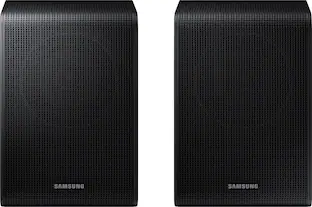
- Rear Speaker Kit Included: Fill the room with theater like sound with the included rear speakers that project audio above and around you.
- Airplay 2: Simply pair the soundbar with a compatible iPhone or other iOS device to play music.⁴
- Adaptive Sound: Watch games and blockbuster films with optimized audio and enhanced voice clarity.
- Game Pro Mode: Game Pro Mode boosts your gaming experience with up firing speakers and 3D audio that moves all around you.⁵
- Chromecast Built in: Cast music or your favorite podcast from your mobile to your Samsung soundbar.⁶
Whats Included
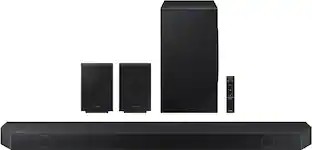
- Samsung HW-Q750B/ZA 5.1.2ch Soundbar
- Wireless Subwoofer
- Rear Speakers and Wireless Module
- Wall Mount Kit
- Remote Control
- Rubber Foot
- User Manual
Product Manuals
Q: Whats de difference between Q700B, Q750B and Q800B?
A: Hi Zykael, The HW-Q700B is a 3.1.2 Channel Dolby Atmos Soundbar that has the ability to connect to select 2022 Samsung TVs using a Wi-Fi connection instead of HDMI for content with Dolby Atmos. Also it comes with the features Q-Symphony, SpaceFit Sound (it must be paired with select Samsung TVs), Works with Alexa (not built in, you'll need an Echo device nearby), AirPlay2, Adaptive Sound, Game Pro Mode, and Tap Sound. The HW-Q750B is 5.1.2 Channel Soundbar system that has all of the above features that the HW-Q700B has plus it comes with Wireless Rear Speaker Kit included in the box. The HW-Q800B is a 5.1.2 Channel Soundbar system that has all of the features from the above two soundbars, plus it is the first Soundbar in our lineup that has side-firing speakers for additional surround sound. Another new feature to this model is that it has Alexa Built-In to the Soundbar itself, no need for an additional device, plus Active Voice Amplifier. AVA allows the dialogue to be increased automatically when the ambient noise in the room gets louder than the soundbar and will automatically decrease when the noise is no longer detected. The HW-Q800B Soundbar also has the ability to pair with the SWA-9500S Wireless Rear Speakers, making the Soundbar a 7.1.4 Channel system. ~Samsung Solutions
A: Hi Joblue, You can manually optimize your audio experience by pressing the SOUND CONTROL button (which looks like a gear) to access the setting items such as TREBLE, BASS, SYNC, CENTER LEVEL, SIDE LEVEL, FRONT TOP LEVEL, REAR LEVEL, REAR TOP LEVEL, and VIRTUAL ON/OFF. The selected item can be adjusted using the Up/Down buttons. – To control the volume of the treble or bass sound, select TREBLE or BASS in Sound Settings, and then adjust the volume between -6 to +6 by using the Up/Down buttons. – Press and hold the SOUND CONTROL button for about 5 seconds to adjust the sound for each frequency band. 150Hz, 300Hz, 600Hz, 1.2kHz, 2.5kHz, 5kHz, and 10kHz are selectable using the Left/Right buttons and each can be adjusted to a setting between -6 to +6 using the Up/Down buttons. (Make sure the Sound mode is set to “STANDARD”.) – To control the volume of each speaker, select CENTER LEVEL, SIDE LEVEL, or FRONT TOP LEVEL in Sound Settings, and then adjust the volume between -6 to +6 by using the Up/Down buttons. – If the video on the TV and audio from the Soundbar is not synchronized, select SYNC in Sound Control, and then set the audio delay between 0~300 milliseconds by using the Up/Down buttons. – SYNC is only supported for some functions. – If Surround Speakers are connected, select REAR LEVEL and then use the Up/Down buttons to adjust the volume within a -6 to +6 range. – The VIRTUAL Speaker function can be turned ON/OFF by using the Up/Down buttons. ^Andrew
Q: How does this soundbar perform with non-Samsung television sets? How is the Atmos performance?
A: I have mine hooked to my Sony x85j and Atmos sound is fairy impressive. No, it's not a Nakamichi 9.2.4 system but it definitely gets the job done.
A: The Q750B/ZA is a Best Buy exclusive SKU. It's the same as the Q750B with 2 added rear speakers, which makes it 5.1.2 as opposed to 3.1.2.
Q: Are the rear speakers Doiby Atmos speakers? Thanks!
A: Hello, The rear speakers that come with the HW-Q750B Soundbar are not Dolby Atmos compatible. ~Samsung Solutions
A: Hello Todd, For troubleshooting step-by-step assistance, please contact Samsung Customer Service. Call us at 1-800-SAMSUNG (ask for Soundbars), available 8 AM – 12 AM EST, 7 days a week. LiveChat with an agent by clicking the ‘Support’ link on the Samsung website. ~Samsung Solutions
Q: Is there an indicator on the sound bar that shows that Dolby audio is being played?
A: Hi there, Make sure that you have everything connected correctly, eARC port on the Soundbar to the eARC/TV ARC port on the TV using an HDMI cable. Once this is done and your input is set to HDMI, once you start playing content that is in Dolby Atmos, you will see Dolby Atmos scroll across the LED display on the front of your soundbar. ~Samsung Solutions
Q: How do you find the 48-bit MAC address(es)? My Wi-Fi restricts access.
A: Hi there, Please contact Samsung Customer Service and we will be happy to provide step-by-step troubleshooting assistance. Call us at 1-800-SAMSUNG (ask for Soundbars), available 8 AM – 12 AM EST, 7 days a week. ~Samsung Solutions
People also viewed
 $799.99The price was $899.99
 $1,599.99The price was $1,999.99
 $397.99The price was $499.99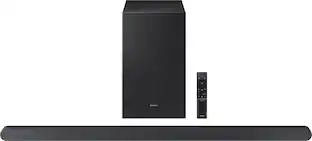
Samsung - HW-S700D 3.1 Channel S-Series Soundbar with Wireless Subwoofer, Dolby Atmos and Q-Symphony
$399.99The price was $549.99 $799.99The price was $1,199.99
 $179.99The price was $279.99
 $1,199.99The price was $1,499.99
 $249.99The price was $399.99


Today's top picks
- $249.99The price was $399.99
- $1,599.99The price was $1,999.99
 $299.99The price was $399.99
 $129.99The price was $159.99