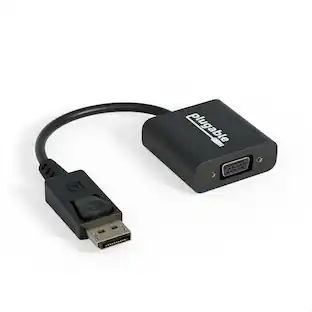
Sanoxy - USB 3.1 Type C Male to DVI Female Adapter
Reviews coming soon
About this product
Connect your USB-C device to a DVI monitor? This USB-C to DVI Adapter provides a simple and effective solution.
DVI Adapter Plug Play No Driver Needed Setup,
High-Definition Visuals: Supports resolutions up to 1080p, ensuring crisp and clear images for presentations, watching movies, or working on projects.
- Connector Type (End 1)USB-CConnector Type (End 2)DVI
Reviews
This product doesn't have any reviews yet.
Compare similar products
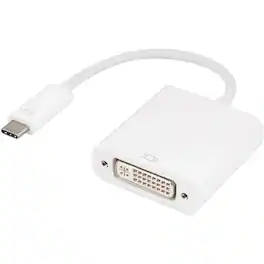
Connect your USB-C device to a DVI monitor? This USB-C to DVI Adapter provides a simple and effective solution.

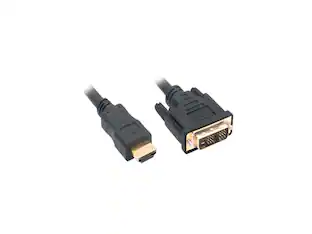
The Best Buy essentials 6’ HDMI-to-DVI-D Monitor Cable mirrors or extends your computer’s desktop. Simply connect the cable from your computer’s single-link DVI-I or DVI-D port to a HDMI-enabled display. Compatible with monitors, TVs, projectors and more, resolutions from your computer’s single-link DVI-I or DVI-D port up to 1920 × 1200 grant you optimal high-quality images that leave everyone impressed. Nickle-plated connectors with PVC molding make this cable corrosion resistant and give it long-lasting use. Providing flexible placement options, a 6 ft. cable gives you the ideal length to reach your devices. And the cable is backed by Best Buy, so you can have confidence in your computer’s setup.

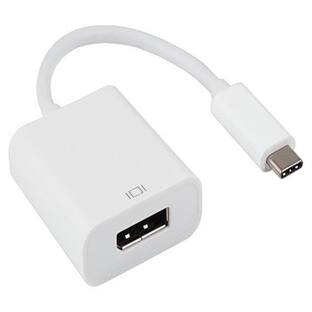
This USB-C to HDMI adapter converts a USB-C output (with DP alt mode) to an HDMI input, letting you connect your computer to an HDMI-enabled TV, monitor or projector. Resolutions up to 4K Ultra HD deliver outstanding presentations or movie showings with crystal clear video quality. Plus, the compact design makes it easy to carry.
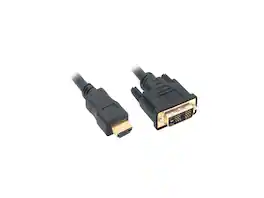
Nippon Labs DVI 3 HDMI 10 ft. HDMI Male to DVI-D Adapter Cable with Gold-plated Connector, Black
| Pros for Sanoxy - USB 3.1 Type C Male to DVI Female Adapter | |||
|---|---|---|---|
| There were no pros for this product— | Compatibility, HDMI, Ease of use, Overall Performance, Price | Ease of use, Compatibility, HDMI, Quality, Connectivity | There were no pros for this product— |
| Cons for Sanoxy - USB 3.1 Type C Male to DVI Female Adapter | |||
| There were no cons for this product— | Lag, Resolution | Ports, Cable Length | There were no cons for this product— |
Specs
Be the first to ask a question.
We’ll try to get your question answered within 24 hours by a Best Buy customer or brand representative.
Customers often buy these together
 Clearance$79.99The price was $199.00
 $37.99The price was $39.06
More to consider


Explore tech essentials Sponsored
 $404.99The price was $465.99



Keep exploring

Lian Li - PCIe 5.0 Riser Cable 16X 200mm, Double Bandwidth, PCIe 4.0 Compatible, Black (PW-PCI-520X)
$64.99The price was $88.99