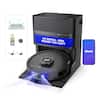
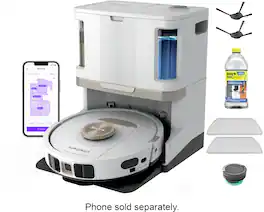
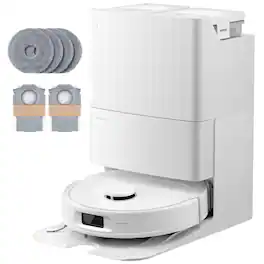
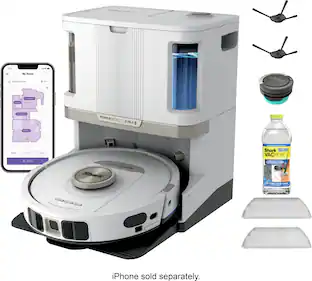
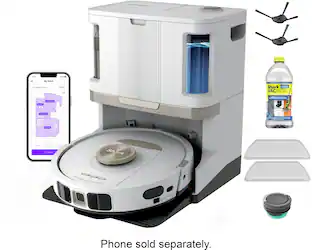
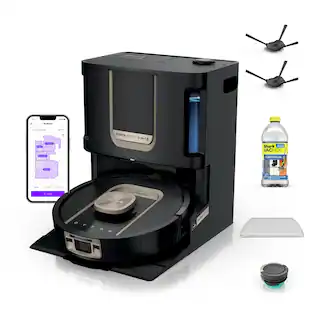
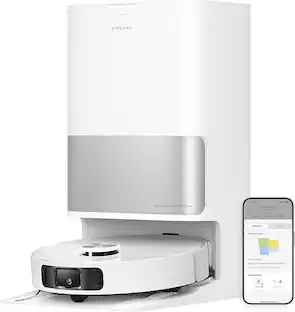
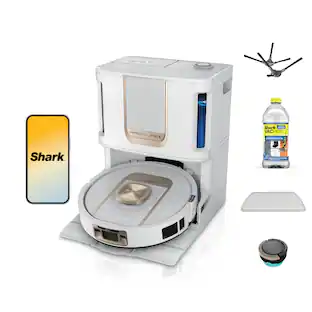
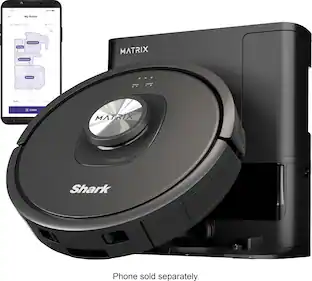
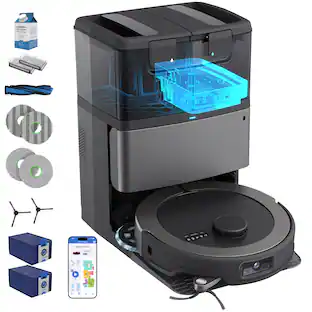
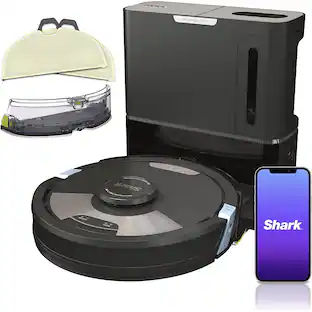
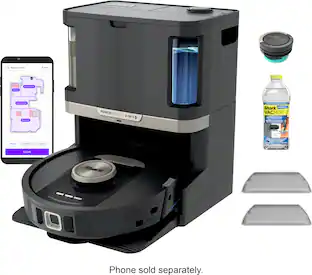
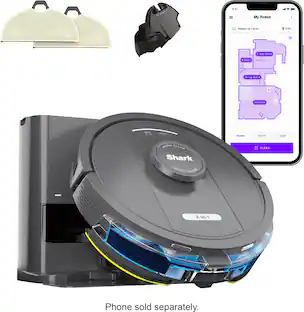
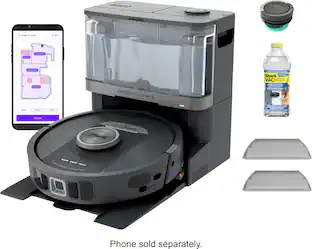
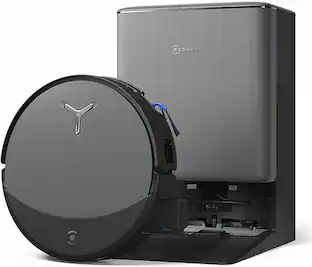
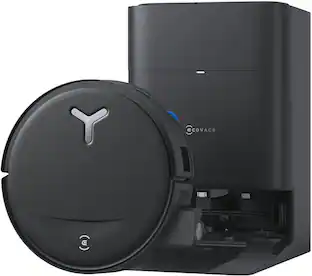
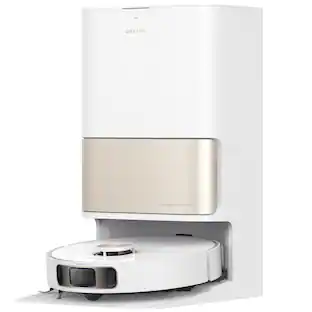
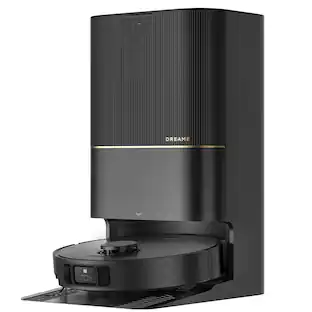
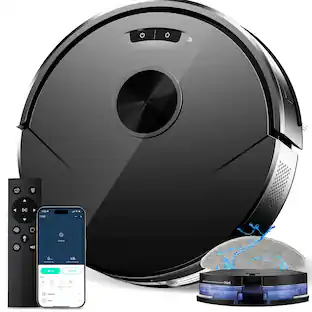
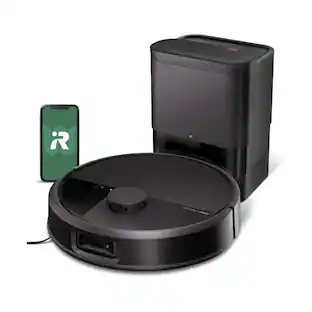
The Shark Matrix™ Plus 2-in-1 Robot combines an ultra-powerful vacuum with Sonic Mopping™ for a complete clean from start to finish. First, it’s an ultra-powerful whole home vacuum on carpets and floors that empties its own dustbin. Second, it’s an ultra-powerful vacuum that sonic mops hard floors at the same time. It features Matrix Clean, which allows your robot to clean from multiple angles using a precision grid ensuring no spots are missed on all your floor types. No cleaning detail is unmet with this robot’s corner and edge cleaning, self-cleaning brushroll for pet hair, and HEPA filtration trapping 99.97% of dust and allergens into the bagless base. With Precision Home Mapping, the robot uses its 360 LIDAR vision to scan your home and build a detailed map, enabling fully autonomous movement. This also allows your robotic vacuum to detect and avoid objects in its path day or night. It creates a precise home map in the SharkClean® app so you can select specific areas to clean on-demand, initiate Matrix Clean, and set cleaning schedules from anywhere. Utilize the app to set custom carpet and no-go zones for complete control of where the robot cleans and doesn’t clean. This robot masterfully integrates Matrix Clean with vacuuming, mopping, CleanEdge, and self-emptying to give you the ultimate floor cleaning machine.
Q: What is the benefit of the Shark AI Ultra Vac/Mop having HEPA filtration?
A: The HEPA filtration in the Shark AI Ultra Vac/Mop captures and traps 99.97% of dust and allergens down to .3 microns, ensuring a cleaner and healthier living environment.
Q: Does the Shark AI Ultra Vac/Mop require me to purchase additional bags for the self-emptying base?
A: No, the self-emptying base is bagless and does not require any additional purchase of disposal bags.
Q: How long does the battery last on this Shark robot vacuum?
A: This Shark robot vacuum has a maximum runtime of 110 minutes.
Q: Does this robot vacuum have a self-cleaning brushroll?
A: Yes, this robot vacuum features a self-cleaning brushroll to help remove pet hair and prevent hair wrap.
Q: Why is Matrix Cleaning Navigation a beneficial feature?
A: Matrix Cleaning Navigation allows the robot to clean in a precise matrix grid, taking multiple passes over dirt and debris for whole home, deep cleaning coverage, ensuring no spots are missed.
Q: Can I use this robot vacuum on different types of flooring?
A: Yes, the Shark AI Ultra Vac/Mop is designed for multi-surface use and can effectively clean carpets, hardwood floors, tile, and laminate.
A: Ya that's what wanted too. So this unit self empties in vacuum mode. To mop I have to remove the debris catcher from the vacuum and attach a separate mop unit. Then it mops and collects the dirty water. When it's done I remove the mop attachment and empty it manually and reinstall the vacuum piece. But think about a mess you will have in the base unit if it automatically sucks up the dirty water and puts it in on the vacuumed up debris in the bin. Good luck!
A: The filter and pads for the Shark - AI Ultra 2-in-1 Robot Vacuum and Mop with XL HEPA Self-Empty Base, Matrix Clean Navigation - Black are washable. We recommend cleaning the filter every two months and replacing it every 6-12 months.

The Shark Matrix™ Plus 2-in-1 Robot combines an ultra-powerful vacuum with Sonic Mopping™ for a complete clean from start to finish. First, it’s an ultra-powerful whole home vacuum on carpets and floors that empties its own dustbin. Second, it’s an ultra-powerful vacuum that sonic mops hard floors at the same time. It features Matrix Clean, which allows your robot to clean from multiple angles using a precision grid ensuring no spots are missed on all your floor types. No cleaning detail is unmet with this robot’s corner and edge cleaning, self-cleaning brushroll for pet hair, and HEPA filtration trapping 99.97% of dust and allergens into the bagless base. With Precision Home Mapping, the robot uses its 360 LIDAR vision to scan your home and build a detailed map, enabling fully autonomous movement. This also allows your robotic vacuum to detect and avoid objects in its path day or night. It creates a precise home map in the SharkClean® app so you can select specific areas to clean on-demand, initiate Matrix Clean, and set cleaning schedules from anywhere. Utilize the app to set custom carpet and no-go zones for complete control of where the robot cleans and doesn’t clean. This robot masterfully integrates Matrix Clean with vacuuming, mopping, CleanEdge, and self-emptying to give you the ultimate floor cleaning machine.

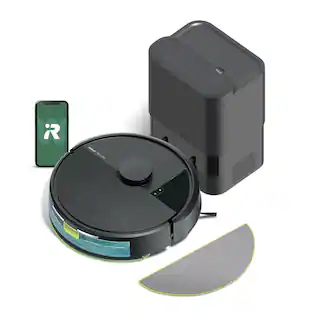
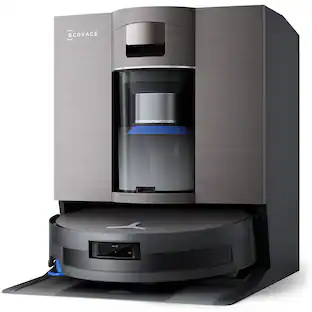
The PowerDetect NeverTouch robot vacuum and mop system is designed to capture more, reach farther, and need you less (vs. Shark Matrix 2-in-1). Its five powerful cleaning technologies help to target hidden debris, stuck-on stains, edges and to optimize cleaning for every floor type, handling the toughest cleaning challenges. Whether vacuuming or mopping, the PowerDetect robot does the dirty work, so you don't have to. It deep-cleans and mops your floors, while the NeverTouch Base means you don’t have to worry about cleanup or maintenance for weeks at a time. After every cleaning run, the robot will return to the base to empty dry debris, refill the water tank, and dry the mopping pad so it’s always ready for its next clean. With NeverStuck Technology, the robot lifts itself over obstacles and across thresholds to avoid getting stuck. When mopping, it keeps the pad above carpets to prevent wet messes and deliver whole-home coverage. While the robot handles your cleaning chores for you, the bagless base with Anti-Allergen Complete Seal captures and traps 99.97% of dust and allergens (down to .3 microns, allergens refers to non-living matter).

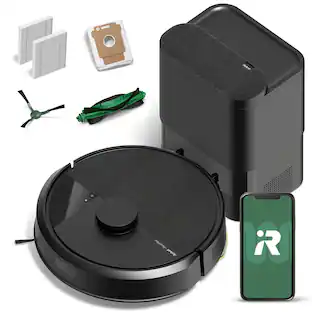
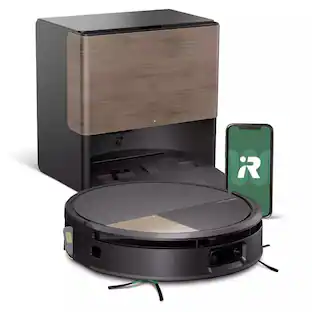
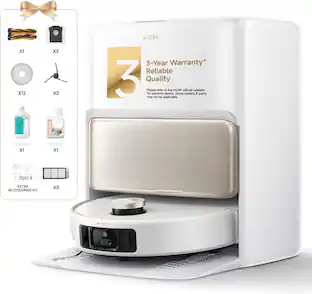
The Roomba 105 Combo Robot + AutoEmpty Dock is made for every kind of wet and dry floor-cleaning task. The self-emptying dock holds up to 75 days of debris in a bag you just lift out and toss away. The 4-stage cleaning system delivers high-performance cleaning by combining 70X more intense power-lifting suction*, an edge-sweeping brush that cleans 20% better*, a multi-surface brush to pick up all kinds of dirt, and a washable, re-usable microfiber pad to wipe away spills. ClearView LiDAR quickly maps your home for precise coverage. Choose from 3 cleaning options - mop, vacuum, or vacuum-and-mop at the same time. Using water or cleaning solution**, choose the perfect amount of liquid for the job, and set SmartScrub to 2X deeper scrubbing*** on high-traffic areas the way you would to erase the messes of the day. Tap the app, push the robot's buttons or ask your preferred voice assistant**** for an on-demand clean.

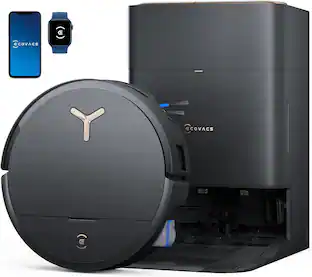
The Shark Matrix Self-Emptying Robot Vacuum features incredible suction power, Matrix Clean and Precision Home Mapping. It has Incredible Shark suction power and a self-cleaning brushroll, pulling trapped debris, dust, and pet hair from carpets and hardwood floors. With Matrix Clean, the robot cleans using a precision grid taking multiple passes over dirt and debris, leaving no spots missed. The robot empties itself into a bagless base after each clean and holds up to 30 days of dirt and debris. No additional purchase necessary for dirt/dust bags. Now with extended runtime technology, the robot cleans 2x faster (*vs. Shark AI Ultra RV2500, due to more initial runtime in recharge/resume mode). With Precision Home Mapping, the robot uses its 360 LIDAR vision to scan your home and build a detailed map, enabling fully autonomous movement. This also allows your robotic vacuum to detect and avoid objects in its path day or night (*objects 4.5 inches or greater in its path). It creates a precise home map in the SharkClean app so you can select specific areas to clean on-demand, initiate Matrix Clean, and set cleaning schedules from anywhere. Together, Shark cleaning power with Matrix Clean and Precision Home Mapping give you the confidence your robot will complete the cleaning mission every time.
| Pros for Shark - Matrix Plus 2-in-1 Robot Vacuum & Mop with Sonic Mopping, Matrix Clean, Home Mapping, HEPA Bagless Self Empty, WiFi - Black | |||
|---|---|---|---|
| Cons for Shark - Matrix Plus 2-in-1 Robot Vacuum & Mop with Sonic Mopping, Matrix Clean, Home Mapping, HEPA Bagless Self Empty, WiFi - Black | |||
Customers appreciate the Matrix Plus 2-in-1 Robot Vacuum & Mop, especially its mopping capabilities that avoid carpets, overall performance, and ease of use. The mapping feature and quiet operation are also well-received. However, some customers have concerns about its navigation, battery life, and the functionality of the app, as well as its ability to avoid obstacles.
The vast majority of our reviews come from verified purchases. Reviews from customers may include My Best Buy members, employees, and Tech Insider Network members (as tagged). Select reviewers may receive discounted products, promotional considerations or entries into drawings for honest, helpful reviews.

TLDR: The deduction of stars for this product are due to issues that are software related. From a hardware perspective, I feel this unit is a great value at this price point. It performs well when the software doesn’t get in the way. The inflexibility and tediousness in customizing the map, the tendency for the configuration to deteriorate over time (prompting new remapping headaches), and the “it’s-almost-so-asinine-it-must-be-intentional” lack of scheduling flexibility bring a 5-star kit of hardware down to 3-stars. I’m already looking at what I’ll buy when this thing breaks or becomes intolerable, and it won’t be this. SETUP: setup was simple, and it accurately mapped the entire house in about 30 minutes. My house is about 2500 square feet with tile, vinyl planks, and a lot of area rugs. Sectioning off different rooms in the map once it’s done mapping is tedious. Oh, and if you rearrange a room and want to remap it for accuracy…well, it sucks. You can’t remap specific areas…it must remap the entire house. If you do a remap, it deletes all of your boundaries and zones. Remapping for any reason means starting over. This turns remapping into a chore. Not only do you have to make sure the entire house is in a state where the vacuum can accurately scan and access it, you have to redo your rooms and zones. If you want to mop, you need to re-specify the carpeted areas. This isn’t bad if you have entire rooms that are carpeted, but we have a ton of area rugs. So accurately plotting the location of those rugs involves a lot of measuring. Then, the robot does a “carpet verification” run where it meanders its way to your carpet zones. You babysit the vacuum at this stage to make sure your zones are obeyed. If not, you go back to the app, re-do the zones, and do another verification run. It’s tedious and time-consuming. I don’t mind doing the work once, but it makes me wary of re-mapping the house when the vacuum starts acting strangely (see “Navigation” below). Unfortunately, remapping seems to be one of the only troubleshooting steps that fixes quirky software-related behavior. DEDUCT .5 STARS for tedious mapping workflows, the all-or-nothing approach to mapping, and lack of ability to import or retain zones from previous mappings. NAVIGATION: Navigation is decent…at least at first. For the first several weeks, I could send it straight to a room and it would navigate to that room on a mission and get the job done. After several weeks, I started finding that the vacuum would be confused as to where it was or what it’s supposed to do. Sometimes I’d send it on a job to clean two bedrooms, and it’d wander around aimlessly, even popping in said bedrooms to say hi, and then just wander back to its dock with an exuberant “Mission Complete!” message in the app without having cleaned a single room. When this happens, if I pull up the “mission map”, it’s representation of my house looks all out of sorts….like someone took an architectural diagram and had a 5 year-old recreate it with crayon. The robot’s understanding of the layout of my house, and the map associated with that, was completely deteriorated. I’ve found that performing a restart when this happens often helps to fix the issue, which points to a problem with software and memory. I get that. Even smartphones need a good reboot every so often. But it’s annoying that the device has no sense of when it’s in a deteriorated memory state. It pretends to obey and then goes home. I have to check the mission maps after each run to make sure it actually did what I told it to. Another quirk I’ve found is that it sometimes takes forever to go to the area you’re asking it to vacuum. It’ll wander around for 30 minutes and then finally go “oh yeah! I’m supposed to clean the kitchen!”. My workaround for that is to find the wayward vacuum, scold it, and then place it in the room I asked it to clean in the first place. It picks up from there as if it finally discovered the meaning of its life. My guess is the real fix is to remap. But given the tedious nature of that whole process (see Setup above), the workarounds tend to feel easier, especially when it’s clear that even with a remap, I’ll eventually have to remap it again when it starts acting quirky again a couple months down the road. DEDUCT .5 STARS for deterioration in configuration stability over time. VACUUMING: We have 3 dogs and two cats, and the amount of pet hair this thing picks up is astounding. The automated dust-bin emptying is a life-saver, but be prepared to empty the dock’s bin more frequently if you have pets. I run the vacuum over the entire house every day or two, and I find myself emptying it at least once a week. It’s easy to do, but it’s something you’ll need to add to your regular cleaning routine. The vacuum does a decent job sucking up debris. I can run it in a room that looks clean and it’ll come back with a huge ball of pet hair, dust, and dirt I couldn’t have noticed if I tried. That said, the suction isn’t mind-blowing. It will leave bits here and there on rugs. Don’t expect it to fully replicate the cleaning power of a full-size vacuum. I never expected that, and appreciate that it does 90% of the work for 10% of the effort on my part. The biggest thing I wanted is pet hair removal, and this thing works very, very well for that, especially on hard surfaces. As far as blockages, sometimes hair will get wrapped around the roller. It can be prone to blockages. What I’ve learned over the last several months is that reliability in the performance of this vacuum all comes down to maintenance (which is very important if you really put this thing to work). For this price point, I think the vacuuming capabilities are within the realm of reasonable. MOPPING: The mopping feels a little like an after-thought, but it does a decent job. I appreciate that it vacuums and mops at the same time. I’ve found that the mopping is adequate for getting rid of the typical “grubby look” that hard floors take on with normal traffic. It wipes nearly all the grubby away and leaves the floor looking shiny and clean. Some streaking can happen, but it’s barely noticeable. It’s not going to scrub away sticky messes from spilled drinks or food, but I wouldn’t expect it to. Again, it does 90% of the work for 10% of the effort. There are disadvantages though. For example, you have to use the mopping bin, instead of the typical vacuuming bin. There’s no self-emptying of what the vacuum picked up when the mopping bin is attached. You must manually empty the vacuumed debris between jobs, refill the reservoir, etc. For this price point, I think these limitations are within the realm of reasonable. AUTOMATION: My house is on the larger side for a single robot vacuum (2500 square feet). With some coordination, this vacuum can clean everything once per day. The key is compartmentalizing jobs. The battery life isn’t terrible, but it’s nothing to write home about. You might get two hours on default settings. But good gosh does it take forever to charge. 3+ hours to get from 10% back to 100%. This means that I usually tackle different parts of the house throughout the day and let it charge between. The problem is scheduling, which is unacceptably feature-poor. Let’s say you want the robot to start cleaning your living room, dining room, and kitchen at 1:00 AM. You can’t do that. You can tell it to start cleaning at 1:00 AM, but it’ll try to clean the whole house. I can’t schedule the cleaning of specific rooms, which is just a ridiculous omission. So whether the house gets cleaned while I’m working or not is fully up to me remembering to open the app multiple times throughout the day and manually define what I want it to do. Most of us have busy, yet predictable lives. If we have the ability to define rooms to clean, and we have the ability to schedule the vacuum to start working, there’s no reason I shouldn’t be able to combine those two ideas. My ability to fully schedule cleaning for my home in a way that works for my predictable schedule is limited by lazy software development (or planned obsolescence). DEDUCT 1 STAR for glaring deficiencies in scheduling and automation. MAINTENANCE: It’s worth noting that though robot vacuums can help reduce the amount of manual cleaning , you do have to allocate some of that time to maintenance. The roller gets hair spun around it. Crap gets caked in the grooves under the roller. The pre-filter screen on the dust bin gets clogged. The inside of the dust bin gets caked in crud, and hair gets stuck in tight spaces. There’s also aHEPA filter that will need to be replaced periodically. For my level of use, I replace it once a month. There’s a filter to the left of the dock’s dust bin that WILL cake up very quickly. You can rinse and wring it, but if you don’t keep up with it, the vacuum’s ability to dump its collection of nasty will diminish until you clean or replace that filter. The dock’s dust bin has a prefilter that also needs to be cleaned periodically. There’s a HEPA filter on the docking station that will need to be replaced periodically. The mop pads need to be washed. The sensors should be wiped clean every so often. None of these things are particularly difficult, and even all of them in combination is only about 10 minutes of work per week, but keeping up with them is the difference between a good, reliable experience and a frustrating experience fraught with clogs, errors, and underperformance. It just be nice if the system reminded the user to perform critical maintenance tasks, especially if those prompts were informed by algorithms based on usage and data. These things collect a ton of data. It knows when the brush roller is hampered by hair and will use the most generic robot voice to tell you. It surely knows when the volume of air it can pull through the filter is reduced, but it won’t share that with you. DEDUCT .25 STARS for lack of software-prompted maintenance.
Posted by GeoDJ
I love it once I got the mapping right. That part is a little frustrating which is why I deducted a star. However, I got is as close as I could with mapping my rooms. As far as performance, I love it. I can set it to vaccum or mop while I am doing other things. It does a pretty good job. I would recommend it.
Posted by Mawhit
TLDR: THE APP AND SOFTWARE IS HORRIBLE BUT ITS GOOD HARDWARE WISE. THE MOP HAS TO BE REMOVED BEFORE VACUUMING CARPET AND NO OBSTACLE AVOIDANCE. ALSO DOES NOT PLAY WELL WITH OTHER BREEDS OF ROBOTS. This is kinda the Stockholm syndrome of robots. At first when i got it i kept seeing its flaws and thought thank god we are pro choice because im aborting the little thing and swapping it for a different one but after a few days its made me decide to keep it. WHY DOESNT BEST BUY LET ME SKIP LIKES TO HAVE PARAGRAPHS. Anyways. I bought it for the mop more than anything because i basically never moo unless i have to. Idk how well it really mops because i keep my floors clean as it is. The main issue i had here was you have to remove to map attachment between mopping and vacuuming. You cant have it go mop your hard floors and it auto pickup the mop head and transform back to just a vaccum to go vaccum carpet. You have to manually take off the mop and have it make two separate runs. It doesnt tranform or anything. Michael bay would be displeased. One advantage it has versus the roomba i looked at is no bags, apparently roombas have bags. That being said it will cause some bags to form under your eyes from having to deal with the software. The mapping feature is kikda trash and like others said its a pain but somehow for me mine just works? It wont vacuum under my couch at all though. That being said after having it vacuum for me every night i decdied to keep it nevause its really nice waking up to a fully vacuumed apartment. Also why doesnt best buys app auto corrsct? Youll have to deal with it because im tired of fixing every other word. Anyways. The vaccuym part is actually pretty good and it picks up an equal amount of dirt as my handheld manual vacuum which makes me really like it. It has no obstacle avoidance reslly so be ready for it to be like the killdozer versus the atf. Rip. It handles rugs really well thabks to this as it climbs over them snd drives through them really well. Oh. And for some reason sometimes when it sees my old eufy robot it decides to go full robo wars and just non stop ram it over and over again until its battery dies and i have to carry it back to base. So it does not play well with other breeds.
Posted by SevenEvilMuffins