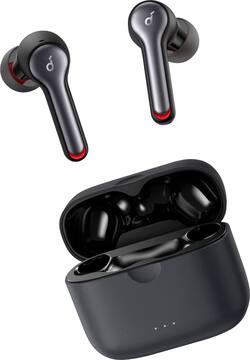
Soundcore - by Anker Liberty Air 2 Earbuds True Wireless In-Ear Headphones - Black
- Key Specs
- Sound Mode: Stereo
- Connection Type: Wireless
- Wireless Connectivity: Bluetooth (The manner in which a device sends data to another device over a short distance without the use of wires or cables.)
- True Wireless: true (These headphones not only lack wires between the device and headphones, they also lack wires between the headphones themselves. (true wireless is really only possible with in-ear headphones))
- Water Resistant: true (Resists some degree of water penetration.)
- Built-In Microphone: true
- Carrying Case: true
- Headphone Fit: In-Ear
- Ear Tip Sizes Included: Extra large, Extra small, Large, Medium, Small
- General
- Brand: Soundcore
- Model Number: A3910Z11
- Product Name: by Anker Liberty Air 2 Earbuds True Wireless In-Ear Headphones
- Color: Black
- Ear Tip Sizes Included: Extra large, Extra small, Large, Medium, Small
- Audio
- Sound Isolating: true
- Sound Mode: Stereo
- Connectivity
- Connection Type: Wireless
- Wireless Connectivity: Bluetooth (The manner in which a device sends data to another device over a short distance without the use of wires or cables.)
- True Wireless: true (These headphones not only lack wires between the device and headphones, they also lack wires between the headphones themselves. (true wireless is really only possible with in-ear headphones))
- Bluetooth Version: 5.0 (The Bluetooth specification formalized by the Bluetooth Special Interest Group. All versions of the Bluetooth standard are backwards compatible with previous versions.)
- Features
- Water Resistant: true (Resists some degree of water penetration.)
- Built-In Microphone: true
- Carrying Case: true
- Design
- Headphone Fit: In-Ear
- Power
- Rechargeable: true
- On/Off Switch: Yes
- Other
- UPC: 848061060690
Enjoy the crisp, powerful sound of these Anker Soundcore Liberty Air 2 headphones. The four microphones ensure clear sound pickup while making calls for seamless communication, and the rechargeable battery offers up to 7 hours of use when fully charged. These water-resistant Anker SoundCore Liberty Air 2 earphones have five pairs of different-size eartips for customizable comfort, while the included charging case holds three 7-hour charges for all-day playtime.
- Diamond Inspired Sound: Inspired by the ultra-hard structure of diamonds, Liberty Air 2’s driver domes maintain their rigidity even when vibrating at high frequencies. Music is reproduced with a 15% larger frequency bandwidth for clear treble and 2× more bass
- Four microphones for crystal clear calls: Each earbud is equipped with two microphones that use cVc 8.0 noise reduction technology. Your voice is optimized, and background noises are minimized so you sound louder and clearer on the other end.
- HearID technology: Take the test to create a custom set of EQ settings that are optimized for your ears. HearID maps your hearing sensitivity at multiple frequencies and intelligently analyzes the results to give you a truly personalized listening experience.
- Qualcomm® aptX™ audio: Enables CD-like quality wireless audio because it solves the problem of sending the full music bandwidth over Bluetooth.
- Rechargeable battery: A single charge gives you up to seven hours of listening, while the charging case extends it up to 28 hours of playtime. And when the case needs a power boost, simply set it down on a wireless charger.
- True wireless: Provides a stable connection and lossless sound transfer in each earbud when streaming media from your device.
- Passive noise cancellation: You hear less outside unwanted ambient noises and can focus more on the desired sound at ears.
- Water-resistant design: IPX5-rated protection defends your earbuds against rain, sweat and more.
- Bluetooth 5.0 connectivity: Offers simple wireless pairing with your Bluetooth-enabled device.
- Customizable eartips: Choose from five sizes of eartips to find your perfect fit for enhanced passive noise cancellation and comfort.
- Fast-charging technology: When you're running short on time, a 10-minute charge will give you up to 2 hours of listening.
- Wireless charging compatible: Simply place the charging case on a wireless charging pad for convenient charging.
Whats Included
- 5 sizes ear trips (XS/S/M/L/XL)
- Brand card
- Charging case
- Liberty Air 2 Headphones
- Quick start guide
- Safety card
- USB-C cable (23.6")
Product Manuals
Q: What so better from the first anker soundcore?
A: They work independently from each other and the call quality is great. They don’t sound muffled when using the phone.
A: Pressing the button on the bottom with the lid closed shows the current charge level of the case. Pressing and holding the button 10 seconds with the lid open will reset the earbuds and erase all "memory data".
Q: Can you answer phone calls by tapping the buds while using them?
A: Yes, you can answer phone calls while using the Liberty Air 2. Double-tapping once when a call is coming in will pick up the call.
A: The most important step to ensure both earbuds work at the same is to click "pair" when a screen with "Bluetooth Pairing Request" is popping out when you pair tthese headphones to the Bluetooth devices. So please help us do the following steps: 1. Forget the pairing record on your device and turn off your device's Bluetooth. 2. Place the earbuds into the charging case and make sure they are being charged. When you put the left earbuds into the charging case, the left LED light on charging case will flash 2 times which means the earbuds is charging, please also note the right side will also do the same time, when you put it into charging case, the right LED light on charging case will also flash. 3. Keep the charging case open, then press and hold the button on the bottom of the charging case for 10 seconds until the LED indicators on both earbuds flash red 3 times. All the memory data will be cleared, then close the charging case. 4. Re-open the charging case or take both sides out of the charging case, the white light on one side will flash quickly, which means it enters pairing mode 5. Enable the Bluetooth on your bluetooth devices. You can find the device name "Soundbuds Liberty Air 2" or "Soundcore Liberty Air 2-L" on the Bluetooth list. 6. Please click "Soundbuds Liberty Air 2" or "Soundcore Liberty Air 2-L" for pairing, the white light will flash slowly, which means it paired successfully. 7. Then there will pop out a screen with "Bluetooth Pairing Request", just click "Pair" (This step is very important) If still the same, please reach out to us at soundcore@service.com so we can take care of you.
Q: Can one earbud be in use while the other is charging in the case?
A: Yes, this feature is included in Liberty Air 2!
A: If you use the two earbuds together, they cannot connect to multiple devices; If you use them separately, yes, the two buds can be paired and connected to two devices. You can do this by the following steps: - Take the right earbuds out of the charging case, and put the left side into the charging case - Press and hold the button on the bottom of the charging case for 10 seconds until the LED indicators on left earbuds flash red light, then you will see a breath light on the left side - Then press and hold the button on the bottom of the charging case for 3 seconds until the light on the left side become quick flash. - After this, you can pair the left and the right earbuds to two devices separately.
Q: what is the return period for headphons
A: 14 days after purchase date.
Q: Can I wear one while the other is charging? Also is it microphones on both ?
A: Yes you can and yes they do. I was on the edge of buying them and so far I love them.
People also viewed
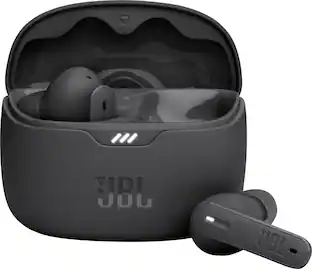 Black Friday in July Deal$59.95The price was $109.95
 Black Friday in July Deal$149.99The price was $179.99
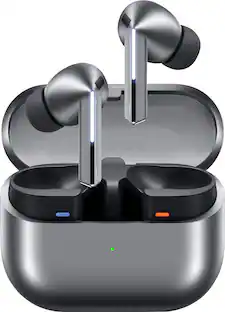 Black Friday in July Deal$139.99The price was $249.99
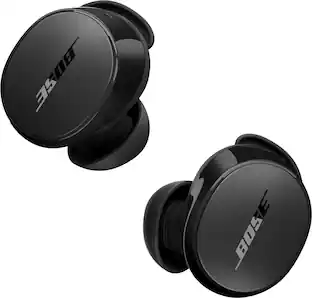 Black Friday in July Deal$149.00The price was $179.00
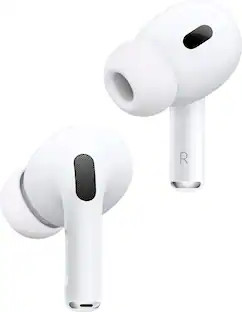 $234.00The price was $249.99
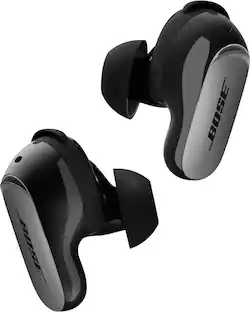 Black Friday in July Deal$249.00The price was $299.00
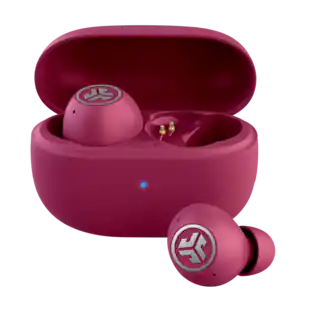 Black Friday in July Deal$12.99The price was $29.99
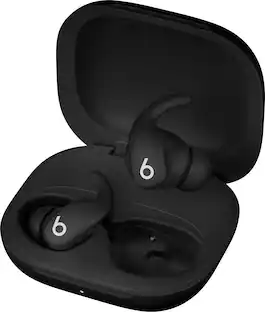 Black Friday in July Deal$169.99The price was $199.99
Today's top picks
 Black Friday in July Deal$749.99The price was $1,199.99
 $449.99The price was $849.99
 Black Friday in July Deal$199.99The price was $399.99
 Black Friday in July Deal$199.99The price was $249.99
 Black Friday in July Deal$499.99The price was $999.99
 Black Friday in July Deal$199.00The price was $419.00
 Black Friday in July Deal$299.99The price was $499.99