Startech - 2 Port HDMI Switch W/ Automatic And Priority Switching - 1080p - Black
Reviews coming soon
About this product
The 2 Port HDMI Switch with Automatic and Priority Switching allows you to connect two HDMI devices to a single display. It features automatic switching, manual control, and EDID emulation to ensure seamless transitions and maintain video quality. Ideal for use with Blu-ray players, gaming consoles, and projectors, this switch is designed for easy installation and operation.
Features
Automatic Switching
Automatically switches between HDMI sources for seamless transitions.
Manual Control
Includes a built-in manual control console for easy source selection.
EDID Emulation
Maintains video resolution settings during source switching.
Priority Switching
Prioritizes the second input when both sources are active.
Full HD Support
Supports video resolutions up to 1920 x 1200 for high-quality output.
Specifications
- Number of LAN Ports1
Reviews
This product doesn't have any reviews yet.
Compare similar products
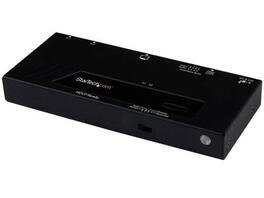
The 2 Port HDMI Switch with Automatic and Priority Switching allows you to connect two HDMI devices to a single display. It features automatic switching, manual control, and EDID emulation to ensure seamless transitions and maintain video quality. Ideal for use with Blu-ray players, gaming consoles, and projectors, this switch is designed for easy installation and operation.
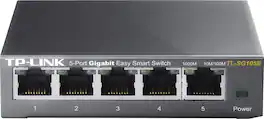
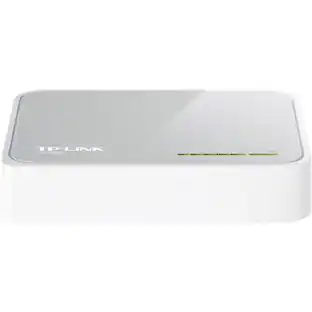
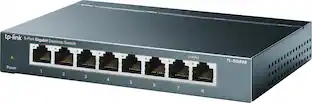
Upgrade your equipment for your small or medium business network with this TP-LINK TL-SG105E Gigabit smart switch, which offers 5 10/100/1000 Mbps ports with port-based priority setup, making it easy to integrate with your infrastructure.

The U215-002 2-Port USB 2.0 Hi-Speed Printer/Peripheral Sharing Switch saves you money, time and precious workspace by letting you connect two computers to a single USB peripheral. Recommended for home and small offices, this sharing switch eliminates the cost of buying two printers, two scanners, two hard drives, etc., as well as the problem of where to put them and their cables. One-touch port switching lets you switch between computers using a mouse, hotkeys or manual pushbutton. The U215-002 detects print commands and switches computers automatically. Idle time-out switching ensures all data is sent from the active printer buffer before switching ports. A taskbar icon indicates the connected device's status. LEDs on the unit indicate which computer currently controls the device. The U215-002 is compatible with USB 2.0 and USB 1.1 devices and supports data transfer rates up to 480 Mbps. No external power supply required. Switch is compatible with all USB-enabled Operating Systems. Optional CD software is compatible with Windows (XP and later) and Mac (OS X 10.3 and later). Features

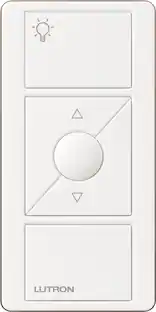
Lutron Caseta Wireless Pico Wallplate Bracket: Mount your Pico remote directly to a wall for an additional point of control or in a 3-way application with a Caseta wireless in-wall dimmer. The bracket fits standard designer-style wallplates to complement your décor.
Specs
Be the first to ask a question.
We’ll try to get your question answered within 24 hours by a Best Buy customer or brand representative.
Customers often buy these together


More to consider





Explore tech essentials Sponsored

Keep exploring
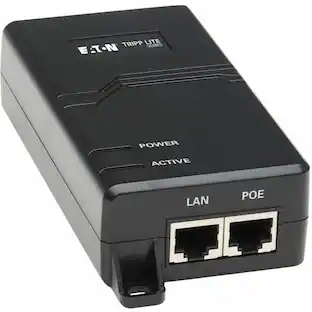
Tripp Lite Gigabit PoE+ Midspan Active Injector - IEEE 802.3at/802.3af 1-Port (NPOE-30W-1G)
$57.47The price was $71.99