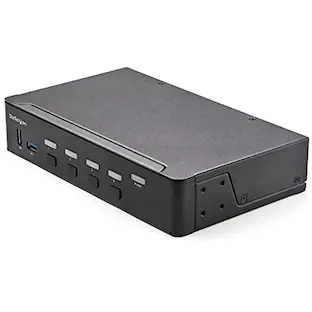
Startech - 2-Port USB-C KVM Switch - Black
Reviews coming soon
About this product
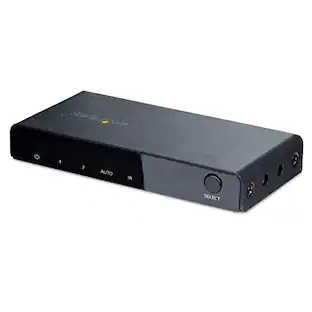
The 2-Port USB-C KVM Switch enables seamless control of two USB-C DP Alt Mode, Thunderbolt 3, or Thunderbolt 4 computers using a single DisplayPort monitor. It supports up to 4K 60Hz (4:4:4) resolutions with HDR, ensuring high-quality visuals. The device offers 6 USB-A 480Mbps hub ports for connecting peripherals and supports both analog and digital audio output, along with microphone input. Control is facilitated through front panel push buttons and hotkey functions, and the KVM switch is housed in a durable metal enclosure suitable for various environments.
Features
4K 60Hz Resolution with HDR
Supports up to 4K 60Hz (4:4:4) resolutions with High Dynamic Range (HDR) for enhanced contrast, brightness, and color accuracy.
USB-C DP Alt Mode Compatibility
Allows sharing of a monitor, mouse, keyboard, and peripherals using a single USB-C cable connected to USB-C DP Alt Mode compatible devices.
Multiple USB Hub Ports
Equipped with 6 USB-A 480Mbps hub ports for connecting various USB peripherals.
Analog and Digital Audio Support
Provides 2-channel analog and digital audio output, as well as microphone input through 3.5mm or USB ports.
Intuitive Control Options
Features front panel push buttons and hotkey functions for easy switching between connected computers.
Specifications
- BrandStartechModel NumberSV231DPUCAProduct Name2-Port USB-C KVM SwitchColorBlackSelector Switch Box TypeKVM SwitchInput(s)2 x USB-C
Reviews
This product doesn't have any reviews yet.
Compare similar products

The 2-Port USB-C KVM Switch enables seamless control of two USB-C DP Alt Mode, Thunderbolt 3, or Thunderbolt 4 computers using a single DisplayPort monitor. It supports up to 4K 60Hz (4:4:4) resolutions with HDR, ensuring high-quality visuals. The device offers 6 USB-A 480Mbps hub ports for connecting peripherals and supports both analog and digital audio output, along with microphone input. Control is facilitated through front panel push buttons and hotkey functions, and the KVM switch is housed in a durable metal enclosure suitable for various environments.

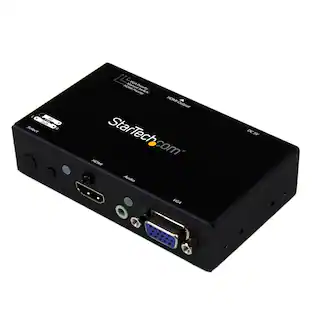
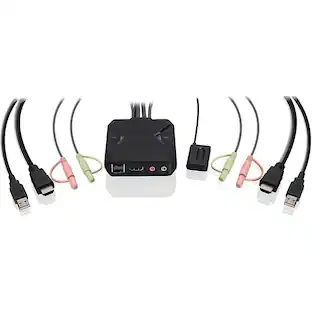
The 2-Port Full HD KVM Switch is plug-and-play. And all the cables you need are included. The KVM shows which computer you are using with a light on the unit (either PC1 or PC2). Toggling between two HDMI computers is as easy as clicking the remote port selector button allowing the user to multitask with two computers. Place the 6 ft remote port cable behind your computer set-up so the selector button can be placed on your desk for easy reach.

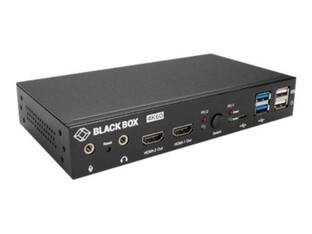
The 2-Port Hybrid USB-C DisplayPort Cable KVM Switch enables seamless switching between a USB-A/DisplayPort desktop and a USB Type-C DP-Alt Mode laptop, allowing shared access to a keyboard, mouse, audio devices, and a single 4K 60Hz DisplayPort monitor. Its bus-powered design features integrated cables for easy setup and broad compatibility across various operating systems and hardware platforms. Flexible switching options and advanced connectivity tools enhance productivity and device management.

The 2 Port Dual Monitor HDMI KVM Switch enables seamless control of two computers with dual 4K 60Hz display support. It includes an integrated USB 3.0 hub for sharing peripherals and offers full audio compatibility with both digital and analog outputs. Compatible with Windows, Mac, and Linux, it features user-friendly front-panel pushbuttons and hotkey functionality for efficient system management.
| Pros for Startech - 2-Port USB-C KVM Switch - Black | |||
|---|---|---|---|
| There were no pros for this product— | Ease of use, Performance | There were no pros for this product— | There were no pros for this product— |
Specs
Be the first to ask a question.
We’ll try to get your question answered within 24 hours by a Best Buy customer or brand representative.
Customers often buy these together
Aten Technology 2-Port 4K DisplayPort USB-C KVM Dock Switch with Power Pass-through (US3311)
$199.45The price was $216.99LG 55" Class B6E OLED AI 4K Smart webOS TV with Perfect Black and Vivid Color (2026)
Top Deal$799.99The price was $1,399.99







More to consider
Aten Technology 2-Port 4K DisplayPort USB-C KVM Dock Switch with Power Pass-through (US3311)
$199.45The price was $216.99



Elevate your entertainment Sponsored
Keep exploring
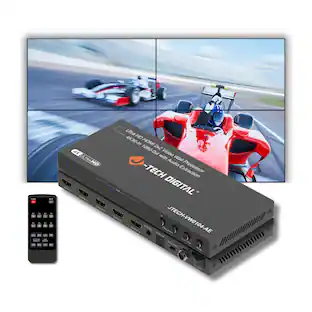
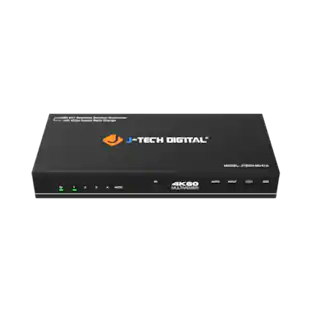
J-Tech Digital 4K 60Hz 4x1 Seamless HDMI Switch and Multiviewer with Video Aspect Ratio Change
$215.99The price was $222.97