Startech - 6ft DisplayPort+USB 5Gbps KVM Cable, 4K 60Hz, DP 1.2 Combo for KVM Switches
Reviews coming soon
About this product
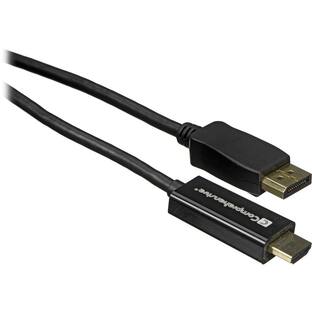
StarTech 6ft (1.8m) DisplayPort and USB 5Gbps KVM Cable, 4K 60Hz, DP 1.2 and USB Combo Cable for KVM Switches DU1226-KVM-CABLE
Features
Integrated DisplayPort KVM Cable with USB 3.0
KVM cable connects a computer to a Displayport KVM Switch that features USB 5Gbps; Simplifies setup by integrating the cables into a single bundle reducing the number of individual cables that need to be managed; DP 1.2 up to 4K 60Hz; USB 3.0
Specifications
- Cable Length6.0 feetConnector Type (End 1)DisplayPortConnector Type (End 2)USB-A
Reviews
This product doesn't have any reviews yet.
Compare similar products
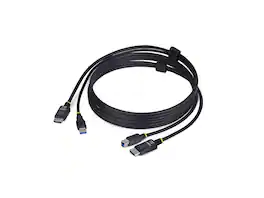
StarTech 6ft (1.8m) DisplayPort and USB 5Gbps KVM Cable, 4K 60Hz, DP 1.2 and USB Combo Cable for KVM Switches DU1226-KVM-CABLE

The 16ft USB C to HDMI Cable Adapter enables you to connect USB Type-C devices supporting DisplayPort Alt Mode or Thunderbolt 3 to HDMI displays. It supports 4K resolution at 60Hz with HDR10, delivering enhanced image quality. The cable is compatible with various devices, including MacBook Pro, iPad Pro, Dell XPS, and more. Its plug-and-play functionality ensures easy setup across multiple operating systems. The 16ft (5m) length offers flexibility in device placement, and the durable construction with a space gray finish provides a professional look.

Rocstor Premium USB-C to Hi-Res 3.5mm Audio Adapter DAC 44.1/48/96KHz Sample Rate
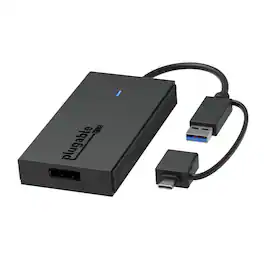
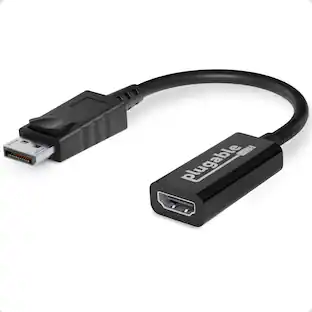
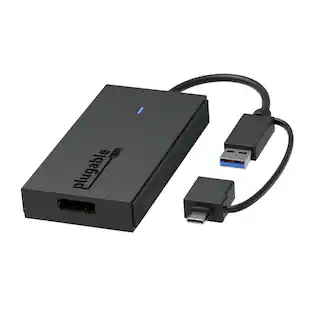
Extend Your Display - The Fast and Simple Way. "There’s no shortage of options when it comes to adding screens to your laptop, and that’s where things can get complicated (and expensive). The Plugable USB 3.0 and USB C to DisplayPort monitor adapter (UGA-DP-S) keeps things simple. A one plug solution that adds one DisplayPort port to your computer, the UGA-DP-S leaves your other ports open for peripherals. And because this USB A to DisplayPort adapter has a single function, it’s a lot more affordable than a docking station. Extend or Mirror 4 Screens. With the UGA-DP-S adding an extra display is just the start. Combining multiple USB to DisplayPort Adapters makes it possible to add up to 8 monitors on Windows computers and up to 4 monitors on macOS computers. Quad HD. Add a 2560x1440p @ 60hz Quad HD monitor through a USB 3.0 port, USB-C, or even a Thunderbolt port. This USB-C to DisplayPort adapter supports seamless connectivity for crystal-clear visuals and reliable performance. Connection Simplicity. A hybrid 2-in-1 cable means you don’t have to choose between a USB Type A and USB Type C to DisplayPort adapter picking an adapter that matches your computer. The UGA-HDMI-S works with the ports you have now, and the ports you’ll have on your next computer—USB 3.0, USB-C, USB4, even Thunderbolt. Its compact design makes this USB C to DisplayPort adapter as portable as your laptop. This USB A to DisplayPort adapter ensures you always have the right connection for your devices. For Best Compatibility. "Silicon Motion is a versatile software that enables you to be more productive by adding additional displays through USB 3.0, USB-C, or Thunderbolt ports on your computer. SMI drivers on Windows will automatically install through Windows Updates. SMI macOS InstantView driver download and installation is required for MAC. This USB to DisplayPort converter is the perfect solution for extending your display setup with ease and affordability.
Specs
Be the first to ask a question.
We’ll try to get your question answered within 24 hours by a Best Buy customer or brand representative.
Customers often buy these together
MSI MAG 255XF 25" FHD Rapid IPS 300Hz 0.5ms Gaming Monitor with FreeSync Premium (HDMI, DisplayPort)
$139.99The price was $149.99




More to consider
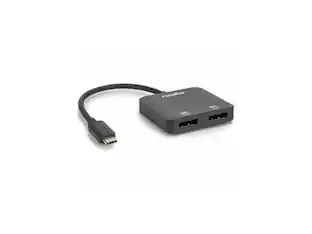
Rocstor USB-C to Dual DP Adapter - 4K/60Hz - USB-C Male, 2 DP Female - 3840x2160
$38.56The price was $42.42




Explore tech essentials Sponsored




Keep exploring
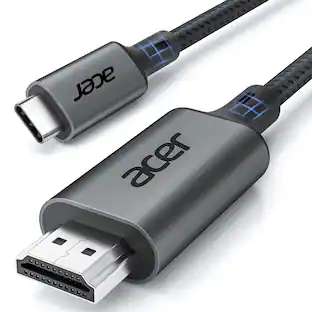
Acer USB C to HDMI Cable for Home Office 6.6FT (4K@60Hz), High-Speed Type C to HDMI 2.0 Braided Cord
Holiday Deal$10.99The price was $13.99Miro U5 Type C to USB Charger Cable Adapter USB C Female to Male Charger Converter
$4.99The price was $7.99