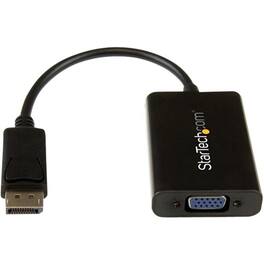
StarTech.com - DisplayPort to VGA Video Converter - Black
About this product
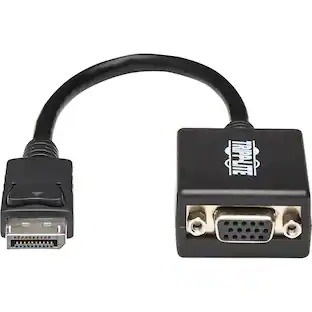
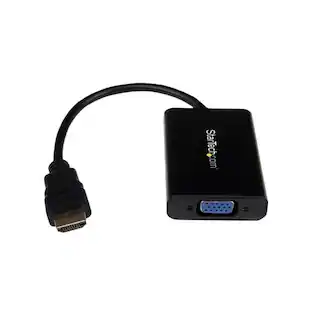
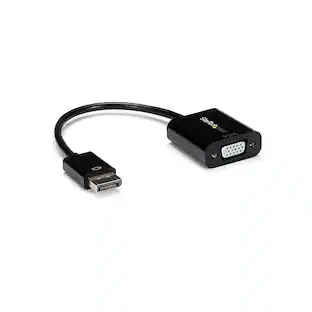
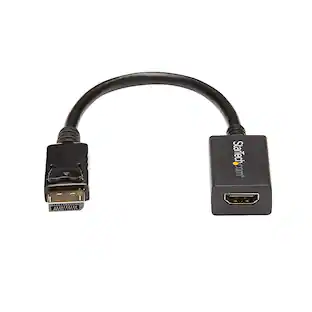
Power through professional presentations with help from this versatile StarTech DisplayPort-to-VGA adapter. A built-in audio port lets you integrate stereo elements into your presentation or use this cable to watch videos or stream your favorite media to VGA monitors. This StarTech DisplayPort-to-VGA adapter is compact and fits easily in laptop cases.
Compatible with PC
For use with your existing computer.
Secure connection
20 pin DisplayPort, 15 pin HD d-sub (HD-15), 5 pin micro-USB type B (power only) and mini-phone stereo 3.5 mm connectors.
- Cable Length0.82 feetConnector Type (End 1)DisplayPortGender (End 1)MaleConnector Type (End 2)VGAGender (End 2)Female
Reviews
Rating 4.4 out of 5 stars with 27 reviews
The vast majority of our reviews come from verified purchases. Reviews from customers may include My Best Buy members, employees, and Tech Insider Network members (as tagged). Select reviewers may receive discounted products, promotional considerations or entries into drawings for honest, helpful reviews.
Compare similar products
Power through professional presentations with help from this versatile StarTech DisplayPort-to-VGA adapter. A built-in audio port lets you integrate stereo elements into your presentation or use this cable to watch videos or stream your favorite media to VGA monitors. This StarTech DisplayPort-to-VGA adapter is compact and fits easily in laptop cases.

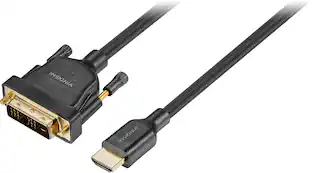
The Best Buy essentials 6’ HDMI-to-DVI-D Monitor Cable mirrors or extends your computer’s desktop. Simply connect the cable from your computer’s single-link DVI-I or DVI-D port to a HDMI-enabled display. Compatible with monitors, TVs, projectors and more, resolutions from your computer’s single-link DVI-I or DVI-D port up to 1920 × 1200 grant you optimal high-quality images that leave everyone impressed. Nickle-plated connectors with PVC molding make this cable corrosion resistant and give it long-lasting use. Providing flexible placement options, a 6 ft. cable gives you the ideal length to reach your devices. And the cable is backed by Best Buy, so you can have confidence in your computer’s setup.
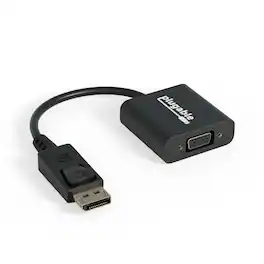
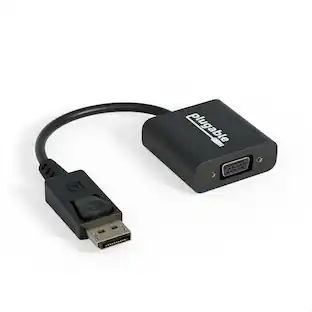
Plugable's Display Port to VGA Port adapter allows you to connect from a DisplayPort (DP) output on your laptop, desktop, or tablet to virtually any VGA-enabled display. Active adapters are compatible with both Single-mode and Dual-mode DisplayPort outputs. Our adapter supports resolutions up to 1920x1200 @ 60Hz refresh rate. This versatile adapter complements a docking station dual monitor setup, making it easy to expand your workspace with multiple monitors. Compatibility Plugable's DPM-VGAF adapter is compatible with systems that have a DisplayPort output port (DP) on a laptop, desktop or tablet PC to add a VGA capable monitor, TV or projector. Whether you need a DisplayPort to VGA, Display Port to VGA or DP to VGA adapter, this product provides seamless intergration. Note that adapter is not bi-directional and will not convert in the other direction. Compliant with VESA DisplayPort 1.1 In the Bag Plugable DisplayPort to VGA Active Adapter (VGA cable not included)
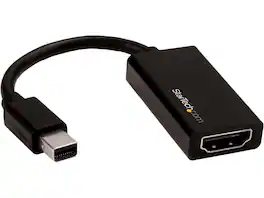
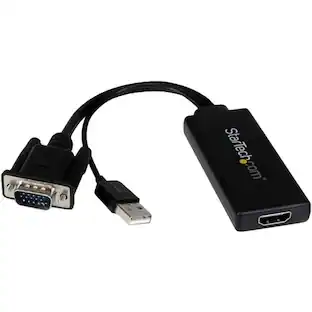
StarTech.com MDP2HD4K60S Mini DisplayPort to HDMI Adapter - 4K mDP to HDMI Converter - UHD 4K 60Hz
| Pros for StarTech.com - DisplayPort to VGA Video Converter - Black | |||
|---|---|---|---|
| There were no pros for this product— | Overall Performance, Compatibility, HDMI, Price, Ease of use | Overall Performance | There were no pros for this product— |
| Cons for StarTech.com - DisplayPort to VGA Video Converter - Black | |||
| There were no cons for this product— | Lag, Resolution | There were no cons for this product— | There were no cons for this product— |
Specs
Customers often buy these together



More to consider

Explore tech essentials Sponsored
 $111.00The price was $139.00
 $449.99The price was $589.99


Discover related products










Keep exploring
 $12.99The price was $13.99