StarTech.com - MST Hub Mini DisplayPort to 3-Port HDMI Multi-Monitor Splitter - Black
About this product
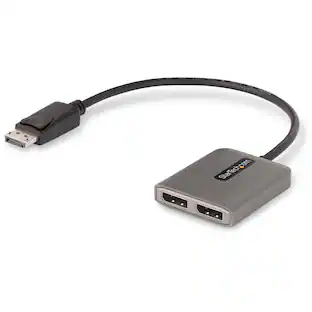
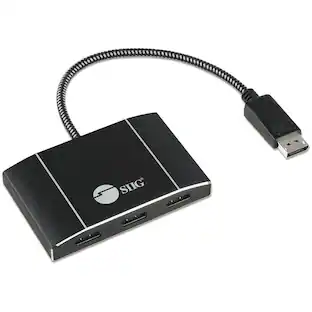
Expand your computer's screen with this StarTech.com DisplayPort to HDMI splitter. It connects up to three independent displays to a single mini DisplayPort port on your laptop or desktop so you can work on multiple projects at once. This StarTech.com DisplayPort to HDMI splitter supports Ultra HD 4K resolutions for high-quality images across devices.
Compatible with select tablets and graphics cards
Such as AMD Radeon with Eyefinity Technology and Microsoft Surface Pro 3.
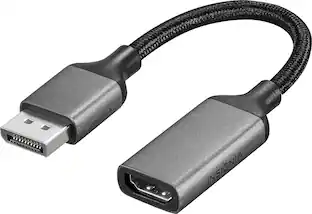
Mini DisplayPort-to-HDMI adapter
Connects your compatible device to your HDTV, allowing you to easily stream audio and video content.
Plug-and-play design
For simple setup.
- HDMI Cable TypeHigh Speed HDMI CableConnector Type (End 1)Mini DisplayPortConnector Type (End 2)Mini DisplayPort
Reviews
Rating 3.8 out of 5 stars with 6 reviews
The vast majority of our reviews come from verified purchases. Reviews from customers may include My Best Buy members, employees, and Tech Insider Network members (as tagged). Select reviewers may receive discounted products, promotional considerations or entries into drawings for honest, helpful reviews.

Compare similar products
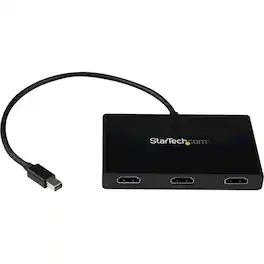
Expand your computer's screen with this StarTech.com DisplayPort to HDMI splitter. It connects up to three independent displays to a single mini DisplayPort port on your laptop or desktop so you can work on multiple projects at once. This StarTech.com DisplayPort to HDMI splitter supports Ultra HD 4K resolutions for high-quality images across devices.

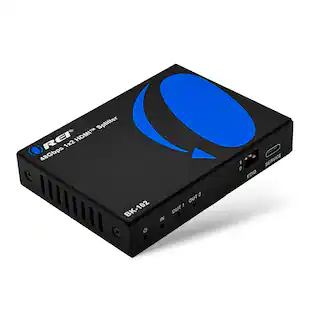
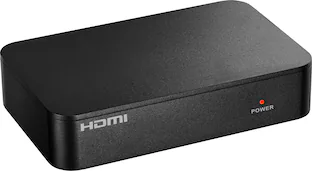
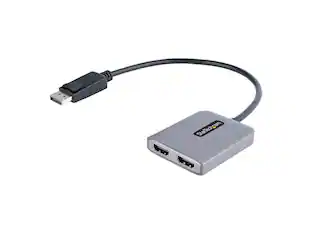
The Insignia HDMI 2-Output Splitter with HDR pass-through provides the flexibility to extend your display. Send your laptop screen to multiple projectors for a presentation, set up the ultimate gaming night with multi-display video games, or stream the big game on multiple TVs. The splitter has HDR pass-through and supports 4K resolution for a crisp on-screen picture.
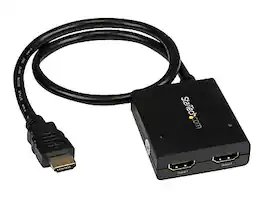
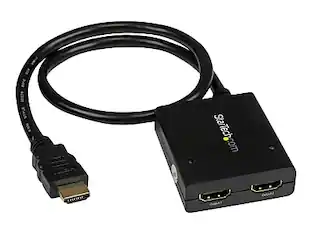
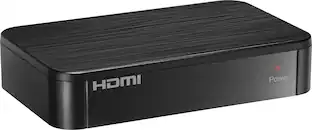
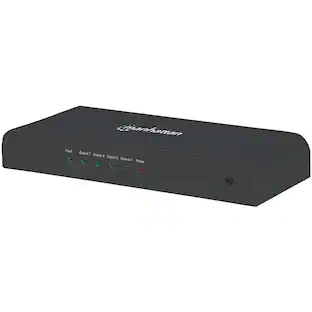
The ST122HD4KU 2-port video splitter supports Ultra HD (4K) ensuring astonishing picture quality, four times the resolution of high-definition 1080p, while sharing a 4K HDMI video source between two HDMI displays. The 4K splitter is backward compatible with previous HDMI revisions, supporting 1080p / 720p HDMI video resolution devices such as computers, Blu-ray players and cable TV set-top boxes. Even if you don't require 4K video today, the video splitter ensures you'll be ready to take advantage of tomorrow's display technology while still working with the devices you already have. Plus, this splitter supports 3D, enabling you to use the splitter with your stereoscopic 3D video source on active or passive 3D displays. For a hassle-free setup you can power the HDMI splitter with the included USB cable, or power adapter depending on which is most convenient for you. Plus, the splitter features a built-in HDMI source cable, which lets you connect it directly to your HDMI source without the expense of additional cabling. The ST122HD4KU is backed by a StarTech 2-year warranty, and free lifetime technical support.

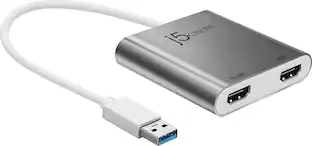
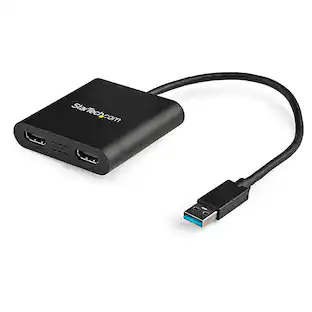
This USB 3.0 to Dual HDMI Multi-Monitor Adapter acts as an external video card for your MacBook or Windows computers. It allows you to add two additional displays through your USB 3.0 port, boosting your productivity by giving you more screen space to work from. One of the HDMI ports can output resolutions up to 4K, while the other can output resolutions up to 2048 x 1152. This is the perfect alternative to a costly video card. With this USB 3.0 Multi-Monitor Adapter, you can quickly install the driver with a simple USB plug-in. Afterwards, connect the device to your monitors using HDMI cables and then you will have a dual-display workstation!
| Pros for StarTech.com - MST Hub Mini DisplayPort to 3-Port HDMI Multi-Monitor Splitter - Black | |||
|---|---|---|---|
| There were no pros for this product— | Overall Performance, Functionality, Setup, Resolution, Size | There were no pros for this product— | Overall Performance, Ease of use, HDMI, Compatibility, Connectivity |
| Cons for StarTech.com - MST Hub Mini DisplayPort to 3-Port HDMI Multi-Monitor Splitter - Black | |||
| There were no cons for this product— | There were no cons for this product— | There were no cons for this product— | Price, Driver, Lag, Resolution, Heat |
Specs
Customers often buy these together
 $54.99The price was $89.99
 Top Deal$429.00The price was $679.00

More to consider
 $55.99The price was $95.99

Discover related products





Keep exploring
 $12.99The price was $14.99