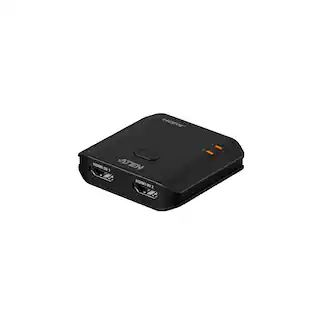
Startech - DisplayPort KVM Extender over Fiber Optic - Black
Reviews coming soon
About this product
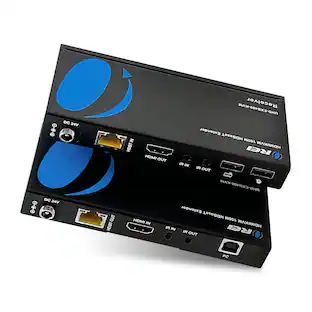
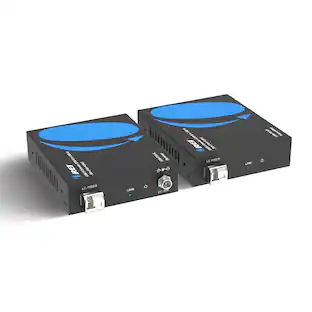
The DisplayPort KVM Extender over Fiber Optic allows remote control of a KVM switch, console, or PC up to 984ft (300m) away using multi-mode fiber-optic cabling. It supports 4K 60Hz DisplayPort video with resolutions up to 3840x2160 at 60Hz (4:4:4) and is DP 1.2 compliant. The extender features a built-in USB hub with three USB ports for connecting peripherals such as a mouse and keyboard, facilitating remote device control and flexible workstation setups. Its durable steel chassis and fiber-optic extension method help prevent electromagnetic interference (EMI), ensuring long-term reliability. The device is compatible with all operating systems, including Windows, macOS, and Linux, and requires no drivers or software for installation.
Features
4K 60Hz DisplayPort Video
Supports UHD resolutions up to 3840x2160 at 60Hz (4:4:4); DP 1.2 compliant with EDID pass-through for optimal signal quality.
Fiber Optic Connectivity
Extends control of KVM switch, console, or PC up to 984ft (300m) over multi-mode fiber; supports single-mode SFP+ modules for up to 1,640ft (500m).
Universal Compatibility
No drivers or software required; compatible with Windows, macOS, and Linux; point-to-point fiber connection eliminates network configuration.
Built-In USB Hub
Three USB ports for connecting peripherals like mouse and keyboard; ideal for remote device control and flexible workstation setups.
Durable Design
Sturdy steel chassis with fiber-optic extension reduces electromagnetic interference (EMI), enhancing stability and reliability.
Specifications
- BrandStartechModel NumberFD121-KVM-EXTENDERProduct NameDisplayPort KVM Extender over Fiber OpticColorBlackSelector Switch Box TypeKVM SwitchInput(s)2 x DisplayPort, 1 x USB-A
Reviews
This product doesn't have any reviews yet.
Compare similar products

The DisplayPort KVM Extender over Fiber Optic allows remote control of a KVM switch, console, or PC up to 984ft (300m) away using multi-mode fiber-optic cabling. It supports 4K 60Hz DisplayPort video with resolutions up to 3840x2160 at 60Hz (4:4:4) and is DP 1.2 compliant. The extender features a built-in USB hub with three USB ports for connecting peripherals such as a mouse and keyboard, facilitating remote device control and flexible workstation setups. Its durable steel chassis and fiber-optic extension method help prevent electromagnetic interference (EMI), ensuring long-term reliability. The device is compatible with all operating systems, including Windows, macOS, and Linux, and requires no drivers or software for installation.
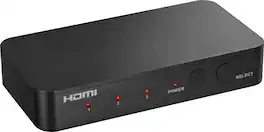
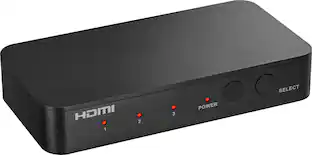
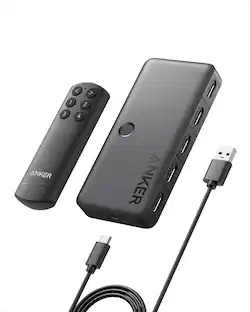
Complete your home theater setup with the Insignia HDMI 3-Port Switch with 4K HDR Inputs. The switch connects three HDMI devices, such as streaming sticks, gaming devices, computers, or Blu-ray players, to a TV screen or projector. A simple press of a button switches between the inputs to send on-screen. The switch features 4K HDR at 60Hz to support high-definition signals up to 18 Gbps, providing a crisp picture on the screen.
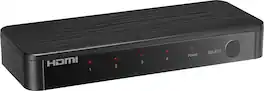
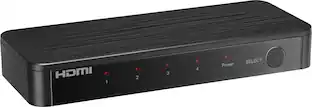
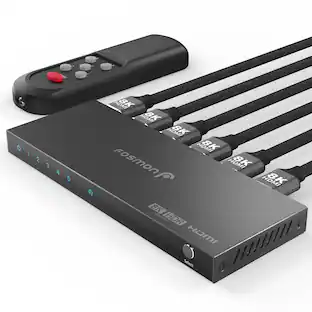
Future-proof your home theater setup with the Rocketfish 4-Input Ultra HD HDMI Switch. Designed to connect four media devices to a single display, effortlessly switching between them with the press of a button on the included remote. The switch supports 8K at 60Hz and is compatible with both HDR10 and Dolby Vision HDR for superior on-screen visuals.

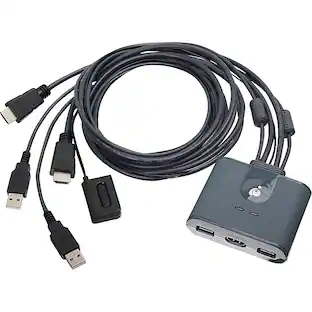
The 2-Port Full HD KVM Switch is plug-and-play. And all the cables you need are included. The KVM shows which computer you are using with a light on the unit (either PC1 or PC2). Toggling between two HDMI computers is as easy as clicking the remote port selector button allowing the user to multitask with two computers. Place the 6 ft remote port cable behind your computer set-up so the selector button can be placed on your desk for easy reach.
| Pros for Startech - DisplayPort KVM Extender over Fiber Optic - Black | |||
|---|---|---|---|
| There were no pros for this product— | Overall Performance, Ease of Use, Connectivity, Remote Control, Size | Overall Performance, Ease of Use, Connectivity, Audio Quality, Resolution | Ease of Use |
| Cons for Startech - DisplayPort KVM Extender over Fiber Optic - Black | |||
| There were no cons for this product— | There were no cons for this product— | Remote Size | There were no cons for this product— |
Specs
Be the first to ask a question.
We’ll try to get your question answered within 24 hours by a Best Buy customer or brand representative.