Main Content

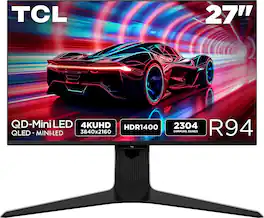
TCL - 27" R94 Series 4K UHD HDR QD-Mini LED Gaming Monitor - Black and White

Model: 27R94
SKU: 6650394
$799.99
or
$66.67/mo.
suggested payments with12-Month Financing
Show me how
Finance OptionsView your offers
Special OffersOn related products
Standard Geek Squad Protection
Availability
Fulfillment Options
Order now for pickup on Mon, Jan 26 at
Sold by Best Buy

Highlights

  • Key Specs
    • Refresh Rate: 165Hz (The number of frames per second the device can produce natively without enhancement. Higher rates help produce smooth, seamless pictures.)
    • Maximum Resolution: 3840 x 2160 (Maximum resolution refers to the highest number of pixels that a screen can process and display. Higher resolution signals produce more detailed images.)
    • Response Time: 1 milliseconds (The speed at which pixels can change colors is called response time. It is measured in milliseconds (ms).)
    • Panel Type: QLED (Technology that affects response time and image quality.)
    • Synchronization Technology: FreeSync Premium (AMD Adaptive Sync) (Generally, these technologies allow syncing between a computer/console game's frame rate and the device's refresh rate for a smoother display without tearing.)
    • Screen Size: 27 inches (Size of the screen, measured diagonally from corner to corner.)
    • Display Connector(s): 1 x DisplayPort 1.4 (The number and type of connectors used to connect to an external display.)
  • General
    • Brand: TCL
    • Model Number: 27R94
    • Product Name: 27" R94 Series 4K UHD HDR QD-Mini LED Gaming Monitor
    • Color: Black and White
    • Operating System Compatibility: Not Applicable
  • Display
    • Refresh Rate: 165Hz (The number of frames per second the device can produce natively without enhancement. Higher rates help produce smooth, seamless pictures.)
    • Maximum Resolution: 3840 x 2160 (Maximum resolution refers to the highest number of pixels that a screen can process and display. Higher resolution signals produce more detailed images.)
    • Native Resolution: 3840 x 2160 (Native resolution of a screen refers to its single, fixed resolution. Sometimes screens must scale an image up or down in order to fit the native resolution. This can cause a loss of resolution or detail.)
    • Contrast Ratio: 3000:1 (Measured difference between a displayed image's brightest whites and darkest blacks. The larger the first number, the more detail and color that can be displayed.)
    • Response Time: 1 milliseconds (The speed at which pixels can change colors is called response time. It is measured in milliseconds (ms).)
    • Display Type: LED
    • Panel Type: QLED (Technology that affects response time and image quality.)
    • Synchronization Technology: FreeSync Premium (AMD Adaptive Sync) (Generally, these technologies allow syncing between a computer/console game's frame rate and the device's refresh rate for a smoother display without tearing.)
    • Aspect Ratio: 16:9 (The measurement of the width of a screen compared to the height of a screen, expressed as a ratio.)
    • Curved Screen: false
    • Brightness: 1400 candela per square meter (A measure of the total light output.)
    • Screen Size: 27 inches (Size of the screen, measured diagonally from corner to corner.)
    • High Dynamic Range (HDR): true (An HDR-compatible 4K TV or other HDR-compatible product displays HDR video content when it's available from sources like 4K Ultra HD Blu-ray Discs and 4K streaming services.)
    • High Dynamic Range Format: HDR 10 (There are a few HDR formats that tell the TV or other HDR-compatible product how to best utilize its capabilities to display HDR content. HDR technology can support one or multiple formats, each with various benefits to picture quality.)
    • Horizontal Viewing Angle: 178 degrees (The maximum angle at which the display can be viewed with acceptable visual performance from either side.)
    • Vertical Viewing Angle: 178 degrees (The maximum angle at which the display can be viewed with acceptable visual performance from above or below.)
    • Touch Screen: false (Touch-screen devices make navigating more intuitive. Using a touch-screen display, you can do things such as tap to select, hold and drag to move items, swipe to scroll, and pinch to zoom.)
    • On-Screen Display Languages: Multilingual On–Screen–Display (The available language options for displayed text.)
    • Display Surface: Anti-glare, Anti-reflective
    • Color Gamut (NTSC): 95 percent
    • Color Gamut (Standard RGB): 99 percent
  • Connectivity
    • Number of DisplayPort Inputs (Total): 1
    • Number of HDMI Inputs (Total): 2
    • Display Connector(s): 1 x DisplayPort 1.4 (The number and type of connectors used to connect to an external display.)
    • Number of USB Ports (Total): 4
    • USB Ports: 2 x USB-A, 1 x USB-B, 1 x USB-C (The number and type of USB ports the product has.)
    • Headphone Jack: true (The device features an interface that allows for the connection of headphones.)
  • Compatibility
    • Wall Mountable: true (The product is able to be secured to a wall. Some products are designed ready to mount, while others may require additional hardware/accessories for installation.)
    • VESA Wall Mount Standard: 100mm x 100mm (VESA wall mount standards refer to the spacing of screw holes built into a TV in order to fit with standard TV wall mounts. These standards are implemented into most TVs and monitors.)
  • Features
    • Tiltable: true
    • Adjustable Stand Height: true
    • Built-In Webcam: false
    • Integrated Speaker(s): true
  • Dimensions
    • Product Height With Stand: 20.63 inches
    • Product Height Without Stand: 14.13 inches
    • Product Width: 25.24 inches (The out of box width of the item. Width is measured as the horizontal distance from one side of the item to the other as it would be primarily used or placed.)
    • Product Depth (With Stand): 11.48 inches
    • Product Depth Without Stand: 2.87 inches
    • Product Weight: 16.03 pounds (The out of box weight of the item.)
    • Stand Included: true
  • Certifications Listings & Approvals
    • ENERGY STAR Certified: false (Devices carrying the ENERGY STAR service mark, such as computer products and peripherals, kitchen appliances, and other products, generally use 20% to 30% less energy than required by federal standards.)
    • EPEAT Qualified: false (The Electronic Product Environmental Assessment Tool (EPEAT) was designed to provide an environmental assessment tool for purchasers. In order to qualify for EPEAT, a product must meet all 23 required criteria.)
  • Warranty
    • Warranty - Parts: 1 year limited
    • Warranty - Labor: 1 year limited
  • Other
    • UPC: 846042044400

The TCL 27R94 QD-Mini LED Gaming Monitor is ideal for next level gaming with TCL’s Halo Control System that includes the Powerful Light-emitting Microchip, Condensed Micro Lens, Micro OD Reduced Optical Distance, High Contrast HVA Panel, QLED, and Dynamic Light Algorithm for Stunning “Halo-Free” Images. Get sharp, 4K UHD resolution and see all the details. The LD2304 Precise Dimming Series, HDR1400 Brightness, 165Hz native panel refresh rate, and 1ms GTG provides deep contrast, vibrant highlights, and smooth, responsive gameplay. Stutter-free gaming and ultra-smooth frame transitions with AMD FreeSync Premium and NVIDIA G-SYNC. The built-in Crosshair Aim Guide provides enhanced targeting precision in any game. On-board USB-C Power Delivery provides charging and video, all with one cable. TÜV Low Blue Light certification ensures reduced eye strain and more comfortable viewing.

  • 27” Gaming Monitor with 4K UHD (3840x2160) Resolution: Crisp and clear visuals with lifelike detail on a spacious 27″ screen—perfect for gaming, streaming, or everyday use.
  • QD-Mini LED: TCL’s QD-Mini LED delivers brilliant brightness and pinpoint precision — perfect for deep, immersive gameplay.
  • TCL Halo Control System: An advanced Technology Suite that includes the Powerful Light-emitting Microchip, Super Condensed Micro Lens, Micro-OD Reduced Optical Distance, and High Contrast HVA Panel for Stunning “Halo-Free” Images.
  • 165Hz Native Refresh Rate: Smooth, responsive motion that keeps up with every move—perfect for fast-paced games and fluid visuals.
  • LD2300 Precise Dimming Series: Scene-by-scene backlight control for deeper blacks, brighter highlights, and beautifully balanced contrast in every frame.
  • HDR1400 Brightness: Ultra-bright highlights and breathtaking contrast bring every scene to life—whether the room is pitch black or full of sunlight.
  • 1ms (GTG): Lightning-fast responsiveness for ultra-smooth gameplay and competitive edge.
  • AMD FreeSync Premium: Enjoy fluid, tear-free gameplay even during fast, high-intensity action—built for smooth competitive performance.
  • QLED: Rich, vibrant colors across nearly the full DCI-P3 spectrum—bringing images to life with stunning realism.
  • Crosshair Aim Guide: Four on-screen reticles to help you aim faster and more precisely—your competitive edge, built-in.
  • TÜV Low Blue Light Certification: Engineered for eye comfort—reduced strain during long sessions, without sacrificing image quality.
  • High Contrast HVA Panel: TCL’s leading HVA panel technology delivers exceptional contrast and rich detail, elevating every scene.
  • USB-C Power Delivery: Power up and stay connected with USB-C Power Delivery – one cable for charging and video.
  • 2 HDMI Inputs and 1 DisplayPort: Fast, flexible connections for your PC, console, and more—everything you need, ready to plug in.
  • Built-In Stereo Speakers: Enjoy easy audio with built-in speakers that deliver clear, powerful sound.
  • Fully Adjustable Stand: Find your perfect viewing angle with a fully adjustable stand for customized comfort and ergonomics.
  • 27” Gaming Monitor with 4K UHD (3840x2160) Resolution: Crisp and clear visuals with lifelike detail on a spacious 27″ screen—perfect for gaming, streaming, or everyday use.
  • QD-Mini LED: TCL’s QD-Mini LED delivers brilliant brightness and pinpoint precision — perfect for deep, immersive gameplay.
  • TCL Halo Control System: An advanced Technology Suite that includes the Powerful Light-emitting Microchip, Super Condensed Micro Lens, Micro-OD Reduced Optical Distance, and High Contrast HVA Panel for Stunning “Halo-Free” Images.
  • 165Hz Native Refresh Rate: Smooth, responsive motion that keeps up with every move—perfect for fast-paced games and fluid visuals.
  • LD2300 Precise Dimming Series: Scene-by-scene backlight control for deeper blacks, brighter highlights, and beautifully balanced contrast in every frame.
  • HDR1400 Brightness: Ultra-bright highlights and breathtaking contrast bring every scene to life—whether the room is pitch black or full of sunlight.
  • 1ms (GTG): Lightning-fast responsiveness for ultra-smooth gameplay and competitive edge.
  • AMD FreeSync Premium: Enjoy fluid, tear-free gameplay even during fast, high-intensity action—built for smooth competitive performance.
  • QLED: Rich, vibrant colors across nearly the full DCI-P3 spectrum—bringing images to life with stunning realism.
  • Crosshair Aim Guide: Four on-screen reticles to help you aim faster and more precisely—your competitive edge, built-in.
  • TÜV Low Blue Light Certification: Engineered for eye comfort—reduced strain during long sessions, without sacrificing image quality.
  • High Contrast HVA Panel: TCL’s leading HVA panel technology delivers exceptional contrast and rich detail, elevating every scene.
  • USB-C Power Delivery: Power up and stay connected with USB-C Power Delivery – one cable for charging and video.
  • 2 HDMI Inputs and 1 DisplayPort: Fast, flexible connections for your PC, console, and more—everything you need, ready to plug in.
  • Built-In Stereo Speakers: Enjoy easy audio with built-in speakers that deliver clear, powerful sound.
  • Fully Adjustable Stand: Find your perfect viewing angle with a fully adjustable stand for customized comfort and ergonomics.
Whats Included
  • Quick Start Guide (QSG)
  • Warranty Info
  • Power Cord Adapter
  • DisplayPort Cable
  • HDMI Cable
  • Quick Start Guide (QSG)
  • Warranty Info
  • Power Cord Adapter
  • DisplayPort Cable
  • HDMI Cable

Q: The height with stand is 20.63 inches, but the height is also adjustable. Can it be lowered? If so, by how much? So what is the minimum height with stand you can make this monitor when lowered.

A: At the tallest point, the monitor should be about 20.63 inches in height. The height is adjustable by approximately 3.5 inches. Hope this helps! Thank you, TCL Customer Support

Q: Does it have a glossy coating?

A: This monitor is semi-gloss/semi-matte to strike the balance between combating ambient room light while maintaining stunning contrast. Hope this helps! Thank you, TCL Customer Support

Q: Does it have dual mode?

A: It does not feature "dual mode". You can change the settings utilizing the control panel of the PC. Hope this helps! Thank you, TCL Customer Support

Sponsored

Compare similar products

TCL - 27" R94 Series 4K UHD HDR QD-Mini LED Gaming Monitor - Black and White
4.8(11)

The TCL 27R94 QD-Mini LED Gaming Monitor is ideal for next level gaming with TCL’s Halo Control System that includes the Powerful Light-emitting Microchip, Condensed Micro Lens, Micro OD Reduced Optical Distance, High Contrast HVA Panel, QLED, and Dynamic Light Algorithm for Stunning “Halo-Free” Images. Get sharp, 4K UHD resolution and see all the details. The LD2304 Precise Dimming Series, HDR1400 Brightness, 165Hz native panel refresh rate, and 1ms GTG provides deep contrast, vibrant highlights, and smooth, responsive gameplay. Stutter-free gaming and ultra-smooth frame transitions with AMD FreeSync Premium and NVIDIA G-SYNC. The built-in Crosshair Aim Guide provides enhanced targeting precision in any game. On-board USB-C Power Delivery provides charging and video, all with one cable. TÜV Low Blue Light certification ensures reduced eye strain and more comfortable viewing.

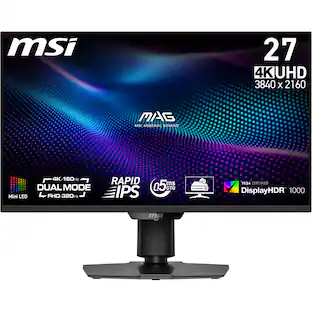
MSI - MAG 274UPDF E16M 27" MiniLED Dualmode(UHD 160Hz or FHD 320Hz)0.5ms Gaming Monitor with HDR1000(DisplayPort,HDMI,USB-C) - Metallic Black
5.0(1)

The MSI MAG 274UPDF E16M Gaming Monitor combines Mini-LED technology with Dual Mode, offering UHD 160Hz or FHD 320Hz for smooth, detailed gameplay. Its 27-inch Rapid IPS display with Quantum Dot technology delivers a 0.5ms (GtG, Min.) response time and VESA DisplayHDR 1000 certification for stunning visual precision. Unleash your full potential.

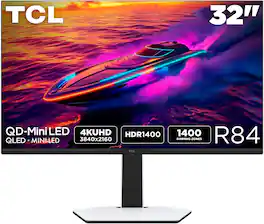
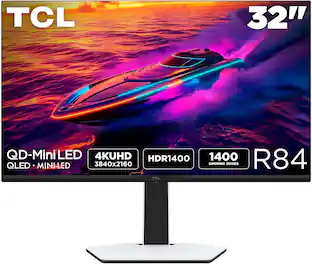
TCL - 32" R84 Series 4K UHD HDR QD-Mini LED Gaming Monitor - Black and White
4.8(15)

The TCL 32R84 QD-Mini LED Gaming Monitor is perfect for next level gaming with TCL’s Halo Control System that includes the Powerful Light-emitting Microchip, Condensed Micro Lens, Micro OD Reduced Optical Distance, High Contrast HVA Panel, QLED, and Dynamic Light Algorithm for Stunning “Halo-Free” Images. Get sharp, 4K UHD resolution and see all the details. The LD1400 Precise Dimming Series, HDR1400 Brightness, 165Hz native panel refresh rate, and 1ms GTG provide deep contrast, vibrant highlights, and smooth, responsive gameplay. Stutter-free gaming and ultra-smooth frame transitions with AMD FreeSync Premium and NVIDIA G-SYNC Compatible. The built-in Crosshair Aim Guide provides enhanced targeting precision in any game. On-board USB-C Power Delivery provides charging and video, all with one cable. TÜV Low Blue Light certification ensures reduced eye strain and more comfortable viewing.

TCL - 27" G64 Series QHD HDR QD-Mini LED Gaming Monitor - Black and Gray
4.8(24)

The TCL 27G64 QD-Mini LED Gaming Monitor is ideal for next level gaming with TCL’s Halo Control System that includes the Powerful Light-emitting Microchip, Condensed Micro Lens, Micro OD Reduced Optical Distance, High Contrast HVA Panel, QLED, and Dynamic Light Algorithm for Stunning “Halo-Free” Images. Get sharp, QHD resolution and see all the details. The LD180 Precise Dimming Series, HDR600 Brightness, 180Hz native panel refresh rate, and 1ms GTG provide deep contrast, vibrant highlights, and smooth, responsive gameplay. Stutter-free gaming and ultra-smooth frame transitions with AMD FreeSync and NVIDIA G-SYNC Compatible. The built-in Crosshair Aim Guide provides enhanced targeting precision in any game. TÜV Low Blue Light certification ensures reduced eye strain and more comfortable viewing.

Pros for TCL - 27" R94 Series 4K UHD HDR QD-Mini LED Gaming Monitor - Black and White
Color QualityThere were no pros for this productThere were no pros for this productBuild Quality

Specs

Reviews

Customer Images

The vast majority of our reviews come from verified purchases. Reviews from customers may include My Best Buy members, employees, and Tech Insider Network members (as tagged). Select reviewers may receive discounted products, promotional considerations or entries into drawings for honest, helpful reviews.

  • Rated 5 out of 5 stars

    Near Perfection: Incredible Display, Awkward Stand

    For the last week, I’ve been testing the TCL 27" R94 Series 4K UHD HDR QD-Mini LED Gaming Monitor. Overall, this is a fantastic monitor that delivers all the best features I would expect from a flagship display. My only dislike is the wide-legged base. Assembling the monitor is convenient. It comprises three parts, requires no tools, and takes less than five minutes to complete. The stand is nice and sturdy and allows for multiple points of adjustment: it can be raised, lowered, swiveled, and tilted. However, due to the wide-legged stand, the proportions of the monitor look unbalanced and bottom-heavy. The wide stand also prevents me from placing my gaming laptop completely under the screen and interferes with rotating the monitor into portrait mode. To end on a positive note, the wing-shaped RGB lighting on the back of the monitor and stand looks really cool—especially when the back is visible and not placed against a wall. The R94 has excellent IO. Usually, I use DisplayPort to ensure I have the best picture, but this monitor also features two HDMI 2.1 ports and USB-C. All of these inputs are able to provide 165Hz at 4K resolution. While on the topic of USB-C, I love that it provides my laptop with up to 90 watts of power, which is more than enough to ensure full performance and keep the battery charged for most laptops. The built-in speakers are also a welcome feature. Albeit the sound is not the best, it is good enough to get by without needing external speakers. I prefer having built-in speakers over having none at all. As for the display performance, the QD-Mini LED looks gorgeous. The colors are bright and vivid. The contrast levels are excellent, and when local dimming is set to medium or high, the display can easily be mistaken for OLED. Blooming or halo effects are minimal; I had to try really hard to see them. Also, the matte coating on the display does an excellent job of preventing any reflections. While gaming, the monitor performed excellently—I noticed no tearing, artifacts, or ghosting. With all that said, I really like this monitor and wouldn't hesitate to recommend it. Great job TCL.

    Posted by buckbabes

  • Rated 5 out of 5 stars

    Persuasive performance ... Outstanding value

    TCL 27" R94 Series 4K UHD HDR QD-Mini LED Gaming Monitor: You may need to reconsider what you’ve heard about computer monitors. Whether it’s the preferred technology or the go-to brand, TCL has entered the field of high performance and gaming monitors with this impressive challenge to the status quo. The value in this beautiful monitor was not achieved by cutting corners or leaving anything out. Every feature, adjustment, end-user control, or useful input is here. Above all else, TCL has built in seriously impressive performance specifications. And, they even included the calibration report achieved with these monitors. Check out the rear panel light display for the fun side of the TCL, and you’ll be convinced. What a great monitor. SETUP: I plugged in the heavy power brick, used the HDMI cable (one of 3 connection types included), and the screen lit up with my Apple Mini M4 display output. I prefer to mount my screens on a mobile monitor stand, so that’s what is in my accompanying photos. The TCL monitor stand included is supportive and allows for screen height and tilt. Simple and attractive. TCL is ready for whatever PC you have, or whether it uses HDMI, Display Port, or USB-C, with all of them able to deliver a 165Hz refresh, 3840 x 2160 resolution, FreeSync premium, and 1400 Nits, HDR10, and near-perfect color gamut across every standard. Connectivity is complete. One (1) Display Port 1.4, 2 HDMI, 4 USB ports (2 USB-A, 1 USB-B, 1 USB-C), a headphone jack, and the 100mm x 100mm VESA Wall Mount pattern. The stand is adjustable by height and it tilts. There are built-in speakers. SETTINGS: TCL provides a convenient, accessible menu toggle (bottom center of screen frame) that reveals layers of options and choices that give the serious gamer, professional photographer, amateurs and anyone in between the ability to modify the complete suite of image parameters or even the sound. The toggle is so convenient and predictable that you will use it. I discovered I can quickly change settings to reflect my preferred photography parameters, video watching, or gaming performance. You may want to have the monitor calibrated for your purposes or simply adjust it to your liking. I can predict this monitor will become very desirable and attract forums where end users will share their ideal settings. PERFORMANCE: My first comment will be confusing. It is my observation that the very best audio and video equipment is often boring. Perfection is matter-of-fact. It is rarely attention-grabbing because it is so very natural. On this TCL 27R94, viewing an image is like looking through a glass. The TCL 27R94 MiniLED gets out of the way of the image, colors are richly saturated, with contrast that is wide with deep blacks and sparkling bright whites (up to 1600 nits). Flesh tones are naturally variable, and strands of hair and fur are subtly detailed. I couldn’t see blooming, and object edges were just clean. SD programming, right out of the box, was perfectly calibrated for my Mac Mini M4. Those 2304 dimming zones contribute to a great image, easily mimicking OLED, but potentially brighter. Text was so easy to discern at the smallest font sizes. I need to test some more, but for me, with everyday use, brightness at 25 and contrast at 50 worked well; local dimming off, while in the OFFICE MODE. The image retains color accuracy until you shift off axis too far. But my computer use is a one-person activity and it doesn’t bother me. A general comment about the anti-glare coating is that I like it, mostly. While the benefit of a gloss finish for purity of color and contrast is valid, the persistent problems with reflections in all but full dark room viewing is not worth the trouble for me. The MOVIE Mode invited Brightness at 50, medium or high local dimming. I watched several UltraHD movies, being sure to switch to the default resolution and both my wife and I were struck by how brilliant, and cinematic, very life-like, the richly natural images were on selected movies. My fairly new, highly regarded OLED Tv playing the same feature on a larger screen in the background could not match the slightly brighter more saturated picture on the TLC. Size is a difference maker but the picture on the TLC viewed from a couple of feet away was beautiful. GAMES played on my Mac Mini M1 or connected to my gaming PC laptop were wonderful to view. I saw no screen tearing, and like the movies I viewed, colors were spectacular, blooming was not apparent, and game action moved at expected speeds without trailing. There are GAME MENU (and mode) choices for FPS, RCG, and RPG games. TCL even has an adjustment for crosshair changes in shooting scenarios. There is Dark Field Control that identifies and brightens deep shadows. I can turn on Frame Rate readouts so I know how or why screen and computer is performing as they are. MINOR ISSUES: Speakers were just OK, as expected, but at least they were available. As long as I didn’t make extreme movie demands on them, they were perfectly suitable for watching informational or instructional videos. Get a soundbar or external speakers or use earbuds for serious sound quality. That wonderful toggle-controlled menu is great. But who decided to shut it off automatically at approximately 7 seconds? Too short for me to assess the settings I’m fussing with. Maybe I just haven’t found how to vary that. SUMMARY: The TCL 27" R94 Series 4K UHD HDR QD-Mini LED Gaming Monitor can fulfill the needs of many photographers and video media creators, serve as a versatile workstation that you won’t feel uneasy about having on all day, and then become a media delivery station for TV, movie, or game programming. This is premium-tier video quality that competes with the best monitors I’ve been able to survey. This TCL monitor should be on any computer gamer’s shopping list, but for more reasons than you might first consider.

    Posted by TECHBEENGOOD

  • Rated 4 out of 5 stars

    Engaging & Adaptable Monitor Worth Consideration

    I was looking for a mid-market gaming monitor that would also suit using for productivity work too. It needed to be fast and detailed, but also usable in bright lighting. While TCL is not a brand I would have considered in the past, it’s rise in the TV sector boosted my confidence. It’s 27” R94 (R94) model looked to offer excellent color and contrast in any lighting condition so I gave it a try. My early take is its versatility and visual appeal are excellent, but as a product trying to compete with well-established monitor brands, I’m disappointed it’s missing some convenience bells and whistles. Technically it’s a fantastic monitor and I’m overall happy with it, but its missing extras and other personal nitpicks prevent it from being the 5-star monitor it could be. I’ll explain. I use gaming for short breaks to clear my head rather than as a time-consuming hobby. Twenty minutes will do me and then back to work. That’s my mindset so you’ll understand how I’m judging the R94. Hardcore gamers, like audiophiles, are much pickier about their gear than I am. I want high quality, but practicality reins over state-of-the-art. And that’s where the R94 figures in. It’s QD mini-LED rather than OLED, which is rarer in gaming monitors. Sure, OLED is more popular for gaming with its stunning appearance in dark rooms. But mini-LED performs better in normal and brighter room light, like when I need to be productive. And for my needs, that is why the R94 attracted my attention. USE WITH CONSOLES & STREAMERS Out of the box I was confident the R94’s panel was going to be crisp, lively and accurate, not oversaturated. I’ll get to picture quality, but the first thing I wanted to discover was the R94’s versatility with non-PCs. That is, was it just a PC monitor with gaming specs or could it serve as a DIY TV too for gaming consoles and streaming TV boxes. To test this out I connected an Apple TV, a Nintendo Switch 2, and my trusty ASUS Vivo laptop. The R94 recognized all of these and automatically switched between HDMI inputs too. My hope was HDMI-CEC was silently included for easier volume control with game consoles and steamers, but it’s not. While this functionality is rare in gaming monitors, there are a few major manufactures with models that include it. This is one of those missing “extras” I mentioned. However, since the monitor does sleep or wake when it when the video signal goes off or on, respectively, there is that. You just can’t adjust the monitor volume remotely. This leads me to the other not included “extra” I would appreciate, a remote control. Toggling to get to volume when using a console or streaming stick is painful. But even configuring a monitor’s settings with a single 4-way button on the monitor is exasperating. I’ve seen other gaming monitors that include a remote so this as a “miss” for me. My conclusion regarding use of streamers and consoles is, while the picture quality is great, the overall experience is less so. The R94, at its heart is a PC monitor. AUDIO QUALITY Speaking of speakers, the R94’s are not bad for monitor speakers. They are true stereo and clear at higher volumes. Boring, but practical, which is all I expect from a monitor. PANEL PERFORMANCE Now to the panel. It’s VA, but not your dad’s VA panel. TCL reengineered it and came up with its own HVA, or high-speed VA. These are in their TVs too. HVA is vastly improved from VA by my eyes. Most notable is that the screen maintains good color and detail at an angle. There is color shifting, but it’s in shades, not complete hues. Traditional VA panels are usually unviewable at angle. I’ve attached a photo of the monitor at a position a 3rd or 4th player might be at and how the screen would look to them. A picture of looking direct at the monitor is also included for comparison. Where this panel truly stands out is its insane brightness. It’s VESA HDR 1400 certification is more than marketing. In the well-lit and many windowed room the R94 sits its colors and details are well pronounced whether I’m inches or many feet away. And its contrast/HDR abilities keep the black areas black rather than going gray. The R94 sports a matte screen that minimizes glare and reflections, which I prefer for using as a productivity monitor too. But this also reduces the immersive color “pop” that a glossy screen has, so, this is an important consideration. Games played on a glossy screen, in a dark room where glare and reflection aren’t an issue, can look life like. But when the lights are on the glossy screen becomes mirror-like. The R94’s colors are rich and appealing whether the lights are on or off, but the image quality is less eye catching compared to similar quality level IPS or OLED screen. That is the tradeoff here. The “H” in HVA, as mentioned, is for high speed. The R94 can refresh as fast as 165hz, which is such a fast competitive gaming speed most people don’t have a computer capable of reaching it. 120hz support in a recent computer is more common which means the R94 provides plenty of headroom and a bit of “future proofing” too. To witness the R94’s gaming prowess I played the racing game Forza Horizon 5 on my 4K/120 capable Asus laptop for its fast-paced action, and then moved to the Switch 2 where I played Cyberpunk 2077 for its detailed graphics, and Madden 26 for target accuracy. Of course, the Switch 2 is limited to 4K/60. I started off with Forza Horizon 5. My eyes first focused on finding blur or artifacts, especially during curves or when hitting objects at high speed. I could see none. It was buttery smooth. There wasn’t any blooming that caught my attention here either, but this is just one title, so while hardly conclusive it’s a good start. Cyberpunk 2077, even at a much slower 60hz, looked great on the R94. The screen lighting was even and crisp even in the highest contrast scenes and, again, nothing negative caught my eye. And finally, a few quarters of Madden 26 to assess both how the ball looks in air and throwing accuracy, apart from user error. In kicks and passes the ball naturally floated though the air without any unrealistic blurring. A properly executed passes reached the target bull’s eye and the ensuing run was snappy. Bottomline, 4K game play on the R94 is engaging and enjoyable if you don’t expect OLED-like dazzle. If you buy the R94 for its room light performance and versatility, you’ll be thrilled with its cheerful look. SET UP AND CONNECTIVITY The R94 comes with everything needed to get it up and running out of the box, but with an asterisk attached. There’s room for improvement. Included is a stand, 5ft HDMI 2.1, USB-C with 90w PD, DisplayPort 1.4, and USB-B cables, and power supply and cord. I appreciate all this was included, but the video cables, especially if you want to guide them through the cable management hole in the stand, are only useful if you put your computer. Also, of note, the power supply is on the large side a nearly 8” long. The stand is beefy and easy to attach. It “clicks” in into the monitor’s back and then secured by twisting a bottom screw. Alternatively, there are four VESA 100x100 holes for your own mount. The shell is plastic but attractive and the stand is superbly functional. It tilts, swivels, moves up and down from about 3” off the table to 6.75”, measured at the bottom edge, and can be turned to a vertical position. The feet ruin the experience for me though as they spread out just past the monitor’s footprint and interrupt usable desk space. I prefer mounts with the foot at the center of the monitor. The rear connectivity ports are configured so that the cables slide up into them. This makes it easier to press up against a wall, and prevents accidental disconnections, but it’s also less convenient when connecting new peripherals. The R94 offers a nice set of inputs. For video there’s two HDMI 2.1 (both capable of 4K/165), USB-C with video and 90w PD for charging, and DP 1.4. Then for peripherals there’s two USB-A, USB-B to A, and a 3.5mm headphone jack. With all these connectivity options, one “extra” the R94 does have is a built-in KVM switch which is configured in the menu. And from a gamer’s perspective, there’s also several ambient lighting color options in the menu. The lights are on the back and can be turned off. The R94’s menu is accessed by a toggle below the bottom bezel. Using the menu is intuitive but toggling though the options is annoying. As previously noted, a remote control would be nice here. IN SUM The R94 is a stunning and versatile PC monitor for use in bright or dark rooms for both work and play. Overall performance is top notch in this use case and it’s a model that should be considered. It works fine with gaming consoles, but lacks CEC, something some competitors offer. Additionally, while the menu system is simple, the lack of a remote makes it tedious to use.

    Posted by TechO

No content
Sponsored

Similar products from outside of Best Buy

sponsored
product image

TCL - 27" R94 Series 4K UHD HDR QD-Mini LED Gaming Monitor - Black and White

Rating 4.8 out of 5 stars with 11 reviews

$799.99

Finance Options

My Best Buy® Credit Card
Choose a benefit:
$66.67/mo.suggested payments with 12-Month Financing
Or
10% back in rewardson your first day of purchases when approved for the My Best Buy® Credit Card.
Buy Now, Pay Later
8 payments starting at $100.00
Lease to own
Apply today with no credit needed and enjoy flexible payment options.

Special Offers

Included with Purchase
Free 6-month security software & 1 more: $29.99 value