Everything for Back to School — and then someShop now

Skip to contentGo to Product Search
Main Content

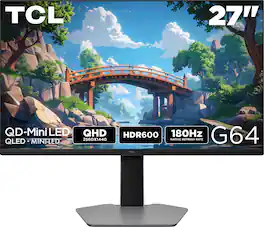
TCL - G64 27" QD Mini LED QHD 180Hz 1ms AMD FreeSync Premium Gaming Monitor with HDR600 (DisplayPort, HDMI) - Black and Gray

Model: 27G64
SKU: 6650390
Sold byBest Buy

Customers are saying

Customers highly value the 27" G64 Series QHD HDR QD-Mini LED Gaming Monitor for its premium build quality. Many users have commented on the monitor's good and premium build.

Generated by AI based on customer reviews.

Highlights

Features
  • 27” Gaming Monitor with QHD (2560x1440) Resolution

    Crisp and clear visuals with lifelike detail on a spacious 27″ screen—perfect for gaming, streaming, or everyday use.

  • QD-Mini LED

    TCL’s QD-Mini LED delivers stunning brightness and precision—just what serious gamers need for a truly immersive session.

  • TCL Halo Control System

    An advanced Technology Suite that includes the Powerful Light-emitting Microchip, Super Condensed Micro Lens, Micro-OD Reduced Optical Distance, and High Contrast HVA Panel for Stunning “Halo-Free” Images.

  • 180Hz Native Refresh Rate

    High refresh rate for fluid motion and razor-sharp clarity in fast-paced action.

  • LD180 Precise Dimming Series

    Smart local dimming that adjusts scene by scene, for deeper blacks and sharper contrast with every frame.

  • HDR600 Brightness

    HDR600 Brightness delivers brilliant highlights and rich depth in nearly any light.

  • 1ms (GTG)

    Lightning-fast responsiveness for ultra-smooth gameplay and competitive edge.

  • AMD FreeSync

    Enjoy fluid, tear-free gameplay even during fast, high-intensity action—built for smooth competitive performance.

  • QLED

    Rich, vibrant colors across nearly the full DCI-P3 spectrum—bringing images to life with stunning realism.

  • Crosshair Aim Guide

    Four on-screen reticles to help you aim faster and more precisely—your competitive edge, built-in.

  • TÜV Low Blue Light Certification

    Engineered for eye comfort—reduced strain during long sessions, without sacrificing image quality.

  • High Contrast HVA Panel

    TCL’s leading HVA panel technology delivers exceptional contrast and rich detail, elevating every scene.

  • 2 HDMI Inputs and 1 DisplayPort

    Fast, flexible connections for your PC, console, and more—everything you need, ready to plug in.

  • Built-In Stereo Speakers

    Enjoy easy audio with built-in speakers that deliver clear, powerful sound.

  • Fully Adjustable Stand

    Find your perfect viewing angle with a fully adjustable stand for customized comfort and ergonomics.

See all features
Specifications
  • Refresh Rate
    180Hz
    Maximum Resolution
    2560 x 1440
    Response Time
    1 milliseconds
    Panel Type
    QLED
    Synchronization Technology
    FreeSync (AMD Adaptive Sync)
Sponsored

Reviews

Rating 4.7 out of 5 stars with 29 reviews

97% would recommend to a friend
Customers are sayingCustomers highly value the 27" G64 Series QHD HDR QD-Mini LED Gaming Monitor for its premium build quality. Many users have commented on the monitor's good and premium build.
This summary was generated by AI based on customer reviews.
  • Build Quality (17)
  • Refresh Rate (14)
  • Black Levels (7)
  • HDR Performance (5)
  • Local Dimming (5)
  • Connectivity (6)

Customer Images

The vast majority of our reviews come from verified purchases. Reviews from customers may include My Best Buy members, employees, and Tech Insider Network members (as tagged). Select reviewers may receive discounted products, promotional considerations or entries into drawings for honest, helpful reviews.

  • Rated 5 out of 5 stars

    Great, well-balanced gaming monitor

    I’ve known TCL for years as a manufacturer of giant, super-bright TVs, but I’ve never known them for monitors. Decidedly more modest-sized than their 98” behemoths, this 27” monitor, the TCL G64, ticks a lot of boxes for gaming, especially for those who want to combine high refresh rates with strong contrast. And while the screen itself is surrounded by black trim on the bezels, I really liked the overall different look of the gray and black on the back. Out of the box, I like the way TCL has things arranged for setup. It’s super easy to attach the base to the arm, and then connect to the back of the panel itself, allowing for easy removal from the packaging without getting your fingers on the screen. The mount is highly adjustable, with height adjustment, tilt, and rotation. (Though it’d be odd for a gaming monitor, you can run this in portrait mode just fine.)The footprint of the stand is fairly large, but it results in a stable setup for the monitor, with no wiggle or balance issues. Included with the monitor is a DisplayPort cable and a surprisingly large external power brick. Connectivity on the back is fairly generous, with one DisplayPort and 2 HDMI connections. I tested this monitor with a personally-built gaming PC running an AMD RX 9070 XT graphics card. I used the included DisplayPort cable. Upon connection, I was surprised to see Windows report 165Hz as the maximum refresh, and AMD’s Adrenaline software did not see it as a Freesync monitor. It turns out that there’s a toggle in the monitor menu (more on that later) to enable Freesync, and as soon as that was enabled I had the monitor recognized for Freesync and 180Hz for the refresh rate. A key feature of this monitor is that it’s an HVA panel. This is a subtype of the common Vertical Alignment (VA) panel that addresses one of the issues of that type: while they have superb contrast, they suffer from “black smearing” with high refresh rates, as well as poorer viewing angles. This evolution of the panel type fixes these flaws with improved viewing angles and greatly reduced smearing, so you get the superb contrast of the VA panel (which helps HDR to “pop”) with the fast response typical of IPS panels. The HDR 600 rating is perhaps not the highest, especially in an age where top end TVs will have brightness topping out at 3000 nits or greater, but 600 is sufficient (especially with the good contrast) to provide a solid HDR experience (see below). Another feature I really liked is that TCL’s monitor menu is both pretty intuitive to use and has lots of options, much like a TV. This extends even to how aggressive you want the local dimming of the Mini-LED backlight to be, depending on your tastes–the more you engage the dimming algorithm, the better the contrast, but this usually comes at the expense of a little latency. So it depends on what type of games you play–if you’re mainly playing competitive FPS you may want minimal, or if you’re more like me (RPGs with the eye candy turned up) you might well prefer the additional contrast of the high setting. All the menu options are controlled by a single four-way toggle/power button underneath the center of the bottom bezel, and I found it quick to zip through the various menus. I tested this monitor with Horizon Zero Dawn Remastered. I chose this title for a couple of reasons. First, it supports FSR4 fully, including for frame generation. This is exactly the sort of situation where frame generation can be leveraged to make the most of high frame rate monitors like this one, especially since the 9070 XT is capable of generating very playable frame rates in this game natively. Sure enough, I was playing a consistent 160-180fps with frame generation, and since the base frame rate was still high, it felt silky smooth. Secondly, HDR presentation. HDR can be hit or miss on the PC as you juggle game engines, Windows, displays, and graphics cards, but consoles, with their controlled hardware/software implementations, generally do very well with it. Since HZD was originally a PS5 game, it provides a good comparison for the HDR capabilities of this monitor. And what I saw was very pleasing–a vibrant, colorful, and impactful HDR image. The bright sun in the desert area outside Meridian especially popped. I also took note to look for banding in areas like the sky and didn’t notice any, so at least in that game, it handled gradients well. If HDR is important to you, I’d recommend turning the local dimming to high. Overall, this is a terrific monitor for a lot of gamers. With 1440p resolution and a 180Hz refresh rate, this monitor pairs really well with a variety of graphics cards, depending on your tastes in upscaling and frame generation to maximize the use of those specs. And 1440p is a sweet spot for still looking sharp on a 27” screen–1080p is too fuzzy in my view, and 4K is often overkill. I like the full-featured menu, the gray/black aesthetics, and especially the multi-directional ergonomics of the stand. With the HVA panel’s contrast, quantum dot color, and Mini-LED backlight, this monitor also gives a very creditable HDR presentation as well that I think many would be delighted with. Highly recommended!

    Posted by DFN80

  • Rated 4 out of 5 stars

    TCL G64 Series: Specs vs Reality, It's a Win

    The TCL 27" G64 Series 180Hz Mini LED Gaming monitor finally gives the mid-range gaming market the opportunity to game with deep blacks, fast response time, high contrast, vibrant colors, and motion clarity. I've had time to determine whether it hits the mark on value and still delivers what we require as gamers. Overall, TCL cut a few corners to give us what I would call an Essential gaming monitor with the core features intact. - Design/Build/Unboxing - TCL provides the typical cabling and packing along with an HDMI cable, DisplayPort cable, power brick and cable, and a rectangular base. Stand: The base is flat and doesn't take up much space on your desk. It's flat enough that you can place a few items on there to reclaim space if necessary. It's a light gray color so it clashes a little with the color of my desk. Ergonomics: The stand can be adjusted up and down in the Y-axis, angle left to right, pivot to portrait mode, and tilt up and down too. Bezels: There are 3 sides that are borderless with a thicker bezel on the bottom. Underneath the bottom center is your OSD control. Connectivity: - (2) HDMI 2.1 for Console Gaming - (1) DisplayPort 1.4 for PC - (1) 3.5mm Audio Out for Headphone or Speakers There is no USB Port(s) for peripherals and no USB-B or USB-C upstream port for data (No ability for firmware updates.) This is a significant corner cut. However, there is a Monitor Color Calibration Factory Report in the box. My Report looked great with accurate colors, correct white balance, proper gamma, and good consistency across tones. These are great results for gaming, content work, and general productivity. - Specs/Features - Resolution: 2560 x 1440 QHD, 27 inches, pixel density of 109 ppi Refresh Rate: 180Hz Backlight: 180-zone Mini LED array. This is modest compared to higher end models but the 5000:1 contrast ratio does it's job to mitigate any potential blooming. - OSD Settings - Color: Color Temperature, Saturation, ColorTone, Color SpaceStandard, Office, FPS, RPG, RCG, Movie, Eye Saver, and E-Book Game Mode: FreeSync, Dark Part Brightening, Response Time, Crosshair, Timer, Refresh Rate On/Off Local Dimming, Brightness, Contrast, DCR On/Off, Sharpness, Gamma Settings: Rotation, OSD Display Time (I changed this to 40 to give me more time to adjust settings), Reset Settings, Factory Reset Personally, I adjusted the Picture Mode to "Movie" for General web browsing. For gaming, I use FPS. At night I switch to Eye-Saver. Note: E-Book setting is Black & White. I set local dimming to Medium to preserve shadow details. I use Gamma 1 when there's more ambient light in the room and Gamma 2 under normal indoor light. I set the Overdrive to Fast. - Performance - PC: In fast paced games like COD or Apex the 180Hz refresh rate and motion clarity perform well. Note: When setting overdrive to Fastest I noticed ghosting and halos trailing behind enemies. When set to normal or fast, ghosting disappears and black smearing is minimal. Console: I hooked up my Xbox Series X and the TCL 27G64 is a diamond in the rough. It downscales the 4K signal from the console to 1440p resulting in a super sampled image that looks sharper than native 1440p. It supports 120Hz output with Variable refresh rate making FPS feel really responsive. Overall, this is a great find and produces deep blacks, vibrant colors, and low input lag all at an affordable price. TCL Pairs a high contrast HVA panel with a modest but effective Mini LED array. Essentially, you're sacrificing USB ports, viewing angles, and firmware updates for raw picture quality and performance that was previously unavailable in this mid-range category. I recommend it for serious gamers. - Pros & Cons - *Pros* - 5000:1 Contrast/Local Dimming creates Inky Blacks - 97% DCI-P3 coverage - Brightness peaks over 800 nits - 180Hz refresh is smooth and responsive - Extremely low input lag - Practical stand - Clean aesthetics - Unbeatable value *Suggestions/Needs Improvement* - No USB means no firmware updates - 180 zones is entry level - Potential for VRR FLicker in menus/loading screens - Viewing angles could be better

    Posted by NanoEthan

  • Rated 5 out of 5 stars

    Great Monitor! Great color and adjustable stand!

    The height adjustable stand is great! I love the screen and the colors are very bright. It’s a big improvement over my older LG monitor. I love playing COD on it because the blacks level contrast is great against the colors of the game.

    Posted by NFLfan

  • Rated 4 out of 5 stars

    A Solid 1440p QD-Mini LED Monitor

    TCL is mostly known for their TV’s and this is one of their first gaming monitors that they have released into the states. So, I was very intrigued by this monitor because instead of using a TN, VA, IPS, or OLED panel they went with QD-Mini LED. Which are normally found in TV’s and a couple of gaming monitors, but not many as of now. So right out of the box you will notice that it will be brighter than most other monitors out there in this price range and supports HDR 600. One of the first things that stood out is the 180Hz refresh rate. Everything feels incredibly smooth, especially in fast paced games like Arc Raiders, Battle Field 6 and Fortnite. Movement in game feels fluid, tracking enemies feels smoother, and I can tell there is a noticeable improvement over the 144Hz and 165Hz panels I've used in the past. Screen tearing is essentially eliminated, even when frame rates fluctuate with demanding games. Sadly, it only comes equipped with AMD FreeSync and not G-Sync which is kind of a bummer and would have liked to see both, since I have a Nvidia GPU. My worry was that with a lot of gaming monitors with TN IPS, and VA panels you can get a lot of black light bleed and blooming especially on black backgrounds. With the G64 it's not as noticeable since there are more dimming zones with it being QD-Mini LED, but there is some bleed in the corners of the monitor but not as noticeable as those other displays. The QHD resolution (2560×1440) at 27 inches is the sweet spot of competitive videogames where it has the perfect balance of sharpness and performance, while not being too demanding on your hardware. Text looks crisp, games have excellent clarity, and it’s much easier to push those higher frame rates compared to 4K. This makes it a good option for both mid-range and high-end gaming PCs. The 1 millisecond response time does a great job keeping motion blur and ghosting under control. Fast movement remains sharp, and input responsiveness feels immediate. Competitive games benefit the most here, but even general desktop use feels snappier and more refined. In terms of design it's a pretty standard look for a gaming monitor, with sharp angles on the back of the monitor, along with a stand that doesn't take too much space on your desk. That being said, the hinge they use to connect the monitor to the stand has a considerable amount of wobble when you try to adjust it and will shake for a good second or two after adjusting it. So, if that's something that might bother you, I’d look into a monitor arm for this. This monitor is light on I/O in that it has 1x DisplayPort 2.1, 2x HDMI 2.1 and a 3.5mm headphone jack for a headset and does not have built in speakers. With HDMI 2.1 support this will also work well with your consoles. While it’s not flawless, it definitely elevates the overall picture quality and makes the display feel more premium than expected. For daily work, browsing, and content consumption, the monitor performs just as well as it does for gaming. Pros Smooth and responsive 180Hz refresh rate Fast 1ms response time with minimal motion blur Vibrant QLED QD-Mini LED panel with strong color reproduction 600 nits brightness delivers solid HDR performance Cons Some blooming may appear in very dark scenes No support for Nvidia G-Sync Stand was a lot of Wobble Overall, the TCL G64 is a good first entry for TCL into gaming monitors and if you're looking for a reliable 1440p monitor at an affordable price, I feel like this is a well rounded display that does what it's supposed to in terms of speed, picture quality, and reliability.

    Posted by Ian L

  • Rated 5 out of 5 stars

    Amazing Alternative to OLED!

    I’ve been wanting to try a Mini LED monitor since they came out but have always ended up going with an OLED monitor instead due to features. I needed another monitor for a mid-range build, that’s when I saw the TCL had released the 27” G64 Series QHD monitor which was within budget. So, I decided to pick it up! Pros: - Local Dimming and Brightness stand out. - Color is on par with OLED. - Easy to navigate menus. - No burn in risk. Cons: - Settings need tweaking for best results. - No USB-C ports or upstream USB-A on the monitor. Setup: TCL made it easy to get the 27G64 Series out of the box by placing instructions on the outside of the box for how to remove the monitor and all the parts quickly and easily. Once out of the box, all the monitor stand parts and cables are on the back side of the packaging fit into the monitor’s Styrofoam packaging. The monitor stand only requires screwing in the bottom baseplate, then attaching to the monitor is simply a snap in place with a quick release lever. The monitor supports VESA 100 mounting. There are 2x HDMI 2.1 ports and 1x DisplayPort 1.4, with an audio jack for headphones. The HDMI 2.1 only allows 2K at 144Hz, so if you want to get the full use of the monitor than I would recommend the DisplayPort 1.4 as that provides 2K at 180Hz, which is the maximum of the monitor. Monitor Settings & Software: The main draw for the 27G64 is the Mini-LED (QLED) panel type. The monitor size is 27in with a maximum resolution of 2560 by 1440 (2K) with a maximum refresh rate of 180Hz. I find that 2K at 27in is the perfect size for the resolution, as 1080 at 27in seems stretched, as does 2K at 32in. One of the biggest benefits of the Mini-LED panel is the local dimming with 180 local dimming zones, paired with a Brightness of 600 Nits helps provide brighter and darker colors across all scenes. This enables a much wider dynamic contrast ratio of 6 Million, though I would look at the Native Contrast Ratio of 5000:1 for better comparison to other panel types. Though this is where I find my only complaint about the monitor, the preset calibration of color, brightness, and contrast could be a little better as I found the default settings to be too bright on vivid colors, creating an unrealistic brightness to red and yellows. It was on the boardline of being too painful look at. Adjusting the color profiles and tone helped, but I found even with all the pre-defined combinations, I couldn’t get the color just right. It was either too bright or dull in different scenes. To be clear, this is me being extremely picky due to my work with color calibrated displays for real world color accurate applications. But the one benefit that came from all this tweaking was noticing how easy it was to access, navigate, and change the settings of the monitor. I like the old school simplistic menus that don’t have all the extra “smart” features to them, as often the added features either add bloatware or complicate the process of adjusting the image settings. I had no issues at all with TCL’s menu. Display: Using the TCL 27G64 has been amazing with HDR enabled, the colors are very vivid, darks are darker and brights just pop. The difference between the 180 dimming zones provide is obvious improvement in contrast. Especially in scenes with a single source of light and the rest of the image is dark, like a movie scene in a cavern with a torch or in an FPS game with a flashlight. As mentioned above, the colors need a little tweaking as the brights by default are a little too vivid and intense, which make it come off as unrealistic. But with tweaking the colors balance well, I often tend to prefer cooler color tones than warm as it helps bring down the pop of color on displays like the TCL 27G64 There is no haloing effect and very little to no backlighting bleed effect. There is zero ghosting with the 180Hz Refresh and 1 MS Response, making transitions and fast paced game play smooth as possible. I found the images looked cleaner and crisper than on an OLED but they were a little more washed out or over saturated under the same settings, as I had a side by side comparison with another OLED screen. If color accuracy is a concern, I’d spend both time and money to get a color calibration tool but for my intended purpose as a gaming monitor, I didn’t want to spend too much time getting it perfect. The preset settings were good enough. One of the biggest benefits the Mini-LED’s have over the OLED is the lack of Burn-In risk, where the pixels get stuck with a ghost image of a static image that has been on the display for too long. For the most part, Burn-In isn’t much of an issue with more recent OLED displays, so I don’t think that should be a major deciding factor but if it’s between two monitors and everything else is the same, the Mini-LED would be my recommendation for the benefit of Local Dimming and no Burn-In risk. Conclusion: If you’re looking to upgrade from a traditional LED display to a modern display with better color and more features, like HDR, the TCL 27G64 QD-Mini LED Monitor is a solid choice for both the size, specs, and price range! I found the Local Dimming and HDR worked amazingly well while playing games, helping dark scenes pop and preventing backlight glow. Paired with the 180Hz Refresh Rate and 1ms Response Time, the game play was smooth and flawless, with no ghosting or distortions. I’ve really enjoyed playing on this monitor and look forward to trying out some more games soon!

    Posted by BradfordBT

Compare similar products

TCL - G64 27" QD Mini LED QHD 180Hz 1ms AMD FreeSync Premium Gaming Monitor with HDR600 (DisplayPort, HDMI) - Black and Gray
4.7(29)

The TCL 27G64 QD-Mini LED Gaming Monitor is ideal for next level gaming with TCL’s Halo Control System that includes the Powerful Light-emitting Microchip, Condensed Micro Lens, Micro OD Reduced Optical Distance, High Contrast HVA Panel, QLED, and Dynamic Light Algorithm for Stunning “Halo-Free” Images. Get sharp, QHD resolution and see all the details. The LD180 Precise Dimming Series, HDR600 Brightness, 180Hz native panel refresh rate, and 1ms GTG provide deep contrast, vibrant highlights, and smooth, responsive gameplay. Stutter-free gaming and ultra-smooth frame transitions with AMD FreeSync and NVIDIA G-SYNC Compatible. The built-in Crosshair Aim Guide provides enhanced targeting precision in any game. TÜV Low Blue Light certification ensures reduced eye strain and more comfortable viewing.
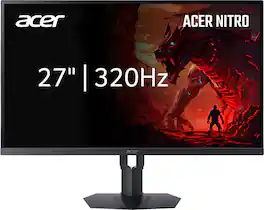
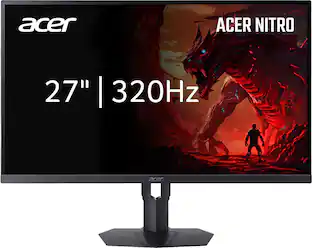
Acer - Nitro 27" IPS MiniLED WQHD 320Hz Up to 0.5ms AMD FreeSync Premium Gaming Monitor with HDR1000 (DisplayPort, 2 x HDMI) - Black
4.9(8)

In competitive gaming, every frame matters. Introducing Acer's XV275U gaming monitor - the WQHD (2560 x 1440) resolution monitor delivering you a 1152-zone miniLED local dimming panel, Acer HDR1000 and AdobeRGB 99%. This AMD FreeSync Premium monitor takes gameplay to the next level of smooth, the game’s frame rate is determined by your graphics card, not the fixed refresh rate of the monitor, giving you a serious competitive edge.
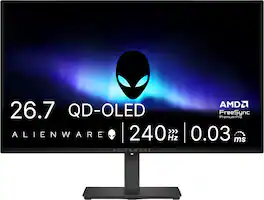
Dell - S2725QC 27" IPS LED 4K UHD 120Hz 8ms FreeSync Premium Monitor with HDR (HDMI, DisplayPort, USB) - Ash White

Dell 27 Plus 4K USB-C Monitor - S2725QC. Whether you're watching movies or playing games, enjoy an immersive viewing experience with improved eye comfort on a 4-star certified monitor*.

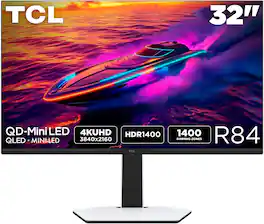
TCL - G64 32" QD Mini LED QHD 180Hz 1ms AMD FreeSync Premium Gaming Monitor with HDR600 (DisplayPort, HDMI) - Black and Gray
4.6(36)

The TCL 32G64 QD-Mini LED Gaming Monitor is ideal for next level gaming with TCL’s Halo Control System that includes the Powerful Light-emitting Microchip, Condensed Micro Lens, Micro OD Reduced Optical Distance, High Contrast HVA Panel, QLED, and Dynamic Light Algorithm for Stunning “Halo-Free” Images. Get sharp, QHD resolution and see all the details. The LD336 Precise Dimming Series, HDR600 Brightness, 180Hz native panel refresh rate, and 1ms GTG provide deep contrast, vibrant highlights, and smooth, responsive gameplay. Stutter-free gaming and ultra-smooth frame transitions with AMD FreeSync and NVIDIA G-SYNC Compatible. The built-in Crosshair Aim Guide provides enhanced targeting precision in any game. TÜV Low Blue Light certification ensures reduced eye strain and more comfortable viewing.

Pros for TCL - G64 27" QD Mini LED QHD 180Hz 1ms AMD FreeSync Premium Gaming Monitor with HDR600 (DisplayPort, HDMI) - Black and Gray
Refresh Rate, Black Levels, HDR Performance, Build Quality, Local DimmingThere were no pros for this productRefresh Rate, Image Quality, Connectivity, Port Count, AdjustabilityRefresh Rate, HDR Performance, Black Levels, Picture Quality, Brightness
Cons for TCL - G64 27" QD Mini LED QHD 180Hz 1ms AMD FreeSync Premium Gaming Monitor with HDR600 (DisplayPort, HDMI) - Black and Gray
ConnectivityBrightnessVolume ControlThere were no cons for this product

Specs

Questions & Answers
  • How do i get the built in speakers to work with my xbox series x connected to the monitor

    In order for us to better assist, please reach out to us at tclsocial@tcl.com with your contact information and a description of what you need help with. Thank you, TCL Customer Support

    Answered by TCLExpert
    TCLExpert response
  • Is this compatible with a MacBook Pro?

    This monitor features 2 HDMI 2.1 ports and 1 DP 1.4 port. Hope this helps! Thank you, TCL Customer Support

    Answered by TCLExpert
    TCLExpert response
  • Does this monitor have low blue light certification?

    Yes, this monitor has TÜV Low Blue Light certification.

    This question and answer was generated by AI based on customer and product data.
  • What is the maximum resolution supported by this monitor?

    The maximum resolution supported is 2560 x 1440.

    This question and answer was generated by AI based on customer and product data.
  • How many HDMI inputs does this monitor have?

    This monitor has two HDMI inputs.

    This question and answer was generated by AI based on customer and product data.
Ask a question
No content

Customers often buy these together

Sponsored
Ask BlueAI

Finance Options

My Best Buy® Credit Card
Choose a benefit:Or
Buy Now, Pay Later
Lease to own

Finance Options

My Best Buy® Credit Card
Choose a benefit:Or
Buy Now, Pay Later
Lease to own

Special Offers

Top Offers
Included with Purchase

Special Offers

Top Offers
Included with Purchase