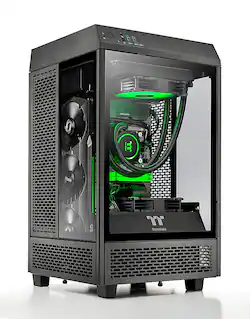
Thermaltake - Reactor 380 Gaming PC - AMD Ryzen 7 5800X CPU - NVIDIA GeForce RTX 3080 - 16GB 3600Mhz DDR4 Memory - 1TB Gen4 NVMe - Black
- Key Specs
- Processor Model: AMD Ryzen 7 5000 Series (Your computer's processor is like its brain. Working in combination with system memory, the power of the processor determines the complexity of software you can run, how many programs you can have open at the same time, and how fast those programs will run. Most computers feature an AMD, Intel or Snapdragon processor.)
- Storage Type: SSD
- Total Storage Capacity: 1000 gigabytes
- System Memory (RAM): 16 gigabytes (Random-access memory (RAM) is a computing device's short-term data storage, which allows active information to be accessed quickly. The size and type of RAM determines how efficiently the device can handle large amounts of information at one time. For example, gaming or video editing requires more RAM for optimal performance.)
- Graphics Type: Dedicated (Dedicated graphics uses a separate graphics card for processing video images. Because it does not use memory from the system's RAM, there is no extra burden on the CPU and graphics are processed more efficiently. Integrated graphics shares system RAM to process video images.)
- Graphics: NVIDIA GeForce RTX 3080 (Often referred to as a "graphics processing unit" (GPU), this device is responsible for displaying image content and decoding/encoding video content in programs and games.)
- General
- Brand: Thermaltake
- Model Number: TW1B-B550-R38-LCS
- Product Name: Reactor 380 Gaming PC - AMD Ryzen 7 5800X CPU - NVIDIA GeForce RTX 3080 - 16GB 3600Mhz DDR4 Memory - 1TB Gen4 NVMe
- Color: Black
- Year of Release: 2021
- Processor
- Processor Brand: AMD
- Processor Model: AMD Ryzen 7 5000 Series (Your computer's processor is like its brain. Working in combination with system memory, the power of the processor determines the complexity of software you can run, how many programs you can have open at the same time, and how fast those programs will run. Most computers feature an AMD, Intel or Snapdragon processor.)
- Processor Model Number: 5800X
- Number of CPU Cores: 8-core (A core, or "brain" of a CPU, allows it to receive and execute instructions. Each core can work independently or together to perform parallel operations.)
- Storage
- Storage Type: SSD
- Total Storage Capacity: 1000 gigabytes
- Solid State Drive Capacity: 1000 gigabytes (The amount of data that can be stored on the device's solid state drive (SSD). SSD is a flash-based storage with faster speeds than a hard disk drive (HDD).)
- Solid State Drive Interface: NVMe (Connects the solid state drive to the host system. PCI and SATA interfaces are the most common; PCI interfaces are typically faster, but SATA interfaces are compatible with a wider range of systems.)
- Memory
- System Memory (RAM): 16 gigabytes (Random-access memory (RAM) is a computing device's short-term data storage, which allows active information to be accessed quickly. The size and type of RAM determines how efficiently the device can handle large amounts of information at one time. For example, gaming or video editing requires more RAM for optimal performance.)
- Type of Memory (RAM): DDR4 (Each type of RAM delivers a different level of speed, bandwidth, energy efficiency and performance.)
- System Memory RAM Speed: 3600 megahertz (How fast the information-storing hardware operates. The faster the RAM, the faster memory can be transferred to other system components. Ultimately, faster RAM improves operational efficiency.)
- Number Of Memory Slots: 2
- Number of Memory Sticks Included: 2
- System Memory RAM Expandable To: 64 gigabytes (Adding more random-access memory (RAM) to a computer speeds up performance and improves efficiency. Upgrades to memory are limited by the number of expansion slots for additional RAM and existing RAM installed on the device.)
- Graphics
- Graphics Type: Dedicated (Dedicated graphics uses a separate graphics card for processing video images. Because it does not use memory from the system's RAM, there is no extra burden on the CPU and graphics are processed more efficiently. Integrated graphics shares system RAM to process video images.)
- GPU Brand: NVIDIA
- Graphics: NVIDIA GeForce RTX 3080 (Often referred to as a "graphics processing unit" (GPU), this device is responsible for displaying image content and decoding/encoding video content in programs and games.)
- Advanced Graphics Rendering Technique(s): DLSS (Deep Learning Super Sampling), Ray tracing (Imaging technology designed to improve graphics rendering.)
- Compatibility
- Operating System: Windows 10 Home (The operating system manages all software and hardware, including files, memory and connected devices. Most importantly, it lets you interact with your device and your programs in a visual way; otherwise, you'd be typing computer code to get anything done.)
- Operating System Architecture: 64-bit (An operating system (OS) manages computer hardware, software resources, and programs in conjunction with the system's processor. 64-bit operating systems can handle more data at once than 32-bit systems, resulting in faster speeds, more effiency, and overall improved performance.)
- Motherboard Model Number: B550
- Connectivity
- Number of HDMI Outputs (Total): 1
- Number of DisplayPort Outputs (Total): 3
- Number of USB Ports (Total): 9
- Wireless Connectivity: Wi-Fi (The manner in which a device sends data to another device over a short distance without the use of wires or cables.)
- Wireless Standard: AX (The wireless networking protocol used by the device. Each iteration of the protocol is based on the 802.11 standard developed by the Institute of Electrical and Electronics Engineers (IEEE) Standards Association. Denoted by letters following 802.11 (802.11a, 802.11ac, etc.), each version, published in alphabetical order, encompasses all previous versions.)
- Number Of Ethernet Ports: 1
- Network Connectivity: None (The manner in which a device sends data to another device over a long distance using a cellular network.)
- Cooling
- CPU Cooling System: Liquid
- Power
- Power Supply Maximum Wattage: 750 watts
- Expansion
- Number of M.2 Slots: 2 (This interface is most commonly used for high-speed solid state drives (SSDs), and is often used in laptops due to its small size.)
- Number Of Internal 3.5" Bays: 2
- Features
- Customizable Case Lighting: true
- Size: Mini
- Dimensions
- Product Height: 18.2 inches (The out of box height of the item. Height is measured as the vertical distance from the bottom of the item to the top as it would be primarily used or placed.)
- Product Width: 10.5 inches (The out of box width of the item. Width is measured as the horizontal distance from one side of the item to the other as it would be primarily used or placed.)
- Product Depth: 10.5 inches (The out of box depth of the item. Depth is measured as the distance from the front of the item to the back as it would be primarily used or placed.)
- Product Weight: 25 pounds (The out of box weight of the item.)
- Certifications Listings & Approvals
- ENERGY STAR Certified: false (Devices carrying the ENERGY STAR service mark, such as computer products and peripherals, kitchen appliances, and other products, generally use 20% to 30% less energy than required by federal standards.)
- EPEAT Qualified: false (The Electronic Product Environmental Assessment Tool (EPEAT) was designed to provide an environmental assessment tool for purchasers. In order to qualify for EPEAT, a product must meet all 23 required criteria.)
- Included
- Optical Drive Type: None (An optical disk drive (ODD) uses a laser light to read data from or write data to an optical disc. These discs include CDs, DVDs, and Blu-ray Discs. This allows you to play music or watch movies using prerecorded discs.)
- Keyboard Included: false
- Mouse Included: false
- Warranty
- Warranty - Parts: 1 year
- Warranty - Labor: 1 year
- Other
- UPC: 841163076118
What better way to power your battle station than the Reactor 380. With a list of impressive specs and a small footprint, the Reactor is sure to fuel games sessions where ever you find yourself. A Ryzen 7 5800X matched to a B550 and supplemented with 16gb of 3600Mhz memory and 1TB of Gen4 NVMe storage means less waiting and more games time.
- Power Anywhere: Reactor is able to give the best of both worlds for airflow and presentation all while providing a small footprint to allow for flexibility of desk space.
- AMD Ryzen 7 5800X Processor: AMD Ryzen 5000 Series processors power the next generation of demanding games, providing one of a kind immersive experiences and dominate any multithreaded task like 3D and video rendering, and software compiling
- NVIDIA GeForce RTX 3080: Powered by NVIDIA’s 2nd gen RTX architecture Ampere, the GeForce RTX 30 Series GPUs deliver the ultimate performance for gamers and creators
- Thermaltake TOUGHRAM RGB 3600Mhz DDR4 Memory: Built with the highest quality of components, the TOUGHRAM RGB provides outstanding gaming performance with stunning RGB lighting
- 1TB Gen4 M.2 NVMe SSD Storage: Unlock true PCIe Gen4 speeds for faster booting, creating, or gaming
- Full ARGB Synchronization: Take control and customize your systems lighting theme through the motherboard's RGB SYNC software.
- 750W 80PLUS GOLD Power Supply: Designed with premium components that deliver continuous and stable power, engergy efficiency, and excellent heat dissipation
Whats Included
- Reactor 380 Gaming PC - AMD Ryzen 7 5800X CPU - NVIDIA GeForce RTX 3080 - 16GB 3600Mhz DDR4 Memory - 1TB Gen4 NVMe
Product Manuals
Q: Is the cooling adequate for this PC? Seems to only have 120 mm liquid cooling
A: These do not have PBO Enabled by default so the 5800X is running at lower TDP. They Tend to boost to around 4.5-4.6Ghz in gaming loads without PBO and barely 50Mhz higher with it enabled due to the cooling as you mentioned. I usually take the bottom fan (since its the exact same spec fan as AIO fan) and use it on the AIO in push pull. I just install a regular ARGB fan in place of the removed TT fan (although if you use a TT fan they connect much easier due to their crazy little connector). With push/pull running a 24hr OCCT CPU load while looping Heaven on an OC'd 3080 the system peaks around 75F CPU and low 70s GPU. A quick undervolt and OC of the GPU will give better then stock performance while shaving 50~75W off the GPU which reduces temps a good deal. It takes 30 seconds to get Power Limit to 93%, core to +50 and memory to +1000. I have yet to see a single 3080 sample (out of over 400) not be 100% stable at these settings. Do note that while these systems used to ship with the excellent Zotac Trinity OC GPUs recently they have been coming with EVGA XC3 or MSI Ventus 3X OC GPUS. These have subpar cooling compared to the Zotac. The Zotac use a much thicker backplate with quality thermal pads while the EVGA uses mediocre pads and the MSI does not use any thermal padding on the rear PCB whatsoever!
Q: how many nvme slots does the MOBO has?
A: It has two slots. The first is Gen4 and is taken up by the main drive which contains the operating system. This one is in the main compartment of the PC. The 2nd is Gen3 and is on the back of the motherboard. It is accessible by removing the back panel of the PC to install it. Really simple to do. You can Google Thermaltake's website and get the case schematic to see how to get the panels off the PC. All 4 sides of the PC can be removed after taking off the top cover.
Q: Can this be upgraded to Windows 11?
A: Yes at first boot it will ask if you wish to upgrade.
Q: Can this chassis be mounted to a wall?
A: Nope way to heavy and no brackets on the case
Q: What Power Supply does this come with?
A: undefined
A: Fine print states it come with what is available. Mine with a build date of may 2023 came with Asus mobo and non rgb MSI gpu.
People also viewed
 $1,727.99The price was $2,199.99
- $2,669.99The price was $3,049.99
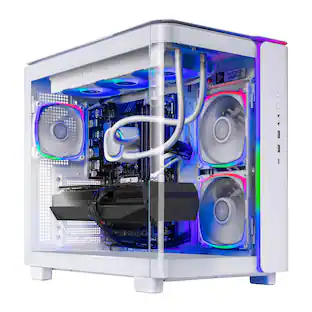 $1,949.99The price was $2,149.99
 $1,129.99The price was $1,299.99
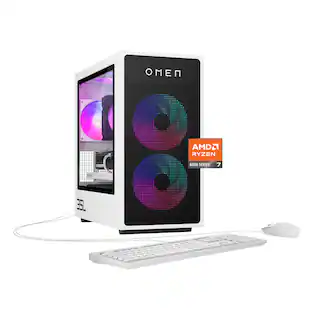 $1,389.99The price was $1,799.99
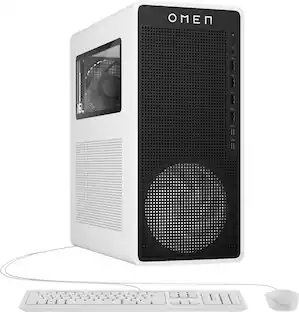 $1,299.99The price was $1,699.99
- $2,849.00The price was $3,699.99
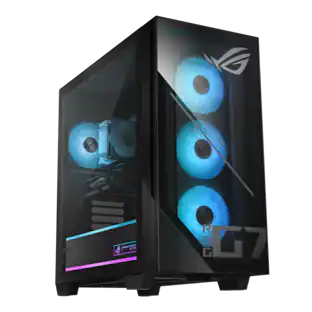
Today's top picks
 $949.00The price was $1,099.00
 $199.99The price was $249.99
 $299.00The price was $399.00
 $399.99The price was $649.99