Topteng - Dual-Bay Hard Drive Dock for IDE & SATA - USB 2.0, Reads 2.5”/3.5” HDD/SSD, with One-Touch Backup
Reviews coming soon
About this product
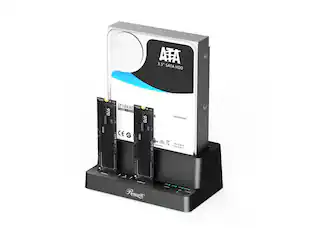
Unlock decades of stored data with this versatile 2-bay hard drive docking station. Designed as the ultimate tool for data recovery, migration, and backup, it provides instant external access to both modern SATA and legacy IDE 2.5" or 3.5" hard drives via a single USB 2.0 connection. Its tool-free, plug-and-play design makes it effortless to connect, clone, or retrieve files from old desktops, laptops, or storage drives. Complete with a built-in One Touch Backup button and comprehensive safety protections, it’s the essential dock for IT technicians, hobbyists, and anyone safeguarding digital memories.
Features
💽 Dual Interface Compatibility for IDE & SATA Hard Drives
The ultimate bridge between generations. Supports both older Parallel ATA (IDE/PATA) 40-pin and modern Serial ATA (SATA) interfaces, accommodating virtually any 2.5-inch or 3.5-inch hard drive manufactured in the last 20+ years—perfect for data recovery from obsolete systems.
🔌 Tool-Free, Plug-and-Play Design for Instant Access
Simply slide your bare hard drive into the dock's open bay—no screws or enclosures needed. The included USB 2.0 cable connects directly to your computer, providing immediate read/write access to the drive's contents without internal installation.
⚙️ Built-in One Touch Backup Function for Simple Data Safety
Protect your important files with the dedicated OTB button. With compatible backup software (driver download required), you can schedule or initiate one-click backups from your computer to the connected hard drive, adding a layer of data security.
🛡️ Integrated Safety Protections for Drive & Data Security
Features built-in safeguards against over-current, over-voltage, short circuits, and electric leakage. The included stable 12V/2A power adapter ensures clean, consistent power to protect delicate older drives during operation.
🖥️ Broad Software & OS Support for Legacy Systems
While requiring a driver download, it offers extensive compatibility with older Windows operating systems (Windows 95 through Windows 10) and architectures. This makes it an indispensable tool for IT professionals, archivists, and individuals working with vintage computers and legacy data.
Specifications
- Drive Form FactormSATA
Reviews
This product doesn't have any reviews yet.
Compare similar products
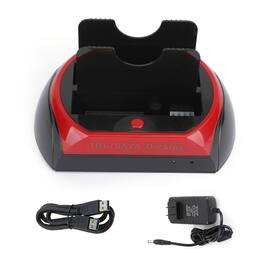
Unlock decades of stored data with this versatile 2-bay hard drive docking station. Designed as the ultimate tool for data recovery, migration, and backup, it provides instant external access to both modern SATA and legacy IDE 2.5" or 3.5" hard drives via a single USB 2.0 connection. Its tool-free, plug-and-play design makes it effortless to connect, clone, or retrieve files from old desktops, laptops, or storage drives. Complete with a built-in One Touch Backup button and comprehensive safety protections, it’s the essential dock for IT technicians, hobbyists, and anyone safeguarding digital memories.

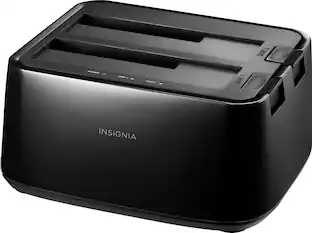
Connect and store external hard drives on your desktop with this Insignia hard drive enclosure docking station. Two slots accept SSD and HDD drives for simultaneous reading, and a USB 3.0 port allows for fast data transfer. An eject button lets you safely remove each drive when not needed, and this Insignia hard drive enclosure docking station features an LED indicator light to show the working status of each device.
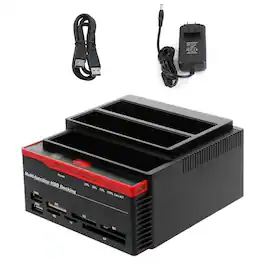
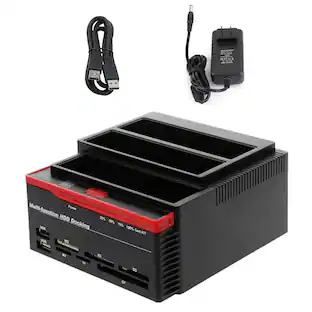
Meet the ultimate workstation for managing, cloning, and accessing nearly any storage device. This versatile 3-bay docking station simultaneously supports two 2.5"/3.5" SATA drives and one legacy IDE/PATA drive, complete with a multi-format card reader and USB 2.0 hub. Engineered for IT pros, data recovery specialists, and power users, it provides a complete toolkit for drive cloning, backup, format conversion, and file transfer—all through a single, compact unit. Safeguard your data, migrate to new drives, or recover files from old systems with unparalleled convenience and control.

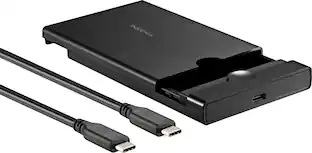
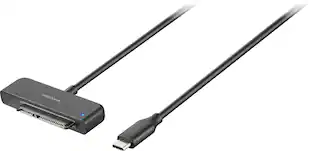
There’s nothing worse than low computer storage when you’re in the middle of working on a big project. Add portable data storage to your laptop or computer with the Insignia NS-PC25HDE 2.5" SATA to USB-C HDD Enclosure. It turns your 2.5" SATA drive into a USB-C connection with transfer speeds up to 6 Gbps, giving you a high-speed access to your data. The enclosure includes a USB-C cable and a USB-to-USB-C adapter for wide-ranging use. It also has a plug-and-play design, making it easy to use with most computers and laptops. Featuring UASP support, it further reduces processor requirements while improving your data speeds. Enhance your computer storage with a high-quality solution that will let you get things done.
| Pros for Topteng - Dual-Bay Hard Drive Dock for IDE & SATA - USB 2.0, Reads 2.5”/3.5” HDD/SSD, with One-Touch Backup | |||
|---|---|---|---|
| There were no pros for this product— | Ease of use, Overall Performance, Compatibility, Data Transfer, USB | There were no pros for this product— | Ease of use, Overall Performance, Compatibility, Speed, USB-C |
| Cons for Topteng - Dual-Bay Hard Drive Dock for IDE & SATA - USB 2.0, Reads 2.5”/3.5” HDD/SSD, with One-Touch Backup | |||
| There were no cons for this product— | Size, Power, Connection | There were no cons for this product— | There were no cons for this product— |
Specs
Customers often buy these together
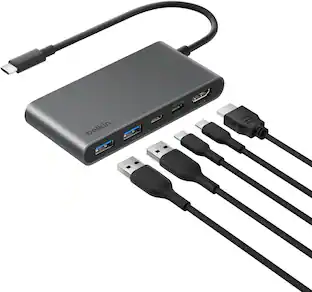 Techtober Deal$22.49The price was $24.99
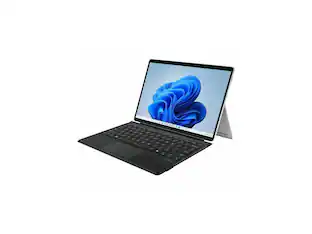 $93.99The price was $100.49
 $84.99The price was $99.99


More to consider
 $38.99The price was $44.99
 $20.99The price was $32.29
Explore tech essentials Sponsored
 Techtober Deal$295.99The price was $423.99
 $539.99The price was $638.99
Keep exploring
 $159.99The price was $199.99
 $46.49The price was $47.99
 $31.41The price was $35.99