Black Friday is hereNew Doorbusters added. Ends 11/29.Shop now

Main Content

TP-Link - AC750 Dual-Band Wi-Fi Router - Silver/White

Model: TL-WR902AC
SKU: 10926697
$56.35
or
Finance OptionsView your offers
Availability
Fulfillment Options

FREE shipping to

Sold & shipped by
antonline
(177)

More Buying Options

Highlights

  • Key Specs
    • Wi-Fi Mesh System: false (A single wireless network consisting of a main router (connected directly to a modem) that connects to a series of satellite modules or nodes placed around the home. Routers with this capability promote stronger, faster wireless signals as well as increase Wi-Fi coverage by reducing interference and eliminating dead zones.)
    • Number Of LAN Ports: 1 (Number of devices able to be connected to the Local Area Network (LAN). LAN ports allow wired connections to other networking devices (wireless access points, range extenders, etc.) in order to share the internet connection received through a WAN port.)
    • Wi-Fi Speed: 750 gigabits per second (The maximum rate at which data is transferred between a network device and wireless router.)
  • General
    • Brand: TP-Link
    • Model Number: TL-WR902AC
    • Product Name: AC750 Dual-Band Wi-Fi Router
    • Color: Silver/White
  • Security
    • Data Encryption: true
    • Encryption Type: WEP, WPA-Enterprise, WPA-Personal (The security protocols or certification programs that protect the Wi-Fi network.)
    • Firewall Type: SPI (The method the firewall uses to filter and process data to increase network security, primarily by blocking malicious traffic requests while allowing legitimate traffic through.)
    • Security Features: DoS, SPI Firewall, IP Address Filter/Domain Filter, IP and MAC Address Binding
    • Parental Controls: true (Allows user to block unwanted content, signals, channels, networks, etc. from being received or accessed.)
  • Network
    • Band Technology: Dual (Refers to the number of frequency bands used to wirelessly transmit an internet signal. For example, dual-band devices may use one 2.4 and one 5 GHz band, while tri-band devices may use one 2.4 and two 5 GHz bands. Multiple bands also provide more flexibility for designating connected devices to specific band use.)
    • Ethernet Standard: 10/100 (Each standard is a variation of the IEEE 802.3 set of computer networking technologies known as Ethernet. New versions evolved to include higher bandwidth, different physical media, and other new and improved features. Standards are often denoted by speeds (in Megabits per second). For example, a 10/100/1000 Ethernet port transmits at 10 Mbps, 100 Mbps, and 1000 Mbps (1 Gbps).)
    • Number of Antennas: 0
    • Frequency Band: 2.4 GHz, 5.0 GHz (Bands may be grouped into categories such as low- and high-band VHF (Very High Frequency), low- and high-band UHF (Ultra High Frequency), or certain frequency channels (measured in MHz or GHz). Generally, higher frequencies transmit information faster but have shorter range than lower frequencies.)
    • Wireless Networking Standard: Wi-Fi 5 (The wireless networking standard used by the device. Each iteration of the standard developed by the Wi-Fi Alliance corresponds to an existing IEEE 802.11 protocol; for example, standard 802.11ac (or AC) is termed Wi-Fi 5. Refers specifically to the standard the device is designed to use, but ultimately determines product interoperability and backward compatibility including previous versions.)
    • Wireless Standard: AC, N (The wireless networking protocol used by the device. Each iteration of the protocol is based on the 802.11 standard developed by the Institute of Electrical and Electronics Engineers (IEEE) Standards Association. Denoted by letters following 802.11 (802.11a, 802.11ac, etc.), each version, published in alphabetical order, encompasses all previous versions.)
    • Number of 2.4Ghz Streams: 1 (A router's streams are like lanes on a highway. The more streams a router has, the less traffic congestion. Because the 2.4 GHz band is used to transmit wireless signals to a wide variety of devices, there is often high amounts of traffic on that stream. But with multiple streams, each can be designated to a specific device for optimal performance. For example, if one 2.4 GHz stream is assigned to one device, such as a desktop computer, it leaves the remaining streams open for guest users, devices that use more data, or devices with specific band compatibility.)
    • Number of 5.0Ghz Streams: 1 (A router's streams are like lanes on a highway. The more streams a router has, the less traffic congestion. The 5.0 GHz band provides high speed, short-range data transmission and typically has less traffic than the 2.4 GHz band. With multiple streams, each can be designated to a specific device for optimal performance. For example, if one 5.0 GHz stream is assigned to one device, such as a streaming media player, it leaves the remaining streams open for guest users, devices that need less data, or devices with specific band compatibility.)
    • Wi-Fi Mesh System: false (A single wireless network consisting of a main router (connected directly to a modem) that connects to a series of satellite modules or nodes placed around the home. Routers with this capability promote stronger, faster wireless signals as well as increase Wi-Fi coverage by reducing interference and eliminating dead zones.)
    • Routing Protocol: Static IP routing (The protocol used for communicating and distributing information in a computer network.)
    • Transport Protocol: PPTP, L2TP, PPPoE (The protocol used for connection-oriented transmissions, flow control, etc. within the transport layer of the network.)
  • Certifications Listings & Approvals
    • ENERGY STAR Certified: false (Devices carrying the ENERGY STAR service mark, such as computer products and peripherals, kitchen appliances, and other products, generally use 20% to 30% less energy than required by federal standards.)
  • Features
    • App Compatible: false (The product can be connected to a program or software application on a mobile device, which then receives collected data from the product.)
    • App Name: no
    • Beamforming: false (A signal processing technique that enables a router to focus a Wi-Fi signal in a specific direction. The router determines where a connected device in the network is located and projects a stronger signal in that specific direction. This can result in faster and higher quality data transfer as well as reduced signal interference.)
    • Integrated Modem: true
    • Auto Connect: true
    • Auto Detecting: true
    • Wireless: true
  • Ports
    • Number Of WAN Ports: 1 (Number of devices able to be connected to the Wide Area Network (WAN). This type of port may simply be labeled "Internet," and it allows the device to share its internet connection with all devices connected to it via LAN ports.)
    • Port Type(s): RJ-45, USB (USB 2.0 connects external drives, gaming controllers, smartphones, MP3 players and other accessories.USB 3.0 transfers data faster than USB 2.0, but only when used with USB 3.0 devices.USB Type-C provides fast speeds and versatile power, featuring connectors with identical ends that plug in upside down or right side up. Adapters allow for video as well as backward compatibility.Thunderbolt provides ultra-high bandwidth for fast data transfer between devices featuring a Thunderbolt or MiniDisplayPort connection.HDMI allows you to connect a projector or display HD media on your HDTV or monitor.Media card slots allow you to transfer photos from your digital camera or camcorder.)
    • Number Of LAN Ports: 1 (Number of devices able to be connected to the Local Area Network (LAN). LAN ports allow wired connections to other networking devices (wireless access points, range extenders, etc.) in order to share the internet connection received through a WAN port.)
  • Speed
    • Wired Speed: 100 megabits per second (The maximum rate at which data is transferred between a network device and router using an Ethernet cable.)
    • Wi-Fi Speed: 750 gigabits per second (The maximum rate at which data is transferred between a network device and wireless router.)
    • Gigabit Ethernet Speed: true (Supports the gigabit Ethernet networking standard, which has a data rate of at least one gigabit per second, or 1,000 Mbps.)
    • Auto Speed Sensing: true
  • Compatibility
    • System Requirements: Windows 10/8.1/8/7/Vista/XP, Mac OS or Linux-based operating system (The software that a product must have for it to be able to integrate with another product.)
    • Bluetooth Enabled: false (The device is capable of communicating with another device via Bluetooth, provided they are within the required range of each other. A Bluetooth-enabled device must also be the same Bluetooth version or higher than the accessory it is intended to pair with.)
  • Dimensions
    • Product Height: 0.9 inches (The out of box height of the item. Height is measured as the vertical distance from the bottom of the item to the top as it would be primarily used or placed.)
    • Product Length: 2.6 inches (The out of box length of the item. Length is measured as the longest dimension of the item.)
    • Product Width: 2.9 inches (The out of box width of the item. Width is measured as the horizontal distance from one side of the item to the other as it would be primarily used or placed.)
    • Product Weight: 0.14 pounds (The out of box weight of the item.)
  • Warranty
    • Warranty - Parts: 1 year
    • Warranty - Labor: Not available
  • Other
    • UPC: 845973095666

Stay connected wherever you go with this TP-LINK wireless travel router. It provides Wi-Fi access with router, hotspot, range extender, client and access point modes to suit your needs, and it delivers a combined transfer rate of up to 733 Mbps. This TP-LINK wireless travel router includes a USB port for file sharing and device charging.

Find the perfect Wi-Fi solution

  • Compatible with 802.11ac: Backward compatible with 802.11a/b/g/n networks, so you can easily upgrade.
  • Up to 733 Mbps data transfer speed: For fast, efficient operation.
  • Multiple modes: Include support of access point, hotspot, client adapter, router, repeater and bridge modes for connectivity in any situation.
  • Multifunctional USB port for file sharing and charging: This travel router comes with a built-in USB 2.0 sharing port. Connect a USB storage to share access to files, download movies and back up recent photos. Connect your smartphone and the router doubles as a 5V/1A charging station.
  • Complies with a variety of standards: Including FCC and RoHS.
  • Auto detecting and auto sensing: To simplify device connectivity.
  • DoS attack prevention: Helps block intruders from accessing sensitive information.
  • Encryption: Includes WEP, WPA-Personal and WPA-Enterprise to keep your network secure.
  • Compact design: Fits into your pocket, purse, or bag for easy access to a personal Wi-Fi network wherever you have a connection to Internet.
  • System requirements: UNIX, Apple MacOS, Linux and Microsoft Windows XP/Vista/7/8/8.1/10.
  • Compatible with 802.11ac: Backward compatible with 802.11a/b/g/n networks, so you can easily upgrade.
  • Up to 733 Mbps data transfer speed: For fast, efficient operation.
  • Multiple modes: Include support of access point, hotspot, client adapter, router, repeater and bridge modes for connectivity in any situation.
  • Multifunctional USB port for file sharing and charging: This travel router comes with a built-in USB 2.0 sharing port. Connect a USB storage to share access to files, download movies and back up recent photos. Connect your smartphone and the router doubles as a 5V/1A charging station.
  • Complies with a variety of standards: Including FCC and RoHS.
  • Auto detecting and auto sensing: To simplify device connectivity.
  • DoS attack prevention: Helps block intruders from accessing sensitive information.
  • Encryption: Includes WEP, WPA-Personal and WPA-Enterprise to keep your network secure.
  • Compact design: Fits into your pocket, purse, or bag for easy access to a personal Wi-Fi network wherever you have a connection to Internet.
  • System requirements: UNIX, Apple MacOS, Linux and Microsoft Windows XP/Vista/7/8/8.1/10.
Whats Included
  • Network Cable
  • Owner's Manual
  • Power Adapter
  • TP-LINK TL-WR902AC
  • USB Cable
  • Network Cable
  • Owner's Manual
  • Power Adapter
  • TP-LINK TL-WR902AC
  • USB Cable

Q: Can this device be connected to my hotel WiFi so I can login with a new secure password

A: Yes, it will connect. There are usually two ways to connect when just using your laptop. First, you connect to the hotel wifi using ssid and password. The second is when you connect directly to the wifi, but then a web page appears and you need to enter informaiton and/or do a confirmation. Both ways are supported. In the router setup, there is a Quick setup option that searches for SSIDs and you can enter a password. You can also define what you want your 2.4 and 5ghz SSIDs to be in the router. However, the travel router cannot process the popup web page in the second case above (there is no screen or keyboard). The prescribed way to support this is to connect to the hotel wifi with your laptop, and then enter the acknowledge info on the web page. Then disconnect from the hotel wifi, connect to your router wifi and select MAC clone under Network. This makes the router temporarily use your MAC address from your laptop. So when you choose Quick Setup, the hotel host already has your MAC address stored, so you don't get the web page login. It works great. I use it all the time at hotels, panera, starbucks. I use the travel router a lot at starbucks. Once I configure it to use my MAC address and run quick setup, I can move from starbucks to starbucks and just plug in the router and it works. No need to re-setup. Whenever I visit a new place like a hotel or panera, I do have to reconfigure, and then reconfigure if I go back to starbucks. I am at starbucks now near Austin. I plugged in the wifi router. By the time I turn on my laptop, the router is ready and I connect to my own SSID which has been bridged to starbucks SSID. Never use a public wifi without a encryption: travel router like this device or a VPN.

Q: How many devices can be conected to this wifi ? I'm interest to buy one

A: We have had 12 devices connected when using the router in a hotel conference room. No issues.

Q: Can this provide internet access with a SIM card? I also have a Verizon MIFI that I could use. Will it connect to it? The MIFI only has a USB port. No Cat5/6 jack.

A: No, it won't take a SIM card and you don't need to plug it into the MiFi unit. Using the WISP mode, it can wirelessly connect to one access point (the MiFi) and create a new network for other devices to join.

Q: Do u have to already have a WiFi in order to use this or is it like a hot spot on ur phone like when you connect through Bluetooth ...

A: The router provides dual-band WiFi connectivity; however you will need an existing Internet source (i.e. a modem and an Internet plan from a provider) if you would like both WiFi connectivity and Internet access within your home. Regards, TP-LinK Support

Q: Is the router xfinty/ comcast compatible?

A: No, The router is not compatible with Xfinity/ Comcast.

Q: I’m a truck driver, could I use this in my tractor while traveling?

A: Yes, you can. It can be powered over USB. The router will need a cellular connection from a hotspot for your uplink.

Q: Can this device accept USB tether as internet from phone, then provide wifi to house. I only have cell internet in my location so I look for services with reduced speed, but high data packages for streaming. Currently use older Cradlepoint mbr 95.

A: No, it will take the wireless WIFI provided by your cell phone, AKA: tether WIFI, and broadcast that signal through out a larger area than you phone can. Allowing multiple devices to connect to your cell phone internet, like a Home Computer, Laptop, Printer, etc.

Q: I'm trying to connect an Arlo 2 camera system to a wifi router. My current wifi is using my hotspot on my phone. therefore, there is not an ethernet connection. How can I make this work?

A: You won't with this device, what you want to do is quite a bit more complicated and you will need completely different equipment. Your question is beyond what a Q&A board at BB is going to provide.

Sponsored

Compare similar products

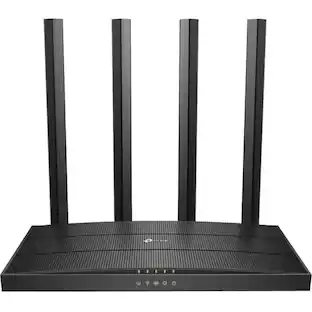
TP-Link - AC750 Dual-Band Wi-Fi Router - Silver/White
3.8(28)

Stay connected wherever you go with this TP-LINK wireless travel router. It provides Wi-Fi access with router, hotspot, range extender, client and access point modes to suit your needs, and it delivers a combined transfer rate of up to 733 Mbps. This TP-LINK wireless travel router includes a USB port for file sharing and device charging.

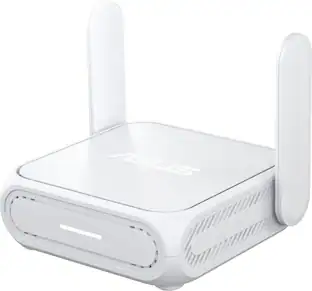
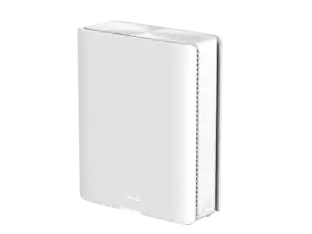
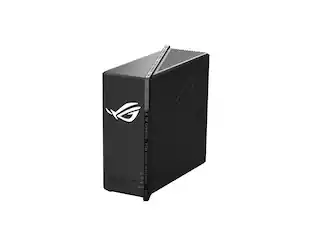
ASUS - RT-BE58 Go BE3600 Dual-Band Wi-Fi 7 Travel Router - White
5.0(1)

Power up your on-the-go Wi-Fi with ASUS RT-BE58 Go — the ultimate Wi-Fi 7 travel router! Whether you're backpacking through a city, cruising on the open sea or working remotely in the airport, its versatile connectivity options, commercial-grade security, advanced VPN support and multi-SSID settings keep you and your crew connected anytime, anywhere!

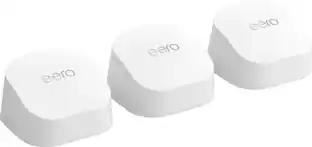
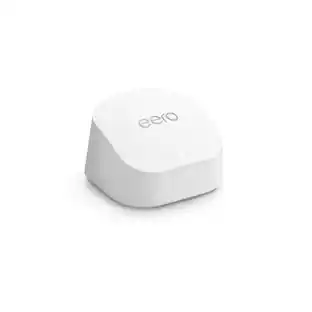
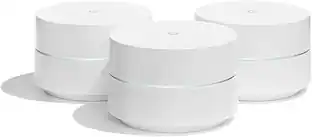
eero - 6 Dual-band Mesh Wi-Fi 6 Router (1-pack) - White

Experience fast, reliable Wi-Fi 6 for your connected home. eero 6 uses the power of Wi-Fi 6 to support faster speeds to every corner of your space, increase your internet’s efficiency, and reduce network congestion compared to prior Wi-Fi standards. eero makes it easy to expand your system as your needs change. With cross-compatible hardware, you can easily add eero products in minutes. Best of all, you can say goodbye to dead spots and buffering. eero’s mesh wifi technology optimizes for your space—so you can confidently stream 4K video, game, and video conference across your home.

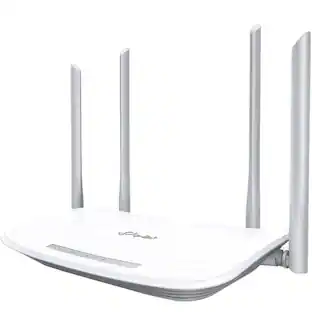
TP-Link - Archer AX1500 Dual Band Wi-Fi 6 Router - Black
5.0(1)

Bring reliable, affordable WiFi 6 to your whole home with Archer AX1500. Dual-band speeds up to 1.5 Gbps keep 4K streaming, gaming, and video calls smooth, while a 1.5 GHz triple-core CPU plus OFDMA and MU-MIMO handle more devices with less lag. Four high-performance antennas with Beamforming strengthen coverage, and Gigabit Ethernet ports deliver fast wired connections for PCs, TVs, and consoles. Target Wake Time helps phones and smart devices save battery, and setup is quick with the TP-Link Tether app.

Pros for TP-Link - AC750 Dual-Band Wi-Fi Router - Silver/White
There were no pros for this productThere were no pros for this productEase of use, Speed, Overall Performance, Wi-Fi Coverage, SetupThere were no pros for this product

Specs

Reviews

Customer Images

The vast majority of our reviews come from verified purchases. Reviews from customers may include My Best Buy members, employees, and Tech Insider Network members (as tagged). Select reviewers may receive discounted products, promotional considerations or entries into drawings for honest, helpful reviews.

  • Rated 5 out of 5 stars

    Great Little Travel Router - Tether app is EZ

    I got this little Travel Router to play around with both at my apartment as a range extender, but also for myself or any of my family members to use when traveling. I can say, that for me setup is extremely easy, but I have setup wireless networks many a time in the past. However, for anyone who can follow instructions, everything you will need to get up and running is in the box. The wifi names and pw’s are on a card in the box, as well as the administrator info so that you can change the network names and pw’s is also on that card in the box. If all else fails, and you accidentally mess something up, forget the admin login or the wifi login, there is a reset button on the device for you to reset it back to factory settings which are the same credentials on that card that shipped with the device. As a router(connected to internet source with ethernet) the device is recognized in the TP-Link Tether application, so rather then opening a browser for admin controls, you can do a lot of things right in the app. However, the app does NOT have the full capabilities as logging in on a browser, but it does have functionality to be able to see how many devices are connected to your wifi, change the wifi name, change the pw to your wifi, and change the admin login to the device itself. Its nice that this can be done in the app, as most people with little to no experience setting up a router will find it easier in the app then in a browser. Hotspot mode is a fantastic feature for this little pocket router, it allows you to grab any wifi signal and create your own network from that wifi. That being said, setting this up needs to be done in a web browser, the Tether app does NOT recognize this device to control it within the app when it is in Hotspot mode. It will see the device if youre connected to it in the Tether app, but will not give you any control over the device. That being said, this is a very nice feature, as it enables you to go anywhere and create your own secured network. You can walk into a starbucks, plug this into a outlet for power, throw it on Hotspot/WISP mode and make your own network to do work on from your computer or phone. Client mode works similarly to Hotspot mode in the fact that it grabs a wireless signal to create a private network, however for client mode you connect YOUR device(Laptop) via ethernet to the travel router and it creates a network from the wifi its grabbing. You can also plug in a USB-A 3G/4G modem and great a private wifi from that, or use this device as a mini portable NAS(kind of...in very limited function)in the fact that it allows you to share files and media through your browser, or allows multiple devices to access the media on a thumb drive when that drive is plugged into the USB-A port. It also allows you to charge your phone from the USB-A port. All in all, I highly recommend this device to any and everyone who finds themselves traveling even occasionally. You can certainly find a use for this device in your home when not traveling(range extender/access point/client), and also know you have piece of mind when you are traveling that you can connect to your own private network. My suggestion would be to do a dry run, and set this up and use it at home before you travel. Connect the devices that you will be traveling with to it at least once, so that when you do travel, the only thing you have to worry about is connecting it to its source(wifi or ethernet) and your devices will connect to it automatically. Dont wait until youre already traveling to have to take the time to learn and configure this device.

    This review is from TP-Link - AC750 Dual-Band Wi-Fi Router - Silver/White

    Posted by Efcv

  • Rated 5 out of 5 stars

    very nice travel router with a lot of features

    Our startup has been meeting in coffee shops and hotel meeting rooms. We purchased the TP-link to give us an encrypted connection. I am really pleased with the ease of use and amount of options. Connectiong to a wifi bridge by cloning my laptop MAC is what we choose when the access point requires a login page confirmation. The 5ghz connection takes slight longer to connect (or else it is my laptop). I have used this many times in the last few months and completely impressed by the connection quality. It is fast. I supposed it isn't made for 50 connections like a home router (not sure), but we had 10 and it worked great.

    This review is from TP-Link - AC750 Dual-Band Wi-Fi Router - Silver/White

    Posted by texasStrong

  • Rated 5 out of 5 stars

    Just as advertised, easiest router ever and more!

    This is eactly what I needed, it's totally plug and play and configured easily through their companion app. Just a solid tiny router, but you don't even need to plug it in to use it as a repeater, it can even work as a wireless card. I'm on acres point mode and it gives you a 2.4 g and 5g channel of which you can rename both and run them simultaneously? What a great deal!!

    This review is from TP-Link - AC750 Dual-Band Wi-Fi Router - Silver/White

    Posted by Danny

No content
Sponsored

Similar products from outside of Best Buy

sponsored

Finance Options

My Best Buy® Credit Card
10% back in rewardson your first day of purchases when approved for the My Best Buy® Credit Card.
Buy Now, Pay Later
4 payments starting at $14.09