Black Friday is hereNew Doorbusters added. Ends 11/29.Shop now

Main Content
In Wi-Fi Routers

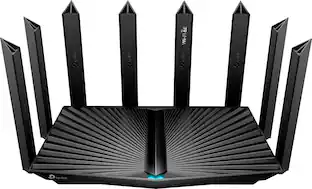
TP-Link - Archer BE9700 Tri-Band Wi-Fi 7 Router - Black

Model: Archer BE9700
SKU: 6623717
Black Friday Deal
Black Friday Deal
$189.99
Save $60
Comp. Value: $249.99
or
Finance OptionsView your offers
Standard Geek Squad Protection
Availability
Fulfillment Options
Pickup at
Sold by Best Buy

Highlights

  • Key Specs
    • Wi-Fi Speed: 9 gigabits per second (The maximum rate at which data is transferred between a network device and wireless router.)
    • Works With: Amazon Alexa, Google Home (Compatible with or able to be connected to other smart devices or applications.)
  • General
    • Brand: TP-Link
    • Model Number: Archer BE9700
    • Product Name: Archer BE9700 Tri-Band Wi-Fi 7 Router
    • Color: Black
  • Security
    • Firewall Type: None, None (The method the firewall uses to filter and process data to increase network security, primarily by blocking malicious traffic requests while allowing legitimate traffic through.)
    • Security Features: IoT protection, cyber threat prevention, robust parental controls, and comprehensive reports
    • Parental Controls: true (Allows user to block unwanted content, signals, channels, networks, etc. from being received or accessed.)
  • Network
    • Band Technology: Tri (Refers to the number of frequency bands used to wirelessly transmit an internet signal. For example, dual-band devices may use one 2.4 and one 5 GHz band, while tri-band devices may use one 2.4 and two 5 GHz bands. Multiple bands also provide more flexibility for designating connected devices to specific band use.)
    • Ethernet Standard: 10/100/1000/2500 (Each standard is a variation of the IEEE 802.3 set of computer networking technologies known as Ethernet. New versions evolved to include higher bandwidth, different physical media, and other new and improved features. Standards are often denoted by speeds (in Megabits per second). For example, a 10/100/1000 Ethernet port transmits at 10 Mbps, 100 Mbps, and 1000 Mbps (1 Gbps).)
    • Frequency Band: 2.4 GHz, 5.0 GHz, 6.0 GHz (Bands may be grouped into categories such as low- and high-band VHF (Very High Frequency), low- and high-band UHF (Ultra High Frequency), or certain frequency channels (measured in MHz or GHz). Generally, higher frequencies transmit information faster but have shorter range than lower frequencies.)
    • Wireless Networking Standard: Wi-Fi 7 (The wireless networking standard used by the device. Each iteration of the standard developed by the Wi-Fi Alliance corresponds to an existing IEEE 802.11 protocol; for example, standard 802.11ac (or AC) is termed Wi-Fi 5. Refers specifically to the standard the device is designed to use, but ultimately determines product interoperability and backward compatibility including previous versions.)
    • Wireless Standard: BE, AX, AC, N (The wireless networking protocol used by the device. Each iteration of the protocol is based on the 802.11 standard developed by the Institute of Electrical and Electronics Engineers (IEEE) Standards Association. Denoted by letters following 802.11 (802.11a, 802.11ac, etc.), each version, published in alphabetical order, encompasses all previous versions.)
    • Number of 2.4Ghz Streams: 2 (A router's streams are like lanes on a highway. The more streams a router has, the less traffic congestion. Because the 2.4 GHz band is used to transmit wireless signals to a wide variety of devices, there is often high amounts of traffic on that stream. But with multiple streams, each can be designated to a specific device for optimal performance. For example, if one 2.4 GHz stream is assigned to one device, such as a desktop computer, it leaves the remaining streams open for guest users, devices that use more data, or devices with specific band compatibility.)
    • Number of 5.0Ghz Streams: 2 (A router's streams are like lanes on a highway. The more streams a router has, the less traffic congestion. The 5.0 GHz band provides high speed, short-range data transmission and typically has less traffic than the 2.4 GHz band. With multiple streams, each can be designated to a specific device for optimal performance. For example, if one 5.0 GHz stream is assigned to one device, such as a streaming media player, it leaves the remaining streams open for guest users, devices that need less data, or devices with specific band compatibility.)
    • Number of 6.0Ghz Streams: 2
  • Certifications Listings & Approvals
    • ENERGY STAR Certified: false (Devices carrying the ENERGY STAR service mark, such as computer products and peripherals, kitchen appliances, and other products, generally use 20% to 30% less energy than required by federal standards.)
  • Features
    • App Compatible: true (The product can be connected to a program or software application on a mobile device, which then receives collected data from the product.)
    • App Name: TP-Link Tether
    • Beamforming: true (A signal processing technique that enables a router to focus a Wi-Fi signal in a specific direction. The router determines where a connected device in the network is located and projects a stronger signal in that specific direction. This can result in faster and higher quality data transfer as well as reduced signal interference.)
    • Integrated Modem: false
    • Wireless: true
  • Ports
    • Number Of WAN Ports: 2 (Number of devices able to be connected to the Wide Area Network (WAN). This type of port may simply be labeled "Internet," and it allows the device to share its internet connection with all devices connected to it via LAN ports.)
    • Port Type(s): RJ-45 (USB 2.0 connects external drives, gaming controllers, smartphones, MP3 players and other accessories.USB 3.0 transfers data faster than USB 2.0, but only when used with USB 3.0 devices.USB Type-C provides fast speeds and versatile power, featuring connectors with identical ends that plug in upside down or right side up. Adapters allow for video as well as backward compatibility.Thunderbolt provides ultra-high bandwidth for fast data transfer between devices featuring a Thunderbolt or MiniDisplayPort connection.HDMI allows you to connect a projector or display HD media on your HDTV or monitor.Media card slots allow you to transfer photos from your digital camera or camcorder.)
  • Speed
    • Wi-Fi Speed: 9 gigabits per second (The maximum rate at which data is transferred between a network device and wireless router.)
    • Gigabit Ethernet Speed: true (Supports the gigabit Ethernet networking standard, which has a data rate of at least one gigabit per second, or 1,000 Mbps.)
  • Compatibility
    • Works With: Amazon Alexa, Google Home (Compatible with or able to be connected to other smart devices or applications.)
  • Dimensions
    • Product Height: 5.7 inches (The out of box height of the item. Height is measured as the vertical distance from the bottom of the item to the top as it would be primarily used or placed.)
    • Product Length: 10.53 inches (The out of box length of the item. Length is measured as the longest dimension of the item.)
    • Product Width: 2 inches (The out of box width of the item. Width is measured as the horizontal distance from one side of the item to the other as it would be primarily used or placed.)
    • Product Weight: 3 pounds (The out of box weight of the item.)
  • Warranty
    • Warranty - Parts: 2-Year Limited
    • Warranty - Labor: 2 year limited
  • Other
    • UPC: 840460602136

Step into a new era of home Wi-Fi with the TP-Link BE9700 Tri-band Wi-Fi 7 Router. Powered by revolutionary Wi-Fi 7 technology, this tri-band router revolutionizes your home connectivity. It offers expansive wireless coverage and impressive Wi-Fi speeds of up to 9.7 Gbps using Multi-Link Operation across six simultaneous streams spanning the 6GHz, 5GHz, and 2.4GHz bands. Wi-Fi 7 delivers even smoother connections with less interference, lower latency, and enhanced reliability. Plus, enjoy increased capacity to accommodate more devices simultaneously, making it the perfect router for 4K/8K streaming, lag-free online gaming, and seamless smart home connectivity. Designed for ultra high speed, multi-gigabit internet, the Archer BE9700 boasts a 10 Gbps WAN/LAN port, 2.5 Gbps WAN/LAN port, 3× 2.5 Gbps LAN ports, and a USB 3.0 port, catering to all your high-performance device needs. Experience the future of Wi-Fi today with the TP-Link Archer BE9700. †‡§

  • 9.7 Gbps Wi-Fi 7 Speeds: Enhanced with 6 GHz and 320 MHz ultra-wide channels, BE9700 offers impressive speeds of up to 5765 Mbps on the 6 GHz band, 2882 Mbps on the 5 GHz band, and 1032 Mbps on the 2.4 GHz band.†△
  • Wi-Fi 7 Multi-Link Operation: Enables devices to use multi-link aggregation to achieve higher throughput, lower latency, and higher reliability; or to use multi-link seamless dynamic switching to achieve load balancing and lower latency.‡
  • Ultimate 10G Connectivity: With 1× 10 Gbps and 1× 2.5 Gbps WAN/LAN port, along with 3× 2.5 Gbps LAN ports, BE9700 provides an ideal solution for your future-proofing home network.§
  • Maximized Coverage: With 6 optimally positioned antennas and Beamforming technology, Wi-Fi signals will be automatically boosted and concentrated to reach even hard-to-reach areas within your home.
  • Lag-Free Streaming & Gaming: Ultra-smooth Wi-Fi with 4× Lower Latency offers seamless connectivity and faster response times for an unparalleled online experience.☆
  • VPN Supported: Allow devices in your home network to access remote VPN servers without the need of installing VPN software on every device.
  • Compatible with Alexa & Google Assistant: Control your router with voice commands through Amazon Alexa or Google Assistant—power on/off Guest Wi-Fi networks, reset the router for troubleshooting, and other convenient commands!
  • Effortless Setup & Management: The Tether app allows for not only an effortless network setup featuring clear visual guidance, but also to remain in control of your network even when you're away from home.
  • Network Security with HomeShield: TP-Link's premium security service keeps your connection safe with cutting-edge network and IoT protection such as regular network security scans, basic parental controls, QoS settings, weekly/monthly usage reports, and IoT device identification.*
  • EasyMesh Compatibility: Works with EasyMesh routers and range extenders to form seamless whole home Mesh WiFi, preventing drops and lag when moving between signals.**
Whats Included
  • 1 x Wi-Fi 7 Router Archer BE9700
  • 1 x Quick Installation Guide
  • 1 x Power Adapter
  • 1 x RJ45 Ethernet Cable
Disclaimers
  • †Maximum wireless signal rates are the physical rates derived from IEEE Standard 802.11 specifications. Actual wireless data throughput, wireless coverage, and connected devices are not guaranteed and will vary as a result of network conditions, client limitations, and environmental factors, including building materials, obstacles, volume and density of traffic, and client location.
  • ‡Use of WiFi 7 (802.11be), WiFi 6 (802.11ax), and features including Multi-Link Operation(MLO), 320 MHz Bandwidth, 4K-QAM, OFDMA, and MU-MIMO requires clients to also support the corresponding features.
  • △The 320 MHz bandwidth is only available on the 6 GHz band. Simultaneously, the 320 MHz bandwidth on the 6 GHz band and 160 MHz bandwidth on the 5 GHz band may be unavailable in some regions/countries due to regulatory restrictions.
  • ☆4× Lower Latency refers to the latency improvement of Wi-Fi 7 routers compared to Wi-Fi 6/6E routers, based on laboratory test data. The test conditions had the same 5 GHz or 6 GHz single-frequency wireless interference and tested the maximum latencies of Wi-Fi 7 clients (with MLO turned on) connecting to the 5 GHz and 6 GHz bands of Archer BE9700 (with MLO turned on) simultaneously and to the 5 GHz or 6 GHz bands of a Wi-Fi 6/6E router (without the MLO function).
  • *HomeShield includes the Free Basic Plan. Fees apply for the Pro Plan. Visit tp-link.com/homeshield for more information.
  • **TP-Link EasyMesh-compatible products can network with other devices that use EasyMesh. Failed connections may be due to firmware conflicts of different vendors. The EasyMesh-compatible function is still being developed on some models and will be supported in subsequent software updates.

Q: Does this model support ethernet backhaul for easymesh?

A: We are aware that the product is compatible with EasyMesh, but we are unsure if it supports Ethernet backhaul. We would recommend contacting [email protected]

Q: What is the processor that runs this router. I cannot find it listed.

A: is it possible to take the antennas off and run wires to the outside of a house and on the roof for better wifi receiption? or possibly take the antennas off and hook up some larger ones?

Sponsored

Compare similar products

TP-Link - Archer BE9700 Tri-Band Wi-Fi 7 Router - Black
4.5(55)

Step into a new era of home Wi-Fi with the TP-Link BE9700 Tri-band Wi-Fi 7 Router. Powered by revolutionary Wi-Fi 7 technology, this tri-band router revolutionizes your home connectivity. It offers expansive wireless coverage and impressive Wi-Fi speeds of up to 9.7 Gbps using Multi-Link Operation across six simultaneous streams spanning the 6GHz, 5GHz, and 2.4GHz bands. Wi-Fi 7 delivers even smoother connections with less interference, lower latency, and enhanced reliability. Plus, enjoy increased capacity to accommodate more devices simultaneously, making it the perfect router for 4K/8K streaming, lag-free online gaming, and seamless smart home connectivity. Designed for ultra high speed, multi-gigabit internet, the Archer BE9700 boasts a 10 Gbps WAN/LAN port, 2.5 Gbps WAN/LAN port, 3× 2.5 Gbps LAN ports, and a USB 3.0 port, catering to all your high-performance device needs. Experience the future of Wi-Fi today with the TP-Link Archer BE9700. †‡§

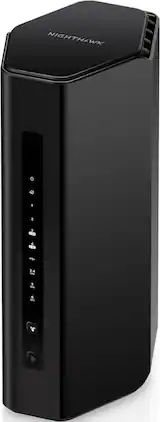
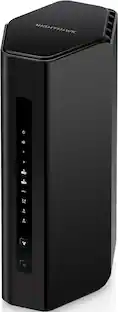
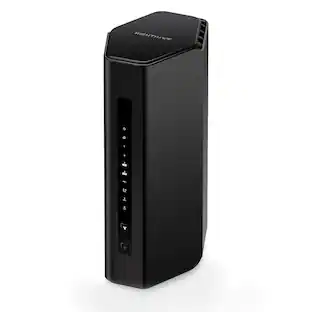
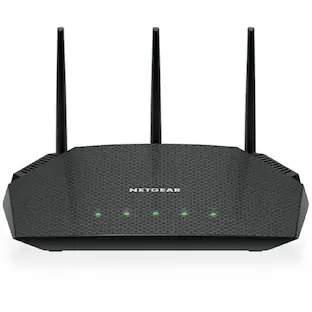
NETGEAR - Wi-Fi 7 Router Nighthawk BE9300 Tri-band Router - Black

Leverage the power of Wi-Fi 7 for speeds up to 9.3Gbps at 2.4 times faster than Wi-Fi 6 and 320MHz high-capacity channels for up to 100 devices. The NETGEAR Nighthawk RS300 Wi-Fi 7 tri-band router offers three bands of Wi-Fi, including the ultrafast 6GHz band. The high-performance antenna design provides up to 2500 sq. ft. of Wi-Fi coverage, and you can connect your high-demand devices to the two 2.5Gbps and two 1Gbps LAN ports for ultrafast wired speeds. Enjoy the very best of next-gen 4K/8K video streaming, gaming, videoconferencing, security system, and smart home devices.

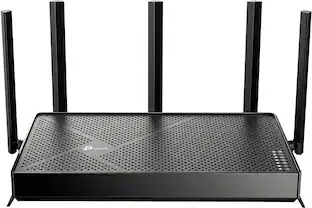
TP-Link - Archer AXE7800 Tri-Band Wi-Fi 6E Router - Black

Embrace lightning-fast 7.8 Gbps speeds and experience 6GHz band with Archer AXE7800 Tri-Band WiFi 6E router. With eight WiFi streams combined with three separate bands, the Archer AXE95 achieves unbeatable performance to boost capacity and reduces congestion for smoother 8K streaming and AR/VR intensive gaming. Premium 2.5 Gbps and 1 Gbps WAN/LAN ports support flexibility for the peak performance, transmitting maximum fiber internet speeds to fill every corner of your house. Protect your IoT devices with TP-Link HomeShield.

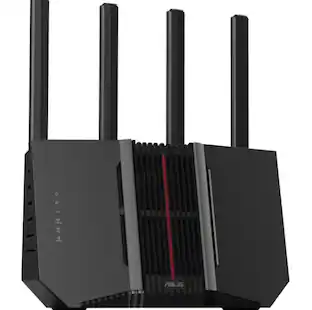
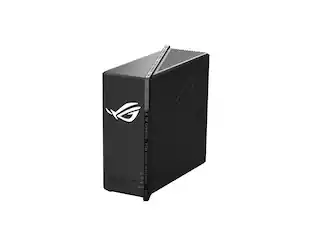
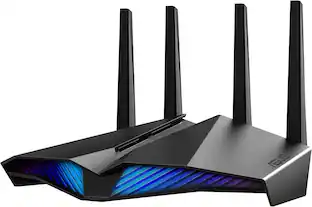
ASUS - RT-BE92U BE9700 Tri-Band Wi-Fi 7 Router - Black

Elevate your smart home with blazing-fast tri-band Wi-Fi 7 speeds of up to 9700 Mbps, boosted range with ASUS RF and AI-boosted Smart AiMesh technology and up to 20G of wired capacity. The ASUS RT-BE92U unleashes superior 6 GHz Wi-Fi and future-proof 10G networking.

Pros for TP-Link - Archer BE9700 Tri-Band Wi-Fi 7 Router - Black
Setup, Speed, Signal Strength, Connectivity, Ease of UseSpeed, Overall Performance, Signal Strength, Setup Process, CoverageSpeed, Range, Setup, Performance, Ease of useSpeed, Overall Performance, Range, Signal Strength, WiFi 7
Cons for TP-Link - Archer BE9700 Tri-Band Wi-Fi 7 Router - Black
RangeThere were no cons for this productWi-Fi 6E, Lag, Size, Parental ControlConnectivity, CPU Usage, Firmware, Price

Specs

Reviews

Customers are saying

Customers commend the Archer BE9700 Tri-Band Wi-Fi 7 Router for its easy setup, excellent connectivity, and impressive speed. Users also appreciate the router's ease of use and strong signal strength throughout the home, as well as its excellent coverage. However, some customers have noted that the range could be improved.

This summary was generated by AI based on customer reviews.

Customer Images

The vast majority of our reviews come from verified purchases. Reviews from customers may include My Best Buy members, employees, and Tech Insider Network members (as tagged). Select reviewers may receive discounted products, promotional considerations or entries into drawings for honest, helpful reviews.


  • Rated 1 out of 5 stars

    Internet cuts out, does not reach upstairs

    Setup was easy enough, but as-is it doesn't work smoothy. Seems like the sale item I bought was hardware V1.0 so you may have more luck if you get the updated hardware version. The internet randomly cuts out! I still have wifi connection but can't access any websites for about 30 seconds about once every hour or so. According to the internet this is a known issue - I'm surprised they're still selling this router! It also has terrible signal upstairs/downstairs in my house, which my old wifi router covered without any issue. I'm attempting to return it under warranty because I was traveling during the 15 day Best Buy return period, and they're making me go through a process which involves emailing with their tech support.

    Posted by ESdl

  • Rated 4 out of 5 stars

    A router with 2.4ghz, 5ghz, and 6ghz, OH MY!

    As the happy owner of a TP-Link Archer AX5400 Pro, a dual band Wi-Fi 6 router, I was happy to upgrade to the newest WiFi 7 router from TP-Link. And I wanted to like this router more than I have, but there are just a few major annoyances that I can’t get over. Setup of the router was extremely simple: unplug your old router and remove all ethernet connections, then hook up your new router, follow the instructions in the TP Link Tether app, and you’ll be up in running in no time. What’s nice is that my previous router worked with the Tether app, so I was already familiar with all the functionality of TP Link’s app. It wasn’t soon after setup that I encountered my first annoyance, which may be a limitation of the technology itself and not the router. On my previous router, you could configure all bands (2.4, 5 and 6ghz wireless bands) to be seamlessly merged into one connection, in other words, all connections would require one WiFi name and one single password. But with this router, the 2.4ghz and 5ghz bands were together as one network, and the 6ghz band is it’s own band with a separate name and password (though I did use the same password between them). I soon received a notification on my phone that I may experience issues controlling other devices on my network since my phone and smart home devices were now on separate networks… This was a disappointing discovery. If I wanted my phone to use the faster (though shorter range) 6ghz band, it may not communicate well with my smart displays and speakers. There’s also an option to enable what’s called an MLO network that isn’t found in the initial setup, just to make things more confusing. MLO (multi link operation) basically allows devices (that support WiFi-7) to connect to multiple WiFi channels/bands simultaneously. I turned this on briefly to try it out and it was okay. I didn’t notice that much of a difference. However, the only device in my home that supports WiFi 7 is my iPhone 16 Pro, so any potential benefits I would have seen were limited by the fact most devices don’t have WiFi 7 capabilities yet. After some researching, I have seen that some folks online have suggested using the same username and password for all bands/networks. That way your smart devices in your home can communicate with each other. I’m not sure how this would impact an MLO network (should you enable that feature). I’ll have to try this and see if I encounter any problems going that route, even if only for the 2.4/5ghz and 6ghz channels. But until then, I’ve primarily connected all my devices to the 2.4/5ghz connection. As for range, I don’t think this is an improvement from my old Archer router. If anything, it seems like it may have a smaller range. My house isn’t huge, it’s a 1,500sf 3-bedroom. Yet somehow in the corners of this home I find my speeds ranging wildly which is a problem I didn’t encounter much with my previous router. When you are in range, speeds are quick as can be. I have 1-gbps speeds from my ISP and when you can get close to that it’s magic. I would give this router a score of 85 out of 100. The tether app is nice, the unit is fast when you are in close enough range, but the different band setups are confusing and not intuitive. And to top it off, you might not need a WiFi 7 router quite yet until more devices are WiFi 7 compatible. And by the time WiFi 7 is ubiquitous amongst all new consumer electronics, there may be better router options out there to meet your needs. I’ll leave you with one last pro tip: try using the same username(s) and password(s) for your WiFi login(s) on your new router as you had on your old router, that way you won’t have to re-login to your network with every device in your home that was previously using your old router/network.

    Posted by CactusMan

  • Rated 5 out of 5 stars

    All the new features

    It’s good to see more routers come out supporting Wi-Fi 7, 6Ghz channels and higher speed LAN ports. Technology is getting faster and all these things help it keep up. However, why are so many security features getting put behind a paywall? I know it’s not just TP-Link that is doing this, as other companies are doing the same thing. But, it is sad to see that something like DDoS prevention and intrusion prevention isn’t something that the router, that is fully capable of doing, doesn’t do it by default. Then, you have to use the Tether app on a mobile device to try the trial or enable the subscription. Anyways, despite that, this router has a lot that many other routers don’t bring to the table. This one can be as simple as running the app and getting your network running in a matter of minutes, to breaking it down and having several different networks running through your household. You can have a different SSID per band for regular users, for guest users and a separate for Internet of Things (IoT), so that you can isolate those items from other local network devices. Basically so that random lightbulb doesn’t need to know your regular SSID and password. You have control over all the typical advanced LAN and WAN settings, you can even make static routes. You can use the router as a VPN client or make it a VPN server with OpenVPN, PPTP VPN, L2TP/IPSec VPN and/or WireGuard VPN. Allowing you to configure client accounts, certificates and manage their connections. You can even isolate specific connected devices so that they can’t see other devices on your network with just a couple clicks. No need for learning network engineering just to keep your kids tablet from being hacked and ruining everything else on your network. If you are like me and still prefer wired connections, this has a single 10Gbps port that can be switched between WAN/LAN and four 2.5 Gbps ports in which the first one can be swapped between LAN/WAN. So, for example, with 1Gbps internet, you only need the 2.5Gbps port and might have a NAS that can do 10Gbps, so it makes it even better for your local network connected devices. There are other features I have not used but know others may enjoy. Like using Alexa or Google to enable guest networks or read out the WPA password so that your guests can connect without you having to remember it on your own. If you have a large house you may also have some weak spots for WiFi, so TP-Link makes it easy to get another EasyMesh and OneMesh device to extend your network to that other device. You can even hook up a USB drive directly to the router and treat it as a network storage that can even be accessed externally if you enable that feature. Despite my complaining of the required subscription for some other security features, they do still include a fair bit of options as they list as “basic”. These include notifications of new connected devices, security scan for router updates, port forwarding issues and wireless password strength. You also get some parental control functions that can do some basic blocking of malicious or restricted content or specific sites and create bedtime to remove access for that device. However, if you want reports of what has been blocked or accessed, that is part of the subscription. Overall, it’s a simple to set up router that brings a lot of the modern tech to the user and plenty of advanced features. It is fully capable of more, but for a slight monthly or annual fee. It has all the capability to still work with that original wireless device from 10+ years ago to the most modern device you can get.

    Posted by DavidJr

No content
Sponsored

Similar products from outside of Best Buy

sponsored

Finance Options

My Best Buy® Credit Card
10% back in rewardson your first day of purchases when approved for the My Best Buy® Credit Card.
Buy Now, Pay Later
4 payments starting at $47.50
Lease to own
Apply today with no credit needed and enjoy flexible payment options.