Turtle Beach - Stealth Pivot Wireless Smart PC Gaming Controller with Rotating Modules - Black
Customers are saying
Customers are satisfied with the device's impressive battery life, reliable performance, and comfortable, lightweight design. While the display is appreciated as a functional feature, some users have expressed concerns regarding the button layout and occasional connectivity issues. Additionally, while some find the size to be a bit small, others have noted that the software experience could be improved.
Features
High-Performance, Lag-Free Wireless for PC
Our proprietary, lag-free 2.4 GHz wireless connection and built-in Bluetooth technology gives you the freedom to play on Windows 10 & 11 PCs without a wired connection. Plus, you can connect to Android mobile devices and supported Smart TVs with built-in Bluetooth or play on XBOX Series X|S & XBOX one with a wired connection.
Rotating Button Modules
Rotating modules give you the versatility to easily switch from a traditional core button and thumbstick layout, to a revolved layout designed for domination on fighter games. A set of release switches on the backside of the controller allow for easy rotation once unlocked, and keep the modules locked in place once set.
Connected Command Display
A high-contrast display screen lets you customize your controller and stay in touch with your friends. View your social notifications feed, adjust any 3.5mm connected headset, assign mappable buttons, manage wireless connections on-the-fly and more.
Patented, On-Board Social Notifications
Receive social notifications from your phone for all your favorite social media platforms on the Connected Command Display to stay in the loop while gaming.
20-Hour Battery Life + Play & Charge
A long-lasting 20-hour wireless battery life keeps you locked in the game, and the included USB cable supports play-and-charge capability when battery life runs out.
AntiDrift Thumbsticks
Contactless, hall effect thumbsticks use internal magnets instead of full contact analog-style sticks to provide high-resolution, smooth control without drift. You can even dial in stick performance to suit the exact game you’re playing with linear input for consistent steering in racing games, or precision input for pinpoint aim in action & FPS games.
Adjustable Trigger Stops
Modify the throw distance of the triggers on-the-fly to suit the games you play. Shorter hair trigger locks provide a faster return profile for FPS games or set to full travel for precise throttle and brake control when racing.
Four Mappable Quick-Action Buttons
Four mappable buttons allow you to set up the Stealth Pivot to your exact preferences depending on the types of games you play. Two mappable buttons on the back of the controller, and two buttons in the revolved layout keep your go-to actions in close reach. Plus, you can save up to five different onboard profiles for multiple games and loadouts.
Quick-Slide Adjustment Switch
For split-second in-game adjustments, a return-to-center toggle, with customizable RGB lighting is in quick reach at the center of the controller and can be mapped to functions like headset volume adjustment.
Precise, Customizable D-Pad
D-pad response can be set to classic digital input, or analog thumbstick response and is tuned for fast actuation and reset, ideal for critical combos or platform jumps.
Pro-Aim Focus Mode
Selectable as one of preset functions for any of the four mappable buttons, Pro-Aim tunes thumbstick sensitivity for enhanced long-range accuracy. Whether it’s a long-range snipe, or a daunting free kick, Pro-Aim is fully adjustable to dial-in the sensitivity just right.
Customization with Control Center 2 Companion App
Open the Control Center 2 app on your XBOX console, PC, iOS, or Android smartphone to adjust settings on the controller like social notification preferences, customization of button mapping, dead zones & axis response modes, vibration intensity, audio enhancements, and RGB lighting. Plus, the Control Center 2 app lets you quickly make product updates.
Advanced Audio Tuning
Enhance any 3.5mm connected headset with easy access audio features only available from Turtle Beach including four EQ presets and Superhuman Hearing. Plus, you can set the game & chat volume mix to your exact preference, adjust mic monitoring and more, all directly from the Command Display dashboard.
Immersive Vibration Feedback
Dual rumble motors in the handles and triggers provide immersive vibration feedback and are fully adjustable via the Command Display dashboard. Tune the levels of vibration to suit the games you play, from maximum vibration for intense racing games, to minimum feedback for reduced interference when precise aim control is needed.
Specifications
- WirelessYesBattery SizeNot ApplicableCompatible Platform(s)XBOX Series X, XBOX Series S, XBOX One, Windows
Reviews
Rating 4 out of 5 stars with 87 reviews
- Battery Life (17)
- Overall Performance (13)
- Display (7)
- Weight (5)
- Comfort (3)
- Button Layout (8)
- Connectivity (7)
- Stick Drift (4)
- Size (3)
- Software (3)
Customer Images
The vast majority of our reviews come from verified purchases. Reviews from customers may include My Best Buy members, employees, and Tech Insider Network members (as tagged). Select reviewers may receive discounted products, promotional considerations or entries into drawings for honest, helpful reviews.





Compare similar products
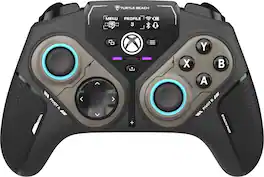
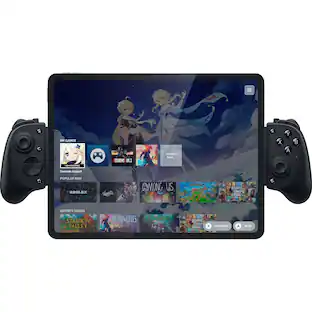
Rank up to Revolutionary Control. The Turtle Beach Stealth Pivot wireless smart controller is designed for revolutionary gameplay on Windows PCs. Stealth Pivot features rotating button modules to quickly switch between core button layouts designed for FPS, action & racing titles, or revolved layouts for fighter & retro games. Play wirelessly on PC with the 2.4 GHz wireless transmitter, or via Bluetooth on Android devices & Smart TVs, and even play on XBOX consoles using the wired connection. A 20-hour battery life keeps you locked in without disruptions, plus the wired cable supports play-and-charge capability. The Connected Command Display screen offers extensive customization, and hall-effect thumbsticks, adjustable triggers and mappable buttons provide smooth, long-lasting, and adjustable control for multi-genre dominance.
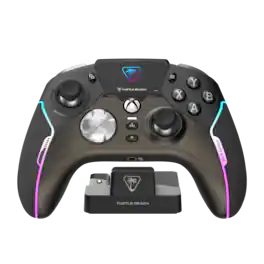
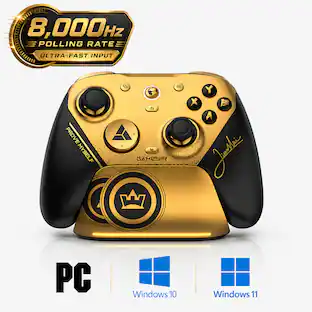
The New King of Control. The Turtle Beach Stealth Ultra high-performance wireless smart game controller with charge dock is built for gamers who demand the best. Lag-free wireless quickly connects to XBOX consoles, and Windows PCs, plus Bluetooth for Android devices & supported Smart TVs. Tactile microswitches throughout provide fast, reliable response and last up to 5X longer than standard buttons, while AntiDrift thumbsticks eliminate drift for precise, customizable control and adjustable triggers suit your game on the fly. The Connected Command Display lets you customize the RGB lighting, audio, thumbsticks, mappable buttons and more, plus patented technology receives social notifications from your phone. Best of all, adjustable power modes provide up to 30 hours of battery life on a single charge.
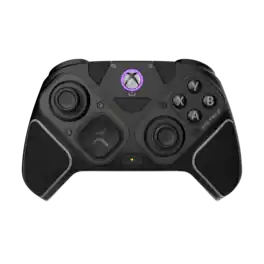
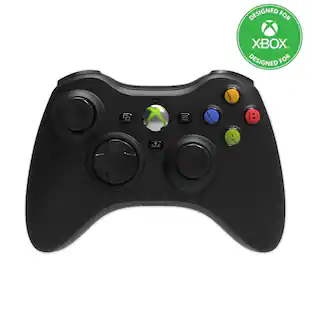
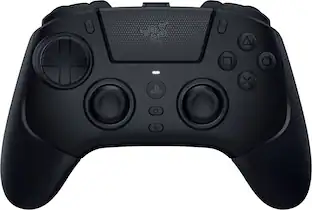
The Victrix Pro BFG Reloaded is the next evolution of the award-winning modular Pro BFG wireless controller, designed for elite gamers who demand precision, customization, and versatility on XBOX and PC. At its core are customizable modules with built-in Hall-Effect technology, ensuring drift-free precision for consistent and reliable input accuracy. With three modules and eleven interchangeable components you can customize your controller for optimal comfort and performance. Modularity meets precision with four mappable back buttons, dual rumble motors, impulse triggers, 5-stop Clutch Triggers with Hall-Effect mode, and a lifetime subscription to Dolby Atmos spatial surround sound. For the fighting game community, the ergonomically enhanced 6-button Fightpad module with Kailh microswitches delivers tournament-level accuracy for flawless combos. Officially licensed by XBOX, the Pro BFG Reloaded is built with pro-level customization and tournament-grade performance, making it the ultimate weapon for gamers!

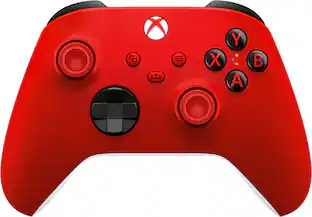
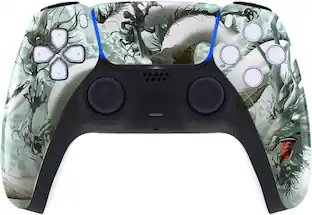
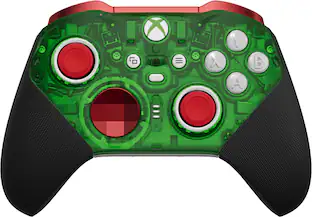
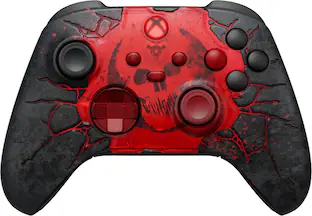
Elevate Your Gameplay with the ProControllers Wireless Xbox Custom Controller. Experience next level performance and personalization with the ProControllers Wireless Xbox Custom Controller, designed for Xbox Series X|S, Xbox One, and PC. Handcrafted and assembled, every controller is a one of a kind piece that reflects your style and enhances your gaming setup. Built using brand new Xbox controllers, we guarantee top tier quality, reliability, and performance. This exclusive design is available only at ProControllers. Whether you're a casual player or a competitive gamer, our controllers are made to deliver. And with our 365 day warranty covering manufacturing defects, you can play with complete peace of mind.
| Pros for Turtle Beach - Stealth Pivot Wireless Smart PC Gaming Controller with Rotating Modules - Black | |||
|---|---|---|---|
| Battery Life, Overall Performance, Weight, Display, Comfort | Battery Life, Overall Performance, Weight, Buttons, Customization | Battery Life, Weight, Customizability, Build Quality, Connectivity | There were no pros for this product— |
| Cons for Turtle Beach - Stealth Pivot Wireless Smart PC Gaming Controller with Rotating Modules - Black | |||
| Button Layout, Connectivity, Stick Drift, Software, Size | Connectivity, Stick Drift, Software, Price, Triggers | Button Layout | There were no cons for this product— |
Specs
Questions & Answers
Does it work for ps5?
Answered by Turtle Beach SupportThe Stealth Pivot does NOT work with PS5. Best Regards.
I'm looking for a controller to run my pc, will this controller take place of keyboard and mouse when not playing a game?
Answered by Turtle Beach SupportWhile the Stealth Pivot doesn't have direct features meant to control the mouse and keyboard on PC, you maybe be able to look into Windows specific controller features that allow you to fully navigate with controller input, or something like Steam "Big Picture" mode that would result in a more console-like experience on your PC. Best Regards.
Are the buttons on the back programmable
Answered by Turtle Beach SupportHello Kim! The Stealth Pivot mappable buttons allow you to set up the Stealth Pivot to your exact preferences depending on the types of games you play. Two mappable buttons on the back of the controller, and two buttons in the revolved layout keep your go-to actions in close reach. Plus, you can save up to five different onboard profiles for multiple games and loadouts. Best Regards.
Will this work on an Ipad pro
Answered by Turtle Beach SupportThe Stealth Pivot is not compatible with IOS devices. Best Regards.
What are the different button layouts available on the controller?
The Stealth™ Pivot features rotating button modules that let you quickly switch between core button layouts for FPS, action & racing titles, or revolved layouts for fighter & retro games.
This question and answer was generated by AI based on customer and product data.

Customers often buy these together
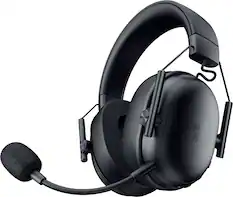
Gaming Headsets
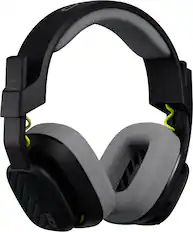
Astro Gaming - A10 Gen 2 Wired Over-the-Ear Gaming Headset for Xbox One, Xbox Series X|S, Windows, MacOS - Black
Our 365-day lowest price$44.99The price was $69.99
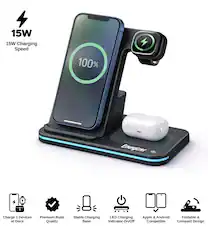
Power Adapters and Chargers


PC Gaming Headsets
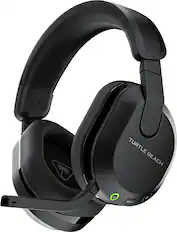
Turtle Beach - Stealth 600 Wireless Over-Ear Multiplatform Gaming Headset for PC, PS5, PS4 & Mobile - Black
$94.99The price was $109.99
Customers ultimately bought
 Our 365-day lowest price$139.99The price was $189.99
 Our 365-day lowest price$149.99The price was $209.99
 Our 365-day lowest price$149.99The price was $209.99
 $149.99The price was $179.99
Explore tech essentials Sponsored
- $149.99The price was $179.99
Discover related products
 $53.99The price was $57.09
 $12.99The price was $13.99










Keep exploring
 $249.04The price was $267.98
 $135.99The price was $159.99