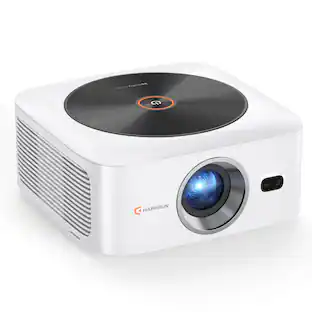
Vankyo - Leisure 510 Native 720P Single LCD Portable Projector - Black
About this product
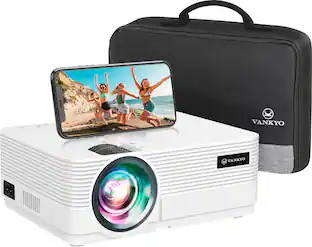
The Vankyo Leisure 510 wifi projector delivers a full HD 1080P picture up to 200" and amazing audio with two built-in speakers. Featuring 260 ANSI lumens and a 3000:1 contrast ratio for vivid color and a sharp image. Connect to your TV, laptop and other devices via the included ports - 2 HDMI, 2 USB, VGA, AV and USB as well as SD card slot. Enjoy 50,000 hours lamp life and a quiet cooling system with heat dispersion.
Brighter and Crispier Images
Equipped with 260ANSI Lumen LED light, VANKYO Leisure 510 provides a native resolution of 1280*768 pixels and a contrast ratio of 3000:1, this produces a brighter and crispier visual output. Elegant images for an elite visual experience.
Outstanding Performance with Upgraded Features
Upgraded cooling system prevents overheating itself for longer and better performance; meanwhile it reduces fan noise, to give you a more immersive, authentically-reproduced audio experience.
Omnipotent Connectivity
For a compact device as VANKYO Leisure 510, it is compatible to PC, laptop, iPad, iPhone and other smartphones, as well as TV Stick, Chromecast, Xbox, and PS3/PS4. A true omnipotent multimedia projector.
- Product Weight5.5 poundsLight SourceLEDResolutionFull HD (1080p)White Brightness (ISO)200 lumensContrast Ratio600:1Projector UseHome Theater, Business
Reviews
Rating 4.5 out of 5 stars with 119 reviews
Customer Images
The vast majority of our reviews come from verified purchases. Reviews from customers may include My Best Buy members, employees, and Tech Insider Network members (as tagged). Select reviewers may receive discounted products, promotional considerations or entries into drawings for honest, helpful reviews.
Compare similar products

The Vankyo Leisure 510 wifi projector delivers a full HD 1080P picture up to 200" and amazing audio with two built-in speakers. Featuring 260 ANSI lumens and a 3000:1 contrast ratio for vivid color and a sharp image. Connect to your TV, laptop and other devices via the included ports - 2 HDMI, 2 USB, VGA, AV and USB as well as SD card slot. Enjoy 50,000 hours lamp life and a quiet cooling system with heat dispersion.
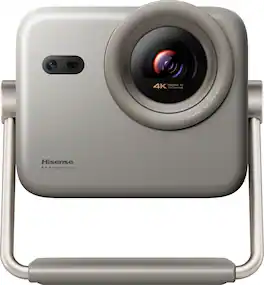
The M2 Pro mini projector brings your movies, games, and presentations to life with vibrant colors and sharp details, thanks to its triple laser light source and Dolby Vision. It transforms any room into a personal theater, and setup is easy with flexible installation options. For stunning performance and convenience, the M2 Pro is your go-to choice!
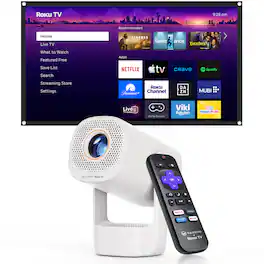
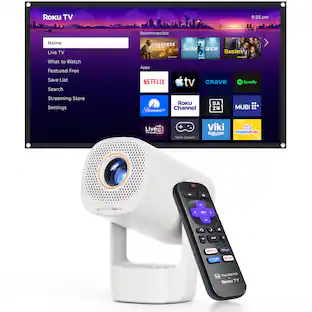
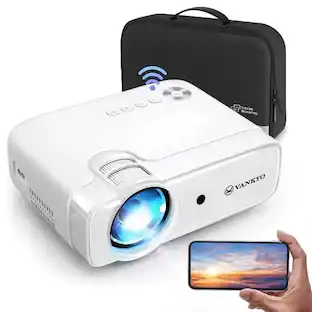
VANKYO Leisure 3R Air Smart Projector is designed to bring simple, flexible entertainment to your everyday life. Featuring a 180° flip design, it allows you to adjust the projection angle more freely for comfortable viewing from the bed, couch, desk, or around the room. Built-in Roku TV gives you easy access to popular streaming content right out of the box, with no extra streaming stick needed. Compact and easy to carry, the Leisure 3R Air is a practical choice for bedrooms, dorm rooms, apartments, and other small living spaces. With 150 lumens brightness for dim or dark-room viewing, plus 2.4G/5G WiFi and Bluetooth 5.2 for reliable wireless connectivity, it is a convenient option for movie nights, casual streaming, and everyday big-screen fun at home .
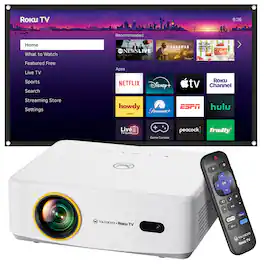
Sit back, relax and enjoy family movie night with the Vankyo L570RB projector. The Vankyo Leisure 570RB wireless smart mini projector with built-in Roku TV delivers a full HD 1080P picture up to 200". Featuring 280 lumens and a 1000:1 contrast ratio for vivid color and a sharp image. Enhanced features include keystone adjustment, eliminating the need for manual tweaks during use and ensuring optimal display quality. Featuring Dolby Audio surround sound and dual 5W speakers for an immersive viewing experience. With built-in Roku TV, you can stream all your favorite content, including Netflix, YouTube, Amazon Prime Video and more. A 100" screen is included.
| Pros for Vankyo - Leisure 510 Native 720P Single LCD Portable Projector - Black | |||
|---|---|---|---|
| There were no pros for this product— | Audio Quality, Overall Performance | There were no pros for this product— | Picture Quality, Portability, Auto Focus, Brightness, User Interface |
Specs
Does this projector works with netflix while projecting from my tablet or computer?
Answered by Customer Experience TeamSorry, if you play movies from Netflix or Disney+, I'm afraid that's expected. Since all content on these streaming services, such as Netflix, is classified by the HDCP protocol, our projector does not support streaming movies over mobile devices. On the contrary, you can play Netflix on your computer and mirror the image to the projector via an HDMI cable.

Is this fgod for PowerPoint presentations?
Answered by Customer Experience TeamThis projector support displaying PowerPoint files when a computer is connected to it, but kindly note that the PowerPoint file is opened on your computer and the remote cannot be used to control it.
Can this be ceiling mounted where the projector is upside down, so the image has to be flipped 180 degrees?
Answered by Vankyo TeamHi there, Yes, the Leisure 510 projector can be ceiling mounted and the image can be turned upside down to accommodate the ceiling mount.

Is this a good projector for outdoors and daytime
Answered by Customer Experience TeamHi Gene, It's not recommended to use the projector outdoor during the day. But you can use it outdoors at night.
I moved my camera,why did all the images turn shades of blue?
Answered by Customer Experience TeamHi Chris, could you please reach out to our support at support@ivankyo.com to ask for help? Our support will reply to you within 24 hours and we will try our best to solve the problem for you.
Customers often buy these together
 $349.99The price was $399.99
 Clearance$199.99The price was $209.99
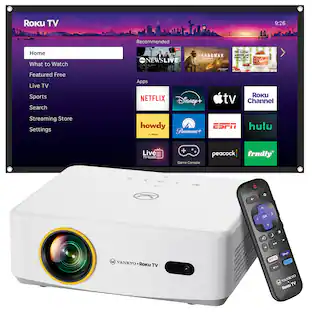 Top Deal$209.99The price was $229.99
More to consider
- Top Deal$209.99The price was $229.99
 Top Deal$329.99The price was $399.99
Elevate your entertainment Sponsored
 Top Deal$2,999.99The price was $3,499.99
 $1,799.00The price was $1,899.00
 $2,699.00The price was $2,899.00
 $2,099.00The price was $2,299.00


Discover related products
 $15.99The price was $19.99

Keep exploring
 $278.99The price was $359.99
 $169.99The price was $259.99