VIDBOX - Video Conversion Suite - Black/White
Customers are saying
Customers find value in the Video Conversion Suite's ease of use and video conversion capabilities. Many users appreciate its performance and the convenience of USB connectivity. However, some customers have raised concerns about compatibility issues, software stability, price, and resolution options. Overall, the product seems well-received for its core functions, but potential buyers should be aware of the reported limitations.
Save your precious memories
Easily convert, save, and share your memories from your old VHS, Betamax and camcorder tapes.
Easy setup
Just plug the included composite cable into the outputs on the VCR and into a USB device. And then connect the USB cable to your Mac or PC and wait until the software makes the rest.
PC and Mac compatible
Compatible with Mac OS X 10.6 and Windows 10, 8, 7, Vista.
Capture, edit and burn recorded videos
Offers smooth integration with iTunes, iMovie, QuickTime and iDVD, and uses integrated capabilities of Windows.
Social networks integration
Share your video with friends and family on Facebook and YouTube.
- BrandVIDBOXModel NumberHON787800F264Product NameVideo Conversion SuiteColorBlack/WhiteCompatibilityMac OS X 10.6 Snow Leopard or higher and Windows 10, 8, 7, VistaInput(s)RCA
Reviews
Rating 4.4 out of 5 stars with 448 reviews
- Ease of use (219)
- Video Conversion (87)
- Performance (42)
- USB (4)
- Compatibility (11)
- Software (7)
- Price (5)
- Resolution (3)
Customer Images
The vast majority of our reviews come from verified purchases. Reviews from customers may include My Best Buy members, employees, and Tech Insider Network members (as tagged). Select reviewers may receive discounted products, promotional considerations or entries into drawings for honest, helpful reviews.
Compare similar products
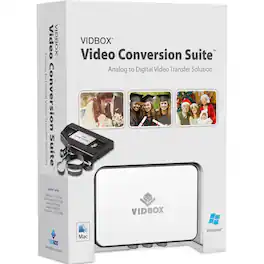
Save home videos before they wear down with Honestech Conversion Suite 2.0. The setup has everything needed for transferring film to digital or DVD, including a VIDBOX capture device, software and cables for connecting cameras, camcorders or VCRs. Compatible with both Windows and Mac operating systems, Honestech Conversion Suite 2.0 includes a quick start guide for each system.

Prepare your vehicle to run an amplifier with this Metra two-channel line output converter. The adjustable design allows easy positioning in your car, and universal compatibility offers simple installation in nearly all cars. This Metra two-channel line output converter converts speaker-level output signals into line-level audio for systems without RCA outputs.

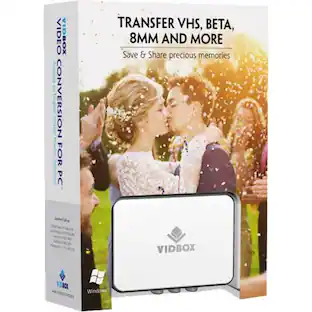
Digitize VHS, camcorder, Beta and 8-millimeter tapes with VIDBOX Video Conversion Suite for PC. Connect your legacy video recorder to your computer using the included USB and RCA AV cables and share your treasured family videos with a new audience. VIDBOX Video Conversion Suite for PC includes instructions and live support to guide you through the video conversion process.

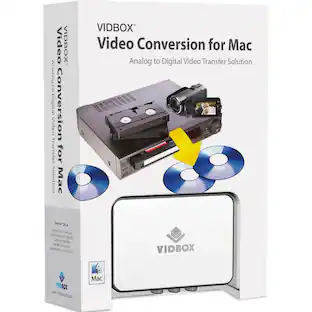
Convert your old VHS cassettes to digital files with VIDBOX for Mac. The capture device connects your VCR or camcorder to your Mac computer to format your content, while the included connection cables allow for easy setup. With multiple formatting features, VIDBOX for Mac lets you add recordings to your iTunes library, burn DVDs and connect with iMovie to edit your videos.
| Pros for VIDBOX - Video Conversion Suite - Black/White | |||
|---|---|---|---|
| Ease of use, USB, Video Conversion, Performance | Overall Performance, Ease of use, Installation, Price | Ease of use, Overall Performance, USB, Video Quality | There were no pros for this product— |
| Cons for VIDBOX - Video Conversion Suite - Black/White | |||
| Compatibility, Software, Price, Resolution | There were no cons for this product— | Compatibility | There were no cons for this product— |
Specs
Customers often buy these together






More to consider




Explore related products Sponsored


Discover related products
 $12.99The price was $13.99
 $143.99The price was $144.99
 $30.99The price was $32.99