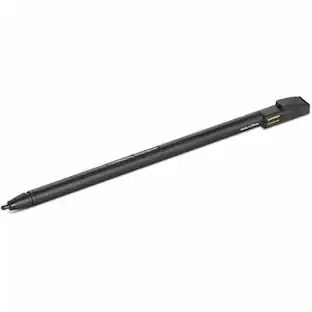
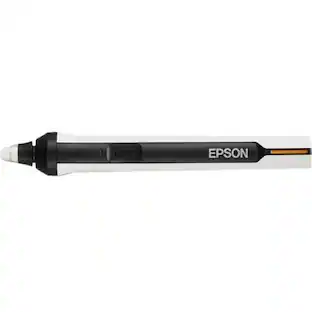
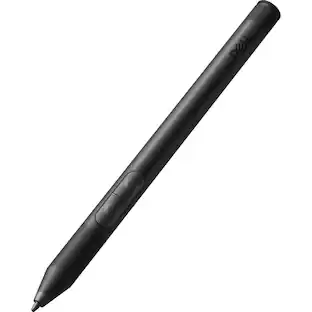
Wacom - Digital Stylus Ballpoint Pen for Intuos Pro KP13300D - Black
Reviews coming soon
About this product
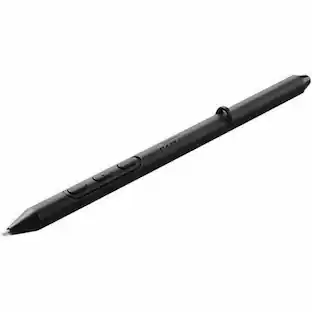
Sketch with speed on Wacom Intuos Pro Paper Edition (PTH-660P, PTH-860P) or Wacom Intuos Pro (PTH-660, PTH-860) with the new Wacom Ballpoint Pen. With 8,192 pressure levels, the 1.0 mm nib and long-lasting black oil ink cartridge give you the freedom to work just as you would with a regular pen. When used with the Wacom Intuos Pro Paper Editon (Medium or Large) or Wacom Intuos Pro (Medium or Large) and Wacom Paper Clip, the tablet can capture every stroke digitally while you draw. Three refills come as standard. Wacom Ballpoint BP 1.0 refills" must be used to replace the gel ink cartridge. Compatible with: Wacom Intuos Pro PTH-660, PTH-860.
Wacom's Advanced Pen Technology
Digital pen features combined with familiar ballpoint pen use
- Model CompatibilityWacom Intuos
Reviews
This product doesn't have any reviews yet.

Compare similar products

Sketch with speed on Wacom Intuos Pro Paper Edition (PTH-660P, PTH-860P) or Wacom Intuos Pro (PTH-660, PTH-860) with the new Wacom Ballpoint Pen. With 8,192 pressure levels, the 1.0 mm nib and long-lasting black oil ink cartridge give you the freedom to work just as you would with a regular pen. When used with the Wacom Intuos Pro Paper Editon (Medium or Large) or Wacom Intuos Pro (Medium or Large) and Wacom Paper Clip, the tablet can capture every stroke digitally while you draw. Three refills come as standard. Wacom Ballpoint BP 1.0 refills" must be used to replace the gel ink cartridge. Compatible with: Wacom Intuos Pro PTH-660, PTH-860.

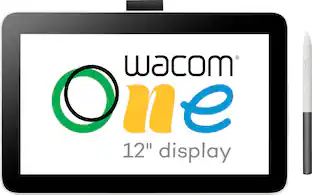
With 4096 levels of pressure sensitivity and tilt recognition, this cordless, battery-free pen features Wacom’s EMR technology. Seize control and streamline your workflow with the pen buttons, effortlessly accessing your favorite keyboard shortcuts when writing, drawing, and bringing your visions to life. Tailor the pen to reflect your unique style by customizing the back with a range of color and clip options. The Wacom One Pen works with both the Wacom One 12 (DTC121W) and Wacom One 13 touch (DTH134W) as well as Wacom One tablet Small (CTC4110WL) and Wacom One tablet Medium (CTC6110WL).

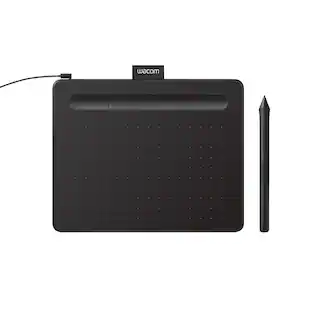
Get creative with this Wacom Pen 4K stylus. It's highly pressure-sensitive for accurate drawing on a compatible Intuos pen tablet, and it has a programmable side switch for quick access to your favorite functions. This Wacom Pen 4K stylus is wireless and battery-free, so you can use it for hours without recharging.

Express yourself with this Wacom Pro Pen 2 stylus. Its high pressure sensitivity and virtually lag-free tracking let you draw with accuracy and natural flow on a compatible Intuos Pro, Cintiq Pro or MobileStudio Pro tablet. Perform different drawing styles with the included three nibs of this Wacom Pro Pen 2 stylus.
| Pros for Wacom - Digital Stylus Ballpoint Pen for Intuos Pro KP13300D - Black | |||
|---|---|---|---|
| There were no pros for this product— | There were no pros for this product— | Ease of Use, Overall Performance | There were no pros for this product— |
| Cons for Wacom - Digital Stylus Ballpoint Pen for Intuos Pro KP13300D - Black | |||
| There were no cons for this product— | There were no cons for this product— | Compatibility | There were no cons for this product— |
Specs
Customers often buy these together



More to consider







Explore tech essentials Sponsored



Keep exploring
 $115.17The price was $125.51
 $67.84The price was $74.33