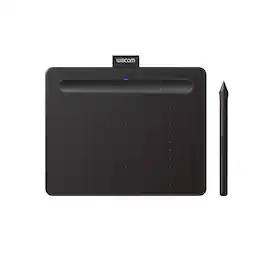
Wacom - Intuos Small Bluetooth Graphics Drawing Tablet, Includes Training & Software; Works w/ Chromebook Mac Android & Windows - Black

Key Accessories:
- Wacom - 4K Pen - Black$30.95

More Buying Options from Best Buy and Marketplace sellers
Specifications
- Screen Size0 inchesActive Area6.0 x 3.7 in.Total Storage Capacity0 gigabytesWireless ConnectivityBluetoothBattery ChemistryLithium-ionPressure Levels4096
- Key Specs
- Screen Size: 0 inches (Size of the screen, measured diagonally from corner to corner.)
- Active Area: 6.0 x 3.7 in. (The size of the screen area that a user interacts with, either by stylus and/or touch (if supported).)
- Total Storage Capacity: 0 gigabytes
- Wireless Connectivity: Bluetooth (The manner in which a device sends data to another device over a short distance without the use of wires or cables.)
- Battery Chemistry: Lithium-ion
- Pressure Levels: 4096 (Allows the device to recognize different pressures from a compatible pen or stylus, which may control line thickness, opacity, or color. The more pressure levels, the more responsive the pen will feel.)
- General
- Brand: Wacom
- Model Number: CTL4100WLK0
- Product Name: Intuos Small Bluetooth Graphics Drawing Tablet, Includes Training & Software; Works w/ Chromebook Mac Android & Windows
- Color: Black
- Model Family: Wacom Intuos
- Year of Release: 2018
- Display
- Screen Size: 0 inches (Size of the screen, measured diagonally from corner to corner.)
- Stylus Input: Active (Electromagnetic Resonance) (An active stylus/pen is able to communicate directly with a compatible device; active electromagnetic resonance (EMR) pens are powered via a device's screen and active electrostatic (AES) pens require an additional power source. A passive stylus does not have electronic features and is compatible with most capacitative touch screens.)
- Graphic Resolution: 2540 lines per inch (The resolution generated by the device. The higher the resolution, the finer the detail that can be seen and reproduced.)
- Active Area: 6.0 x 3.7 in. (The size of the screen area that a user interacts with, either by stylus and/or touch (if supported).)
- Storage
- Total Storage Capacity: 0 gigabytes
- Compatibility
- Operating System Compatibility: Mac OS, Windows, Chrome, Android
- System Requirements: Windows 7 or later, Mac OS X 10.11 or later; Chromebook (devices running the latest Chrome OS), and Android smartphones/ tablets (OS version 6.0 or later); Easy plug-in via USB-A/Bluetooth: some devices require USB-C or OTG adapters; internet access (The software that a product must have for it to be able to integrate with another product.)
- Connectivity
- Wireless Connectivity: Bluetooth (The manner in which a device sends data to another device over a short distance without the use of wires or cables.)
- Interface(s): USB-A (Refers to the types of connections that devices use to interact and communicate with each other.)
- Power
- Charging Interface(s): USB-A (The connection for transmitting power to charge the device.)
- Battery Life (up to): 15 hours (Battery life will vary depending on the product configuration, product model, applications loaded on the product, power management setting of the product and the product features used by the customer. As with all batteries, the maximum capacity of this battery will decrease with time and usage.)
- Battery Capacity: 1265 milliampere hours (The amount of energy stored in the battery.)
- Battery Chemistry: Lithium-ion
- Features
- Pressure Levels: 4096 (Allows the device to recognize different pressures from a compatible pen or stylus, which may control line thickness, opacity, or color. The more pressure levels, the more responsive the pen will feel.)
- Number of Shortcut Keys: 4 (Allows for convenient access to frequently used software shortcuts.)
- Dimensions
- Product Height: 0.35 inches (The out of box height of the item. Height is measured as the vertical distance from the bottom of the item to the top as it would be primarily used or placed.)
- Product Width: 7.87 inches (The out of box width of the item. Width is measured as the horizontal distance from one side of the item to the other as it would be primarily used or placed.)
- Product Depth: 6.3 inches (The out of box depth of the item. Depth is measured as the distance from the front of the item to the back as it would be primarily used or placed.)
- Product Weight: 8.8 ounces (The out of box weight of the item.)
- Included
- Stylus Included: true
- Stylus Model Included: Wacom 4K Pen
- Stylus Stand Included: true
- Warranty
- Warranty - Parts: 1 year
- Warranty - Labor: 1 year
- Other
- UPC: 753218986870
Transform your creative ideas into digital reality with Wacom Intuos drawing tablets. Perfect for casual or aspiring artists this compact graphics tablet delivers reliable Wacom-quality precision at an accessible price. The battery-free, pressure-sensitive pen provides natural, responsive drawing with no charging needed - just pick up and draw, with smooth, jitter-free lines and consistent pressure response. Get started immediately with over $240 in included downloadable creative software and trials, including 2 years of Clip Studio Paint Pro, 12 months of Boris FX Optics, and much more. The paper-like surface texture and four customizable ExpressKeys make digital art, photo editing, illustration, and design feel natural and efficient. Select models (CTL4100WL, CTL6100WL) offer Bluetooth wireless connectivity, letting you create freely at your desk, sofa, or anywhere in the room - with the option to switch to wired mode for ultimate flexibility. The wireless freedom is especially popular with educators and presenters who use the drawing tablet to control their computer while moving around a classroom or conference room. Certified to work with Chromebook and compatible with Windows and Mac, Wacom Intuos seamlessly integrates with Adobe, Corel, and all major creative applications. Backed by Wacom's 40+ years of industry leadership, you're choosing the same pen technology trusted by professional studios worldwide - at a creator-friendly price.
- COMPLETE CREATIVE STARTER KIT:: Register your Intuos tablet and gain access to some of the best creative software and online training.
- NATURAL, PRECISE DRAWING EXPERIENCE:: Battery-free pressure-sensitive Wacom EMR technology delivers accurate control with no charging or batteries needed - just pick up the pen and draw with instant response and true-to-life precision.
- PERFECT FOR BEGINNERS & EDUCATION:: Easy setup gets you drawing in minutes on Windows, Mac, or Chromebook; ideal for drawing, sketching, photo editing, note-taking, document annotation, and classroom use.
- COMPACT & COMFORTABLE:: Lightweight design with a paper-like drawing surface and four customizable ExpressKeys for instant access to your favorite shortcuts; small active area perfect for limited desk space while maintaining full creative control.
- RELIABLE PERFORMANCE:: Wacom's proven reliability works seamlessly with your computer – no driver headaches, mysterious disconnects, or frustrating "why isn't this working?" moments common with cheaper alternatives.
- READY FOR YOUR FAVORITE SOFTWARE:: Works seamlessly with all major creative applications such as Photoshop, Krita, Affinity, Sketchbook, as well as OneNote or Canvas for notes, presentations, annotation and markup.
Whats Included
- 3 replacement pen nibs
- Nib removal tool
- Quick start guide
- Regulation sheet
- USB cable
- Wacom Intuos Wireless Graphic Drawing Tablet (Small) with Bonus Software included
- Wacom Pen 4K
Product Manuals
Q: Is a stylus included with this tablet?
A: Yes, a stylus is included with this tablet.
Q: What is the pressure sensitivity level of the pen?
A: The pen has 4096 levels of pressure sensitivity.
Q: Does this drawing tablet work wirelessly?
A: Yes, this drawing tablet can connect wirelessly via Bluetooth.
Q: Are there shortcut keys on this tablet?
A: Yes, this tablet has four customizable ExpressKeys for shortcuts.
Q: What operating systems are compatible with this tablet?
A: This tablet is compatible with Mac, Windows, Chromebook, and Android.
Q: What is the battery life of this tablet?
A: The battery life of this tablet is up to 15 hours.
Q: What is the graphic resolution of this tablet?
A: The graphic resolution of this tablet is 2540 lines per inch.
Q: Is the software included a trail software or do we get an actual license to own the software?
A: You can choose to download two free programs. They are full-use programs, but one of them, Clip Studio Paint Pro, provides for only a two-year license.
Compare similar products
Transform your creative ideas into digital reality with Wacom Intuos drawing tablets. Perfect for casual or aspiring artists this compact graphics tablet delivers reliable Wacom-quality precision at an accessible price. The battery-free, pressure-sensitive pen provides natural, responsive drawing with no charging needed - just pick up and draw, with smooth, jitter-free lines and consistent pressure response. Get started immediately with over $240 in included downloadable creative software and trials, including 2 years of Clip Studio Paint Pro, 12 months of Boris FX Optics, and much more. The paper-like surface texture and four customizable ExpressKeys make digital art, photo editing, illustration, and design feel natural and efficient. Select models (CTL4100WL, CTL6100WL) offer Bluetooth wireless connectivity, letting you create freely at your desk, sofa, or anywhere in the room - with the option to switch to wired mode for ultimate flexibility. The wireless freedom is especially popular with educators and presenters who use the drawing tablet to control their computer while moving around a classroom or conference room. Certified to work with Chromebook and compatible with Windows and Mac, Wacom Intuos seamlessly integrates with Adobe, Corel, and all major creative applications. Backed by Wacom's 40+ years of industry leadership, you're choosing the same pen technology trusted by professional studios worldwide - at a creator-friendly price.
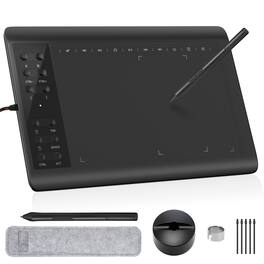
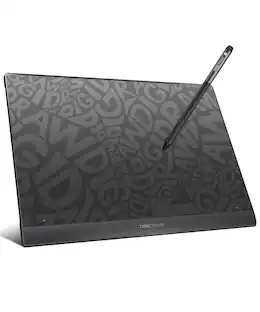
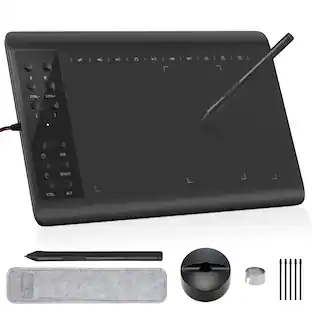
Boasting a spacious 10 x 6 inch active drawing area with a natural paper-like texture, the IMAGE graphic drawing tablet delivers a smooth, lag-free experience ideal for digital artwork. It comes equipped with a passive stylus featuring 8192 levels of pressure sensitivity and ±60° tilt support, enabling precise control over line weight, opacity, and natural shading—just like traditional tools. With 12 customizable shortcut keys and 10 multimedia keys (Windows-compatible), your workflow is streamlined for greater efficiency. This versatile tablet supports a wide range of systems and creative software, including Photoshop, Illustrator, SAI, and many others on Windows, Mac OS, and Android platforms. (For Mac users, please enable necessary permissions during setup for full functionality.)
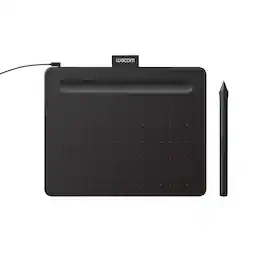
Transform your creative ideas into digital reality with Wacom Intuos drawing tablets. Perfect for casual or aspiring artists this compact graphics tablet delivers reliable Wacom-quality precision at an accessible price. The battery-free, pressure-sensitive pen provides natural, responsive drawing with no charging needed - just pick up and draw, with smooth, jitter-free lines and consistent pressure response. Get started immediately with over $240 in included downloadable creative software and trials, including 2 years of Clip Studio Paint Pro, 12 months of Boris FX Optics, and much more. The paper-like surface texture and four customizable ExpressKeys make digital art, photo editing, illustration, and design feel natural and efficient. Select models (CTL4100WL, CTL6100WL) offer Bluetooth wireless connectivity, letting you create freely at your desk, sofa, or anywhere in the room - with the option to switch to wired mode for ultimate flexibility. The wireless freedom is especially popular with educators and presenters who use the drawing tablet to control their computer while moving around a classroom or conference room. Certified to work with Chromebook and compatible with Windows and Mac, Wacom Intuos seamlessly integrates with Adobe, Corel, and all major creative applications. Backed by Wacom's 40+ years of industry leadership, you're choosing the same pen technology trusted by professional studios worldwide - at a creator-friendly price.
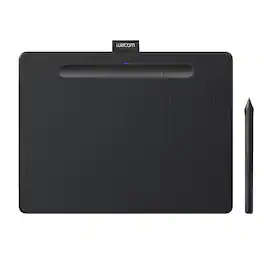
Transform your creative ideas into digital reality with Wacom Intuos drawing tablets. Perfect for casual or aspiring artists this compact graphics tablet delivers reliable Wacom-quality precision at an accessible price. The battery-free, pressure-sensitive pen provides natural, responsive drawing with no charging needed - just pick up and draw, with smooth, jitter-free lines and consistent pressure response. Get started immediately with over $240 in included downloadable creative software and trials, including 2 years of Clip Studio Paint Pro, 12 months of Boris FX Optics, and much more. The paper-like surface texture and four customizable ExpressKeys make digital art, photo editing, illustration, and design feel natural and efficient. Select models (CTL4100WL, CTL6100WL) offer Bluetooth wireless connectivity, letting you create freely at your desk, sofa, or anywhere in the room - with the option to switch to wired mode for ultimate flexibility. The wireless freedom is especially popular with educators and presenters who use the drawing tablet to control their computer while moving around a classroom or conference room. Certified to work with Chromebook and compatible with Windows and Mac, Wacom Intuos seamlessly integrates with Adobe, Corel, and all major creative applications. Backed by Wacom's 40+ years of industry leadership, you're choosing the same pen technology trusted by professional studios worldwide - at a creator-friendly price.
| Pros for Wacom - Intuos Small Bluetooth Graphics Drawing Tablet, Includes Training & Software; Works w/ Chromebook Mac Android & Windows - Black | |||
|---|---|---|---|
| Ease of use, Overall Performance, Size, Wireless, Price | There were no pros for this product— | There were no pros for this product— | There were no pros for this product— |
| Cons for Wacom - Intuos Small Bluetooth Graphics Drawing Tablet, Includes Training & Software; Works w/ Chromebook Mac Android & Windows - Black | |||
| Lag, Setup, Surface | There were no cons for this product— | There were no cons for this product— | There were no cons for this product— |
Specs
Reviews
Customers are saying
Customers commend the Intuos Graphic Drawing Tablet for its ease of use, overall performance, and wireless capabilities. Many appreciate the included software and reasonable price. However, some users have reported experiencing lag when using Bluetooth, and a few found the initial setup to be challenging. A small number of users suggested improvements to the drawing surface.
- Ease of use (458)
- Overall Performance (133)
- Size (110)
- Lag (8)
- Setup (6)
- Surface (4)
Customer Images
The vast majority of our reviews come from verified purchases. Reviews from customers may include My Best Buy members, employees, and Tech Insider Network members (as tagged). Select reviewers may receive discounted products, promotional considerations or entries into drawings for honest, helpful reviews.
- Rated 4 out of 5 stars
Great aside from some connectivity issues
This tablet works great and I'd still recommend it outside of some connectivity issues hence the 4 stars. There are times when you turn it on wirelessly and it is not picked up on the Wacom app... essentially forcing you to plug it in with the wire. Aside from that it's responsive at tracking, comfortable, super portable and imo a better ergonomic alternative than a mouse. Having used medium and large tablets, if you aren't drawing, the small size is more than enough and worth the savings in desk space and portability. I also. The touch pad on the intuos pro is a nice feature, but I don't find it's a deal breaker for the value/cost you're getting this small one for.
CarsonR Posted
- Rated 5 out of 5 stars
Great Tablet, Good Price
This tablet is one of the best I’ve used, it is compact, light weight and bluetooth enabled. But the fact that you can still use it while it is charging makes it worth it right there. I don’t have to waste time waiting for my pencil to charge (if you know what I mean). The art software is also fantastic.
ColorfulEasel Posted
- Rated 5 out of 5 stars
Perfect graphic tablet for casual use.
The tablet is easy to use and is very responsive to the pen tip. I have done several drawings with it and it's great! If I was a pro, I would spend more money for a bigger one, but this one is perfect for me. If you just like to draw as a hobby, this is just the thing. I have included a drawing that I did with this tablet.
WTNew Posted
More to consider
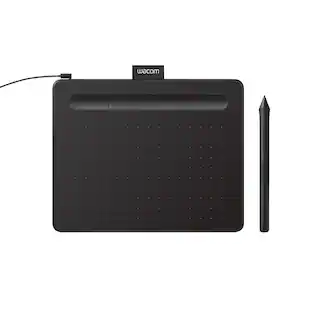

Explore tech essentials Sponsored
 $249.99The price was $335.99


Discover related products
 $13.99The price was $15.99