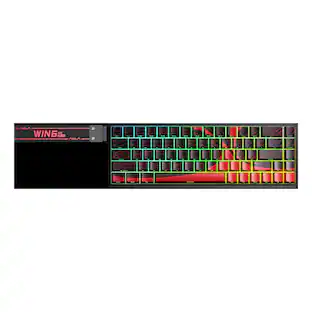
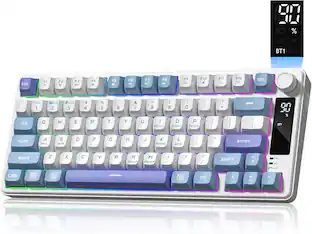
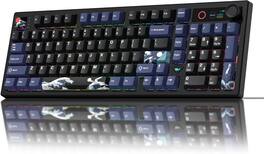
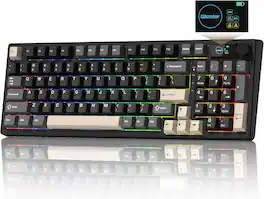
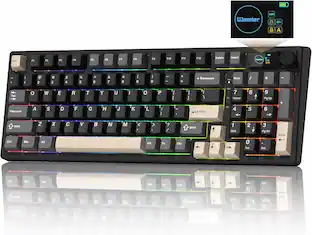
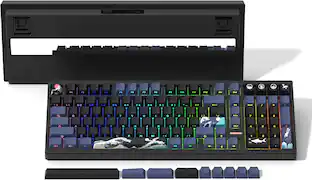
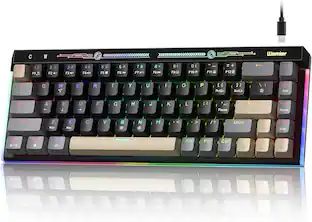
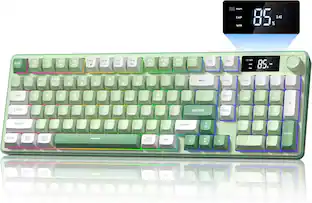
Womier - L98 Wireless Gaming Keyboard, 98 Keys Mechanical Keyboard with Smart Display, Knob and Numpad for PC Mac - Kanagawa Black
Reviews coming soon
About this product
98 Keys Mechanical Keyboard,Bluetooth/2.4GHz/USB-C Hot Swappable RGB Backlit with Knob
Color
Kanagawa BlackTri-Mode Wireless Connection for Multiple Devices
Use Bluetooth, 2.4GHz, or USB-C wired mode to match your setup. This wireless gaming keyboard switches smoothly between laptop, desktop, tablet, and Mac, so you can keep one 98 percent keyboard ready for office tasks, coding, and gaming without constant unplugging or re-pairing.
ompact 98% Layout with Full Functionality
The 98% keyboard keeps the number pad, arrow keys, and essential shortcuts in a space-saving design that helps free up desk room. It is a practical gaming keyboard wireless option for users who want a smaller footprint without giving up the keys needed for productivity, data entry, or game control.
Hot-Swappable Gasket Mount Typing Feel
Built with a gasket structure and hot-swap sockets, this mechanical keyboard supports most 3-pin and 5-pin switches without soldering. The softer key feel helps reduce fatigue during long typing sessions, while giving users the freedom to tune sound and response for a more personalized keyboard experience.
Custom RGB Lighting, Macros, and N-Key Rollover
Choose from 18 RGB effects, 16.8 million colors, and music-reactive lighting to match your setup. Keys support macro recording and custom functions, while N-key rollover helps each press register accurately in fast-paced gameplay, making this a reliable gaming keyboard for both play and multitasking.
Smart Display & Multi-Function Knob
This gaming keyboard puts connection mode, battery level, and system status on the built-in screen for quick checks at a glance. The dedicated knob lets you rotate and press to adjust volume, RGB brightness, and display settings, making it easy to control your mechanical keyboard during work, keyboard gaming, or live streaming.
- Lighting TypeRGBForm Factor96%Keyboard TechnologyMechanicalKey Switch BehaviorLinearConnection TypeWired, Wireless
Reviews
This product doesn't have any reviews yet.

Compare similar products
98 Keys Mechanical Keyboard,Bluetooth/2.4GHz/USB-C Hot Swappable RGB Backlit with Knob

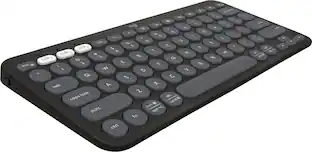
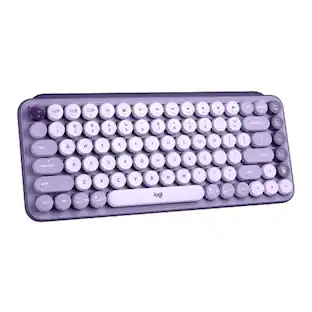
Defy Boring with Pebble Keys 2 K380s minimalist keyboard made with recycled plastic. Its minimalist, streamlined shape and sleek curves make it as iconic as you and super portable. Hop across 3 devices with the Easy-Switch buttons on the Bluetooth keyboard and work faster with the Fn shortcut keys like screen capture, search, and more. Customize the 10 keyboard Fn shortcut keys to work how you want and save time with shortcuts in Logi Options+ App.

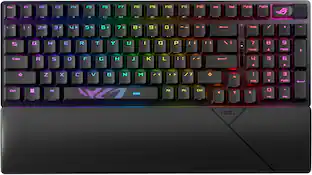
The CORSAIR K70 CORE gaming keyboard empowers your best play and makes gaming and typing amazing. With silky smooth CORSAIR Red linear mechanical switches and two layers of sound dampening foam for a superior typing sound and feel, this is premier CORSAIR performance at its core. Take control effortlessly with a multi-function rotary dial and programmable media button, configurable in iCUE. Use iCUE to also customize the K70 CORE’s dazzling per-key RGB lighting and make your desktop your own dynamic work of art, and then save your RGB settings and macros on up to five onboard profiles to always have at the ready. Your ambition starts with the K70 CORE.
| Pros for Womier - L98 Wireless Gaming Keyboard, 98 Keys Mechanical Keyboard with Smart Display, Knob and Numpad for PC Mac - Kanagawa Black | |||
|---|---|---|---|
| There were no pros for this product— | There were no pros for this product— | Keyboard Quality, Portability, Size, Connectivity, Battery Life | Keyboard Quality, Key Feel, RGB Lighting, Noise Level, Lighting |
| Cons for Womier - L98 Wireless Gaming Keyboard, 98 Keys Mechanical Keyboard with Smart Display, Knob and Numpad for PC Mac - Kanagawa Black | |||
| There were no cons for this product— | There were no cons for this product— | Number Pad | Software, Connectivity, Volume Knob, Wrist Rest |
Specs
Be the first to ask a question.
We’ll try to get your question answered within 24 hours by a Best Buy customer or brand representative.
Customers often buy these together
![115 key MDA Profile Keycaps suitable for 61/64/66/68/84/87/96/98/100/104/108 mechanical keyboard
F1 F2 F3 F4 F5 F6 F7 F8 F9 F10 F11 F12 Prtsc Scroll Pause
1 2 # 3 $ 4 % 5 6 & 7 * 8 ( 9 ) 0 Backspace Insert Home PgUp Num Lock / Tab Capslock Q W E R T Y U I O P [ ] \
A S D F G H J K L ; ' Enter Delete End PgDn
7 8 9 4 5 6 1 2 3 0 Ins + Shift Ctrl Win Z X C V B N M , . / ? Fn Shift Menu Ctrl
PgUp PgDn](https://pisces.bbystatic.com/image2/BestBuy_US/images/products/dce8c643-4226-4724-aea3-cd10cfe4cf77.jpg;maxHeight=232;maxWidth=233?format=webp)


![F1 F2 F3 F4 F5 F6 F7 F8 F9 F10 F11 F12 PrtSc ScrLk Pause
1 2 3 4 5 6 7 8 9 0 - = Backspace
Tab Q W E R T Y U I O P [ ] \
Caps A S D F G H J K L ; '
Shift Z X C V B N M , . /
Ctrl Win Alt Spacebar Alt
PgDn Del End Home PgUp
Ctrl Fn Menu Ctrl Alt
Enter
PgDn Del End Home PgUp
Ctrl Fn Menu Ctrl Alt
PgDn Del End Home PgUp
Ctrl Fn Menu Ctrl Alt
PgDn Del End Home PgUp
Ctrl Fn Menu Ctrl Alt
PgDn Del End Home PgUp
Ctrl Fn Menu Ctrl Alt
PgDn Del End Home PgUp
Ctrl Fn Menu Ctrl Alt
PgDn Del End Home PgUp
Ctrl Fn Menu Ctrl Alt
PgDn Del End Home PgUp
Ctrl Fn Menu Ctrl Alt
PgDn Del End Home PgUp
Ctrl Fn Menu Ctrl Alt
PgDn Del End Home PgUp
Ctrl Fn Menu Ctrl Alt
Pg](https://pisces.bbystatic.com/image2/BestBuy_US/images/products/83e3a5ee-73cf-4599-ad90-11391b310504.jpg;maxHeight=232;maxWidth=233?format=webp)
Customers ultimately bought
 $37.99The price was $39.99
 $61.99The price was $66.99
 Top Deal$153.99The price was $179.99
 $54.99The price was $69.99
 $59.99The price was $69.99
 Top Deal$119.99The price was $179.99
 $47.19The price was $68.11




Explore tech essentials Sponsored
 $139.99The price was $199.99
 $159.99The price was $219.99
 $159.99The price was $219.99
 $199.99The price was $299.99

Keep exploring
 $35.99The price was $36.99
 $247.64The price was $283.49
 $91.49The price was $107.49