Samsung - 27" S3 (S36GD) LED FHD 100Hz Curved Monitor (HDMI, D-sub) - Black
Customers are saying
Customers recognize the exceptional overall performance and high-quality screen as the standout features of this product. Users also frequently praise the perfect refresh rate, sleek design, and ideal size for various needs. While the product is highly regarded, some customers noted that the height is not adjustable.
Screen Size
27"Highlights
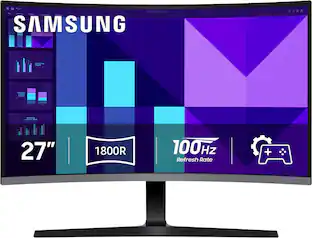
1800R Curved Screen
An immersive viewing experience with a curved monitor that wraps more closely around your field of vision. It creates a wider view, enhancing depth perception and minimizing peripheral distractions, helping to better stay focused on the screen.
100Hz Refresh Rate
Stay in the action when playing games, watching videos, or working on creative projects. The 100Hz refresh rate reduces lag and motion blur so you don't miss a thing in fast-paced moments.¹
Game Mode
Gain the edge with optimizable game settings. Color and image contrast can be instantly adjusted to see scenes more vividly and spot enemies hiding in the dark. Game Mode adjusts any game to fill the screen so you can clearly view every detail.
Eye Saver Mode & Less Screen Flickering
Care for your eyes and stay comfortable, even during long sessions. Advanced eye comfort technology certified by TÜV reduces eye strain by minimizing blue light and reducing irritating screen flicker.
HDMI & D-Sub
Connect to more. Plug devices straight into your monitor for increased flexibility, making your computing environment even more convenient.
- Refresh Rate100HzMaximum Resolution1920 x 1080Response Time4 millisecondsPanel TypeVASynchronization TechnologyNot Applicable
Reviews
Rating 4.8 out of 5 stars with 212 reviews
- Overall Performance (91)
- Screen Quality (57)
- Refresh Rate (9)
- Design (7)
- Size (6)
- Adjustability (5)
Customer Images
The vast majority of our reviews come from verified purchases. Reviews from customers may include My Best Buy members, employees, and Tech Insider Network members (as tagged). Select reviewers may receive discounted products, promotional considerations or entries into drawings for honest, helpful reviews.

Compare similar products
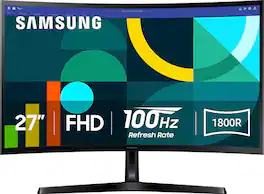
Samsung's 27" Essential S3 Curved Monitor creates an immersive viewing experience for your everyday use. The 1800R curved screen wraps more closely around the field of vision for a wider view which enhances depth perception and minimizes peripheral distractions. The 100Hz refresh rate reduces lag and motion blur to stay in the action when playing games, watching videos, or working on creative projects. Game Mode offers instant adjustment of color and image contrast, filling the screen with a clear view of every detail. Advanced eye comfort technology certified by TÜV reduces eye strain by minimizing blue light and decreasing irritating screen flicker. HDMI and D-sub enable devices to be plugged straight into the monitor for greater connectivity and convenience.
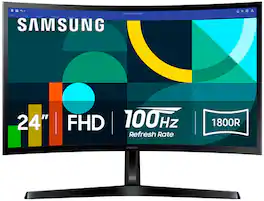
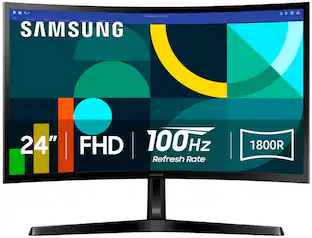
Samsung's 24" Essential S3 Curved Monitor creates an immersive viewing experience for your everyday use. The 1800R curved screen wraps more closely around the field of vision for a wider view which enhances depth perception and minimizes peripheral distractions. The 100Hz refresh rate reduces lag and motion blur to stay in the action when playing games, watching videos, or working on creative projects. Game Mode offers instant adjustment of color and image contrast, filling the screen with a clear view of every detail. Advanced eye comfort technology certified by TÜV reduces eye strain by minimizing blue light and decreasing irritating screen flicker. HDMI and D-sub enable devices to be plugged straight into the monitor for greater connectivity and convenience.

Samsung's 27" S3 FHD 100Hz Curved Monitor with Speakers provides an immersive viewing experience. The 1800R Curved Screen enhances depth perception and minimizes peripheral distractions, enabling greater focus. The 100Hz Refresh Rate reduces lag and motion blur when playing games, watching videos, or working on creative projects. Game Mode with optimizable settings allows color and image contrast to be instantly adjusted, filling the screen with every detail in view. Built-in Speakers free up desk space, minimize connections, and create a more efficient working environment for listening with ease. Eye Saver Mode with TÜV-certified eye comfort technology reduces irritating screen flicker and minimizes excessive blue light, even during long sessions. Multiple Connectivity enables devices to be plugged straight into the monitor for a more convenient computing environment.
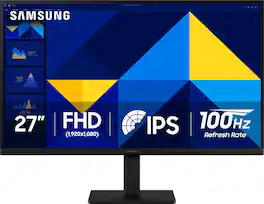
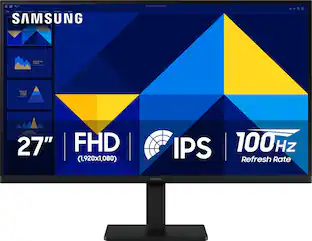
Samsung’s 27" S3 Monitor enables smooth performance, heightened productivity, and greater comfort. The IPS Panel delivers a stunning color experience across the entire display with less color washing, offering clarity from any viewpoint so tones stay consistent and accurate. The 100Hz refresh rate reduces lag and motion blur while playing games, watching videos, or working. Game Picture Mode with optimizable game settings enables instant adjustment of color and image contrast. Eye Saver Mode protects vision, reduces blue light and screen flicker, and extends comfort even during long sessions. The ergonomic super-slim design is a stylish addition to any environment, while ultra-thin border bezels make the most of screen space. Multiple connectivity enables devices to be plugged straight into the monitor for increased flexibility.
| Pros for Samsung - 27" S3 (S36GD) LED FHD 100Hz Curved Monitor (HDMI, D-sub) - Black | |||
|---|---|---|---|
| Overall Performance, Refresh Rate, Design, Size, Screen Quality | Overall Performance, Refresh Rate, Size, Screen Curvature, Eye Comfort | Overall Performance, Screen Size, Refresh Rate, Design, Resolution | Overall Performance, Screen Size, Refresh Rate, Design, Weight |
| Cons for Samsung - 27" S3 (S36GD) LED FHD 100Hz Curved Monitor (HDMI, D-sub) - Black | |||
| Adjustability | There were no cons for this product— | Adjustability, Connectivity, Port Count | Adjustability, Speakers, Resolution |
Specs
Need to connect monitor to laptop. Are the cables included when you purchase the monitor?
Answered by SamsungA Power Cable, D-Sub Cable and HDMI Cable are included. - Samsung Monitors
Does this monitor work with PCs and MAC products?
Answered by SamsungBaltazarC: Yes, the Samsung S36GD monitor is fully compatible with both Windows PCs and Mac computers. - Samsung Monitors
I connected my new monitor to my Asus laptop via the HDMI amd the resolution is not letting me change it. Any tips?
Answered by SamsungResolution: If the picture appears unclear, dull, or lacks definition, there are several settings you can adjust to improve clarity and overall image quality. Go to: Settings > All Settings > Picture > Expert Settings, and review these key settings: Picture Clarity Settings: While originally intended for motion handling, these can also impact overall clarity • Off: Disables motion enhancements • Auto: Automatically adjusts based on content • Custom: Lets you fine-tune: o Judder Reduction – Helps smooth out uneven motion o LED Clear Motion – Boosts sharpness in fast-moving content o Noise Reduction – Reduces distortion and enhances detail in lower-resolution sources Core Picture Settings • Brightness – Controls overall screen brightness • Contrast – Enhances the difference between bright and dark areas • Sharpness – Adjusts edge definition; closer to 20 increases detail • Color – Enhances depth and intensity of colors And don’t forget to check for the latest firmware, which may improve performance: Settings > Support > Software Update > Update Now These adjustments can make a noticeable difference in overall clarity. If you need further help tailoring the settings to your preferences or environment, please contact Samsung Support at 1-800-SAMSUNG between 8AM - 9PM EST Monday - Friday, and 8AM - 6PM Saturday and Sunday. LiveChat is also available via the ‘Support’ link on our website. ~ Samsung Monitors
How does the Game Mode enhance the gaming experience?
Game Mode allows instant adjustment of color and image contrast for a more vivid view and helps spot enemies in dark scenes. It also adjusts the game to fill the screen, showing every detail clearly.
This question and answer was generated by AI based on customer and product data.What is the response time of the monitor?
The response time is 4 milliseconds.
This question and answer was generated by AI based on customer and product data.

Customers often buy these together
Computer Keyboards

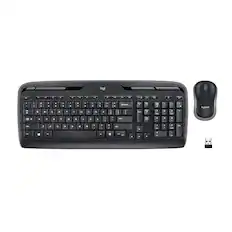
Logitech - MK270 Full-size Wireless Membrane Keyboard and Mouse Bundle for PC - Black
$26.99The price was $29.99
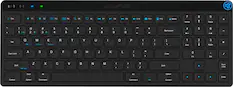
Logitech - MK345 Full-size Wireless Membrane Keyboard and Mouse Combo for PC, Laptop with Palm Rest - Graphite
Top Deal$31.99The price was $34.99

![Sure, here is the corrected and grouped text:
```
ESC F1 F2 F3 F4 F5 F6 F7 F8 F9 F10 F11 F12 1 2 3 logitech - - 1 2 # $ 4 % 5 6 & 7 8 9 0 - - back insert home page up num lock clear / . tab Q W E R T Y U I O P { [ } ] / delete end page down 7 home 8 A 9 P9 up + caps lock A S D F G H J K L : ; a enter 4 5 6 shift Z X C V B N M < > ? shift 1 end 2 3 pg dn enter ctrl fn start alt opt alt crnd x alt cmd x fn ctrl alt opt 0 ins del 1 logitech
```](https://pisces.bbystatic.com/image2/BestBuy_US/images/products/5761/5761911_sd.jpg;maxHeight=232;maxWidth=233?format=webp)

![esc F1 F2 F3 F4 F5 F6 F7 F8 F9 F10 F11 F12 1 2 3 4 5 6 7 8 9 0 - = backspace tab Q W E R T Y U I O P [ ] \ caps lock A S D F G H J K L ; ' shift Z X C V B N M , . / shift ctrl alt logi](https://pisces.bbystatic.com/image2/BestBuy_US/images/products/6411/6411501_sd.jpg;maxHeight=232;maxWidth=233?format=webp)
Monitor Stands

More recommended items
 Monitor and Video Cables
 Computer Speakers
 Laptop Docking Stations
 Web Cameras
 Cables and Adapters
 Mouse Pads
More to consider
 $179.00The price was $199.99
 $129.99The price was $139.99
 Top Deal$199.99The price was $329.99
 Top Deal$94.99The price was $149.99
 Top Deal$149.99The price was $229.99
 $107.99The price was $159.00
 Top Deal$139.99The price was $199.99

Explore tech essentials Sponsored
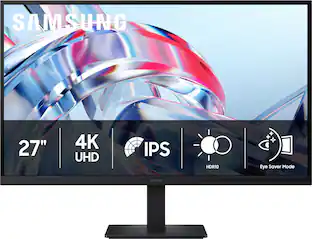 $189.99The price was $299.99
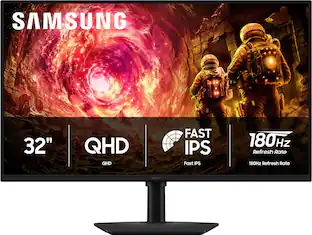 Top Deal$219.99The price was $349.99
Discover related products
 $11.99The price was $12.99




Keep exploring
 $204.99The price was $221.49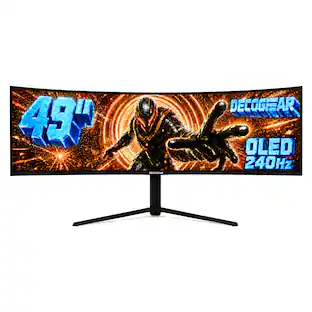
Deco Gear - 49" QD-OLED 240Hz Curved Super Ultrawide Gaming Monitor 5K DQHD 0.03 ms HDR400 90W USB-C
$739.99The price was $1,539.99