Labor Day Appliances SaleEnds 9/16. Limited quantities. No rainchecks.Shop now

Skip to contentGo to Product Search
Main Content

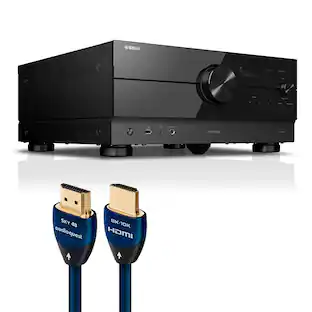
Yamaha - RX300A 5.2-Channel 4K120 Dolby Atmos AV Home Theater Receiver – - Black

Model: RX300ABL
SKU: 6678613
Sold byBest Buy

About this product

Beyond the basics, the Yamaha RX300A 5.2-channel home theater AV receiver delivers standout performance and value with immersive Dolby Atmos and DTS Virtual:X sound, flexible 3.1.2-channel speaker layouts, and next-gen video support. Enjoy high-resolution, lag-free video with 4K/120 and 8K/60 HDMI (4-in/1-out) with ALLM and VRR, HDMI eARC, and advanced HDR formats including Dolby Vision and HDR10+. Automatic Room Correction optimizes sound for your space, while Bluetooth Multipoint enables seamless switching between two device sources. Scene buttons provide instant access to your favorite inputs and listening modes, making setup and everyday use effortless.

Features
  • Step Into Lifelike Sonic Worlds

    With 5.2-channel surround and Dolby Atmos, deeply dimensional, lifelike sound draws you into every moment of your favorite entertainment.

  • Stunning Visual Realism

    With support for ultra-high definition 4K/120 and 8K/60 video, advanced Dolby Vision and HDR10+ dynamic range technologies, and next-gen gaming features like ALLM and VRR, the RX300A delivers extraordinary realism

  • Easy Streaming & Seamless Swapping

    Stream all your favorite music, podcasts and audiobooks wirelessly. Built-in Bluetooth Multipoint lets you pair two devices and instantly switch between them—perfect for use with your smartphones, tablets and laptops.

  • Easy Setup

    An intuitive Quick Guide walks you through every step of the setup process—from connecting speakers, your TV and external devices to selecting inputs. The on-screen Settings menu allows easy configuration of sound settings so you can get up and running with ease.

  • Room Correction—Perfect Sound in Any Room

    An included setup microphone measures your room’s acoustics and speaker characteristics,allowing the receiver to automatically optimize sound performance—so premium audio quality can be enjoyed at its best, regardless of room conditions or environment.

  • Flexible Dolby Atmos Speaker Layouts

    Experience Dolby Atmos sound designed for flexible home theater setups. This AV receiver supports multiple speaker layouts—from traditional surround sound enhanced with virtual height effects to layouts with either in-ceiling or up-firing height speakers—so you can tailor immersive audio to your space.

  • High-Performance HDMI Switching

    Connect multiple HDMI devices—such as streaming players, game consoles, and Blu-ray Disc players—and switch between them seamlessly. Also, HDMI eARC delivers high-quality audio from your TV to the AV receiver over a single cable.

  • Sound to Match the Moment

    Select from a range of Sound Modes designed for different content, listening situations and personal preferences. Pure Direct and Stereo modes are ideal for music purists, Movie mode delivers cinematic impact, and Night mode keeps sound balanced and unobtrusive after hours.

  • Instantly Set the Scene

    Create up to four custom presets using the Scene buttons. Each Scene can be tailored to a specific input with the sound settings you desire, then recalled instantly from the front panel or remote to play your content exactly as you’ve set it.

See all features
Specifications
  • Continuous Watts x Channel @ Ohms
    70 W (8 ohms, 20 Hz - 20 kHz, 0.09% THD, 2-ch driven)
    Maximum Watts x Channel @ Ohms
    130 W (8 ohms, 1kHz, 10% THD, 1ch driven)
    Number of Channels
    5.2
    Audio Only Inputs
    1 x Optical digital audio, 1 x Coaxial digital audio, 2 x Analog audio
    Audio/Video Inputs
    4 x HDMI
    Network Connector(s)
    No network connectors
Sponsored

Reviews

Rating 4.7 out of 5 stars with 35 reviews

94% would recommend to a friend

Customer Images

The vast majority of our reviews come from verified purchases. Reviews from customers may include My Best Buy members, employees, and Tech Insider Network members (as tagged). Select reviewers may receive discounted products, promotional considerations or entries into drawings for honest, helpful reviews.

  • Rated 5 out of 5 stars

    Perfect entry level home theatre receiver

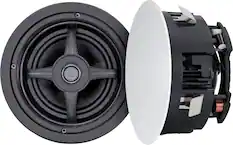
    My review is for the Yamaha RX300A 5.2-Channel 4K120 Dolby Atmos AV Receiver from Best Buy. The RX300A is an entry-level receiver but offers a few high-end features normally found in receivers costing much more. However, there are a few speaker configuration issues you should be aware of. For example, it offers Dolby Atmos for your home theater, but at the expense of using your surround speakers as the height speakers. Yamaha figured out a way to add Dolby Atmos and keep the surround speaker intact by creating virtual height speakers to simulate the effect of Dolby Atmos. I was not able to test it, but not bad for an entry level system. Of course, if you want the full Dolby Atmos effects from actual speakers and keep your surround sound intact, Yamaha offers higher end receivers if you are willing to pay more. The same is true with adding speakers to another room. That too is done at the expense of relinquishing your surround speakers for that to work. You might consider the RX500A as your best option. Starting with the setup out of the box, I ran into a couple of issues that had me tearing my hair out. The first issue…the remote was acting weird, some things would work but the power and volume buttons did nothing. Well to make a long story short, I discovered a small sliding switch on the side of the remote that either controls the receiver or remote speakers in another room. I was sure I had a defective unit until I finally noticed the switch was set to Zone B and switching back to Main solved the biggest issue I had. I did run into one other issue with my Bluetooth connection between our all-in-one PC in our kitchen and the receiver. I was able to pair and connect, but the streamind sound produced static. My only solution was to try a factory reset, and I was soon back in business on my second attempt. I should mention that the RX300A can connect to two Bluetooth devices, so for example, I can connect with either my PC or my iPhone and not have to go through the pairing process with each device. The remainder of the setup consists of connecting the speakers, connecting HDMI cable via the eARC connection on the back of the receiver to the eARC connector on the TV. The next step is doing a room calibration to configure your speakers and subwoofer to get the best sound possible. In my case, I had Best Buy install Sonance in-ceiling speakers earlier this year. The calibration went smoothly although I had to do it twice because our phone rang during the first attempt. The room needs to be quiet for best results. Assuming you will be using this for home theatre, one final step is to connect the receiver to a streaming source for your TV. We use an Apple 4K TV device, simply by connecting the Apple to the receiver using the HDMI 1 port on the back of the receiver. Of course there are more settings you can tweak, but this initial setup will have you up and running with a full home theatre system. The receiver even recognized the Apple TV device and the display shows “Apple TV” when connected. The online and downloadable operating manual goes into detail for configuring your system to best match your set of speakers. The manual is well written and easy to understand. I should mention that I had a home theatre system prior to the Yamaha RX300A, but that other receiver had a couple of issues that I could not overcome. It would power on by itself, sometimes in the middle of the night for no apparent reason. Often when turning on the system, the TV would just go blank, and the only solution was to reset by turning the power off and on again. It apparently was a timing issue with the HDMI handshake protocol. I am happy to report that the Yamaha RX300A has performed perfectly with none of those issues. I will skip over all the setup nuances and specification details and mention what I like and dislike about the Yamaha RX300A AV receiver. - The front of the receiver is clean and simple but comes with a full featured remote. I once had an AV receiver that had dozens of buttons on the front. I needed a flashlight to change the settings and many of the settings were best left to videophiles and the like. The RX300A simply has a volume and input selection knob and a short row of buttons used for selecting scene settings and one to control the display. The scene settings are meant for configuring up to 4 input devices like Blu-ray players via the HDMI input connectors on the back. I will not mess with those as I don’t have any other devices connected to the receiver beyond HDMI 1. - - Solid construction. The RX300A weighs 17 pounds. My previous receiver was only 9 pounds. The difference is Yamaha builds the RX300A with a larger power supply, bigger heat sinks, and more robust amplifier section. This makes the Yamaha a more reliable receiver with better performance, lower noise, and longer life. - Hidden in the setup’s speaker menu is a 10-band equalizer. In addition, there are preset options like “Music” to best optimize the sound when using the RX300A as a Bluetooth speaker. There is a simple tone adjustment for bass and treble and things like Bass Boost for your subwoofer as well. What I consider a plus is something called Pure Direct, which routes music’s digital signal cleanly through the amplifier with no DSP alterations. It even turns off the receiver’s display to eliminate any sort of electrical interference from the receiver’s electronics. - It includes a built-in FM radio receiver and can store up to 40 stations in memory. - I have my receiver connected to a single high end dual speaker subwoofer, recently purchased from Best Buy. However, the RX300A can drive two separate subwoofers for more balanced sound in a large room. - Lastly, there is no Wi-Fi connection, so any firmware updates require some manual steps to identify, download, and install them via Yamaha’s support website and a USB memory stick. Being such a new receiver, I did not find any updates to install after visiting Yamaha’s website. That covers the main points of my experience with the Yamaha RX300A. Let me wrap up by saying the Yamaha RX300A has stepped up to replace my previous receiver in the best way possible and remain affordable. Yamaha is widely respected for their high-quality electronics and sound, and I am excited to have Yamaha’s RX300A as the centerpiece of my home theatre sound system.

    Posted by MikeyLikesIt

  • Rated 5 out of 5 stars

    A capable, modern receiver with no frills.

    Receivers sure have changed through the years, although you’d hardly notice from the front, but when you check the business end in the back, it’s a whole different world. HDMI connections have simplified back panels of receivers to such an extent that they seem almost bare, even though they contain amazing capabilities. Add in a few speakers, the wonders of digital signal processing and use of the automatic speaker compensation function with an included microphone and in this case, you have a high-quality, surround system that compensates for a room’s acoustic challenges at a fairly low entry price. This unit represents a very good starting point including almost all of the features that most people really need, with no frills. On paper, this receiver’s five amplifier channels are all rated at about 70 W (8 ohms, 20 Hz - 20 kHz, 0.09% THD, with 2-ch driven). The speaker impedance is selectable at 6 or 8 ohms in the setup menu to match your setup. It’s unlikely the manufacturer would recommend using 4-ohm speakers, as they draw more current that amplifiers in this price category are unlikely to support or are designed for. At the cost of the surround capabilities, the rear channels can be configured to use as a second zone or for driving a bi-amplified speaker arrangement, requiring four of the channels to drive a two-way stereo pair. You can also forgo the rear channels to add front height channels and leave the rear channel’s previous surround function to a “phantom” configuration whereby the front speakers also project a pseudo rear sound field. There are two subwoofer preamp outputs (same signal for each channel) for a channel designation total described as 5.2. The four HDMI inputs and the one HDMI output connection are specified by Yamaha as HDMI 2.1, 8K 60Hz/4K 120Hz, VRR / ALLM / QMS, HDCP 2.3, CEC, Auto Lip Sync, Deep Color, x.v. Color and HD audio playback capable. In addition, the output is designated as eARC and ARC compatible. Other inputs include two stereo analog RCA pairs, an optical digital connection, a coaxial digital connection and a front panel USB-A connector capable of audio playback from MP3, MPEG4-AAC, WMA and WAV files from an external storage device as well as allowing a path for future firmware updates to the receiver. Bluetooth ver. 5.3 with multipoint capability and an FM tuner with an included antenna are also present. Lastly, there is a front-panel headphone jack and an input for the test microphone. There is thankfully a normal, full-featured remote included with batteries. The test microphone has an included cardboard stand that can be configured and placed at a close-to-ear-height position, so the test microphone can hear and calibrate the system as you would hear it when seated. This version of the calibration software requires only one measurement position so it doesn’t require repositioning and averaging like more advanced systems typically do. The initial setup of the receiver will be displayed on the television’s screen to make the process as easy as possible and will walk you through what is required to achieve the best possible performance with the speakers you have, in the configuration that you choose, in the room that you have them in. No complete printed operation manual is included, only a quick start guide that is provided in two languages. References are made to QR codes for some functions that steer you to sections of the complete manual online that supply more detailed information. There is unfortunately no network connectivity on this receiver of either wireless or wired variety. However, a slightly more costly model containing both networking formats and including two additional amplifier channels is available, and is designated as the model RX500A. My experience with using this product is that the on-screen setup makes the whole process just so much more intuitive than previous generations of receivers. Maybe it’s just Yamaha, a company I have great respect for, but after literally reading the whole manual on line, the descriptions used throughout are clear and unambiguous as read by someone who has years of experience but can empathize with those who do not. There are enough sound format presets and adjustability to handle almost everyone’s needs. Audiophiles may disagree, but then they are free to spend thousands more for whatever they feel they need. This unit specifies what they call “Scenes” associated with the four HDMI connections that allows you to customize many audio setting options including the ability to rename the “Scene” to make it easier to associate the input with the function. The average person will do just fine with this product. Regarding usability aspects, I can imagine the small speaker zone switch located on the side of the remote will bring nothing but grief to a family’s technical fix-it designee. Just too easily inadvertently switched for my liking. Also, my daughter just went through that same situation a few weeks ago on another brand receiver, so trust me, it happens. Another consideration if you’re trying to decide to upgrade to newer technology or not is the usefulness of HDMI control of connected devices. The seamlessness of turning on one device like a recently-made TV and having the receiver power up in the correct configuration and control the volume of the receiver from that TV’s remote is just so convenient. Would I recommend this product? Yes. Would I replace an older receiver with this one? Yes. If I was a card-carrying audiophile, would I buy this product? Yes, but I probably wouldn’t want to give up an exotic setup for it. I would, however, give up a sound bar.

    Posted by Dustmaker

  • Rated 5 out of 5 stars

    Crisp Dolby 5.2 Surround with 4k@120hz Switching

    An outstanding sounding Dolby 5.2 surround receiver at an entry level price. Yamaha has been a major player in the home theater AV receiver space for a long time and the RX300A is a good example of why. The sound quality is clean, crisp and natural; as you’d expect from a Yamaha. I have it running a set of 5 vintage Mirage satellite speakers and a powered subwoofer. They’re all pretty efficient so the amp wasn’t driven too hard, but I do like it loud. Aside from the sound quality, what really impressed me are the tuning features that come with it. Setup is like any other AV receiver in terms of hardware. Actually easier, because it’s just HDMI ports, 2 stereo RCA inputs and an optical toslink port. There are 2 RCA outputs for subwoofers, which is pretty neat to see on an entry level receiver. It also includes a calibration microphone to automatically tune the sound for the room. I’ve had mixed experiences with these, but I’ll say the area should be totally quiet when using it. Unfortunately, my neighbor was having a party when I tried to set mine up and I got some wacky results. It wasn’t until I manually went through the settings that I discovered how good this receiver can sound and a big part of that was changing the EQ mode. I don’t know if the microphone is supposed to stay attached for the Auto EQ mode but changing the EQ to GEQ or even off really wakes up the sound, even with all of the bands set to flat! And if you go into GEQ mode there’s a customizable 10 band EQ for each speaker too! Did not expect to see that in anything entry level. There’s also an adjustable high pass crossover for the front, center, and rear channels. Surround sound processing is limited to Dolby Atmos, so no uncompressed DTS but almost everything is coded for Dolby anyway. Configuration wise, the receiver offers the flexibility to set up the rear channel amps as Atmos front height channels, but then you lose the rear surround channels. And I don’t see a pre-out for them either, so that means you can either run it like a Dolby Digital 5.2 system with rear speakers, or a Dolby Atmos 5.2 system with only front speakers. And I guess that’s where the “entry level” of things are, but it has more features than most people even use. The volume knob does feel cheap though. Like hollow plastic. It turns smoothly but it’s missing a tactile high end feel. Thankfully I mainly use the remote. If you have a lot of modern devices that use HDMI, you’ll love the capabilities of this receiver as a switcher. You get 4 HDMI inputs that can run at either 4k@120hz or 8k@60hz, but they also upscale the picture to 4k (and do an impressive job of it). From PC games to movies, I didn’t experience any issues with connectivity or speed. Overall, if you’re looking for a basic Dolby surround receiver or want a simple upgrade over a soundbar, the Yamaha RX300A is a fantastic choice. It sounds great, has 4 HDMI inputs, multiple tuning options, and offers 4k video upscaling. There’s even bluetooth connectivity (finally something for my bluetooth streaming projector!). If you want a simple upgrade to high quality sound, this is an excellent choice. PROS - Clear, detailed sound - Excellent overall sound quality - Good channel separation - Adjustable high pass crossover for front, center, and rear channels - Channel specific digital EQ - Multiple sound modes - Dolby Atmos Surround - Rear channel amp can be setup as Atmos height channels - Two subwoofer outputs - Bluetooth connectivity - 4k upscaling looks great - 4k@120hz and 8k@60hz HDMI connectivity - 4 HDMI inputs - Remote easily syncs with TV and FiosTV+ box through HDMI - Comes with microphone for auto tuning - Relatively compact size CONS - Limited inputs outside of HDMI - No DTS processing - Volume knob feels cheap - No dedicated Atmos output to grow beyond 5.2 surround - Mainly for modern electronics

    Posted by BIGASN

  • Rated 5 out of 5 stars

    I got more modern connections

    I have been a fan of Yamaha receivers. I have been using the HTR-5930 and love it. But there are things it doesn’t do because of its age. Mostly, the connections, composite and component connections. We no longer have TVs with those connections so I have to use optical cable connection which does its job. Now we have the RX300A. I made sure I can continue to use the speakers from the HTR-5930 and I can. The RX300A will do 70W per channel, slightly lower than my previous receiver but I’m after the more modern connections. On paper that’s a downgrade. But the difference is about half a decibel. I don’t hear the difference. My current satellites are at 30 watts so they’re not going to ask for the extra power anyway. I’m able to stream from my iPhone via Bluetooth and Youtube Music. I can also connect my Macbook Pro and stream music from there. This is the modern connection I’ve been looking for. It’s Bluetooth only though. No Wi-Fi or ethernet, so no AirPlay or Spotify Connect. It’s fine for how I use it, but letting you know just in case that’s what you’re looking for. I can now also use HDMI ARC as output instead of optical, which lets me use Atmos. That's where it gets interesting. This receiver does 5.2, or it does 3.2.2 with height speakers. It can't do both. I have four satellites, a center and a sub, which is exactly 5.1 with no spares. So Atmos means either buying two more speakers, or taking two of my satellites and mounting them up high, and then I've lost my surrounds. Until I sort that out, I'm running 5.1 just like before. The other big convenience gain is because I am using ARC, the receiver powers on and off with my television. I don’t have to manage multiple remote controls. The sound was not an improvement. It plays lower than my old setup. But I knew that going in. The ability to do Atmos, having Bluetooth, ARC, and HDMI ports are what I was after. The setup microphone is probably why it plays lower. You plug it in and it listens for where the speakers are and adjusts the settings. It’s optimizing balance across the room, not for volume. My old receiver pushed volts and let me sort it out. Loud is not always better. Balance is. I plan to also get new speakers. I currently have the NX-E270 satellites, NX-C270 and SW-P270 subwoofer. Overall, I’ve been happy with Yamaha receivers and great to have more connection options for the future.

    Posted by sherwinmdev

  • Rated 5 out of 5 stars

    Great entry-level AVR for surround sound

    The Yamaha RX300A is one of the best entry AV receivers with Dolby Vision and Dolby Atmos that you can buy currently in 2026. If you’re looking to upgrade to surround sound for the first time or want to move up from a sound bar, this is a AVR you should consider especially at this MSRP. This is with the caveat that you need only five speakers and a subwoofer (or two) otherwise you should look into a AVR that supports more than 5.2 audio. I should start by talking about the build quality. Even though it’s cheaper compared to other AVRs, Yamaha didn’t spare no expense with the materials used. The interface on the front chassis is clean compared to some of the older Ymaha AVRs. Something worth mentioning is that there’s a fifth feet beneath the AVR, this helps with dispersing more of the vibrations that the AVR can emit. Yamaha is also conscious of the heat that the HDMI circuitry can produce and they added a heatsink to that area to help with cooling; this will help with the AVR’s longevity. Connectivity wise, I do like that all the HDMI ports are 2.1. This means that you can play at 4k 120 fps on the Xbox Series X, PlayStation 5, or with a PC hooked up. You don’t have to fiddle or worry about which HDMI ports aren’t 2.1. However, it should be mention that this AVR does not have WiFi. This means no support for music streaming applications like Spotify. Still, you do at least have Bluetooth 5.3 multi point support; this means you can pair two Bluetooth devices simultaneously like your phone, tablet, or laptop. Also keep in mind that without WiFi, you will have to do firmware updates using a USB flash drive. Something to note that you don’t have to worry about using a Y-splitter when hooking up your subwoofer to the AVR like some of the older AVRs (like my Denon X1400H) as you can just use RCA cables. There’s a coaxial and optical out port for any older electronics you have that make use of those. It’s appreciated since some newer AVRs, especially entry-level ones, will leave those out completely. Room correction and calibration for your speakers is easy with the microphone that’s included. You just follow the onscreen instructions detailed by the AVR and let the microphone calibrate the levels for your speakers. This is great as for some people this might be the first AVR they own, and you want a no-frills set up experience. Note that although Dolby Atmos is supported, the height speakers are simulated virtually given that this AVR only supports 5.2 audio. This AVR comes highly recommend by me if you only have the standard five speakers and a subwoofer. If you have more speakers, want true Dolby Atmos support for height speakers, and need more HDMI inputs, you should upgrade to a higher end. Otherwise, this is a great first AVR if you just want an easy surround sound set up to enhance your movie and gaming experiences.

    Posted by Shadow Cloud

Compare similar products

Yamaha - RX300A 5.2-Channel 4K120 Dolby Atmos AV Home Theater Receiver – - Black
4.7(35)

Beyond the basics, the Yamaha RX300A 5.2-channel home theater AV receiver delivers standout performance and value with immersive Dolby Atmos and DTS Virtual:X sound, flexible 3.1.2-channel speaker layouts, and next-gen video support. Enjoy high-resolution, lag-free video with 4K/120 and 8K/60 HDMI (4-in/1-out) with ALLM and VRR, HDMI eARC, and advanced HDR formats including Dolby Vision and HDR10+. Automatic Room Correction optimizes sound for your space, while Bluetooth Multipoint enables seamless switching between two device sources. Scene buttons provide instant access to your favorite inputs and listening modes, making setup and everyday use effortless.

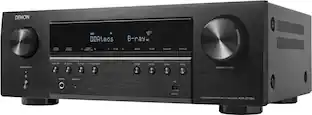
Denon - AVR-S570BT (70W X 5) 5.2-Ch. Bluetooth Capable 8K Ultra HD HDR Compatible AV Home Theater Receiver - Black

The Denon AVR-S570BT AVR (70W x 5) provides a truly immersive 3D audio experience. With 8K HDMI inputs/outputs, you can enjoy your movies and TV in high quality. Supports advanced video formats like HDR, HLG, Dolby Vision, HDR10+, and Dynamic HDR and audio formats like DTS HD Master, and Dolby TrueHD that ensure pristine picture quality and immersive audio for an exceptional cinematic experience. The AVR also supports VRR, QFT, and ALLM for lag-free enhanced gaming. Featuring wireless streaming through built-in Bluetooth, this AVR allows you to seamlessly play music from your favorite streaming apps like Spotify, TIDAL, TuneIn, Deezer, Pandora, and more. With the HD GUI for setup assistant and setup menu, the AVR walks you through simple, intuitive instructions to connect your TV, and specific EQ settings help optimize your surround sound so that you can make the most of your movies, music, TV, or gaming.

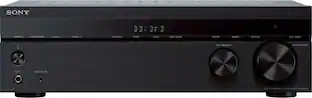
Sony - STRDH590 - 725W 5.2-Ch. Hi-Res 4K Ultra HD HDR A/V Home Theater Receiver - Black

Experience the bigger, clearer picture when you upgrade your home theater setup with the STR-DH590. The 5.2ch AV receiver brings movies to life with 4K HDR pass-through, Dolby Vision and flexible surround sound. Bring all your devices together with BLUETOOTH connectivity and multiple inputs.

Yamaha - RX-V4A 5.2-channel AV Receiver with 8K HDMI and MusicCast - Black

Bring the cinema home. This 5.2-channel AV receiver creates a powerful and advanced home theater experience with the latest in video and audio processing with Dolby Vision, Dolby Digital Plus, DTS-HD Master Audio, wireless streaming and more.

Pros for Yamaha - RX300A 5.2-Channel 4K120 Dolby Atmos AV Home Theater Receiver – - Black
There were no pros for this productSound Quality, Ease of use, Bluetooth, Setup, PriceSound Quality, Ease of use, Bluetooth, Price, PowerSound Quality, Ease of use, Setup, HDMI, MusicCast
Cons for Yamaha - RX300A 5.2-Channel 4K120 Dolby Atmos AV Home Theater Receiver – - Black
There were no cons for this productCompatibility, VolumeBass, Heat, SizeCompatibility, Display

Specs

Questions & Answers
  • Is there a way to optimize the sound performance for my specific room?

    Yes, the AV receiver includes a setup microphone that measures your room's acoustics and speaker characteristics to automatically optimize sound performance.

    This question and answer was generated by AI based on customer and product data.
  • What is the maximum video resolution supported by this AV receiver?

    The AV receiver supports video passthrough up to 8K resolution at 60 Hz.

    This question and answer was generated by AI based on customer and product data.
  • Does this AV receiver support Dolby Atmos?

    Yes, this AV receiver supports Dolby Atmos for deeply dimensional and lifelike sound.

    This question and answer was generated by AI based on customer and product data.
  • How many HDMI inputs does this AV receiver have?

    This AV receiver is equipped with four HDMI inputs.

    This question and answer was generated by AI based on customer and product data.
  • Can I pair multiple devices to this AV receiver using Bluetooth?

    Yes, the AV receiver features Bluetooth Multipoint, which allows you to pair two source devices and switch between them instantly.

    This question and answer was generated by AI based on customer and product data.
Ask a question
No content

Customers often buy these together

Sponsored

Finance Options

My Best Buy® Credit Card
Choose a benefit:Or
Buy Now, Pay Later
Lease to own

Finance Options

My Best Buy® Credit Card
Choose a benefit:Or
Buy Now, Pay Later
Lease to own