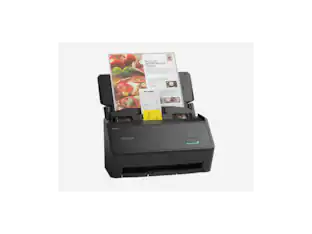
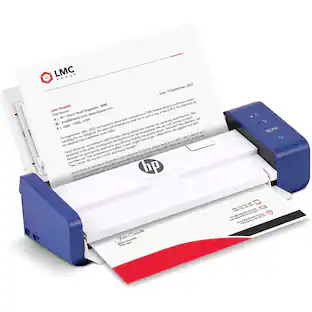
Epson - WorkForce ES-580W Wireless Duplex Touchscreen Desktop Document Scanner - Black

Key Accessories:
- Epson - WorkForce WF-110 Wireless Inkjet Printer - Black$349.99
Specifications
- NetworkingWirelessScan (Color) Speed35 copies per minuteScan MethodSingle passDuplex Scan FunctionYes
- Key Specs
- Networking: Wireless
- Scan (Color) Speed: 35 copies per minute (The number of color pages able to be scanned per minute.)
- Scan Method: Single pass
- Duplex Scan Function: true
- General
- Brand: Epson
- Model Number: B11B258201
- Product Name: WorkForce ES-580W Wireless Duplex Touchscreen Desktop Document Scanner
- Color: Black
- Connectivity
- Scanner Connectivity: USB, Wi-Fi
- Minimum System Requirements: Windows® 10 (32-bit, 64-bit), Windows 8/8.1 (32-bit, 64-bit), Windows 7 (32-bit, 64-bit) SP1 Mac® OS X® 10.11.x to macOS® 10.15x
- Dimensions
- Product Height: 6.6 inches (The out of box height of the item. Height is measured as the vertical distance from the bottom of the item to the top as it would be primarily used or placed.)
- Product Width: 11.6 inches (The out of box width of the item. Width is measured as the horizontal distance from one side of the item to the other as it would be primarily used or placed.)
- Maximum Document Length: 53 inches
- Maximum Document Width: 8.5 inches
- Product Weight: 8.2 pounds (The out of box weight of the item.)
- Features
- Automatic Document Feeder Capacity: 100 sheets
- Automatic Document Feeder Included: true
- Scanner Type: Sheetfed
- Transparency Scanning: false (This function supports scanning of transparent media, such as film slides or negatives.)
- Scanner Resolution: Up to 1200 (Refers to the number of pixels/dots, both horizontally and vertically, of the image produced by the scanner. Generally, the higher the resolution, the sharper and cleaner the produced image.)
- Memory Card Slot: false
- Scanner Info
- Scan (Monochromatic) Speed: 35 copies per minute (The number of monochromatic grayscale pages able to be scanned per minute.)
- Scanner Bit Depth: 24 (Refers to the number of bits used to define each pixel in the captured image and determines the number of colors or tones that can be represented. Generally, the greater the bit depth, the better the image quality.)
- Included
- Included Software: Yes
- Certifications Listings & Approvals
- ENERGY STAR Certified: true (Devices carrying the ENERGY STAR service mark, such as computer products and peripherals, kitchen appliances, and other products, generally use 20% to 30% less energy than required by federal standards.)
- TWAIN Compliant: true (Products with this label are compliant with standards set by the TWAIN Working Group for regulating communication between software and digital imaging devices. Devices that are TWAIN compliant are compatible for use with each other without requiring additional software, even if they have different capabilities.)
- Warranty
- Warranty - Parts: 1 year
- Warranty - Labor: 1 year
- Other
- UPC: 010343953505
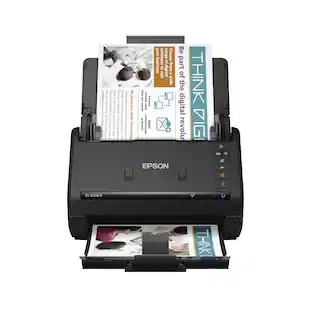
Get organized — quickly and easily — with the WorkForce ES-580W wireless duplex desktop document scanner. This reliable performer makes it easy to scan to your smartphone, tablet or online storage account1 from your desktop or your mobile device. You can even scan directly to a USB memory drive without using a computer. A 4.3" touchscreen enables quick, effortless navigation, while a 100-sheet Auto Document Feeder allows you to breeze through stacks of documents. Scan pages at up to 35 ppm/70 ipm2, capturing both sides in one pass. Intuitive Epson ScanSmart Software1 means you can easily preview, email and upload your scans. The included TWAIN driver ensures compatibility with most document management software. Wirelessly scan to cloud storage accounts1, create searchable PDFs, and get remarkable image quality with Epson Image Processing Technology.
- Easy wireless scanning: Large 4.3" touchscreen and wireless connectivity allow you to easily scan to smartphones, tablets, computers and online cloud storage accounts1 from your desktop, scanner LCD or Epson Smart Panel mobile app
- Quickly scan stacks of paper: Robust 100-sheet Auto Document Feeder easily accommodates multiple paper types and sizes in one batch
- Easy sharing and collaboration: Save directly to a USB drive; email or upload to popular cloud storage services1 such as Dropbox, Evernote, Google Drive and OneDrive; no computer required
- Get organized in a snap: Scan up to 35 ppm/70 ipm3; Single-Step Technology captures both sides in one pass
- Simplified file management: Create searchable PDFs with Optical Character Recognition (OCR); convert scanned documents to editable Word and Excel files
Whats Included
- WorkForce ES-580W Wireless Duplex Touchscreen Desktop Document Scanner
Product Manuals
Q: Can I scan to a USB drive directly without a computer?
A: Yes, you can save scans directly to a USB drive without needing a computer.
Q: What is the maximum number of sheets the automatic document feeder can hold?
A: The automatic document feeder can hold up to 100 sheets.
Q: What is the maximum length of document this scanner can handle?
A: The maximum document length this scanner can handle is 53 inches.
Q: Does this scanner have a duplex scan function?
A: Yes, this scanner has a duplex scan function, allowing it to scan both sides of a document in one pass.
Q: Does this scanner come with software?
A: Yes, the Epson Workforce ES-580W scanner includes software.
Q: How fast can this scanner scan documents?
A: The Epson Workforce ES-580W can scan documents at a speed of up to 35 copies per minute.
Q: Can it scan photos? If so what will the quality be like. If not do you recommend a different model?
A: I do not recommend this as a photo scanner
Q: is it wireless or do you have to hook it up to the computer?
A: Yes this scanner is wireless. And you can also scan to a USB drive plugged into the rear of the machine. Don't need a computer.
Compare similar products
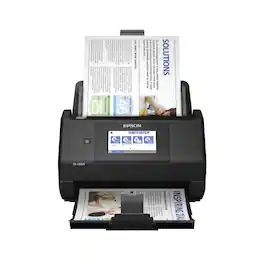
Get organized — quickly and easily — with the WorkForce ES-580W wireless duplex desktop document scanner. This reliable performer makes it easy to scan to your smartphone, tablet or online storage account1 from your desktop or your mobile device. You can even scan directly to a USB memory drive without using a computer. A 4.3" touchscreen enables quick, effortless navigation, while a 100-sheet Auto Document Feeder allows you to breeze through stacks of documents. Scan pages at up to 35 ppm/70 ipm2, capturing both sides in one pass. Intuitive Epson ScanSmart Software1 means you can easily preview, email and upload your scans. The included TWAIN driver ensures compatibility with most document management software. Wirelessly scan to cloud storage accounts1, create searchable PDFs, and get remarkable image quality with Epson Image Processing Technology.
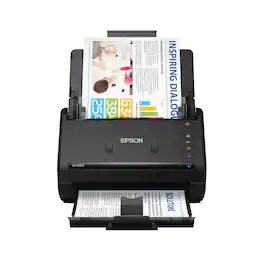
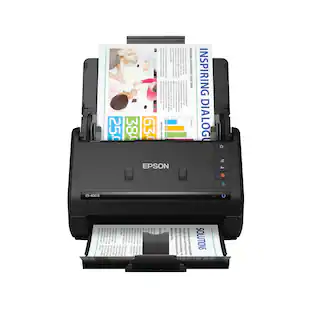
Get organized fast with the WorkForce ES-400 II duplex desktop document scanner. This reliable, easy-to-use performer speeds through scans up to 35 ppm/70 ipm1, capturing both sides of each sheet in one pass. Its 50-sheet Auto Document Feeder allows you to breeze through stacks of documents of varying sizes. Intuitive Epson ScanSmart Software2 means you can easily preview, email and upload your scans. The included TWAIN driver ensures compatibility with most document management software. Scan to cloud storage accounts2 or searchable PDFs. Color and image adjustment features such as auto crop, dirt detection, staple protection and paper-skew correction help ensure remarkable image quality, whatever the scan.
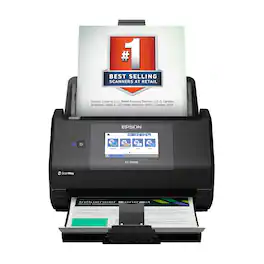
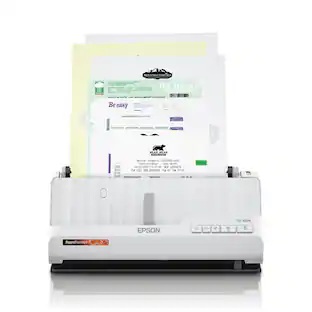
The Epson WorkForce ES-590W makes scanning simple, smart and seamless in virtually any workspace. With a sleek, wireless design, it’s built to handle everything from daily paperwork to important business and personal documents with speed and simplicity. Powered by Epson ScanSmart¹ AI technology, your scans instantly become smart, searchable digital files that are ready to use across the latest AI applications². With ScanWay technology, the intuitive, large 4.3" color touchscreen makes scanning, reviewing and sending documents simple, with no computer or complicated steps required. The high-capacity Auto Document Feeder holds up to 100 sheets and scans both sides in a single pass—up to 12 times faster³—delivering speeds of up to 45 ppm⁴ to make even large jobs feel effortless. And thanks to intelligent features such as paper and staple protection and blank page deletion, the WorkForce ES-590W is engineered for reliability from start to finish. With built-in Wi-Fi connectivity, you can place the scanner anywhere that’s convenient and wirelessly scan documents directly to your computer, mobile device⁵, email account⁶, USB flash drive⁷ or cloud storage⁵. Plus, with the Epson Smart Panel app⁸ for iOS and Android devices, you can scan, organize and share files directly from your smartphone or tablet. And with ARM-based Windows support, you’re fully prepared for the next wave of AI-powered Windows devices. From a leader in digital imaging innovation, the WorkForce ES-590W wireless desktop color document scanner is built for reliability and delivers the speed and simplicity you need to stay productive.

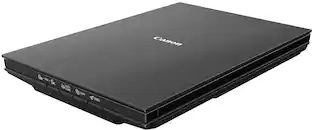
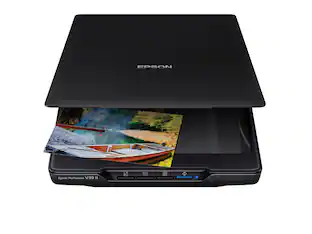
The CanoScan LiDE 400 is a full color image scanner made for scanning photos and documents in high-resolution. With the CanoScan LiDE 400 high quality scanning has never been easier. With 8 second high speed scanning*, 5 built-in 'EZ' buttons and 4800 x 4800 dpi resolution**, every scan is fast, easy, and looks great.
| Pros for Epson - WorkForce ES-580W Wireless Duplex Touchscreen Desktop Document Scanner - Black | |||
|---|---|---|---|
| Ease of use, Overall Performance, Size, Scan Speed, Touchscreen | Ease of use, Size, Overall Performance, Speed, Scan Quality | There were no pros for this product— | There were no pros for this product— |
| Cons for Epson - WorkForce ES-580W Wireless Duplex Touchscreen Desktop Document Scanner - Black | |||
| Paper Handling, Price, Jamming | Paper Handling, Wireless | There were no cons for this product— | There were no cons for this product— |
Specs
Reviews
Rating 4.7 out of 5 stars with 550 reviews
- Scan Speed (250)
- Ease of use (151)
- Overall Performance (61)
- Touchscreen (45)
- Size (34)
- Price (7)
- Jamming (5)
- Paper Handling (3)
Customer Images
The vast majority of our reviews come from verified purchases. Reviews from customers may include My Best Buy members, employees, and Tech Insider Network members (as tagged). Select reviewers may receive discounted products, promotional considerations or entries into drawings for honest, helpful reviews.
More to consider
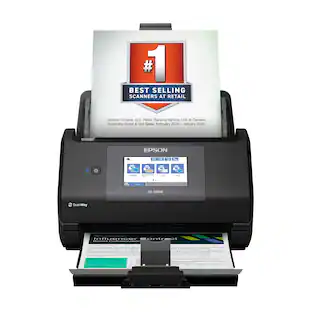 $389.99The price was $449.99
 $299.99The price was $399.99


Discover lifestyle innovations Sponsored
 $63.99The price was $73.99

Discover related products
 $850.00The price was $1,050.00
 $199.00The price was $219.99
Keep exploring
 $175.03The price was $179.99
 $1,383.10The price was $1,388.28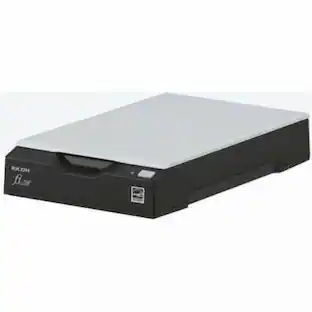
Fujitsu - Ricoh ImageScanner fi-70F Flatbed Scanner - 600 dpi Optical - 24-bit 8-bit Grayscale - USB
$269.00The price was $279.00 $799.00The price was $949.99