Skip to contentGo to Product Search
Main Content

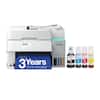
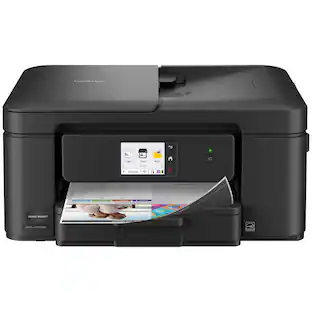
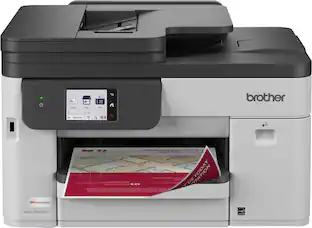
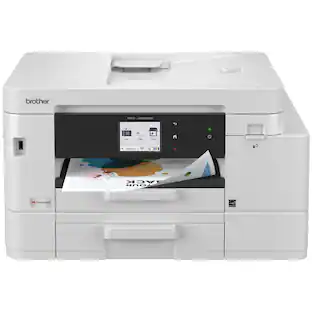
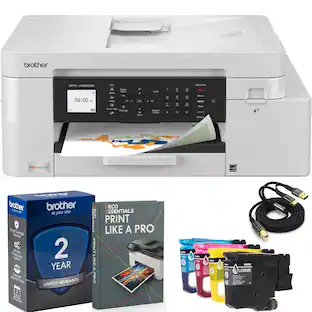
Brother - INKvestment 1365 Wireless Color All-in-One Inkjet Printer with Auto Duplex Print (MFC-J1365DW), Great for Home Offices - White

Model: MFCJ1365DW
SKU: 6643960
Sold byBest Buy

Customers are saying

Customers love the impressive print quality and the straightforward setup process of this product. Users also frequently highlight how simple it is to connect to their home networks and appreciate the compact, space-saving design. Additionally, the ease of installing cartridges is noted as a convenient feature that enhances the overall user experience.

Generated by AI based on customer reviews.

Features

  • All-in-One Printer

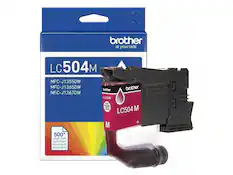
    This multifunction printer makes it easy to print, copy, and scan—all in one compact device. It's perfect for keeping your workspace organized and efficient. Includes one 1,200-page yield black cartridge and one 500-page yield cartridge for each color in cyan, yellow, and magenta(7).

  • Innovative Technology

    Enhance your workflow with Wi-Fi Direct, which allows you to print wirelessly even without an external network connection.

  • Cloud App Connections

    Print from and scan to popular Cloud apps(3), including Google Drive, Dropbox, Box, OneDrive, and more, from an impressive 1.8” color display that enhances clarity and ensures effortless operation.

  • Productivity-Focused Printing Features

    A 150-sheet paper tray(1), 20-page single-sided automatic document feeder (ADF)(1), and automatic duplex (2-sided) printing provide advanced media-handling capabilities.

  • Wireless and USB Connectivity

    Connect your way. Interface with your printer on your wireless network(2) or via USB.

  • The Brother Mobile Connect app

    Put the power of printing at your fingertips. Go mobile with the simple-to-use Brother Mobile Connect app(5) that delivers easy onscreen menu navigation for printing, copying, scanning, and device management from your mobile device.

  • Fast Print Speeds

    Engineered to print at fast speeds of up to 16 pages per minute (ppm) in black and up to(9) ppm in color(8).

  • Reliable Print Quality

    Crisp, clear printing up to 1,200 x 6,000 dpi (Windows) and 1,200 x 3,600 dpi (Mac). Brother inkjet printers produce beautiful prints in vibrant color or rich black & white for results you can be proud of.

  • Customer Support

    For customer service, visit us at www.brother-usa.com/support.

  • Brother Genuine Ink

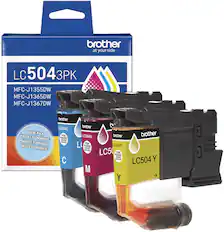
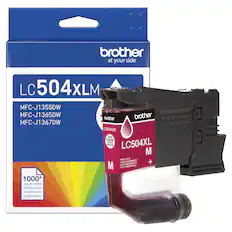
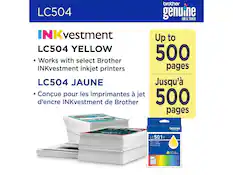
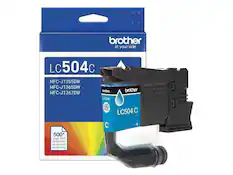
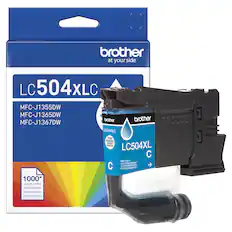
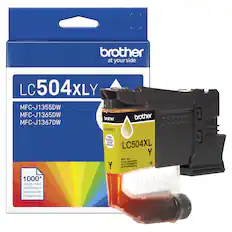
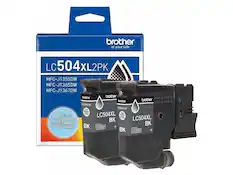
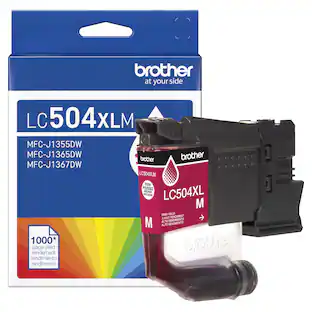
    Reliable performance you can count on. Brother Genuine Ink is quality-tested to work seamlessly with your Brother printer. Choose Brother Genuine LC504 Ink, the only brand we recommend for use with your printer.

Specifications

  • Networking
    Wireless
    ENERGY STAR Certified
    Yes
    Printer Type
    All In One, Printer, Copier, Scanner
    ISO Color Print Speed
    9 pages per minute
    Output Tray Capacity
    50
    Touch Screen
    No
Sponsored

Reviews

Customers are sayingCustomers love the impressive print quality and the straightforward setup process of this product. Users also frequently highlight how simple it is to connect to their home networks and appreciate the compact, space-saving design. Additionally, the ease of installing cartridges is noted as a convenient feature that enhances the overall user experience.
This summary was generated by AI based on customer reviews.
  • Print Quality (26)
  • Setup Ease (13)
  • Connectivity (11)
  • Size (10)
  • Cartridge Installation (4)

Customer Images

The vast majority of our reviews come from verified purchases. Reviews from customers may include My Best Buy members, employees, and Tech Insider Network members (as tagged). Select reviewers may receive discounted products, promotional considerations or entries into drawings for honest, helpful reviews.

  • Rated 5 out of 5 stars

    Just what I needed and wanted!

    This printer is exactly what I was needing and wanting for my small business. Quality is good!

    Posted by MONIQUE

  • Rated 4 out of 5 stars

    Good, but nothing really stands out

    It’s an all in one inkjet printer with all the features you come to expect in an all in one printer these days. I suppose over a lower budget printer, you gain the 20 page automatic document scanning and auto-full duplex, but the rest of it just feels like everything you anticipate to be in a modern inkjet printer. The user interface of the physical buttons and their app, however, both feel very dated, but they work. The display is bright and clear enough to see what you need, like the directions through initial setup, but panning through rubber arrow buttons and OK just feels out of place for our current tech. Print quality is decent, but the copy quality is a bit rough by default. You can see how I scanned and printed their own adjustment sheet and how faded the colors came out, the banding in the grey and missing details. A little adjusting or black only can make a little difference. Print speed is listed as 16ppm black and 9 ppm color, but it all depends on what is on the page and does feel a bit slow when you are waiting for it to come out compared to other types of printers. This is fairly common for inkjet though. The initial ink cartridges do claim to have more ink than the typical start cartridges, but then they will keep pushing their Refresh EZ Print subscription services on you so that you can keep your ink stocked. Seems to be the way for all the printer makers these days. If you use your printer a lot, they do pan out to save you money on keeping ink in stock though. You can connect via 2.4 or 5Ghz WiFi, which I suppose is an improvement, as so many electronics only work with 2.4. So, you can move out of that crowded space and take advantage of better speeds. You can also connect via USB, cable not included. There is no Ethernet port if you prefer wired networks. Overall, it is a decent printer, nothing feels exceptional about it, but might have exactly the features you are looking for, like the document feeder and auto-duplex. There are just so many printers in this range and style that it really comes down to what you are exactly looking for.

    Posted by DavidJr

  • Rated 4 out of 5 stars

    Good budget multifunction inkjet, clunky setup

    This is a pretty good inkjet printer that delivers high quality color documents, but is a bit clunky to set up and has fairly cheap-feeling build quality. I set it up on a Windows 11 Dell desktop, and although I appreciated the ability to do so wirelessly from the Brother website, the process is very slow and clunky (despite a fast internet connection), and it failed the first time because it couldn’t detect the printer for some reason. Fortunately, it was able to detect the printer on the next attempt. There’s also a mobile app that can be used to set up and manage the printer, and setup can also be done via USB connection, but I didn’t test any of that. Printing is quiet and reasonably fast (9 ppm with standard color printing). The print quality is very good -- crisp, with vibrant colors. Installation and replacement of the ink cartridges is easy, with access on the front of the unit. Page yield is 500 per color cartridge, and 1200 if only using black. There’s an ink subscription option through Brother, but since I don’t anticipate using this as my main printer (I have a laser printer for that), I’ll just order replacement cartridges when needed. The paper tray defaults to standard Letter size, but can be expanded to Legal, which is a nice touch. It can’t print any wider than 8.5”, though, which is not unusual. The copy function works well, using either the flatbed or the automatic document feeder. There are separate buttons for black & white and color copies. The ADF works smoothly, and can hold up to 20 pages. Scanning also works well, using either Brother’s own software or the built-in Windows 11 Scan app. The control panel is operated using buttons only (no touchscreen), and the interface can be a bit confusing. But like all interfaces, I’m sure I’ll get used to it quickly. The printer itself is reasonably compact, and also fairly lightweight, so it’s good for small offices. Part of the reason it’s so light, though, is that the plastic feels a bit flimsy, and I can easily imagine some parts breaking easily (like the ink cartridge door or the flatbed lid). This is not too surprising given the price point, but it’s something to keep in mind. If klutzy people will be using the printer, you may want to consider a more solidly built unit. Overall, I would recommend this to anyone looking for a reasonably priced multifunction inkjet printer, with the caveat that setup may be a bit frustrating for the non-tech-savvy user. I have found that Brother printers are very reliable (my laser printer is a Brother as well), so I would expect the same with this one.

    Posted by William C

  • Rated 5 out of 5 stars

    A Great Affordable Printer for Home Offices

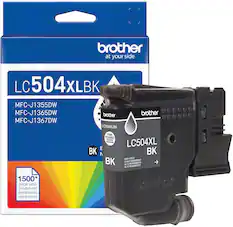
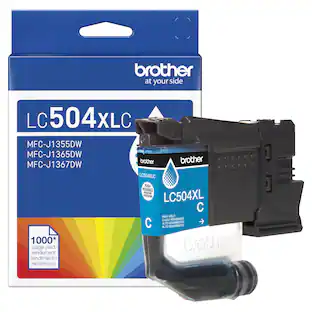
    The Brother INKvestment 1365 Wireless Color Inkjet All-in-One Printer with Auto Duplex Print (MFC-J1365DW) is the perfect entry level combo printer for printing, scanning and copying at home at an affordable price. The MFC-J1365DW uses Brother's new LC504 series ink cartridges. The included starter cartridges are surprisingly generous with the black cartridge rated for approximately 1,200 pages and the three color cartridges (cyan, magenta, yellow) rated for about 500 pages each. This Brother printer also provides a “Page Gauge” feature, which tells the users an estimate of remaining ink levels with greater accuracy than traditional low-ink warnings. They do offer High-yield cartridges (LC504XL) are available for heavier users, helping to extend replacement intervals and lower cost per page. The set up for this printer was super easy with the Brother Mobile Connect app. The app takes you through the steps of connecting the printer to Wi-Fi network, then registering the device, and performing the required test prints. The app also enables direct printing and scanning straight from your mobile device. The user interface is intuitive, with step by step instructions that minimize confusion, just make sure to have some paper on hand during the installation or you will not be able to set up the printer, found this out the hard way and had to go to the store to pick some up. Also in the app you will be able to monitor Ink levels, install firmware updates, and queued jobs. On a personal desktop, installation of Brother’s drivers and utilities is straightforward. Users can download the required software from Brother’s support website, enabling full access to printing, scanning, and device management functions.That being said I ran into a slight issue with my company issued laptop, where the Brother app and drivers were restricted by IT security policies. So, you might need administrator privileges in order to install the drivers and utilities. Users without such permissions will need assistance from IT personnel. The MFC-J1365DW offers ISO-certified print speeds up to 16 ppm in black and 9 ppm in color. Resolution reaches 6000 x 1200 dpi, sufficient enough for sharp text and detailed images. Automatic duplex printing is supported, reducing paper usage. That being said if you are trying to print out a photo that you took, there will be some contrast issues in that the colors will not pop as much as the look on your screen and just something to expect with this budget printer. The flatbed scanner offers standard single page scanning, and also supports a 20-page automatic document feeder (ADF) for multiple page jobs. Connectivity options include dual-band Wi-Fi (2.4 and 5 GHz), Wi-Fi Direct, and USB. The printer supports AirPrint, Mopria, and Brother’s Mobile Connect app. Cloud services such as Dropbox, Google Drive, and OneDrive can be accessed directly from the control panel. The control panel features a 1.8-inch color display with direction navigation buttons. While functional, it is not a touch interface, which limits the ease of use compared to larger touchscreens on some of the other high end models out there. And the user interface does seem a bit dated in how you navigate the menus, so I recommend using the app. The 150 sheet input tray and 50 sheet output tray offer reasonable capacity for home office workloads. For home offices, the MFC-J1365DW offers strong value. Its included ink, duplex printing, and wireless capabilities meet the needs of most small-scale operations. In corporate settings, however, challenges may arise. IT restrictions could complicate driver installation, and reliance on wireless connectivity may limit deployment in environments that prefer wired network devices. Pros Generous inbox ink supply, especially for black at 1,200 pages. Automatic duplex printing for paper savings. Wireless and mobile app support. Cloud printing and scanning integration. Multi-function design (print, copy, scan) with ADF. Compact footprint suitable for desks and small offices. Page Gauge feature for accurate ink monitoring. Cons Print speeds are modest compared to higher-end devices. Requires admin rights for driver installation on company PCs. Higher cost per page for color printing. Small, nontouch display. Overall, the Brother INKvestment 1365 Wireless Color Inkjet All-in-One Printer (MFC-J1365DW) is a well rounded affordable choice for a home office printer for those seeking a reliable, and flexible printer. Its strong ink system, mobile connectivity, make it highly functional for moderate workloads and will get the job done when working from home.

    Posted by Ian L

  • Rated 5 out of 5 stars

    Great Value – Perfect Blacks – Very Good Color

    PRODUCT INKvestment 1365 Wireless Color Inkjet All-in-One Printer with Automatic Duplex Printing and Color Display (MFC-J1365DW) SUMMARY Great Value – Perfect Blacks – Very Good Color REVIEW The MFC-J1365DW is a fine addition to any home office. The print quality (especially the black) is very strong. The color printing is very good overall maybe not exactly photo ready but plenty good enough. The ability to print on both sides is a strong advantage at this price point as is the included WiFi. Scanning with an optical resolution of 1200x1200 is also nice. I did find the color scanning / copying a little soft and faded. I assume with some adjustments to settings it can be corrected (I used “best” default settings for everything). For everyday use in a home office or homework, for example, it is more than acceptable. SETUP My advice is to skip the mobile setup and use the front panel to attach it to your home WiFi. It can be a little tedious using the tiny screen to enter your WiFi password, but it will save you frustration later. Like most printers that try to force you to use the phone for setup it was not easy or intuitive and I eventually gave up trying to have my phone find the printer. Throughout the setup process (both on the app and the pc [setup.brother.com], you are bombarded with commercials and coupon codes for other Brother Promotions. The app and website allow you manage all of your Brother devices from sewing machines to printers and more. PAPER HANDLING The paper tray is pretty small but so is the overall printer. The specs say it holds 150 pages. Even in quiet mode, it is pretty loud on the first page, but settles down after the first page. INK At the time of this review ink prices were not available. However, I am a little concerned about how quickly this has gobbled up ink. I printed 2 color pages and 6 black and white pages. The box / specs state that it includes enough ink for 1200 black and white and 500 color pages. My status window for the printer says that I only have enough color ink remaining for about 250 color pages and about 700 black and white pages. This is close to 50% below the estimated available capacity. There was a message in setup something about filling the internal ink reservoirs from the cartridges and it only needed to be done one time. So maybe 50% of the ink is used filling the reservoirs. Still, I worry that “out of the box” I won’t get the stated output. In some parts of the setup instructions, it calls these “starter cartridges” which usually implies less than full ink cartridges. Only time will tell on the ink consumption. PROS - Tilting Color Display and control panel - WiFi Connectivity - High Resolution Scanning / Copying - ADF (Automatic Document Feeder for Copy / Scanning) - Duplex Printing - Separate color Ink Cartridges (only replace what you need) RECOMMENDATION Overall, I recommend this for home / home office light duty use. It does everything you need and is very affordable. If you need Photo Quality Color Prints, you might need something different.

    Posted by TheOffice1234

Compare similar products

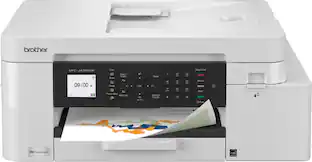
Brother - INKvestment 1365 Wireless Color All-in-One Inkjet Printer with Auto Duplex Print (MFC-J1365DW), Great for Home Offices - White
4.3(34)

Looking for reliable printing with powerful efficiency-boosting features? The INKvestment 1365 Wireless Color Inkjet All-in-One Printer delivers. With versatile tools like automatic duplex (2-sided) printing, a 20-page single-sided automatic document feeder,(1) and wireless(2) and Cloud connectivity options(3) available on the 1.8” color display, this multifunction printer helps you get your work done easily. Perfect for printing anything you need with the right amount of ink in-box, this color inkjet printer outputs vibrant colors and bold, rich blacks at fast print speeds, and Page Gauge(4) monitors your ink usage so you know when you’re running low. When paired with the Brother Mobile Connect app,(5) setup is quick and easy – plus, you can print from virtually anywhere on your mobile device.(6) Produce beautiful prints in vibrant color and bold blacks at fast print speeds with Brother Genuine LC504 Ink cartridges – the only brand we recommend for your Brother printer.
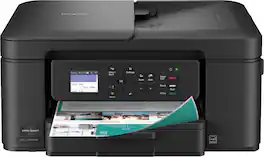
Brother - Work Smart 1360 Wireless All-in-One Refresh Subscription Eligible Inkjet Printer with Auto Duplex Printing (MFC-J1360DW) - Black

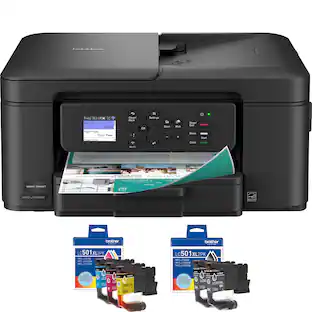
The Brother Work Smart 1360 Wireless All-in-One Refresh Subscription Eligible Inkjet Printer is the perfect choice for a reliable printer with robust efficiency-boosting features. With tools like automatic duplex (2-sided) printing, a 20-page single-sided automatic document feeder(1), and wireless(2) and Cloud connectivity(3) options available on the 1.8” color display, this multifunction printer helps you get your work done with simplicity and ease. Perfect for printing anything from to-do lists to business reports, this color inkjet printer outputs quality prints at fast speeds. Brother Page Gauge(4) monitors your ink usage so you know when you’re running low. When paired with the Brother Mobile Connect app(5), setup is quick and easy – plus, you’ll be able to print from virtually anywhere on your mobile device(6). Print Confidently with Brother Genuine LC501 Ink in your Brother Work Smart 1360 for reliable, consistent prints –it’s the only brand we recommend for your Brother printer.
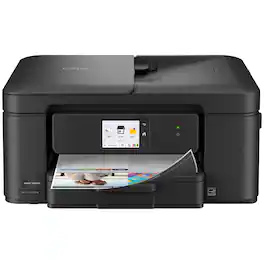
Brother - Work Smart 1410 Wireless Color All-in-One Inkjet Printer, 2.7” Color Touchscreen (MFC-J1410DW), Great for Home Offices - Black
4.8(30)

Experience true reliability and ease of use with the Brother Work Smart 1410 Wireless Color Inkjet All-in-One Printer. A 2.7” color touchscreen display lets you connect to popular Cloud apps(1) directly from your printer. Automatic duplex (2-sided) printing, a 20-sheet single-sided automatic document feeder (ADF)(2), and a 150-page paper tray(2) bring modern convenience to this compact printer. Engineered to produce great prints, this color inkjet printer outputs vibrant colors and bold, rich blacks at fast print speeds, and Page Gauge(3) monitors your ink usage so you know when you’re running low. When paired with the Brother Mobile Connect app(4), setup is quick and easy – plus, you can print from virtually anywhere on your mobile device(5). Print Confidently with Brother Genuine LC501 Ink in your Work Smart 1410 for reliable, consistent prints –the only brand we recommend for your Brother printer.

Brother - INKvestment 4355 Wireless All-in-One Inkjet Printer with 1.8” Color Display (MFC-J4355DW), Great for Small Offices - White

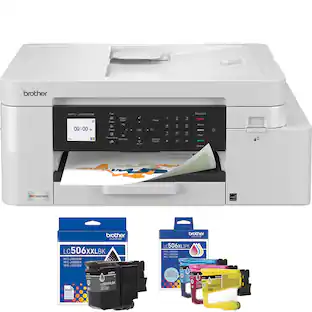
The INKvestment 4355 Wireless Color Inkjet All-in-One Printer takes productivity to the next level. An easy-to-use 1.8” color display provides streamlined functionality, with the ability to connect directly to popular Cloud apps(1). Enhance your workflow with the included 150-sheet paper tray(2), 20-sheet single-sided automatic document feeder (ADF) (2), one-sheet manual feed slot(2), and automatic duplex (2-sided) printing. Get things done efficiently with advanced print speeds, Wi-Fi Direct, and multiple connectivity options. Plus, the convenience to complete your work wherever you go – you can print directly from your mobile device from virtually anywhere with the Brother Mobile Connect app(3). Produce beautiful prints in vibrant color and bold blacks at fast print speeds with LC506 Brother Genuine Ink cartridges – the only brand we recommend for your Brother printer.

Pros for Brother - INKvestment 1365 Wireless Color All-in-One Inkjet Printer with Auto Duplex Print (MFC-J1365DW), Great for Home Offices - White
Print Quality, Setup Ease, Connectivity, Size, Cartridge InstallationOverall Performance, Print Quality, Connectivity, Size, Noise LevelPrint Quality, Overall Performance, ConnectivityPrint Quality, Setup Ease, Connectivity, Size
Cons for Brother - INKvestment 1365 Wireless Color All-in-One Inkjet Printer with Auto Duplex Print (MFC-J1365DW), Great for Home Offices - White
There were no cons for this product—Setup DifficultyThere were no cons for this product—Noise Level

Specs

Questions & Answers

  • will the printer accept 24 lb paper? what about photo paper and card stock?

    Yes, the Brother MFCJ1360DW can print on 24lb paper and designed for use with photo paper. Card stock not recommended for use. https://www.brother-usa.com/products/mfcj1360dw#specification

    Answered by Brother
    Brother response
  • Can this printer connect wirelessly to a network?

    Yes, this printer has wireless connectivity.

    This question and answer was generated by AI based on customer and product data.
  • Is this printer ENERGY STAR certified?

    Yes, this printer is ENERGY STAR certified.

    This question and answer was generated by AI based on customer and product data.
  • Does this printer have a display screen?

    Yes, this printer has a display screen.

    This question and answer was generated by AI based on customer and product data.
  • Does this printer have automatic two-sided printing?

    Yes, this printer features automatic two-sided printing.

    This question and answer was generated by AI based on customer and product data.

Ask a question
No content

Customers often buy these together

Sponsored