Last chance for Black Friday Doorbusters and DealsAnd shop the 24-Hour Flash SaleShop now

Skip to contentGo to Product Search
Main Content

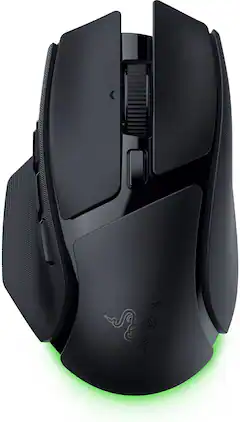
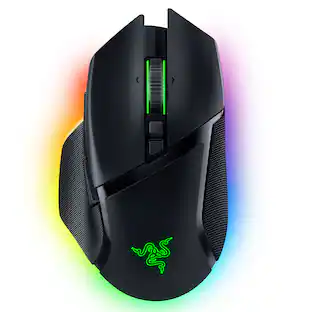
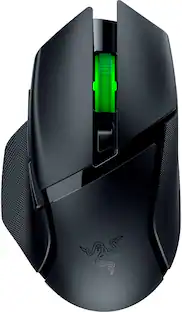
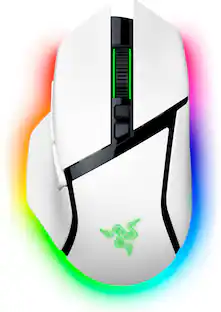
Razer - Basilisk V4 HyperSpeed Ergonomic Optical Gaming Mouse with Chroma RGB Underglow - Wireless - Black

Model: RZ01-05680100-R3U1
SKU: 6687205
Sold byBest Buy

About this product

Embrace the freedom to play your way with the Razer Basilisk V4 HyperSpeed, a wireless ergonomic RGB gaming mouse that strikes the perfect balance between immersion, performance, and customization. Designed for versatile gameplay, it features Razer HyperScroll Technology with a 4-way tilt wheel, letting you switch effortlessly between tactile, precision scrolling for weapon cycling and free-spin mode for fast navigation or repeated inputs. Powered by the Razer Focus X 33K Optical Sensor Gen-3, the Basilisk V4 HyperSpeed delivers exceptional tracking accuracy and responsiveness across a wide range of surfaces, including glass, with fine-tuned 1 DPI adjustments for confident aim control. Enjoy smooth, low-latency gaming for up to 140 hours on Razer HyperSpeed Wireless, and unlock true 8000 Hz polling with the optional Razer Mouse Dock V2 Pro (sold separately). With 12 fully customizable controls, including the iconic multi-function trigger, execute macros and essential commands with ease. Complete the experience with immersive Razer Chroma RGB underglow that syncs across 300+ games, and Gen-4 Razer Optical Mouse Switches rated for over 100 million clicks, delivering crisp, durable, and lightning-fast actuation—making the Basilisk V4 HyperSpeed a powerful, adaptable choice for gaming domination.

Features

  • Immersive Control

    Switch seamlessly between tactile scrolling for weapon cycling and free-spin mode for rapid navigation with the 4-Way Razer HyperScroll Tilt Wheel, ideal for FPS, MMO, and productivity workflows.

  • Precision for Every Playstyle

    Dominate competitive games with the Razer Focus X 33K Optical Sensor Gen-3 featuring 99.8% resolution accuracy, Smart Tracking, and precise 1-DPI adjustments even across glass surfaces.

  • Long-Lasting Wireless Performance

    Play for up to 140 hours on Razer HyperSpeed Wireless or up to 225 hours on Bluetooth while enjoying responsive low-latency connectivity for gaming, work, and travel.

  • Customization at Your Fingertips

    Assign macros, push-to-talk, pings, shortcuts, and secondary commands across 12 customizable controls including the acclaimed multi-function trigger for faster execution.

  • Chroma RGB Immersion

    Customize from 16.8 million colors and dynamic lighting effects with Razer Chroma RGB underglow that reacts with 300+ integrated games for a more engaging gaming experience.

  • Built for High-Intensity Gaming

    Razer Optical Mouse Switches Gen-4 deliver crisp and responsive clicks with a lifecycle rated for over 100 million actuations and 12% lighter actuation force.

  • Ready for Advanced Setups

    Compatible with Razer Mouse Dock V2 Pro, HyperPolling Wireless Dongle, HyperFlux V2, and Wireless Charging Puck, enabling up to 8000 Hz polling and expanded functionality.

Specifications

  • Lighting Type
    RGB
    Maximum Sensitivity
    33000 dots per inch
    Number of Buttons (Total)
    10
    Connection Type
    Wireless, Wired
Sponsored

Reviews

Rating 4.9 out of 5 stars with 32 reviews

97% would recommend to a friend

Customer Images

The vast majority of our reviews come from verified purchases. Reviews from customers may include My Best Buy members, employees, and Tech Insider Network members (as tagged). Select reviewers may receive discounted products, promotional considerations or entries into drawings for honest, helpful reviews.

  • Rated 3 out of 5 stars

    Great Features, But the Fit Just Isn’t for Me

    Performance and features are solid, and the customization options are great. Unfortunately, the ergonomics were a letdown for me. The shape and overall hand positioning just didn’t feel natural or comfortable, especially during extended use. A capable mouse, but comfort is a big part of the experience, and this one missed the mark for me.

    Posted by FireDragon

  • Rated 5 out of 5 stars

    Multi-Purpose Mouse that Excels at it All!

    Full disclosure, Razer has been my go-to brand for pc and gaming accessories for close to a decade now. I still have, and use, multiple Razer mouses (or mice, turns out either is acceptable when referring to the computer version). Between a home work desk, a home gaming desk, a work office desk, and going mobile, I have a couple Vipers and a couple DeathAdders, but this is my first Basilisk. Each has its primary purpose, and each does something better than the other, but so far, they've each been amazing at everything I use them for, whether it's gaming or productivity. First and foremost, this is a gaming mouse, it says as much in the title, but its use for everything else, and working on a computer, is where it really starts to shine. It's not as lightweight and fast as the Viper is for gaming, it's not even as lightweight or has that familiar mouse grip as the DeathAdder, but it is more ergonomic, more customizable, and more versatile than either. Unfortunately that does make it the heaviest of the bunch, although using the word 'heavy' is misleading here, as it's still fairly lightweight overall. The ergonomic shape is the first thing you notice. It's not the traditional mouse shape most people are used to. Specifically, it's the left side that makes the biggest difference with what's essentially a thumbrest. Gripping the Basilisk just feels natural, especially with your thumb. After using it for over a week, I started to wonder what I did with my thumb with every other mouse, was it just holding itself up out in the open all the time? Seriously, that's what I started wondering and immediately grabbed my Viper to check. Anytime I get a new computer accessory, I first like to take it for an easy test drive just doing normal everyday things, and that's what I did here. The grip is obviously the first thing you notice, immediately after is the main left/right mouse buttons followed by the scroll wheel. Clicking those main buttons has good feel, although might be a little bit on the louder side (at least compared to the Viper/DeathAdder), but nothing that really stands out. The scroll wheel is another story. The Basilisk wheel is by far the best, and most useful, wheel I've ever used. You get your usual vertical scrolling, along with clicking it down like a button, but then it also clicks, or tilts, sideways to the left and right. I can't tell you how often I resize windows, or fonts, to try and fit everything in view, all just to avoid using that small horizontal scroll bar. Now, the scroll wheel handles horizontal scrolling for you! It's one of those things that make you start wondering how you lived without it for so long. But wait, there's more, the wheel itself has a hyperspeed mode, which makes it free spinning to quickly move up and down a screen. Click the button right underneath it (which at first I thought was the dpi button like on others), and it goes to the usual soft-click style wheel for more precision. It really is easy to do. Now I just switch between the modes, scrolling vertically either for speed or precision as needed, while tilting left/right all throughout the day. Then you have all the buttons along the left side. You get the two default side buttons that let you go back and forward in browsers and other apps, like on other mice, but you also get two extra, the third that's lined up defaults to bringing up your ai prompt, and the fourth, placed a little further out, works like a fn (function) key. Hold it, and all the other buttons can be set to perform a completely different group of functions. You'll need the Razer Synapse app to make use of all its features and customizability of course. The app is easy to use though, which is surprising given all the options you get. You're not just customizing buttons to other mouse functions, but you can set them to keyboard functions, shortcuts, macros, or Razer's cool 180 feature that instantly turns you 180 degrees in a game. Getting attacked from the front and back isn't as big of a deal anymore. This does make the basilisk an awesome mouse for FPS games, but for me, it's the RPG games where it really steps up your game. With so many customizable options, you can now control so many more commands just with your mouse. On top of that, you can set different profiles. So when I'm done with a gaming session and need to get to work, I can just click the profile button underneath to switch to a different customization set. On the productivity side, if you edit videos like I do, this Basilisk is yet again a game changer. Take for example the function I do more than anything else, cutting clips. Before, it was a matter of lining up the spot, usually with the keyboard for precision, and then having to move my hands to use a multi-key shortcut to cut, and then move my hand back to get to the next spot. Now, I keep my hand on the keyboard to precisely line up my cut, and then press the mouse button I set. Seems minor, but when you're doing hundreds of cuts, all that hand movement around the keyboard gets tiring, and takes up time. So if you're someone that needs a mouse to be able to be productive, and easily switch to gaming, the Basilisk is the mouse you want. If you're like me and happen to be a software engineer, a gamer, and a video content creator, I don't just recommend this Basilisk, I'll tell you there is no other choice. Don't even bother looking at any other mouse. This Basilisk is just that good for a multi-purpose user. While I still love my other Razer mice, I've already switched to using this one Basilisk between my different setups, sometimes even with different computers on the same desk. I connect with bluetooth to my software development machine, the wireless dongle for my video editing laptop, and wired for gaming to get the ultimate precision.

    Posted by CKent

  • Rated 5 out of 5 stars

    Great all-around gaming and work performance

    In the world of competitive gaming, it’s hard to keep up with all the new advances that may or may not actually help you with your win streak. Razer is a leader in the gaming space and their newest Razer Basilisk v4 Hyperspeed is an evolution of their Basilisk lineup with a new and controversial twist… Overview and Specs ==================================== If you’ve used any of the previous generation Razer Basilisk mice, you’ll be in familiar territory. A nice, sculpted curve that fits palm grips, and an extra “wing” that you can rest your thumb on make it comfortable to use for long periods of gaming, work, or both. On the rear, you get a nice underlighting zone that’s customizable. I don’t need my mouse festooned with RGB zones everywhere, so this subtle underglow is perfect, in my opinion. You’ll get the usual ratcheting or free-scroll wheel that also has left/right tilt. The big physical update is 4 buttons accessible via your thumb that can be configured in the Razer Synapse software. More on that later. On the underside, you’ll find generous skates that are perfectly positioned for smooth mousing on nearly any surface. I often notice when one skate or teflon pad isn’t perfectly aligned, and I didn’t notice anything like that here. On the bottom, you get your BT/off/2.4ghz switch and a removable cover that conceals the 2.4 ghz wireless dongle. Bonus, if you want wireless charging, you can actually replace the cover with a wireless charging cover and use the Razer charging dock or charging mousepad to ensure you’re always ready to play! Of course, there’s a USB-C cable included for wired gameplay. Initial Setup ==================================== It’s a mouse, so setup is easy. I started with wired mode to get the initial setup going, then switched to the 2.4 ghz dongle on my main gaming PC. The flexibility of BT means I can also use this on my work PC where I don’t need the fastest polling rates. You’ll get a prompt to install Razer Synapse which is key to unlocking and customizing everything this mouse can do. You can control the lighting, button mapping, scroll wheel configuration, and more all from Synapse. The new Multi Function Trigger is the forward-most thumb button that was placed to avoid accidental mis-clicks. It’s great for critical, but not often-used actions. Razer also includes Hypershift that lets you hold down a button while pressing others. This effectively creates a “second layer” of buttons that you can use for games that might need a ton of actions like an MMORPG. The Multi Function Trigger could be a good use for your Hypershift button and that’s where I left mine. The controversial item I mentioned at the top is a new feature that allows for instant, perfect 180 turns. If you’ve ever needed to whip around perfectly to catch the action behind you, you’ll know what I mean. It can be hard for players that play on low sensitivity (they have to move the mouse a lot) or high sensitivity (need to be careful not to overrotate). You can map “Perfect 180” to any button. I tested it and it works, but if you’re quite happy with your 180 skills, it’s a totally new motion to learn and “trust” so I didn’t bother with it during normal gameplay. Performance ==================================== My previous gaming mouse is also a Razer Basilisk, but the “X” model from a few years ago. It was an easy adjustment since the size and curvature are very similar, but I was glad to have more side buttons! I also really loved the left/right tilt scroll wheel which I didn’t have before. For my first games, I tested ARPGs like Titan Quest, Diablo 3 and 4, and Grim Dawn. You might not need a “high performance” mouse for these games, but the buttons and Hypershift really helped to map out more of the actions. A short learning curve and I was grinding and looting more efficiently than ever. For more challenging games, I always go back to the Sniper Elite series and Borderlands 2 (and 3). For the precise aiming required in Sniper Elite, the Razer Basilisk v4 Hyperspeed was perfect. I also liked the more granular tactile scroll configuration which gave me a better feel of zoom in the binoculars or sniper rifle. Regarding faster-paced play in Borderlands 2 (still a classic!), I could increase the sensitivity and run, jump, 180, and more effortlessly while hunting around Pandora. I don’t need as many buttons as a dedicated MMO mouse (like the Naga), so to me, 4 remappable thumb buttons is perfect! For my infrequent game playing, the battery life is amazing. Razer quotes 225 hours on BT and 140 hours on 2.4 ghz. I could not verify those claims, but I know I didn’t need to charge it after a week of work and play. Summary ===================================== I guess it’s pretty clear that I love this new Razer Basilisk v4 Hyperspeed. I’ve used these models for a long time, and if you don’t need the absolute lightest competitive FPS mouse, I can’t think of a better all-purpose gaming mouse. Comfort, long battery life, multiple connectivity modes and just the right amount of programmable buttons make this a great choice for nearly all types of games.

    Posted by Kaizoku

  • Rated 5 out of 5 stars

    The Basilisk Strikes Again

    First Impressions: Unboxing Let’s start with the obvious: this is a great mouse. The Razer Basilisk line has already earned a strong reputation among gamers, and the latest model continues that tradition with confidence. If you have used earlier versions like the Basilisk V2 or V3, the V4 feels familiar in the best possible way while still bringing meaningful improvements. Right from the unboxing, Razer sets the tone. The packaging feels polished, premium, and satisfying to open. Inside, you get everything you need: the mouse, the USB dongle, and the cable required to connect and charge it. As a result, setup feels simple, clean, and ready for action almost immediately. Ergonomics and Build: Comfort That Feels Carefully Engineered The shape remains one of the biggest reasons to choose this mouse. Razer clearly understands how to design an ergonomic gaming mouse, and the Basilisk V4 fits naturally in the hand. It supports long gaming sessions without creating discomfort, which matters when you spend hours switching between fast movements, precise aiming, and everyday desktop use. Additionally, the build quality feels sturdy without becoming bulky. The mouse carries a little extra weight, mainly because of its large battery, but that weight does not get in the way. Instead, it gives the mouse a planted, controlled feeling. Therefore, it still moves accurately while offering the confidence of a well-built device. Performance: Precision, Speed, and Serious Sensor Power The optical sensor is one of the standout features. It tracks tiny movements with impressive accuracy, making it ideal for competitive gaming as well as general productivity. The 33K polling capability, supported by Razer’s third-generation sensor technology, gives the mouse a highly responsive feel. Consequently, every movement feels immediate and controlled. In games, the mouse performs like a champ. It stays precise during quick flicks, controlled tracking, and small adjustments. Whether you play shooters, strategy games, or action titles, the Razer, Basilisk delivers the speed and reliability expected from a high-end gaming peripheral. Clicks, Scrolls, and Small Details That Matter One surprising detail is the click sound. The buttons have a loud, nostalgic click that almost feels like it came from a classic 90s mouse. However, the sound does not feel cheap or distracting. Instead, it gives the mouse a distinct personality, and most users will likely adjust to it quickly. Moreover, the scroll wheel adds real practical value. You can switch between clicky scrolling and smooth free-spinning scrolling on the fly. This may sound like a minor feature, but it becomes incredibly useful. For gaming, clicky scrolling gives control. For browsing long pages or documents, smooth scrolling saves time and effort. Battery Life and RGB: Practical Power With a Bit of Glow Battery life also deserves attention. With up to 140 hours of potential use, this mouse can handle long sessions without constant charging anxiety (and we've all been there}. That makes it a strong option for gamers who dislike interruptions and want dependable wireless performance. Furthermore, the included cable keeps charging simple when needed. Just unplug the dongle and plug the mouse in, and done. Then there is the Chroma RGB underglow. It does not improve your aim, of course, but it adds visual flair and gives the mouse a more premium desk presence. The lighting looks clean rather than excessive, and it adds just enough personality to make the setup feel more complete. Final Verdict: A Mouse That Is Easy to Recommend Overall, the Basilisk V4 is difficult to criticize. It feels comfortable, performs accurately, lasts a long time, and includes smart features that improve daily use. While the loud click may surprise some users at first, it hardly counts as a real drawback. Ultimately, this mouse earns a strong recommendation from me. It builds on what made previous Basilisk models great while improving performance, battery life, and usability. If you want a premium gaming mouse that feels refined, responsive, and reliable, this one deserves a serious look. Or a buy. I'd say buy.

    Posted by Goor00inTX

  • Rated 5 out of 5 stars

    Performant, svelte, and flexible.

    Razer - Basilisk V4 HyperSpeed Ergonomic Optical Gaming Mouse with Chroma RGB Underglow Summary: Performant, svelte, flexible at a great price point. Use: This mouse replaced an aging less responsive competing wired mouse. I play a variety of games such as World of Warcraft (PVE and PVP), Destiny 2 (admittedly much less now), Overwatch, Hogwarts Legacy, and Hellraiser Revival. I also use the mouse for work, so I needed something flexible and almost purpose built. This unit fits the bill. On the upper mid-range end of the spectrum for gaming mice, I think it earns its keep. It is definitely light, but perhaps not light enough for competition level gaming. The contours of the mouse are cleverly designed, and the unit feels nice in hand. Some of the advertised features such as the Perfect 180 are neat, but a bit jarring. I prefer the manual control even if it comes at the expense of movement. I am not a competition level gamer, but I still like to play well and having a mouse that supports that is great. One thing I'm still unsure about is the tactile vs free-spin mode scrolling. Haptic feedback is a regular part of our lives with Phones and vehicles these days, but I am not sure how I feel about it while gaming. It will take a bit longer for me to adjust and make a decision - but that it is another option is great for consumers. Other features like the standard customizable buttons are great for macros or quick access, the multi-function trigger for instant any action commands, Razyer Hypershift for doubling of commands, and the "underglow" are nice inclusions. The Hypershift feature is also exciting, though it will take some play time for me to develop the muscle memory to properly use this feature. It essentially makes any button on the mouse a dual-actionable button in a "shift-click" kind of way. The battery life seems to be in line with advertised, but I still prefer wired game play. The unit has a neat compartment within the base of the mouse that conceals the Hyperspeed RF USB dongle when not in use. This is not the first Razer product I have owned. In fact, our household is almost completely converted to Razer. Keyboards, ergonomic vertical mice, etc. They are high-quality products and this includes their Synapse software. Though the UI can be a little confusing, once you understand where things are it makes configuring and customizing your devices a breeze. Pros: * Svelte. The unit looks as great as any other product in their collection. The Underglow light is a nice touch. * Weight. It's light and it feels good to me. It easily glides across my play surfaces. * Buttons. The unit has a plethora of buttons thanks to the Razer Hypershift and the Multi-Function Trigger. This lets you customize your mouse for your game play needs with ease via the Synapse software. * Build. Though light and svelte, this unit doesn't skimp on build. It feels well made and I believe it thanks to my experience with other products I own. * Wireless Charging. Though not built-in, you can upgrade this unit by purchasing the appropriate puck. Replace the base cover and you're good to go. I like options, even if I am a wired player. * Software. Synapse software is a lot. But it does work well and allows for easy configuration and management of your Razer devices. Cons: * Right-handed. It is designed for right-handed users. * Weight. It is still 96 grams. Not the lightest of mice. A potential problem for some players. I loved this mouse as much as I love other Razer products I own. At this price point, I recommend it for anyone needing to replace a basic mouse and is looking into enhanced functionality that a gaming mouse provides.

    This review is from Razer - Basilisk V4 HyperSpeed Ergonomic Optical Gaming Mouse with Chroma RGB Underglow - Wireless - White

    Posted by Rhostam

Compare similar products

Razer - Basilisk V4 HyperSpeed Ergonomic Optical Gaming Mouse with Chroma RGB Underglow - Wireless - Black
4.9(32)

Embrace the freedom to play your way with the Razer Basilisk V4 HyperSpeed, a wireless ergonomic RGB gaming mouse that strikes the perfect balance between immersion, performance, and customization. Designed for versatile gameplay, it features Razer HyperScroll Technology with a 4-way tilt wheel, letting you switch effortlessly between tactile, precision scrolling for weapon cycling and free-spin mode for fast navigation or repeated inputs. Powered by the Razer Focus X 33K Optical Sensor Gen-3, the Basilisk V4 HyperSpeed delivers exceptional tracking accuracy and responsiveness across a wide range of surfaces, including glass, with fine-tuned 1 DPI adjustments for confident aim control. Enjoy smooth, low-latency gaming for up to 140 hours on Razer HyperSpeed Wireless, and unlock true 8000 Hz polling with the optional Razer Mouse Dock V2 Pro (sold separately). With 12 fully customizable controls, including the iconic multi-function trigger, execute macros and essential commands with ease. Complete the experience with immersive Razer Chroma RGB underglow that syncs across 300+ games, and Gen-4 Razer Optical Mouse Switches rated for over 100 million clicks, delivering crisp, durable, and lightning-fast actuation—making the Basilisk V4 HyperSpeed a powerful, adaptable choice for gaming domination.
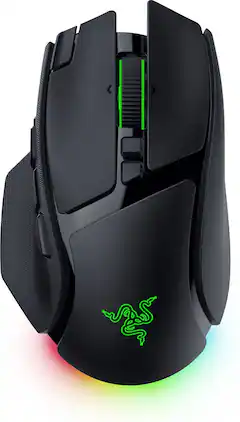
Razer - Basilisk V4 Pro Ergonomic Optical Gaming Mouse with 8000 Hz Polling and Chroma RGB - Wireless - Black
4.7(49)

Where immersion meets customization, the Razer Basilisk V4 Pro pushes both further than ever. Engineered with cutting-edge technologies, this wireless ergonomic RGB gaming mouse adapts to your playstyle with unmatched precision, speed, and control. Take command with the Razer HyperScroll Tilt Wheel Gen-2, offering dual tactile modes, ultra-smooth free-spin, and Smart-Reel auto switching for seamless scrolling. Powered by the Razer Focus Pro 50K Optical Sensor Gen-3, enjoy pixel-perfect tracking with 50K DPI, 930 IPS, and Frame Sync for ultra-low latency performance. Play longer with up to 200 hours of battery life on Razer HyperSpeed Wireless Gen-2, delivering fast, stable connectivity with up to 8000 Hz polling in both wired and wireless modes. With 14 programmable controls—including a multi-function trigger, M1 edge button, and 3 side buttons—you have endless macros and commands at your fingertips. Immerse yourself with 7-zone Razer Chroma RGB underglow, customizable from 16.8 million colors and reactive across 300+ games. Built with Razer Optical Mouse Switches Gen-4, experience crisp, responsive clicks rated for over 100 million actuations. Seamlessly connect across your setup with 5-way multi-device support, including HyperSpeed Wireless, Bluetooth, and wired mode—switch instantly between devices with ease.
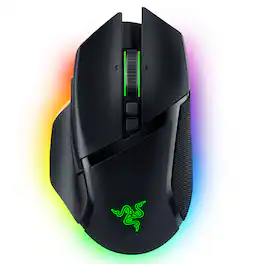
Razer - Basilisk V3 Pro Optical Gaming Mouse with HyperScroll Tilt Wheel - Wireless - Black

The king returns to raise the game. Enter the Razer Basilisk V3 Pro—the most advanced gaming mouse. Armed to the teeth with industry-leading technology, unlock your maximum potential with a weapon that pushes the known limits of performance, customization, connectivity, and control.

Razer - Basilisk V3 Pro 35K Optical Gaming Mouse with HyperScroll Tilt Wheel - Wireless - Black

Set your immersion to maximum with the Razer Basilisk V3 Pro 35K—a wireless ergonomic RGB gaming mouse that’s more advanced and customizable than ever. Featuring our most precise sensor and scroll wheel with deeper configuration options, playing your way just took on a whole new meaning.

Pros for Razer - Basilisk V4 HyperSpeed Ergonomic Optical Gaming Mouse with Chroma RGB Underglow - Wireless - Black
There were no pros for this product—There were no pros for this product—Overall Performance, Ergonomics, Battery Life, Weight, Scroll WheelOverall Performance, Battery Life, Ergonomics, Scroll Wheel, Weight
Cons for Razer - Basilisk V4 HyperSpeed Ergonomic Optical Gaming Mouse with Chroma RGB Underglow - Wireless - Black
There were no cons for this product—There were no cons for this product—Size, Price, Software, Lag, MouseSize, Sensitivity

Specs

No content

Customers often buy these together

Sponsored