Deals for every list.Start early, save early.Shop now

Skip to contentGo to Product Search
Main Content

Microsoft - Surface Pro - 12" Touchscreen - Snapdragon X2 Plus (6 Core) - 16GB Memory - 256GB UFS - Device Only - Violet

Model: EP2-83556
SKU: 6690390
Sold byBest Buy

About this product

Big ideas start on the go, and Surface Pro 12-Inch is built for them. Compact and lightweight at 1.5 pounds, it gives you the flexibility of a tablet with the capability of a full Windows laptop so you can sketch, create, stream, and get serious work done from virtually anywhere. And stay productive longer with responsive performance and up to 15.5 hours of battery life that keeps up from morning to night. [2]

Highlights

Features

  • Built for On-the-Go Productivity

    Designed for life on the move, Surface Pro 12-Inch combines tablet flexibility with laptop productivity. Use Surface Slim Pen (sold separately) to take notes, sketch ideas, and stay productive with up to 15.5 hours of battery life.

  • Everyday Performance Made Easy

    Everyday Productivity PCs make it easy to work across multiple apps, pick up where you left off with files synced across devices, and jump back into projects quickly while handling multiple tasks with ease.

  • Fast Performance Meets Powerful AI

    The new Snapdragon X2 Plus processor powers everyday productivity, while the Qualcomm Hexagon NPU with up to 80 TOPS deliver on-device AI performance for writing, summarizing, and multitasking.

  • 2-in-1 Laptop with Built-in Kickstand

    Use Surface Pro as a tablet, prop it up at any angle with the 165-degree adjustable kickstand, or attach the Surface Pro 12-inch Keyboard (sold separately) for a full laptop setup.

  • Up to 15.5 Hours of Battery Life [2]

    Work, stream, and create through a full day. USB-C charging cable included; power adapter sold separately.

  • More Room for What Matters

    Get more done on a vibrant 12-inch PixelSense touchscreen with crisp 2196 × 1464 resolution and up to 500 nits of brightness. The productivity-friendly 3:2 aspect ratio gives you more vertical screen space for browsing, note-taking, and creating.

  • Always Charged and Ready

    Keep Surface Slim Pen (sold separately) securely stored and charged in the built-in storage area on the back of Surface Pro 12-Inch, so it's always ready when inspiration strikes.

  • Laptop Productivity, Anywhere

    Pair Surface Pro 12-Inch with the Surface Pro 12-inch Keyboard (sold separately) for a comfortable typing experience, responsive touchpad, and the flexibility to work, create, and collaborate wherever you go.

  • Secure from Day One

    Designed with security in mind, Surface Pro 12-Inch helps defend against threats with Microsoft Defender and Smart App Control. Windows Hello provides a fast, secure, password-free sign-in experience.

Specifications

  • Screen Size
    12 inches
    Screen Resolution
    2196 x 1464
    Processor Model
    Snapdragon X2 Plus (6 Core)
    Total Storage Capacity
    256 gigabytes
    Operating System
    Windows 11 Home
Sponsored

Reviews

Rating 4.7 out of 5 stars with 9 reviews

5 star rating. 6 reviews4 star rating. 3 reviews
89% would recommend to a friend

Customer Images

The vast majority of our reviews come from verified purchases. Reviews from customers may include My Best Buy members, employees, and Tech Insider Network members (as tagged). Select reviewers may receive discounted products, promotional considerations or entries into drawings for honest, helpful reviews.

  • Rated 5 out of 5 stars

    Excellent Versatility and Portability

    I have owned many tablets over the years from iPads to Android. This was my first opportunity to use a tablet that gives you the freedom of having the Windows OS and all that comes with it. While the price of a Surface Pro tablet can exceed some of the other options I mentioned, the craftsmanship is excellent and I loved having access to features that I am not accustomed to when using a tablet. Pros: - Set up was simple, like most any Windows PC. Boot up speeds far exceeded my expectations. - The display is one of the best features with a large 12" HD screen that provides incredible visuals. - While some laptops have touch screen features, they usually end up being too bulky to conveniently use in that way. The Surface Pro solves that problem by making touch the primary interactive method. You can easily connect keyboards via Bluetooth or a specially designed case/keyboard combo if you prefer that interaction method. But this tablet really shines through its touch screen capabilities. - I've never owned a tablet that I could install Steam on so I was incredibly excited to see which of my library's video games would work well with touch controls. I was also able to connect a controller over Bluetooth to play a variety of other games. I loved how this device makes gaming on the go very easy. - The built in pop-up stand works perfectly if you don't have a case with one built in (like me). - You can pretty much do anything on this device that you can do with a Windows laptop or a Windows desktop PC. It just lets you do those things in a far more portable and versatile way. Cons: - It would be nice if a device at this price point would come with a protective case, even if it's very basic. You'll need to plan to purchase one that you like on your own. Any significant drop onto a hard surface could do damage. This device was very impressive and I look forward to continuing to explore its vast amount of features and uses.

    This review is from Microsoft - Surface Pro - 12" Touchscreen - Snapdragon X2 Plus (6 Core) - 16GB Memory - 256GB UFS - Device Only - Black

    Posted by jsisko76

  • Rated 4 out of 5 stars

    Ultra-portable full Windows tablet lacking luster

    The Surface Pro 12-inch (2nd Edition) takes Microsoft's compact 2-in-1 concept and gives it a few notable upgrades. This will be my third Surface tablet since Microsoft started developing their Surface devices and, other than the internal specs, they all really look and function similarly. The Snapdragon X2 Plus, six core processor at 4.03 GHz, is the headline change, while the fanless design helps its quiet and portable design. The version I’m reviewing has 256GB of storage, 16GB of RAM and 128MB Qualcomm Adreno X2-45 GPU however there are other builds with different specifications. The real attraction of the Surface tablet remains the ultra-portable design. Being able to move between touch, pen, and keyboard input gives the Surface Pro a level of versatility that most conventional ultra-portables can't duplicate. It’s compact enough to carry around without feeling weighed down, while the touchscreen design makes it easy to switch between tablet, laptop, and writing or sketching modes. Microsoft also continues to support keyboard, touch, pen, and voice input, which is one of the biggest reasons to choose a Surface Pro over a traditional laptop. After using it for about a week, I did find using the on-screen keyboard as somewhat of a nuisance therefore I ended up investing in the compatible keyboard that magnetically snaps onto the bottom providing some protection when closed. I’m not an artist and I’ve never had the need to have the optional Slim Pen with any of my devices, but it can be a great option if that’s something you’re into. Unfortunately, there is no micro-SD card port to upgrade the storage but there are two USB-C ports on the side where you could connect an external port or drive if you run out of room on the SSD. The touchscreen and software is very quick and responsive, however I did experience some issues, such as lagging and freezing, during heavy multitasking and while attempting to run a GPU and high-memory demanding game which was expected. The Surface Pro can handle most other functions, tasks and applications you would expect from a low to mid-range laptop with no dedicated graphics card for those more demanding tasks. For everyday productivity and people who prioritize portability, however, the new Surface Pro 12-inch is a compelling evolution of Microsoft's 2-in-1. However, in my opinion, there may not be enough of a major upgrade for some users to justify investing more money into who already own a previous generation Surface tablet. Overall, it is a great option for portable convenience and versatility and would be great for someone just wanting a basic computer style tablet at an affordable price, just don't expect all the bells and whistles of a high-end laptop.

    This review is from Microsoft - Surface Pro - 12" Touchscreen - Snapdragon X2 Plus (6 Core) - 16GB Memory - 256GB UFS - Device Only - Black

    Posted by Grouticus

  • Rated 4 out of 5 stars

    Great Option but there are better options

    I have been a fan of the Surface Pro lineup since I purchased the original first-generation model back in 2013. This version is a great continuation of that lineage, delivering a core Windows experience in a slim, ultraportable body. With the Snapdragon X2 Plus and 16GB of RAM, there is plenty of performance to handle daily tasks. The 256GB base storage could be a limiting factor for some, but if you rely on cloud or external portable storage, you will be fine. Handling tasks like spreadsheets, documents, and web browsing is insanely easy. In fact, the upgrades over the previous 12-inch Surface Pro X line are significant: the 2026 version starts at 16GB of RAM (with a 24GB option), features a much faster GPU, and offers far better battery efficiency all while getting a 90Hz display that reaches 500 nits of peak brightness. Just keep in mind that outside of basic time-killing titles, it will not be an option for gaming. My main gripe with the Surface Pro lineup remains the same: while it is marketed as an ultraportable PC, getting a great experience requires buying the Surface Pro Keyboard and/or the Surface Slim Pen (or budget-friendly third-party alternatives). At this overall price point, there are other options on the market where you might get more hardware for your money. Overall, it is still a great device if you are honest with yourself about your use case and expectations. For me, it serves as the perfect secondary device whenever I need a dedicated Windows environment to complement my 14-inch M5 MacBook Pro.

    This review is from Microsoft - Surface Pro - 12" Touchscreen - Snapdragon X2 Plus (6 Core) - 16GB Memory - 256GB UFS - Device Only - Black

    Posted by doop22

  • Rated 5 out of 5 stars

    A great tablet, but is so much more!

    Even though having our Android phones we use all the time is essential, having a larger-screened tablet-sized device has been almost as essential for many different activities where phones are too small and we don't want to use our even larger laptops. When my son decided he was done with his current Android tablet, he decided it was time to look for a replacement. While he was considering a newer, upgraded version of his tablet, he was aware of my Surface Pro I have been using for the last year and half and everything that I had been able to do with it over an Android tablet, then thinking of everything he could do with it in his college classes (such as not needing to carry his laptop every day). He decided that new Microsoft Surface Pro 12-inch will work well for him and gives a nice little screen size increase (up from 10.5"). This Surface Pro is nice and thin and has just about the perfect weight to it. There are two USB-C ports, which can also be used to connect to a monitor, either through a USB-C dock with HDMI and/or DisplayPort or directly if the monitor happens to have USB-C DisplayPort and a supporting cable. And this still has its signature built-in, fully adjustable kick stand. The Qualcomm Snapdragon X2 Plus 6-Core processor (which has 2 less cores than last year's model that I have, but I can't tell) is more than capable of carrying out most tasks, especially with the 16GB DDR5 memory. If you are not familiar with the Snapdragon X series, this is Qualcomm's first CPU that has been dedicated to only Windows PCs (they normally make phone CPUs). And with this being the 3rd PC using one that we have, I can say they work great! They do help with not using much power, so that greatly increases the battery life, which is mentioned as having 13-15.5 hours depending on type of use. For the display, it has a Qualcomm Adreno GPU with a 2196 x 1464 screen resolution. For storage, this version has a built-in 256 GB flash storage, but no microSD slot for anything additional (would need to use a USB-C flash drive if needing more that isn't cloud-based). And as with most mobile devices lately, it comes with a USB-C to C cable, but no charger. It is mentioned that it can support fast charging for charging to 80% in about an hour using a minimum 60W PD charger. But in general, can use nothing less than 27W. We already had several 45W chargers for phones and Chromebooks, and they still somewhat fast charge, but not quite as fast. There are two cameras, a front facing (2.1MP @16:9 or 1.6 MP @ 4:3) and rear facing (10.5MP @ 4:3 or 9.3MP @16:9), which are the same specs as previous version. There are also 2 speakers, which two slits on the top right and left when using the kickstand (similar to the top edge of most Android phones). And they are surprisingly good! Not exactly home theater quality, but even with no equalizer set (such as in am music app), they sound really good! While being a tablet by itself is nice, it can be turned into a "laptop" by pairing with the Surface Pro 12" Keyboard, and if desired, adding the Slim pen (which my son just ordered for his). Just connect the keyboard with the magnetic connector. I actually would classify it then as a "portable computer" as using the thin-edge kickstand isn't exactly the most comfortable sitting on of the legs and would likely mostly be used table-top. Having a Slim Pen for mine, I can say it works great and can convert different writing/drawing to text/objects. It had even turned a drawn smiley into the corresponding smiley emoji. If getting a Slim Pen, it can be stored in the "groove" at the top-back, holding it in place with decently strong magnet, and wirelessly charges it. The keyboard flips closed over the screen, and helping protect it, and does stay closed via magnets. One plus of a tablet-style PC, at least with way this was designed, is that it doesn't really get very hot, but also does it without having/needing noisy fans to keep it cool. I may get a little warmer just above and right of center when using the kickstand but not scorching where you cannot hold it anymore. The only downside we have come across for it being Windows based is when it comes to some of the video streaming apps don't have the ability to download, so don't plan on being able to download to watch movies during plane trips or anywhere where there is no network connectivity. While there are so many lesser expensive (and mostly Android) tablet out there to choose from, making the "upgrade" to this Windows PC tablet can give you more options for how to use it!

    This review is from Microsoft - Surface Pro - 12" Touchscreen - Snapdragon X2 Plus (6 Core) - 16GB Memory - 256GB UFS - Device Only - Black

    Posted by KCRoanoke

  • Rated 5 out of 5 stars

    The Impeccable Tablet

    If you are like me and want fancy things that are of the highest standard and quality, and that work perfectly as they should, then this is for you. Build Quality: The build quality of this tablet is impeccable. This is one of the more expensive tablets, but it shows. I’ve had other Microsoft devices, and they are all are of the highest quality. It is made from aluminum and glass and there isn’t an ounce of plastic on the outside of this thing. However, while the screen resists some fingerprints, the back is a fingerprint magnet. If you spend time holding it, you will see the back completely covered in them. There is a aluminum stand on the back that folds out. It is quite strong and has no problem holding the tablet up. It does require getting your fingernails under it to fold it out. Performance: The performance of this is very good. It runs internet, email, and office applications without any problems. Streaming works perfectly too. It boots up very quickly in just a few seconds and shuts down almost instantly. Wi-Fi is very fast. I have a Wi-Fi 7 router and ISP speed of 2Gbps. I can get download speeds of 1.2Gbps and upload speeds of 350Mbps. I have several laptops and tablets, and this is up there as one of the fastest. Now there is one problem. It has a Snapdragon processor. What that means is that while most programs work fine, there are a few that don’t. My Norton anti-virus doesn’t work, and the classic version of Outlook 365 doesn’t work. You must use the new version of Outlook. Companionlink doesn’t work either. If there is a program that you need, make sure it runs on a Snapdragon processor before investing in this. This is really my biggest and only complaint about this tablet. Display and Sound: The display is very bright and can easily be used outside. The colors are vibrant. It is not an OLED screen, but the image quality is fine for the productivity and entertainment applications I use it for. I have a separate gaming laptop and that is where OLED matters. The touchscreen works really well with perfect sensitivity. The on-screen keyboard is surprisingly easy to type on. The sound quality is decent. It is very clear and doesn’t have the bad tinny sound a lot of laptops have. It also lacks bass, but laptops and tablets generally do. The volume can get loud. Camera: There is a front camera and a rear camera. They are serviceable but nothing great. They seem to make things grainy and distorted. There is also a Windows Hello camera that is extremely fast and accurate for signing in. It signs in with a second after the login screen comes up. Battery: It takes maybe an hour to charge and will last all day. I turn it on in the morning, use it all day until I go to bed and that is when it needs charging. It has a setting to limit charging to 80% which is a good idea to use to protect the longevity of the battery. I’m glad more devices keep having this. It also has adaptive charging where it decides if it should stop charging at either 80% or 100%. I don’t know how it decides though and it has done both for me. Ports: It has 2 USB-C ports and that is it. One of them is used for charging the device. One major omission is an SD card port. So, you can’t get photos directly off one and can’t use a card to expand its storage. Software: It runs your standard Windows 11 Home operating system, so you know what to expect. The only thing beyond that is the simple Surface app. It allows you to do the following: • Show device information • Setting battery to full, 80%, or adaptive • Customize the Fn and media keys • Set pen pressure • Display battery level If you are looking for a high-quality Windows tablet that is easy to use and carry around, this is it. The build quality is excellent which is important to me. While it is almost perfect, my only complaints are that some software I have won’t run on the Snapdragon processor, and there is no SD card slot. Make sure you buy one with a large enough SSD because you can’t upgrade or increase the storage. My final comment is that there is an optional keyboard cover that is essential so plan on getting that as well. It should have come with one.

    This review is from Microsoft - Surface Pro - 12" Touchscreen - Snapdragon X2 Plus (6 Core) - 16GB Memory - 256GB UFS - Device Only - Black

    Posted by Dalton

Compare similar products

Microsoft - Surface Pro - 12" Touchscreen - Snapdragon X2 Plus (6 Core) - 16GB Memory - 256GB UFS - Device Only - Violet
4.7(9)

Big ideas start on the go, and Surface Pro 12-Inch is built for them. Compact and lightweight at 1.5 pounds, it gives you the flexibility of a tablet with the capability of a full Windows laptop so you can sketch, create, stream, and get serious work done from virtually anywhere. And stay productive longer with responsive performance and up to 15.5 hours of battery life that keeps up from morning to night. [2]

Microsoft - Surface Pro - Copilot+ PC - 12" Touchscreen - Snapdragon X Plus - 16GB Memory - 512GB UFS - Device Only - Violet

Use the new Surface Pro 12”, a Copilot+ PC, as a powerful tablet with an intuitive touchscreen, touch, voice, and Surface Slim Pen [3] to bring ideas to life, or attach the Surface Pro 12” Keyboard for a full Windows laptop experience [3]. With built‑in AI features, seamless integration across the Windows ecosystem, and an ultra‑thin, lightweight design, Surface Pro gives you the freedom and versatility designed for creativity, efficiency and mobility to go beyond what you thought possible.
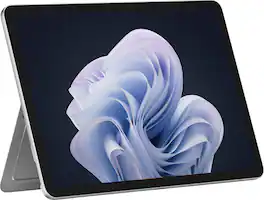
Microsoft - Surface Pro - 12" Touchscreen - Snapdragon X Plus (8 Core) - 8GB Memory - 256GB UFS - Device Only - Platinum
5.0(20)

Get the flexibility you want and the speed you need with Surface Pro 12-inch, the most versatile Surface. Use it as a tablet. Express yourself with touch, voice, and Surface Slim Pen [3]. Or click in Surface Pro 12-inch Keyboard for a full laptop experience [3]. And you can wear your style on your laptop with a choice of colors and finishes. When you have all this, plus advanced AI capabilities in one ultra-thin and light device, the power to go beyond what you thought possible is yours.
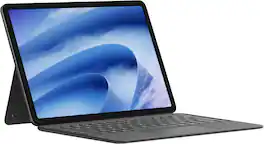
Microsoft - Surface Pro - 12" Touchscreen - Snapdragon X2 Plus (6 Core) - 16GB Memory - 512GB UFS - Device Only - Black

Big ideas start on the go, and Surface Pro 12-Inch is built for them. Compact and lightweight at 1.5 pounds, it gives you the flexibility of a tablet with the capability of a full Windows laptop so you can sketch, create, stream, and get serious work done from virtually anywhere. And stay productive longer with responsive performance and up to 15.5 hours of battery life that keeps up from morning to night. [2]

Pros for Microsoft - Surface Pro - 12" Touchscreen - Snapdragon X2 Plus (6 Core) - 16GB Memory - 256GB UFS - Device Only - Violet
There were no pros for this product—Battery Life, Processor Speed, Overall Performance, Portability, DesignBattery Life, Processor Speed, Build Quality, Kickstand DesignThere were no pros for this product—
Cons for Microsoft - Surface Pro - 12" Touchscreen - Snapdragon X2 Plus (6 Core) - 16GB Memory - 256GB UFS - Device Only - Violet
There were no cons for this product—Port Selection, Included AccessoriesThere were no cons for this product—There were no cons for this product—

Specs

Questions & Answers

No content

Customers often buy these together

Sponsored