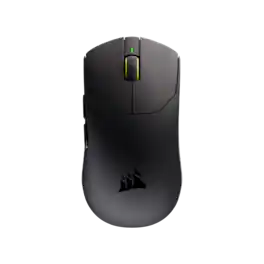
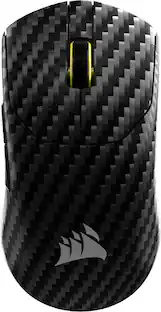
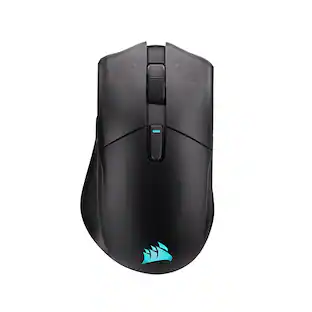
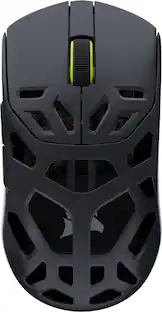
CORSAIR - SABRE v3 PRO PureVector ULTRALIGHT 37g Gaming Mouse with Personalized Directional Sensitivity - Wireless - Black
About this product
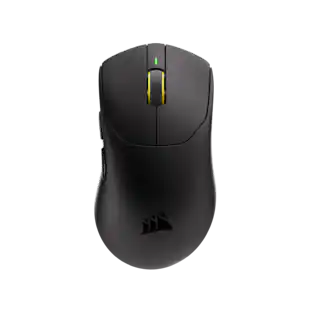
Everyone aims differently, and SABRE v3 PRO's PureVector, a CORSAIR and Aimlabs collaboration, is built for that, improving your Aim Speed by up to 81ms, 33% faster. It measures your movement and personalizes your directional sensitivity calibration, then saves straight to firmware so it works anywhere, no background app required. At just 37g, it delivers control with true wireless 8,000Hz hyper-polling at 0.25ms average click latency, 5% faster than competitors, powered by a 54-series MCU, near-zero lag optical switches, a 42,000 DPI MARKSMAN X sensor, and up to 140-hour battery life, with grip tape and skates. The Future of Aiming.
Color:
BlackFeatures
Directional sensitivity calibration
Up to 81ms faster Aim Speed, 33% faster, so where you aim is where you land. PureVector, a CORSAIR and Aimlabs collaboration, measures your movement and personalizes your sensitivity. Once calibrated in the Aimlabs app, it saves to firmware, no background app needed.
Ultralight 37g design
Built from the ground up for elite FPS players, the 37g symmetric design delivers agility and control for claw, palm, or fingertip grips, through rapid flicks, sweeping 180s, and high-precision aim.
True wireless 8,000Hz hyper-polling
True wireless 8,000Hz hyper-polling delivers 0.25ms average click latency, 5% faster than the competition, powered by a 54-series MCU. Works wired or wireless, every time.
MARKSMAN X precision
The MARKSMAN X sensor delivers true 42,000 DPI tracking, 800 IPS speed, and 70G acceleration. Stay locked on target in fast-paced, high-pressure scenarios.
Near-zero lag optical switch & scroll wheel encoder
CORSAIR-tuned optical switches and scroll wheel encoder deliver near-zero lag actuation with no pre-travel and no mechanical debounce, switches rated for 100 million clicks. Every click. Every scroll. Registered.
Up to 140-hour wireless battery
Get up to 140 hours of gaming on a single charge, which is enough to power through long play sessions without a recharge.*
Custom grip and glide
Optimize your weapon of choice for your personal preferences with the included grip tape and replacement mouse skates for your ideal glide, traction, and grip feel.
Customizable via CORSAIR Web Hub
Customize DPI, macros, and button mappings directly in your browser via CORSAIR Web Hub, no software installation required.
Specifications
- Lighting TypeNoneNumber of Buttons (Total)6Connection TypeWireless
Reviews
Rating 4.7 out of 5 stars with 27 reviews
4.7Customer Images
The vast majority of our reviews come from verified purchases. Reviews from customers may include My Best Buy members, employees, and Tech Insider Network members (as tagged). Select reviewers may receive discounted products, promotional considerations or entries into drawings for honest, helpful reviews.

- Rated 5 out of 5 stars
The Reigning Featherweight Champ
Gaming mice have become a lucrative segment for the gaming brands. It seems there are hundreds of options out there running the gamut from dollar store bargain brands to exotic, RGB-infused devices with more buttons and ergonomic decisions to make than there are options on an American pickup truck. I find most gaming mice fairly tacky with little to gain over a tried-and-true, inexpensive one I had been using for many years, but the Corsair Sabre v3 Pro Ultralight Wireless was the first one I’d picked up in a long time that felt like it nailed the brief. This is the one to get if you find frills get in the way of the assignment: perfect aim, no mistakes. - Unboxing and Setup Corsair packaged the Sabre v3 Pro with just the right amount of premium flair, and did so with recyclable materials that minimize one-time-use plastics. Further reducing unnecessary materials and waste, a QR code links to the instruction manual on Corsair’s website. Included in the box are the mouse, its USB-C receiver and braided USB-A to USB-C cable, side and top rubber grips in both black and white varieties, a set of larger mouse gliders, and an alcohol pad alongside the usual health, safety, and warranty information. Setup is as simple as can be: plug the mouse directly into your PC via a USB cable to use it wired, or plug the dongle in and turn on the mouse via the power switch on the bottom. The Sabre was immediately recognized by Windows 11 and did not need specific drivers to support. It’s as plug-and-play as it gets in 2026! - Desktop Use Right off the bat, the Sabre v3 surprises with such low friction that I had to adjust how I use a mouse. After 20-plus years of using mice that weigh at least twice as much as the Corsair, I thought I wouldn’t be able to adjust to something that glides so freely to the point it felt like I would always overshoot my target. After just a few moments to adjust, however, I found myself in awe at how natural and effortless it feels to point with this mouse. The fairly standard button selection and layout makes the Sabre feel less like a gaming mouse than some of its maximalist brethren may. The main click buttons are large and easy to actuate, the clickable scroll wheel is wonderfully notchy with just the right amount of resistance to each step, and two customizable thumb function buttons on the left side (sorry left-handed gamers, this is a right-hand-only mouse) give the mouse the usual range of versatility. The plastic contours feel great under the hand, and the approximately 5-inch length feels just about perfect for the typical computer mouse. The lightness isn’t without its drawbacks for desktop use, though. Even after a few days adjusting to the Sabre I’m overestimating my grip and movement forces, and on the right surface a strong desk fan can blow the mouse around. DPI can be switched on-the-fly by assigning the thumb buttons via Corsair Web hub (more on that below), and being able to jump between values as low as 100dpi and as high as 6400 is great for switching between applications that demand different levels of precision. Low settings for precise photo editing work, higher settings for browsing the web, etc. - Gaming Use & Hardware Customization The drawbacks from using this as a desktop mouse disappear the moment you start a game. With my hand constantly on the mouse and both the polling rate and DPI cranked way up with low mouse sensitivity in-game, the Sabre feels incredible. Large and precise movements alike translate into motion with no perceivable input delay (though I’m far from an eSports professional, admittedly), and the featherlight weight carries so little inertia that in some moments the Sabre can feel like an extension of your wrist. It’s also trivially easy to move the mouse around with just your fingers. I never noticed just how much work my pinky finger is putting in until I was using it with so little resistance that it tenses up on me and I need to consider taking breaks more often (don’t get old, kids!). The normal size, contours, and smooth finish I mentioned earlier come into their own here by providing a neutral grip. Players with big or small hands, paw or claw style grips, three or four finger approach…the Sabre accommodates all with ease, and Corsair includes a range of peel-and-stick grips for customizing the outer surfaces if you want to change the feel. Besides the scroll wheel there are no rubber touchpoints on the mouse, and all surfaces are exactly alike in their finish. This is an easy mouse to physically customize. One of the neater features with the Sabre is a calibration setting “PureVector” that integrates with the free AimLabs software to more precisely adjust the Sabre’s DPI setting and general mouse aim to match your gaming habits. After successfully completing the calibration in the AimLabs software (accessible via the Corsair Web Hub), a DPI setting on the Sabre is replaced with an omni-directional sensitivity that is customized to your input habits as detected through several rounds of AimLabs training. After just ten minutes I had a profile saved that compensated for my leftward and downward movements being less sensitive than other directions (ironically, just about in line with my marksman experience). The custom profile feels more natural and should make tracking moving targets in FPS games a bit easier. All the Sabre’s settings and firmware updates are handled through the Corsair Web Hub, a web-based interface accessible through Chrome or Edge browsers that can communicate directly with the mouse without the need to download any dedicated driver or software. All settings are saved directly to the mouse as a single profile. - Connectivity & Battery The Sabre connects to your PC via either a wired USB-C connection, or wirelessly through a USB-C receiver shaped in a clip-on style (presumably for clipping to the edge of a mousepad). I usually prefer a USB-A style dongle rather than something that needs to be connected at both ends via an [included] USB cable. I did notice that once the mouse was being constantly used as input, it became more important to ensure a short distance between the receiver and the mouse. With the receiver on the opposite side of my desk, I would get ghost movements that kept the cursor (or my aim) moving for up to half a second after I stopped physically moving the mouse. I do admit this was with a modest amount of USB devices and dongles near the Sabre’s receiver, but in any case relocating the receiver nearer to my mousepad resolved all issues. Battery life has been better than I expected. 140 hours doesn’t feel like a long time, but in my week using the Sabre off and on (I’d estimate about 30 hours total of active use), Corsair Web Hub still reported a battery status of “High.” Not the most useful piece of information but I presume there’s a level between High and Low that would roughly correspond to each third, so I’ll take it still showing High as meeting Corsair’s estimates. As the Sabre’s so light, the battery is naturally very small and the recharge time over USB should be minimal. I wasn’t able to test this precisely. - Bottom Line The Corsair Sabre v3 Pro Ultralight Wireless is a wonderful option for gamers who want a high-spec, wireless gaming mouse with virtually nothing standing in the way of optimal performance. The incredibly high polling rate and DPI sensitivity are just the headline features of a highly customizable wireless mouse that more than gets the job done, and the PureVector aim calibration will no doubt make you a better shot. A slightly longer battery life and perhaps a profile switcher are the only things I’m left wanting for here, but these are nitpicks at best. The mouse certainly isn’t cheap with an MSRP of $179.99, but if you’re demanding the best with minimum weight, there aren’t many options out there that would serve you better. Recommended!
Posted by Turbolence
- Rated 5 out of 5 stars
Super light & responsive. Awesome for FPS
__________ *Pros: -Amazingly lightweight (37 grams). -Comfortable grip. -Very accurate and sensitive optical sensor (42,000 DPI Marksman X sensor). -Up to 8,000Hz polling rate. -Accurate and precise scroll wheel ratcheting mechanism. -Corsair Web Hub is responsive and easy to use. -Mouse tracking sensitivity profile is directly saved onto the mouse – no background app required. -Comes with grip tape and replacement skates for personalization. -Excellent battery life – up to 140 hours at 1K Hz polling rate or 25 hours at 8K -Aimlab PureVector customization is neat. __________ *Neutral: -The left and right click sounds are a bit loud for my personal preference. -No dedicated DPI change button. __________ *Cons: -No on-mouse USB receiver storage *** Design, Build Quality, and Features *** This was my first time trying an ultralight gaming mouse from Corsair, and I was impressed by many of its features and characteristics. The first thing that immediately stood out and grabbed my attention was how super light the mouse felt in my hands – it feels as light as holding just a few pages of regular printer paper. The entire mouse is made of dense but smooth-feeling plastic, and if your hands are dry, then it might feel a little bit slippery. In order to increase your physical connection to the mouse, you can use the included grip tape to improve tactile feel and handling. My hands often get sweaty during extended and intense gameplay, so I didn’t need to use the tapes and used the Sabre as-is. As expected from a mouse from this price point and gamer-centric design, all the buttons and switches are ultra responsive and provide satisfactory click and scroll sensations that feel precise and accurate. The only auditory aspect of the Sabre v3 Pro that initially kind of slightly bothered me was the loudness of the left and right mouse clicks, which was slightly louder than the Razer Orochi gaming mouse I came from. I got used to it after a while like we humans are good at doing, but it was something I noticed initially and not a big deal. If you play with headphones often like I do, then it won’t be an issue at all. The scroll wheel is superb, with its predictable and tactile feedback with every gentle push up or downward pull with a satisfying ratcheting sound effect, and it didn’t feel overly stiff. The scroll wheel button offered a balanced feeling that didn’t suffer from mushiness or heavy pre-travel. The side buttons are very responsive and clickity, and they also did not suffer from mushiness or a high travel distance. Besides being super light, the Sabre v3 Pro has many other positive things going for it, such as the 8,000Hz polling rate with improved battery life (up from ~16 hours to ~25 hours), the 42,000 DPI Marksman X optical sensor that eliminates lift-off disruption, leads to better crosshair stability in shooting games, and practically gets rid of micro-stutters even on high refresh rate monitors and TVs. I paired the Sabre v3 Pro to my Acer Predator Helios 18 gaming laptop with an RTX 4090 and a 250Hz screen, and I experienced no performance issues. My only gripes with the Sabre v3 Pro is that there is no dedicated DPI switch button – you have to use either the Corsair Web Hub browser interface or mouse button shortcuts (press and hold right mouse button and back button for 3 seconds) – and there is no on-mouse storage for the USB receiver/dongle. I understand that taking out those features made the Sabre v3 Pro even lighter but they sure are convenient features to have. *** Aimlab PureVector *** Corsair’s partnership with Aimlab has created a customization option called PureVector and it’s pretty nifty. You download and install Aimlab from Steam and launch it to begin the PureVector omnidirectional sensitivity training routine. You report to the app any issues you experience while playing a game such as overshooting the target, unable to turn fast enough, or running out of mousepad space. If those things don’t apply to you, then you can click on Not Sure and go on to the next section which asks you about your mouse grip style (I chose fingertip grip). After a few more questions, PureVector launches the calibration routine where you aim your gun to shoot at targets for five rounds of one minute each. After the session is over, it gives a personalized report describing your mouse behavior – it said I tended to underflick targets when aiming horizontally by 5%. It then makes omnidirectional sensitivity adjustments tailed to your personal movements and saves that information directly onto the Sabre, where that customized setting will be applied to games I play. *** Performance *** I played my usual suite of games before and after I went through the PureVector calibration, and I did notice a tangible improvement in my aim and speed. The improvement was more noticeable in shooters, such as Cyberpunk 2077, Counter Strike, and Far Cry 6, and not so much in more relaxed games like Assassin’s Creed Shadows, Resident Evil Requiem, and Crimson Desert. The custom calibration plus the lightness of the Sabre plus the responsiveness of the buttons really elevated my gaming experience to the next level. Now I know why this type of mouse exists and why they’re often coveted despite the relatively high cost of entry. *** Is it worth the coin? *** Yes. The Sabre v3 Pro is not just great for pro gamers but for anyone who allocates a significant amount of their time playing video games, especially fast-paced FPS shooters, hectic arena shooters (e.g., Apex Legends, Overwatch), battle royales (e.g., Fortnite, PUBG), and click-intensive RTS games (e.g., Starcraft, League of Legends). It’s super lightweight, all the buttons are clickity and responsive, the PureVector personalization truly makes a difference, and the battery life is great. It’s a great package.
Posted by optimummind
- Rated 5 out of 5 stars
Great feeling gaming mouse
I'm no pro gamer. I like to game. A lot. But I'm not a great competitive gamer at all. A mouse is a tool for me to get work done, but this mouse has made me think about what I can improve when I AM playing some competitive games. I'm starting to "get" it. Setup is super easy. Plug in the receiver or plug the mouse straight into your USB. Both work great and the mouse switches from wired to wireless mode pretty seamlessly. For configuration, this mouse uses Corsair's new web-based configuration and I'm a big fan. Settings live on the device so you don't need any software actually installed on your system. A web interface connects to and adjusts your mouse's settings for you and then it's just gone and you don't have to worry about bloating your system with software from every one of your devices. The only problem with it is that the web app needs a feature called WebHID which isn't supported in Safari and Firefox (the two browsers I use the most) so you'll need to swap over to something like Chrome or Edge for a moment when you need to setup your mouse. One setting I'm trying out and I really could use is "Ripple Control" which is supposed to reduce tiny cursor jitters at higher DPIs. I tend to notice a lot more jitter with this style of mouse when I click than any other style so it's a welcome feature if it can help at all with that. The mouse feels pretty good in your hand and gives you a lot of options for tailoring the feel more to your needs. Included is two different colored grip pads and an extra set of larger skates for the bottom of the mouse to get the grip and slide to be exactly what you're looking for. If you like a light weight, this one was made for you. It feels very light in the hand but also doesn't feel cheap or fragile. It still has a very solid feel without being heavy. Buttons and the scroll wheel have been improved (optical switches and scroll wheel encoder) that are supposed to give you near-zero-lag actuation and they claim are rated for 100 million clicks. I wasn't able to reach this number yet but I can say that the switches and the mouse wheel both feel very good to use. The scroll wheel has no extra travel so if you like a stiff wheel that doesn't unintentionally click for you every once and a while, you'll probably enjoy this one. Battery life is supposed to be 140 hours when using the 1000hz polling rate (25 hours if you crank it up to 8000hz). I can say that with the reported battery life and aggressive default sleep times (the mouse goes into a lower power state after 3 minutes of inactivity by default. You can customize the time, though), I'm willing to believe them. After almost a full week of normal use (I use my computer a lot), the battery life hasn't budged. Perfect for me because I always forget to plug in my mouse so as long as I remember once every couple weeks, I should be in good shape. Connection to the receiver has been good. I haven't noticed any oddities while wireless. It's pretty neat. This is the first receiver I've seen for a mouse that has a clip on it so you can clip the receiver to your clothes and make sure it's a perfect distance from your mouse for the best connection. I really wish other things did stuff like that. I know a few headphones I wouldn't mind seeing a feature like that added to. PureVector calibration is actually really cool. Again. I'm not a pro gamer. I'm not a super competitive gamer. But I wanted to test it out and had to actually download Aimlabs for the first time just to check it out. It's a free app/game on Steam, so no worries there. You do need to create an account with them but you can use your Steam login to make the accounts. The calibration process asks you a few questions. Most of them you can answer "I don't know" if you're not sure but it's basic stuff about what you think might be wrong with your aim and how you hold your mouse. Then the calibration takes you through 5 one minute "aim and shoot the target" tasks. They're all the same and your results are reported after each task on what you're doing wrong (I overflick on the horizontal axis a lot, I guess). After the 5 rounds, a customized DPI calibration is sent to your mouse and your mouse is locked to that DPI. The custom DPI is supposed to take into account the deficiencies it picked up while doing the calibration tests to bring your aim closer to "perfect". I found it really cool and intend on using it more as I play different games to refine and see how I improve. Overall, on the surface this looks like a pretty basic mouse. It does not have a very basic pricetag, though. If you're a competitive gamer, this is probably a no brainer mouse for you. It's built well and has a lot of features under the hood that only someone looking for that single millisecond improvement in some obscure benchmark will notice. The PureVector calibration alone might make it worth the price. If you're not a crazy competitive gamer, you might still enjoy the feel of this mouse and like to use the extra gamer features as an excuse to improve in some games you do enjoy playing. Either way, this is a gamer mouse. If it's in your budget, it's worth giving a look.
Posted by swemoney
- Rated 5 out of 5 stars
Light Weight, PureVector is Very Interesting
This style of mouse I have found tends to be my favorite type of mouse. It’s simplistic in it’s design. Two side buttons, your typical left and right click, and a scroll wheel which is also a button. The design, as mentioned, is simple. It’s very light weight, very little effort or resistance to move, seemingly only affected by the weight of my hand. The two side buttons, commonly referred to as forward and back, end up right underneath my thumb, making it very easy to press one or the other. All the buttons have a very satisfying click, although I feel like the forward and back buttons are a little stiff. Some may find this to be advantageous as to prevent accidently pressing when you didn’t mean to. I like the matt black look with the yellow accent. Just two simple arch glides on the bottom, however, if you think you’d benefit from something larger, Corsair included a larger glide in the box. I’m going to use mine as spares in the event I need to swap them out later. Also included are two sets of grips, one in black and the other white, that can be placed on the sides or left and right click buttons. They’re soft rubber with adhesive backing and they come with an alcohol wipe for application. Along with the accessories is Corsair’s braided cable for attaching the wireless receiver to the PC or charging the mouse. The wireless adapter has a USB C female plug and a clip. This is probably the most confusing part of this mouse as I’m not sure if I have any kind of use for a shirt clip on my wireless adapter. I’m also not a huge fan of wireless adapters that do not directly connect into a PC. As a laptop gamer, I do not want any cables besides the power adapter coming from my machine. You can also use PureVector tuning to adjust for a DPI setting that is more aligned with how you move the mouse and your aiming. Using Aim Labs, which can be downloaded for free in Steam, you can access the PureVector calibration tool which will have you to go through a series of aiming and clicking. Each session is about a minute long and it uses 5 sessions for the initial calibration. You can further refine this if you’d like, but the overall intent is to measure how you aim and set a DPI setting that allows you to be more accurate on getting on target and moving from one target to the next. The calibration is loaded straight into firmware so you don’t have to launch any software to apply the settings. I don’t think this is a gimmick at all. I did notice small improvements after each adjustment. I usually play long range on BF6 and it did seem like I was on targets a bit easier and leading a bit better than I had previously. This was perfect timing because the new Area 51 map is huge so plenty of opportunities to apply the calibration. The Corsair Web hub offers a way to adjust your device settings without having to install software. So far I have a few devices where I’ve utilized this and it’s been working great. On a gaming PC or Laptop you typically want to allocate resources to the game you’re playing so having stand alone software running in the background you don’t really need consumes RAM and CPU bandwidth that can be used for gaming. If you need to make an adjustment, just launch a browser, make the adjustment and close it out and back to what you were doing. With that, here’s a quick summary of what you can do with the Web Hub. I always recommend checking for firmware updates for stability and improvements. You can reassign a mouse button to be a certain keyboard key, combination of keys, cycle DPI settings, or control media. Also adjust polling, how long before going into low power state, lift height, as well as other features to help with mouse accuracy such as angle snapping, motion sync, and ripple control. You can check you’re mouse battery life here as well, which if using the default polling rate of 1,000, is supposed to net you 140 hours. That’s over 5 days of continuous use. Just a few nice to haves that this mouse is missing. My biggest gripe is, if you’re going to create a dongle that doesn’t directly plug into the PC, at least have bluetooth so I can pick up and go. I’d almost rather see this labeled as for “designed for desktop” if I have to connect a cable to use the adapter, to use the mouse. I would have also liked to have seen a dedicated DPI button. You can switch without assigning a button by holding the “back” button and right mouse click, but not something you’d want to do in a game. If using a sniper you may want one DPI and going to close range SMG, you may want something different, just nice to be able to quickly switch. As a gaming mouse, especially if you play competitive multiplayer games, I think you’ll be very happy with this. Being light weight reduces fatigue, increases accuracy as it’s less likely to be affected by friction, and PureVector calibration provides an analytical and statistical approach to DPI recommendation that may improve how you perform in games.
Posted by TravisJ
- Rated 5 out of 5 stars
My idea of a perfect gaming mouse
This is so light weight and so precise it really showed me how much I need to improve as a gamer. Though as I adapted to a much better mouse is, it has improved my aiming. I think the hardest part of using of trying to review this mouse is that I want to play games with it and not dig through the settings to see everything it is capable of. I think a few things worth mentioning on the setup side is the fact that I don’t have to install anything, it is a web app, which is absolutely amazing. You go to https://www.corsair.com/web-hub/index.html and allow your device and you are good to go for changing settings and updating firmware. I don’t really use the forward and back buttons on the mouse as forward and back buttons ever so being able to easily remap them to DPI switcher and sniper was perfect for me. The DPI switcher is nice as I will change between gaming on dual 27” monitors, a 49” inch ultra wide, and my 13” gaming tablet PC. So being able to cycle through the DPI settings depening on my setup is nice. The cord is definitely designed for more of a Computer setup and not really one that is on the move all the time. I have a little six inch USB C to USB C cable that works great and I just switch the dongle to the big cord when I’m at the desktop. The hook on the back is really nice for hooking inside my backpack so that I know exactly where it’s at and I don’t have to go digging for it. The mouse it’s self is a little too smooth for my liking so I utilized the included grip tape (there is black and white but I chose black for myself), this made a giant difference for me, I don’t think I’ve ever used grip tape on my mouse before and I am a fan. I think this mouse far exceeds my gaming ability but I don’t want to let my oldest use it that could probably utilize it much better than myself but I absolutely love the responsiveness. The last feature that I think is worth a call out is the physical switch on the bottom, not a button you have to hold down for 3 seconds but a switch that is very clearly off and on. Pros: Easily remap buttons Light Extremely responsive Multiple grip tapes included Dongle has a USB C inlet that allows you to chose your cord Physical power switch Web app for configuration Battery Life Back up wired via USB C cord. Cons: No Bluetooth? Pretty much if you want an amazing gaming mouse I would absolutely recommend this, I don’t really have any cons for this, there is no Bluetooth to say your non-gaming computer but also, that would make it slightly heavier and more complicated and this is meant to be an awesome gaming mouse, so I’m not sure I even really want that. What I really want is another dongle so that I can just leave one on my desktop.
Posted by Benb
Featured products
SponsoredCompare similar products

Everyone aims differently, and SABRE v3 PRO's PureVector, a CORSAIR and Aimlabs collaboration, is built for that, improving your Aim Speed by up to 81ms, 33% faster. It measures your movement and personalizes your directional sensitivity calibration, then saves straight to firmware so it works anywhere, no background app required. At just 37g, it delivers control with true wireless 8,000Hz hyper-polling at 0.25ms average click latency, 5% faster than competitors, powered by a 54-series MCU, near-zero lag optical switches, a 42,000 DPI MARKSMAN X sensor, and up to 140-hour battery life, with grip tape and skates. The Future of Aiming.
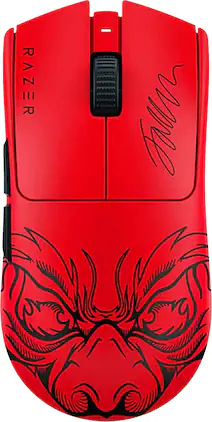
The GOAT of wireless esports mice returns to reshape the competitive scene. Featuring an ultra-lightweight design and best-in-class technologies, the Razer Viper V3 Pro is the undisputed choice for peak performance and handling - the perfect weapon designed with and trusted by pros.
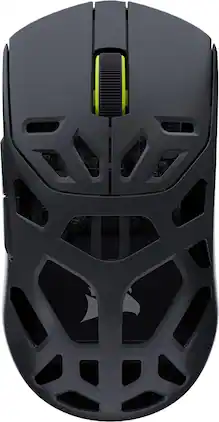
Get pro-level performance with the CORSAIR SABRE v2 PRO Wireless MG Gaming Mouse. Purpose-built for elite FPS players who expect exceptional precision but also want the cooling benefits and strength of a magnesium alloy shell. With its 8,000Hz hyper-polling and CORSAIR MARKSMAN S 33,000 DPI sensor, SABRE v2 PRO delivers latency-defying responsiveness and pixel-perfect control. The light weight, symmetrical shape, and up to 120 hours of 2.4GHz wireless freedom provide comfort and endurance to grind through competitive sessions. Customize it with the included additional grip tape, replacement skates, and lightweight, web-based CORSAIR Web Hub. Built Beyond.
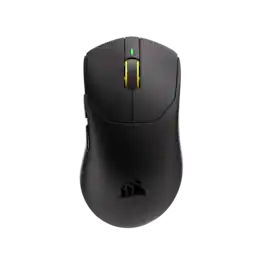
Everyone aims differently, and SABRE v3 PRO's PureVector, a CORSAIR and Aimlabs collaboration, is built for that, improving your Aim Speed by up to 81ms, 33% faster. It measures your movement and personalizes your directional sensitivity calibration, then saves straight to firmware so it works anywhere, no background app required. Sculpted at 41g for total control, with true wireless 8,000Hz hyper-polling at 0.25ms average click latency, 5% faster than competitors, powered by a 54-series MCU, near-zero lag optical switches, a 42,000 DPI MARKSMAN X sensor, and up to 140-hour battery life, plus grip tape and skates. The Future of Aiming.
Specs
Be the first to ask a question.
We’ll try to get your question answered within 24 hours by a Best Buy customer or brand representative.
Customers often buy these together
Computer Keyboards
Mouse Pads
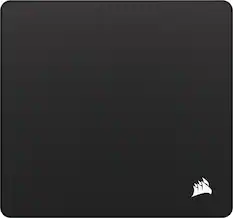
CORSAIR - MM PRO Control Esports-Tuned Cloth Mouse Pad - Large - Black
Reviews coming soon
$49.99$4999
More recommended items
PC Gaming Headsets
Gaming Headsets
More to consider
CORSAIR SABRE v3 PRO PureVector ULTRALIGHT ERGO 41g Gaming Mouse with Personalized Directional Sensitivity
Reviews coming soon
$179.99$17999CORSAIR SABRE v2 PRO Wireless FPS CF Gaming Mouse
$149.99$14999The price was $199.99CORSAIR SABRE v2 PRO Wireless FPS MG Gaming Mouse
$99.99$9999The price was $149.99ASUS ROG Harpe II Ace Ultralight Optical Gaming Mouse with ROG SpeedNova Wireless Technology
Reviews coming soon
$169.99$16999
Explore tech essentials Sponsored
CORSAIR SABRE v2 PRO Wireless FPS MG Gaming Mouse
$99.99$9999The price was $149.99
Discover related products
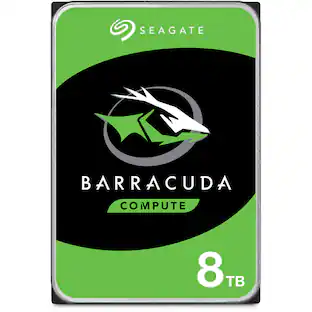
Seagate BarraCuda 8TB SATA III 6 Gb/s 3.5" Internal HDD
$249.99$24999The price was $296.99Ergotron DS100 Series 33-324-200 Quad-Monitor Desk Stand - Steel
Reviews coming soon
$524.00$52400The price was $557.24Seagate BarraCuda 4TB SATA III 6 Gb/s 3.5" Internal HDD
$169.99$16999The price was $179.99Acer PM161Q 15.6" Portable Monitor Full HD 1920x1080 IPS USB-C HDMI Refurbished
Reviews coming soon
$45.30$4530The price was $48.99Apple Pencil (2nd Generation)
$125.00$12500The price was $150.49
Keep exploring
Kensington Orbit Trackball with Scroll Ring, Wired USB-A, 40mm Ball, Detachable Wrist Rest - K75327WW
Reviews coming soon
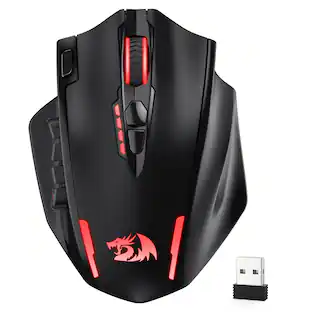
$36.99$3699REDRAGON M913 Wireless RGB MMO Gaming Mouse 16000 DPI Remapping Keys
$46.99$4699The price was $65.79Kensington Orbit Wireless Trackball with Scroll Ring - Optical - Wireless - Bluetooth/Radio Frequency - 2.40 GHz
Reviews coming soon
$49.99$4999The price was $69.84Logitech M750 L Mouse - Optical, Wireless, Bluetooth, 2000 dpi, 6 Buttons
$50.99$5099The price was $57.49


![Sure, here is the corrected and grouped text from the image:
**Top Row:**
- ESC
- F1
- F2
- F3
- F4
- F5
- F6
- F7
- F8
- F9
- F10
- F11
- F12
- PRTSC
- DEL
**Number Row:**
- 1
- 2
- 3
- 4
- 5
- 6
- 7
- 8
- 9
- 0
- -
- =
- \
**Letter Row:**
- TAB
- Q
- W
- E
- R
- T
- Y
- U
- I
- O
- P
- [
- ]
- \
**Letter Row:**
- CAPS
- A
- S
- D
- F
- G
- H
- J
- K
- L
- ;
- '
**Letter Row:**
- SHIFT
- Z
- X
- C
- V
- B
- N
- M
- ,
- .
- /
**Function Row:**
-](https://pisces.bbystatic.com/image2/BestBuy_US/images/products/9be10b95-8e90-4a5d-b85f-cbc6a7d8e8df.png;maxHeight=232;maxWidth=233?format=webp)

![ESC 1! 2@ 3# 4$ 5% 6^ 7& 8* 9( 0) - = + TAB Q W E R T Y U I O P [ ] \ CAPS A S D F G H J K L ;: ' ENTER SHIFT Z X C V B N M , < . > /? SHIFT CTRL ALT FN ALT CTRL](https://pisces.bbystatic.com/image2/BestBuy_US/images/products/fb45d967-e3b2-4557-bdfd-81cebccad467.jpg;maxHeight=232;maxWidth=233?format=webp)


![Esc A S D F G H J K L Z X C V B N M < > ? 1 2 3 4 5 6 7 8 9 0 - = Ins Home PgUp Q W E R T Y U I O P [ ] \ Del End PgDn CAPS A S D F G H J K L : - Z X C V B N M < > ? J5ZU Ctrl Alt Fn Ctrl](https://pisces.bbystatic.com/image2/BestBuy_US/images/products/3b0d5b45-939a-4b4a-8a4f-2498193cd8c0.png;maxHeight=232;maxWidth=233?format=webp)