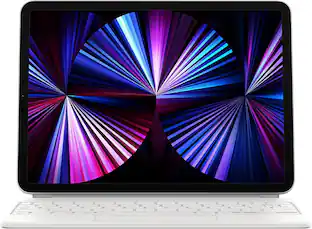
Apple - Magic Keyboard for iPad Air 11-inch (M4) - White
Customers are saying
Customers regard this product as an exceptional accessory, frequently praising its overall performance, portability, and sleek design. Users appreciate the premium typing experience and the convenience of its instant connectivity, while also noting that it offers robust protection for their devices. Although some customers have expressed concerns regarding the lack of a backlight and the added weight, the general consensus remains highly positive.
Color
WhiteFeatures
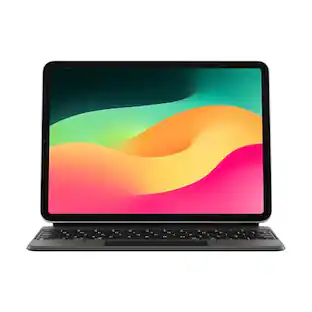
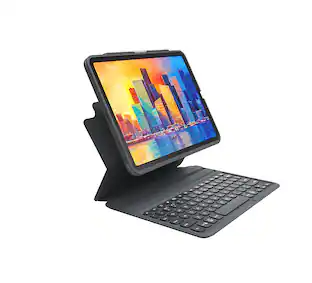
DESIGNED FOR COMFORT—Magic Keyboard for iPad Air attaches magnetically and features a two-cantilever hinge design for smooth, adjustable viewing angles; physical keycaps with a scissor mechanism; and a 14-key function row for comfort and versatility.
PROTECTIVE KEYBOARD AND CASE—Folds to provide front and back protection wherever you go and features a USB-C connector for pass-through charging.
Specifications
- Model CompatibilityApple iPad Air (M4) 11" 2026, Apple iPad Air (M3) 11" 2025, Apple iPad Air (M2) 11" 2024, Apple iPad Air (5th Generation) 10.9" 2022, Apple iPad Air (4th Generation) 10.9" 2020Operating System CompatibilityApple iPadOSInterface(s)USB
Reviews
Rating 4.7 out of 5 stars with 284 reviews
- Overall Performance (90)
- Portability (64)
- Design (21)
- Typing Comfort (18)
- Connectivity (15)
- Backlight (11)
- Weight (5)
- Compatibility (3)
Customer Images
The vast majority of our reviews come from verified purchases. Reviews from customers may include My Best Buy members, employees, and Tech Insider Network members (as tagged). Select reviewers may receive discounted products, promotional considerations or entries into drawings for honest, helpful reviews.

- Lenovo - Tab One - 8.7" HD Tablet - 4GB RAM - 64GB eMMC - Luna GreyBlack Friday Deal$89.99
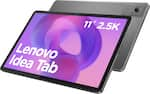
- Lenovo - Idea Tab - 11" 2.5K Tablet - 4GB RAM - 128GB UFS - Luna Grey$149.99The price was $269.99


Compare similar products

Magic Keyboard is the perfect companion for iPad Air. It delivers an amazing typing experience and a trackpad for precision tasks in a sleek, portable design. The keyboard includes a 14‑key function row, a USB‑C connector for pass‑through charging, and front and back protection for your iPad. The floating cantilever design smoothly adjusts to multiple viewing angles and a large glass trackpad expands how you can work with iPadOS.

Type comfortably and work on a large trackpad with Magic Keyboard Folio. Quickly adjust the volume or search for a file using the function key row. The versatile two-piece design has a detachable keyboard and a protective back panel with an adjustable stand for flexible viewing.

Magic Keyboard is an amazing companion for iPad Air 13-inch. It features an incredible typing experience, a trackpad that expands how you can work with iPadOS, a USB‑C connector for pass-through charging, and front and back protection. Magic Keyboard has a floating cantilever design, allowing you to attach iPad Air magnetically and to smoothly adjust it to the perfect viewing angle for you.

Magic Keyboard is an amazing companion for iPad Air 11-inch. It features an incredible typing experience, a trackpad that expands how you can work with iPadOS, a USB‑C connector for pass-through charging, and front and back protection. Magic Keyboard has a floating cantilever design, allowing you to attach iPad Air magnetically and to smoothly adjust it to the perfect viewing angle for you.
| Pros for Apple - Magic Keyboard for iPad Air 11-inch (M4) - White | |||
|---|---|---|---|
| Overall Performance, Design, Connectivity, Portability, Typing Comfort | Design, Connectivity, Ease of use, Keyboard Quality, Protection | Overall Performance | There were no pros for this product— |
| Cons for Apple - Magic Keyboard for iPad Air 11-inch (M4) - White | |||
| Compatibility, Backlight, Weight | Compatibility, Price, Color, Magnetic Attachment | There were no cons for this product— | There were no cons for this product— |
Specs
Customers often buy these together
Logitech Flip Folio Keyboard Case for iPad Pro 13-inch - Latest Model (M4 & M5), iPad Air 13-inch (M2, M3 & M4)
Black Friday Deal$119.99The price was $179.99ZAGG XTR6 Screen Protector with Blue Light Filter for Apple iPad Air 11" (M4/M3/M2)
$48.99The price was $69.99OtterBox Kids EasyClean Tablet Case with Screen Protector for Apple iPad mini (A17 Pro) and Apple iPad mini (6th generation 2021)
Clearance$44.99The price was $59.95Sony INZONE H9 Wireless Noise Cancelling Gaming Headset, Perfect for PS5, PS4, PC
$179.99The price was $329.99Elgato Stream Deck MK.2 Full-size Wired USB Keypad with 15 Customizable LCD keys and Interchangeable Faceplate
Black Friday Deal$119.99The price was $149.99Logitech MK540 Full-size Advanced Wireless Membrane Keyboard and Mouse Combo for PC
Black Friday Deal$39.99The price was $59.99Samsung 27" S39GD Series Curved FHD 100Hz Monitor with Built-in Speakers
Black Friday Deal$129.99The price was $199.99









Customers ultimately bought
Logitech Combo Touch Keyboard and Trackpad Case for Apple iPad - Latest Model A16 chip and iPad 10th Gen with Detachable Keyboard
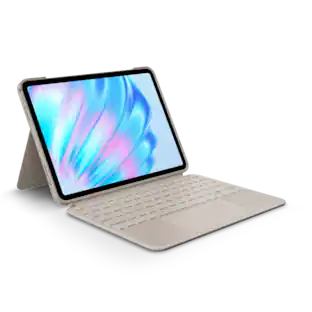
Black Friday Deal$112.33The price was $159.99Logitech Combo Touch iPad Air 11-inch - Latest Model (M2, M3 & M4), iPad Air (5th gen) Keyboard Case with Detachable Keyboard
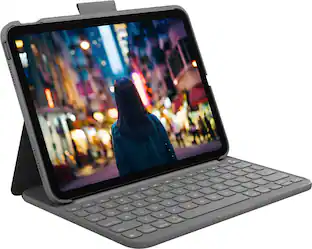
Black Friday Deal$159.99The price was $199.99Logitech Slim Folio Keyboard Case for Apple iPad - Latest Model A16 chip and iPad 10th Gen with Integrated Bluetooth Keyboard
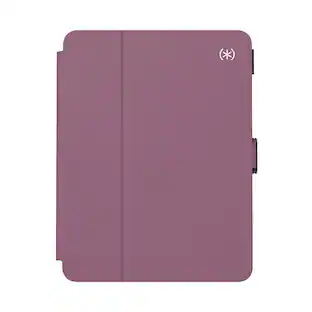
Black Friday Deal$76.99The price was $99.99Speck Balance Folio Case for Apple iPad Air 11"(latest M4/M3/M2), iPad Pro 11"(3rd/2nd/1st Gen) & iPad Air 10.9"(5th/4th Gen)
Black Friday Deal$25.00The price was $49.99Logitech Flip Folio Keyboard Case for iPad Pro 11-inch - Latest Model (M4 & M5), iPad Air 11-inch (M2, M3 & M4)(5th Gen)
Black Friday Deal$99.99The price was $159.99Logitech Combo Touch iPad Air 13-inch - Latest Model (M2, M3 & M4), iPad Air (5th gen) Keyboard Case with Detachable Keyboard
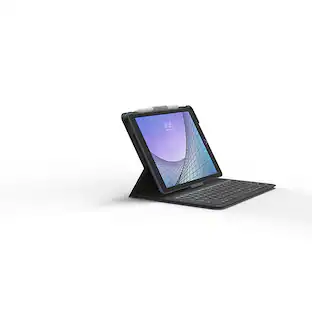
Black Friday Deal$179.99The price was $229.99ZAGG Messenger Folio 2 Keyboard & Case for Apple iPad 10.2" (Gen 9, 8, 7), iPad Pro 10.5" (Gen 2)
$41.99The price was $59.99








Explore tech essentials Sponsored
Logitech Combo Touch for iPad Pro 11-inch (Latest Model)(M4 & M5) Keyboard Case with Detachable Keyboard and Trackpad
Black Friday Deal$179.99The price was $229.99Logitech Combo Touch for iPad Pro 13-inch (Latest Model)(M4 & M5 chip) Keyboard Case with Detachable Keyboard and Trackpad
Black Friday Deal$199.99The price was $259.99Logitech Combo Touch iPad Air 11-inch - Latest Model (M2, M3 & M4), iPad Air (5th gen) Keyboard Case with Detachable Keyboard
Black Friday Deal$159.99The price was $199.99Logitech Combo Touch iPad Air 11-inch - Latest Model (M2, M3 & M4), iPad Air (5th gen) Keyboard Case with Detachable Keyboard
Black Friday Deal$159.99The price was $199.99Logitech Combo Touch Keyboard and Trackpad Case for Apple iPad - Latest Model A16 chip and iPad 10th Gen with Detachable Keyboard
Black Friday Deal$112.33The price was $159.99Logitech Combo Touch Keyboard and Trackpad Case for Apple iPad - Latest Model A16 chip and iPad 10th Gen with Detachable Keyboard
Black Friday Deal$99.99The price was $159.99Logitech Combo Touch iPad Air 13-inch - Latest Model (M2, M3 & M4), iPad Air (5th gen) Keyboard Case with Detachable Keyboard
Black Friday Deal$179.99The price was $229.99


Discover related products
Apple Geek Squad Certified Refurbished 10.2-Inch iPad with Wi-Fi - 256GB
$339.99The price was $479.99