Black Friday in JulyEnds Sunday. Limited quantities. No rainchecks.Shop now

Skip to contentGo to Product Search
Main Content

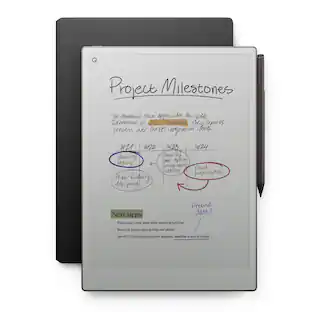
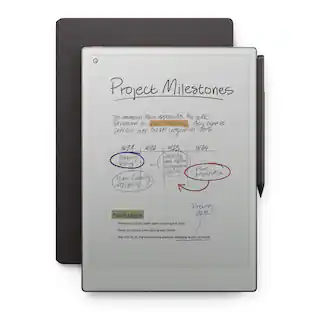
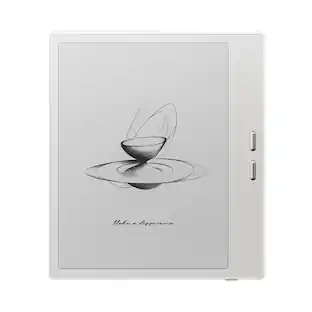
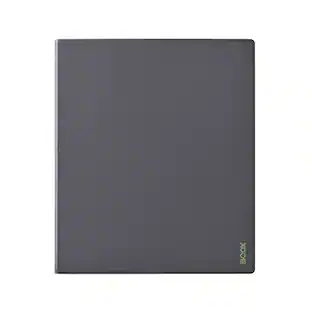
reMarkable - Paper Pro - 11.8" Paper Tablet with Marker Plus - Gray

Model: RM81C-1000NW
SKU: 6598707
Sold byBest Buy

Customers are saying

Customers enjoy the Paper Pro - 11.8" Paper Tablet with Marker Plus for its ease of use and near-paper writing experience. Many appreciate the battery life, screen size, note-taking capabilities, and adjustable backlight. Some find the product to be expensive, and a few have noted that PDF file support is limited.

Generated by AI based on customer reviews.
Features
  • An unprecedented paper-like writing experience

    With its incredible responsiveness and finely textured display surface, reMarkable Paper Pro offers an unprecedented paper-like writing experience in a digital notebook

  • Designed to help you focus

    Distraction-free by design. No notifications, pop-up ads, or social media. Just you and your thoughts, so you can find the focus to do your best work

  • All your notes, organized

    Stay on top of your paperwork. Keep all your handwritten notes, to-do lists, PDFs, ebooks, and sketches organized and in one safe place — easily accessible on multiple devices and platforms

  • Mobile and desktop note-taking

    Create, edit, and organize notes from your smartphone or laptop with the reMarkable apps. With a Connect subscription*, all your work is safely stored, up to date, and ready to use across your devices

  • Handwriting conversion

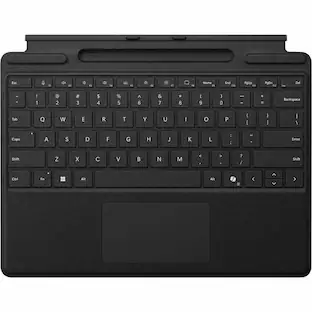
    Make handwritten notes easy to reuse by converting them into typed text. You can then refine or expand your converted drafts with the Type Folio keyboard cover (sold separately). Upload documents to cloud storage services, or send by email to share them instantly

  • Google Drive, Dropbox, and OneDrive integration

    Access popular cloud storage services right from your paper tablet to improve your workflow. Browse stored files, copy them to your paper tablet, and upload documents directly

  • Take notes directly on PDFs

    Read and review reports and presentations on an immersive and eye-friendly display, and write your thoughts directly onto the page. Signing PDFs and annotating documents has never been easier

  • Send content to your paper tablet

    Save any web page, Microsoft Word document, or PowerPoint presentation to your paper tablet for when you have time to focus and read in-depth. All it takes is a click with our Read on reMarkable extension

  • Share your screen live

    Stream your notes and ideas directly onto a bigger screen. Turn your paper tablet into the perfect digital whiteboard to write, draw, and demonstrate tricky concepts live in meetings

  • Read in comfort. Day or night

    Unlike most laptops and phones, reMarkable Paper Pro has a low-glare display that reflects natural light. A built-in adjustable reading light means you can keep working when the lights go out, too

  • Two weeks of battery life

    With up to two weeks of battery life and 90 days of standby time, reMarkable Paper Pro is always ready to come out of your bag and get to work

  • Marker Plus

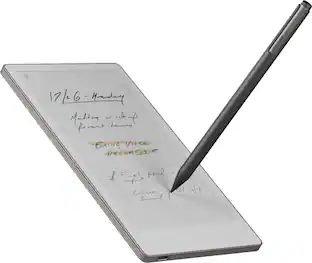
    Take notes, sketch, and annotate with a premium digital pen designed to deliver realistic friction and natural writing feel. Attaches magnetically to your paper tablet, and features a built-in eraser

  • What's included

    reMarkable Paper Pro - 11.8" paper tablet, Marker Plus, 6 spare Marker tips, USB-C cable

See all features
Specifications
  • Screen Size
    11.8 inches
    Screen Resolution
    2160 x 1620
    Active Area
    11.7
    Processor Model
    1.8 GHz quad-core Cortex-A53
    Total Storage Capacity
    64 gigabytes
    Operating System
    Linux
Sponsored

Reviews

Customers are sayingCustomers enjoy the Paper Pro - 11.8" Paper Tablet with Marker Plus for its ease of use and near-paper writing experience. Many appreciate the battery life, screen size, note-taking capabilities, and adjustable backlight. Some find the product to be expensive, and a few have noted that PDF file support is limited.
This summary was generated by AI based on customer reviews.
  • Ease of use (60)
  • Writing Experience (58)
  • Battery Life (38)
  • Overall Performance (35)
  • Screen Size (31)
  • Price (12)
  • PDF Support (3)

Customer Images

The vast majority of our reviews come from verified purchases. Reviews from customers may include My Best Buy members, employees, and Tech Insider Network members (as tagged). Select reviewers may receive discounted products, promotional considerations or entries into drawings for honest, helpful reviews.

  • Rated 5 out of 5 stars

    This is not a paid review, I am just a student

    This is perfect for my note taking! It is simple, straightforward, and integrates incredibly well with my various drives and school app reading services like onedrive and google docs. I installed remakable reader on my pc and tablet, so when i need to quickly send a document to and from my devices it is super fast like under 30 seconds. I tried the Boox tablet, and while my husband loved that one (i wound up goving itnto him) it was waaaay too busy for me and I kept getting distracted. There is no maze of screens to navigate to take or organize your notes which is the major selling point for me, besides the massive screen and paper-like feel of the writing experience. Cons: there is no calender that you van sitnon the front screen to stay on top of your to-do schedule. You can doenload calendar papers, but they sit in a file you have to find. I think widgets would make this already A+ experience even better! Get this tablet if you are a minimalist who simply wants to: write a note, organize that note, share that note easily with yourself and others. I have returned 3 ink tablets and this one I am keeping!

    Posted by CHEYENE

  • Rated 5 out of 5 stars

    Excellent product, but not for everyone.

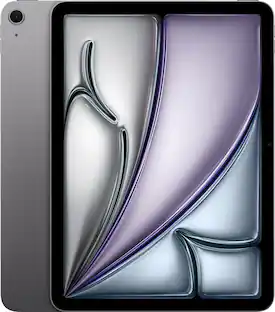
    Excellent product but not for everyone. I have experience with other e-ink devices like the Kindle Scribe and the Boox Go 10.3 but I wanted to see colors in the books and articles that I read so I opted to change to the Remarkable Paper Pro. If you are considering buying it, it will all depend on your preferences and workflow. Research as much as you can before deciding, you must have some specific features that you need from the Remarkable ecosystem to truly enjoy the product. The features that I use the most are the ability to extend the page to have more room to write and the desktop app to transfer large books, articles and pdfs. Personally I don’t use the backlight as much since I prefer natural light. Since you don’t have AppStore or PlayStore some people are not convinced with the high price. I think the quality of the tablet and the experience of writing and drawing is probably the best in the market. I’d say that you will still depend on your PC/laptop to transfer your documents so if you think this will replace your laptop this might not be for you. If you really need the apps just get an iPad and apple pencil with a matte screen. E-ink is still a growing field but it’s fun and maybe you should give it a try.

    Posted by Awesome

  • Rated 4 out of 5 stars

    A Planner Addict’s Dream!

    It may sound cliché, but with the right settings, the writing experience truly feels like pen or pencil on paper. Coming from a die-hard Apple fan, even my iPad Pro with a paper-like screen protector didn’t feel this realistic. While the iPad offers more options — fonts, colors, brighter lighting, and browsing — it also came with distractions that kept me procrastinating. Since purchasing the reMarkable Paper Pro, my productivity and ability to focus on the task at hand have improved significantly. The price is definitely steep, but as someone who used to buy notebooks and planners obsessively, it feels good knowing I have everything I need in one place. Etsy has also been a great resource for customization. It’s lightweight, easy to use, and easy to carry. I love it — 10/10.

    Posted by Ravonda

  • Rated 5 out of 5 stars

    Upgraded Paper!

    I really love this device. It brings back all the thinking patterns and benefits of writing something with your hands, and the e-ink display is way easy on the eyes, so it's been great for editing. Except, unlike paper, if your diagram needs to move, it can be selected and moved. Editing bulky documents is light weight work because they are digital. I have enjoyed it perfectly well as an ereader as well. I have used the sharing feature that allows me to project on a computer screen what I am drawing on the tablet. If you are looking for something like a kindle, this isn't your thing. It doesn't really connect to the internet in a traditional sense, and you can't shop a book store with it. It does the best with pdfs for me so far. But it does exactly what it is designed to do super well, replicate the experience of handwriting on paper, but with all the helpful upgrades of having things be digital (light weight, compiled in one place, moveable, editable, annotation, etc.). So! I love it, it's a game changer for someone who does a lot of editing like me. Also, sometimes, it is just nice to be able to make yourself a work book to keep track of things. I attached an image from the companion remarkable app on PC - so you can see the handwriting on a pdf for a work book - that then I can access easily on computer and move wherever I want.

    Posted by LeahL

  • Rated 5 out of 5 stars

    My Best Investment for Staying Organized

    The reMarkable has truly been one of the best investments I have made. I no longer need separate notebooks for work, personal notes, ideas, and a separate planner—everything is organized in one place, so I am much less likely to forget something important. I love how natural it feels to write on it. It honestly feels very similar to writing on paper, and I also enjoy using it for drawing and brainstorming. It is very easy to use, clean, and simple to keep organized. The battery life is also excellent and lasts a long time. It has helped me stay more productive, organized, and focused every day. I highly recommend it.

    Posted by MERIDAASSOCIATESS

Compare similar products

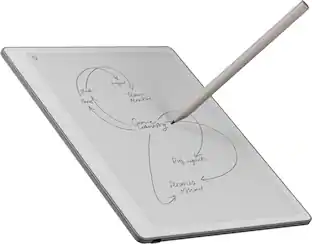
reMarkable - Paper Pro - 11.8" Paper Tablet with Marker Plus - Gray

Bring paper into your digital workflow with reMarkable Paper Pro. Ultraslim and portable, but with a full-size 11.8” color display, adjustable reading light, and an unmatched paper-like writing experience.

reMarkable - Paper Pro - 11.8" Paper Tablet with Marker Plus and Premium Leather Book Folio - Black

Bring paper into your digital workflow with reMarkable Paper Pro. Ultraslim and portable, but with a full-size 11.8” color display, adjustable reading light, and an unmatched paper-like writing experience.

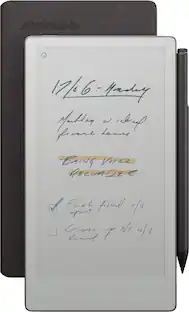
reMarkable - Paper Pro Move - 7.3" Paper Tablet with Marker Plus - Silver
4.5(92)

reMarkable Paper Pro Move: the paper tablet designed for work that happens anytime, anywhere, and with anyone. Be there in the moment while you capture your thoughts on the paper-like color display. With an ultraportable design and two weeks of battery life, it goes wherever work takes you.
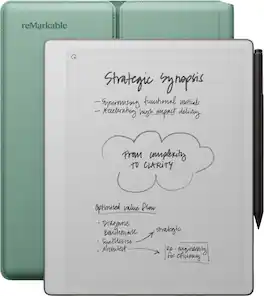
reMarkable - Paper Pure – 10.3” Paper Tablet Bundle with Marker Plus and Sleeve Folio - Mist Green

Close the gap between how you think and work with reMarkable Paper Pure. This paper tablet combines the proven benefits of handwriting with software that simplifies everyday work tasks, like getting your thoughts down on paper, reviewing documents, and staying focused in meetings. Write on a 10.3” display that feels like real paper, then refine your ideas with smart digital powers. It can even connect to cloud storage providers, productivity apps, and more, so work flows freely. And the battery lasts up to three weeks on a single charge, letting you focus on work without worrying about power.

Pros for reMarkable - Paper Pro - 11.8" Paper Tablet with Marker Plus - Gray
Ease of use, Writing Experience, Battery Life, Overall Performance, Screen SizeWriting Experience, Overall Performance, Ease of use, Battery Life, ColorWriting Experience, Overall Performance, Portability, Size, WeightThere were no pros for this product
Cons for reMarkable - Paper Pro - 11.8" Paper Tablet with Marker Plus - Gray
Price, PDF SupportBacklightBattery LifeThere were no cons for this product

Specs

Questions & Answers
  • How long does the battery last on the reMarkable Paper Pro?

    The reMarkable Paper Pro has a battery life of up to two weeks.

    This question and answer was generated by AI based on customer and product data.
  • What comes included with the reMarkable Paper Pro?

    The reMarkable Paper Pro bundle includes the 11.8" Paper Tablet, the Marker Plus, 6 spare Marker tips, and a Connect subscription trial.

    This question and answer was generated by AI based on customer and product data.
  • Does the Marker Plus require pairing with the reMarkable Paper Pro?

    No, the Marker Plus does not need to be paired. It attaches magnetically to the Paper Pro for ease of use.

    This question and answer was generated by AI based on customer and product data.
  • Does the reMarkable Paper Pro have a built-in reading light?

    Yes, the reMarkable Paper Pro has an adjustable reading light for comfortable reading in any lighting conditions.

    This question and answer was generated by AI based on customer and product data.
  • Can I convert my handwritten notes to text on the reMarkable Paper Pro?

    Yes, the reMarkable Paper Pro offers handwriting conversion, allowing you to transform your notes into typed text for easy sharing and editing.

    This question and answer was generated by AI based on customer and product data.
Ask a question
No content
Sponsored

Similar products from outside of Best Buy

sponsored
Ask BlueAI

Finance Options

My Best Buy® Credit Card
Choose a benefit:Or
Buy Now, Pay Later
Lease to own

Special Offers

Included with Purchase

Finance Options

My Best Buy® Credit Card
Choose a benefit:Or
Buy Now, Pay Later
Lease to own

Special Offers

Included with Purchase