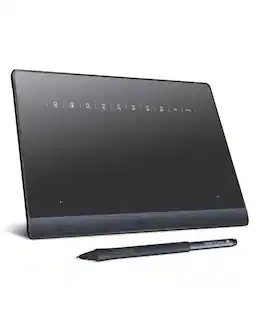
Wacom - Intuos Pro Medium Bluetooth Professional Graphic Drawing Tablet (2025) - Black
Customers are saying
Customers are impressed with the product's Overall Performance. Many users have noted that they can feel a significant difference when using it.
Wacom's Best Pen Technology
Pro Pen 3 offers amazing precision, 8192 pressure levels, tilt support & lag-free tracking for smooth, precise strokes; choose slim, straight or flared grip, adjust balance & button layout for precision and comfort.
Dial Into Productivity
Speed up and stay in the creative flow with 10 customizable tablet ExpressKeys & 2 mechanical dials conveniently located at the top of the tablet and close to your keyboard for efficiency.
Designed for Modern Monitors
With a versatile 16:9 format perfect for multiple monitors and wide displays; medium size has a large active area with a small footprint 11.4 x 8.1” / 291 x 206 mm.
Sleek and Sturdy
Measuring 4mm at its thinnest this professional-grade drawing tablet feels like pen-on-paper on your desk, combined with the robust durability of magnesium making it equally suited for your office or life on the go.
Wireless Freedom
Use Intuos Pro with USB or connect wirelessly via Bluetooth to multiple computers with a simple switch.
Included Software
Register your Intuos Pro and get access to software trials of Capture One, Clip Studio Paint EX and MASV file transfer service.
Whats in the Box
Intuos Pro tablet, USB C-to-A cable, Wacom Pro Pen 3, Flare/Straight grips, balance weight, button covers, pen stand, replacement nibs (5 standard, 3 felt, 2 rubber), nib removal tool, quick start guide & regulation sheet and USB A-to-C adapter.
System Requirements
USB-A port, Windows 10 or later/Mac OS 13 or later, Bluetooth for wireless connection to computer/s.
- Screen Size0 inchesActive Area10.4 x 5.8 inTotal Storage Capacity0 gigabytesWireless ConnectivityBluetoothBattery ChemistryLithium-ionPressure Levels8192
Reviews
Rating 4.6 out of 5 stars with 19 reviews
- Overall Performance (8)
The vast majority of our reviews come from verified purchases. Reviews from customers may include My Best Buy members, employees, and Tech Insider Network members (as tagged). Select reviewers may receive discounted products, promotional considerations or entries into drawings for honest, helpful reviews.
From the manufacturer
Compare similar products
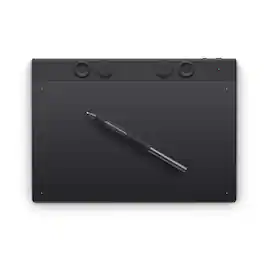
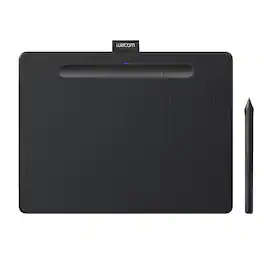
The Intuos Pro drawing tablet, Wacom’s flagship tablet, combines cutting-edge pen technology with unmatched precision, comfort, and versatility to help creators achieve the perfect harmony between work and flow. Designed with professional needs in mind, it’s the only Wacom graphic tablet featuring the customizable Pro Pen 3, which allows you to adjust the grip, weight, and button configuration for a personalized experience with Wacom’s most sensitive and accurate pen technology. This art tablet’s ergonomic layout includes intuitive Dials and ExpressKeys, located at the top of the tablet and easily accessible for both left- and right-handed users. At its thinnest, Intuos Pro is only 4mm, and is built with durable magnesium, it’s portable yet rugged, ideal for studio or on-the-go use. With three sizes to suit any style—whether for detailed editing or expressive art forms - Intuos Pro integrates seamlessly with creative software and supports Bluetooth connectivity. It’s also compatible with previous generation Wacom Pro Pens and EMR styluses from brands like LAMY and STAEDTLER
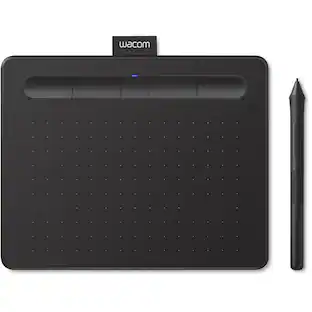
Transform your creative ideas into digital reality with Wacom Intuos drawing tablets. Perfect for casual or aspiring artists this compact graphics tablet delivers reliable Wacom-quality precision at an accessible price. The battery-free, pressure-sensitive pen provides natural, responsive drawing with no charging needed - just pick up and draw, with smooth, jitter-free lines and consistent pressure response. Get started immediately with over $240 in included downloadable creative software and trials, including 2 years of Clip Studio Paint Pro, 12 months of Boris FX Optics, and much more. The paper-like surface texture and four customizable ExpressKeys make digital art, photo editing, illustration, and design feel natural and efficient. Select models (CTL4100WL, CTL6100WL) offer Bluetooth wireless connectivity, letting you create freely at your desk, sofa, or anywhere in the room - with the option to switch to wired mode for ultimate flexibility. The wireless freedom is especially popular with educators and presenters who use the drawing tablet to control their computer while moving around a classroom or conference room. Certified to work with Chromebook and compatible with Windows and Mac, Wacom Intuos seamlessly integrates with Adobe, Corel, and all major creative applications. Backed by Wacom's 40+ years of industry leadership, you're choosing the same pen technology trusted by professional studios worldwide - at a creator-friendly price.
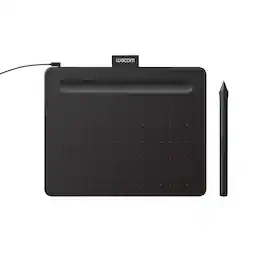
Transform your creative ideas into digital reality with Wacom Intuos drawing tablets. Perfect for casual or aspiring artists this compact graphics tablet delivers reliable Wacom-quality precision at an accessible price. The battery-free, pressure-sensitive pen provides natural, responsive drawing with no charging needed - just pick up and draw, with smooth, jitter-free lines and consistent pressure response. Get started immediately with over $240 in included downloadable creative software and trials, including 2 years of Clip Studio Paint Pro, 12 months of Boris FX Optics, and much more. The paper-like surface texture and four customizable ExpressKeys make digital art, photo editing, illustration, and design feel natural and efficient. Select models (CTL4100WL, CTL6100WL) offer Bluetooth wireless connectivity, letting you create freely at your desk, sofa, or anywhere in the room - with the option to switch to wired mode for ultimate flexibility. The wireless freedom is especially popular with educators and presenters who use the drawing tablet to control their computer while moving around a classroom or conference room. Certified to work with Chromebook and compatible with Windows and Mac, Wacom Intuos seamlessly integrates with Adobe, Corel, and all major creative applications. Backed by Wacom's 40+ years of industry leadership, you're choosing the same pen technology trusted by professional studios worldwide - at a creator-friendly price.
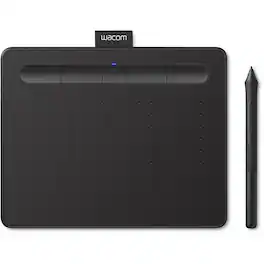
Wacom Intuos Wireless Pen Tablet. Wacom Intuos wireless pen tablet has been designed for those who are getting started drawing, painting or photo editing with their Mac, PC, Chromebook or select Android smartphones/tablets. Enjoy the convenience of wireless creating with built in Bluetooth or connect the graphics tablet directly to your computer with the included USB cable. Whether it’s the pressure-sensitive pen, the stylish design, the included software or online tutorials, Wacom Intuos is all you need to get creative digitally. Wacom Intuos can also be used to easily write, edit or convey ideas in education or remote work settings. This product works with devices capable of running the latest version of Chrome OS and has been certified to meet Google's compatibility standards. Google is not responsible for the operation of this product or its compliance with safety requirements. Chromebook, Android, and the Works With Chromebook badge are trademarks of Google LLC. KEY FEATURES:. Graphic drawing tablet with 4096 levels of pressure sensitivity – gives you control and precision when drawing, painting and photo-editing in nearly any software program. Compatibility: Mac (OS X 10.10 and above), PC (Windows 7 and above), Chromebook (devices running the latest Chrome OS), and Android smartphones/tablets (OS version 6.0 or later). This product is tested and certified as Works With Chromebook, which means it meets Google’s compatibility standards and is compatible with your Chromebook. Connect to your computer via Bluetooth or USB-A; some devices require USB-C or OTG adapters. Small compact size (7.8” x 6.3”) with large active area (6.0” x 3.7”), is perfect for limited desktop areas and can be set up for both left and right-handed use. Four customizable ExpressKeys that put your favorite shortcuts like undo or copy/paste at your fingertips when used with your Mac/PC. Creative Software: Register your Intuos on your Mac/PC to receive Clip Studio Paint Pro (2-years) and try out Corel Painter Essentials 8 and Corel AfterShot Pro 3 for 90 days; register with your Chromebook and receive Clip Studio Paint Pro (3-months). EdTech Software: Wacom Intuos comes with 3-month trials of EdTech software for teachers; register your tablet to receive: Kami App, Explain Everything, Pear Deck, Limnu and Collaboard.
| Pros for Wacom - Intuos Pro Medium Bluetooth Professional Graphic Drawing Tablet (2025) - Black | |||
|---|---|---|---|
| Overall Performance | Ease of use, Overall Performance, Size, Wireless, Pressure Sensitivity | Ease of use, Overall Performance, Size, Price, Software | There were no pros for this product— |
| Cons for Wacom - Intuos Pro Medium Bluetooth Professional Graphic Drawing Tablet (2025) - Black | |||
| There were no cons for this product— | Setup, Software, Compatibility, Lag, Learning Curve | Setup, Connectivity, Pen, Features | There were no cons for this product— |
Specs
Will the new Intuos Pro (2025) support Wacom Art Pen?
Answered by WacomYes, the Wacom Intuos Pro (2025) will work with the KP701 Art Pen. Note that the Art Pen will be limited to the 2048 levels of pressure that it can provide, as opposed to the higher pressure levels of the included pen. You will, of course, also get the benefit of rotation support when using the Art Pen.

What is the battery life of the Intuos Pro?
The Intuos Pro has a battery life of up to 16 hours.
This question and answer was generated by AI based on customer and product data.What software comes included with this tablet?
When you register your Intuos Pro, you gain access to trial versions of Capture One, Clip Studio Paint EX, and the MASV file transfer service.
This question and answer was generated by AI based on customer and product data.What is the maximum tilt angle supported by the stylus?
The stylus supports a maximum tilt angle of 60 degrees.
This question and answer was generated by AI based on customer and product data.What is the benefit of the Pro Pen 3?
The Pro Pen 3 offers exceptional precision with 8192 pressure levels, tilt support, and lag-free tracking, ensuring smooth and accurate strokes. You can customize the grip (slim, straight, or flared), adjust the balance, and configure the button layout for a personalized experience.
This question and answer was generated by AI based on customer and product data.
More to consider
 Black Friday in July Deal$69.95The price was $79.95
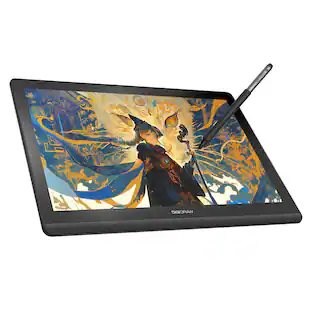 $295.00The price was $365.00
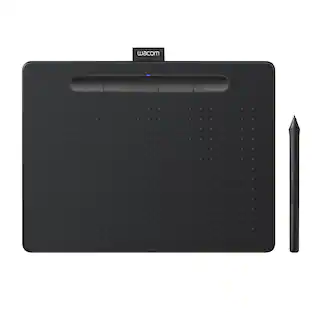
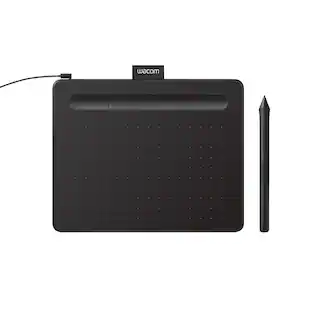

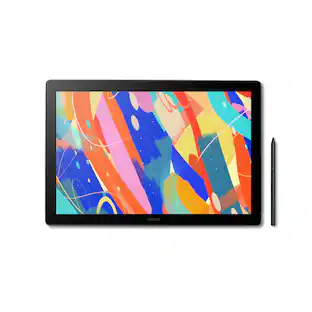
Explore tech essentials Sponsored
 Black Friday in July Deal$89.99The price was $159.99
 Black Friday in July Deal$89.99The price was $159.99
Discover related products
 Black Friday in July Deal$449.99The price was $846.99
 $159.99The price was $179.99