Skip to contentGo to Product Search
Main Content

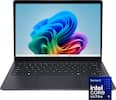
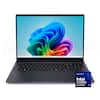
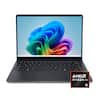
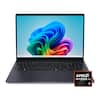
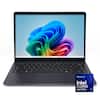
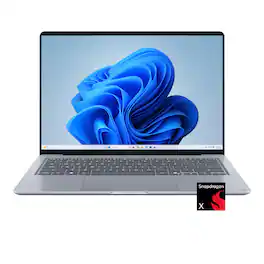
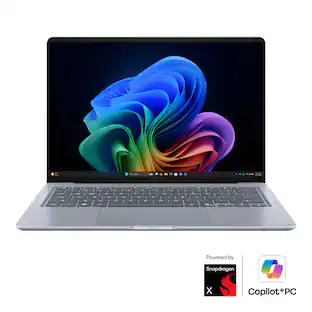
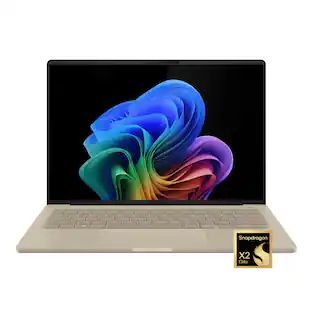
ASUS - Zenbook 14 14" 2K OLED Laptop - Snapdragon X1-26-100 (2026) - 8GB Memory - 256GB Storage - Arctic Blue

Model: UX3480QA-ZB/SE_S0A
SKU: 6683776
Sold byBest Buy

About this product

Nature-inspired color, crafted in Ceraluminum ASUS Zenbook 14 combines a premium ceramic lid with an all-metal design in a lightweight 2.87 lb chassis. Powered by the Snapdragon X series processor and a stunning OLED display, it delivers smooth performance and immersive visuals wherever you go.

Highlights

Features

  • Windows 11 Home

    Windows 11 Home offers a modern, intuitive experience with enhanced productivity tools, improved security, and seamless connectivity to help you work, create, and stay organized every day.

  • See Every Detail in OLED

    The 14-inch ASUS OLED WUXGA (1920 × 1200) display brings content to life with vivid colors, deep blacks, and exceptional detail. Featuring a 16:10 aspect ratio and an 88% screen-to-body ratio, it maximizes viewing space for a more immersive, edge-to-edge visual experience.

  • Effortless Performance

    ASUS Zenbook 14 delivers responsive everyday performance with built-in AI acceleration to help you do more, faster. Powered by the Snapdragon X processor with up to 45 TOPS NPU, it enables smooth multitasking, enhanced productivity, and exceptional power efficiency, keeping work, study, and entertainment running effortlessly throughout the day.

  • Smooth Everyday Graphics

    The Qualcomm Adreno GPU delivers smooth, efficient graphics performance, bringing vibrant visuals and responsive performance to everyday tasks, entertainment, and creative activities.

  • Smooth Multitasking with DDR5 Memory

    8 GB of DDR5 memory keeps everyday tasks running smoothly, letting you switch between apps, tabs, and files without slowdowns.

  • Spacious Storage for Everyday Files

    256 GB of SSD storage gives you fast access to files and plenty of space for documents, photos, videos, and apps.

  • Premium Style, Everyday Ready

    Crafted in Ceraluminum, ASUS Zenbook 14 combines a high-tech ceramic lid with a refined all-metal design in a sleek 0.67" thin, 2.87 lbs chassis, delivering premium style and effortless portability wherever the day takes you.

  • Ready When You Are

    ASUS Zenbook 14 is built to keep up with your day, combining long-lasting battery life with convenient USB-C charging for life on the go. Enjoy up to 30+ hours of offline video playback and 18+ hours of web browsing, giving you the freedom to stay productive and connected throughout the day. Fast charging powers the battery to 50% in just 30 minutes, so you're ready to get back to what matters.

  • Comfort You Can Feel in Every Tap

    ASUS Zenbook 14’s precision design enhances ease of use, featuring a spacious, smudge-resistant keyboard with excellent key travel and tactile feedback. Its enlarged touchpad supports smart gestures for smooth, intuitive navigation.

  • See Clearly. Sign In Instantly

    The FHD front camera with IR support delivers crisp video quality and enables fast, secure Windows Hello facial login, making every call and sign‑in smooth and effortless.

  • Hear Every Detail

    Smart Amp dual speakers with Dolby Atmos and an array microphone deliver rich, immersive sound and clear voice pickup, enhancing calls, entertainment, and productivity wherever you go.

  • Strength for Every Day

    US MIL‑STD 810H certification means it withstands rigorous durability testing, giving you confidence and reliability through commutes, travels, and everyday moments.

  • Versatile Connectivity, Wherever You Go

    Stay connected with a versatile selection of ports, including two USB-C 3.2 Gen 2 ports, one USB-A 3.2 Gen 1 port, one HDMI 2.1 port, and a 3.5 mm audio combo jack. Combined with fast and reliable Wi-Fi 6E, Zenbook 14 makes it easy to connect peripherals, external displays, and networks, whether you're working, creating, or streaming on the go.

Specifications

  • Screen Size
    14 inches
    Screen Resolution
    1920 x 1200 (WUXGA)
    Touch Screen
    No
    Refresh Rate
    60Hz
    Brightness
    300 nits
Sponsored

Reviews

Rating 4.6 out of 5 stars with 20 reviews

5 star rating. 12 reviews4 star rating. 8 reviews
85% would recommend to a friend

Customer Images

The vast majority of our reviews come from verified purchases. Reviews from customers may include My Best Buy members, employees, and Tech Insider Network members (as tagged). Select reviewers may receive discounted products, promotional considerations or entries into drawings for honest, helpful reviews.

  • Rated 5 out of 5 stars

    Strong performer for everyday use.

    Lightweight, ultrabook style laptops continue to impress me. For the past couple of years, I’ve used a Windows tablet as a travel device so that I can connect to work easily. It runs on a Snapdragon X processor so when I was introduced to the ASUS Zenbook 14, I was curious how it compared and if it was worth the upgrade. The ASUS Zenbook S UX3480Q makes a strong first impression. When you open the box, the laptop is positioned at an angle that raises the back, almost like it's sitting on a stand. It's a nice presentation that makes the initial unboxing feel a little more special. The laptop is wrapped in plastic, with a soft protective cover between the keyboard and screen. The included 68W USB-C power adapter is an all-in-one design with a permanently attached cable. I wasn't particularly fond of the wall adapter's prongs, which don't fold inward. However, since the laptop charges over USB-C, you have the flexibility to use another compatible adapter if you prefer something more convenient for travel. The display is glorious as the OLED panel provides deep black and vibrant colors. Naturally, one of the other first things I noticed was the keyboard and how comfortable it was to type on. Some laptop keyboards are too squishy, but I thought this one was just right. The initial Windows setup was pretty normal from what I’ve experienced. I did, however, had a strange WiFi issue during the setup process. The laptop accepted my password and showed that it was connected, but Windows then reported that the internet connection had been lost. Switching to another network didn't resolve the problem, but returning to the original Wi-Fi network allowed setup to continue. I still don’t know what caused this issue, but I didn’t notice any further WiFi problems. I set the ASUS up as a new machine rather than copying settings from a previous setup. The process took approximately 19 minutes and 18 seconds, which was considerably faster than the roughly 30-minute setup times I've experienced with some other laptops. I was impressed with the speed, although I can't say whether the Snapdragon processor was specifically responsible. During the setup process, I encountered the typical offers such as Microsoft 365 subscription, suggested apps, and a cloud subscription. I also came across the option to enter an ASUS account. I appreciated that creating an ASUS account wasn't enabled by default and wasn’t required to finish the setup. The ASUS notifications and news option was enabled, though, so that's something to watch for during setup. PERFORMANCE To help test the performance of this laptop, I ran Geekbench 7 as a benchmark test. The laptop recorded a single-core score of 1,847 and a multi-core score of 9,004. Its Geekbench 7 OpenCL score was 8,484. These results provide a useful reference for the laptop's CPU and graphics performance, but I would keep expectations appropriate for its configuration. With 8GB of RAM and integrated Qualcomm Adreno graphics, this is a system aimed more at everyday computing than demanding gaming or intensive creative workloads. To test the display out, I ran an 8K OLED test video on YouTube, and the screen looked striking. Brightness was also strong and I really enjoyed watching media on the laptop. If you spend a lot of time watching videos, browsing photos, or simply looking at content on your laptop, the OLED panel is a particularly appealing feature. I ran a Monkeytype test to see how my typing skills were affected by the keyboard and recorded 71 words per minute. My usual average is around 73 words per minute, so I was close to my normal speed. I didn't notice any major missed keystrokes, and I think my typing speed could improve as I become more accustomed to the keyboard. The trackpad is centered on the laptop rather than offset to one side. It was responsive during my testing, and I didn't experience any major glitches or unexpected cursor jumping. WHO SHOULD BUY IT The ASUS Zenbook S UX3480Q looks like a good fit for someone who wants a laptop for everyday tasks rather than demanding applications. Students, casual home users, and people who primarily use their laptops for web browsing, email, streaming, and basic productivity may find a lot to like here. The OLED display is particularly appealing, and my initial setup experience was largely positive. The 8GB of RAM and 256GB of storage are worth considering before making a purchase, especially if you tend to keep lots of applications open or store a large amount of content locally. I would also look elsewhere if gaming or intensive graphics work is a priority. FINAL THOUGHTS I am very impressed with how well the ASUS Zenbook runs and think that it’s a solid machine for standard productivity tasks. I wouldn’t recommend it for gaming, but the laptop is a strong performer for regular use.

    Posted by nickcal

  • Rated 5 out of 5 stars

    Asus Zenbook is second to none.

    Not sure there is a more premium laptop then the Asus Zenbook lineup. This model with a Snapdragon chip is on the more affordable side of the Zenbook offerings, but still 100% quality Zenbook. It is definitely well positioned with plenty of quick ports, OLED screen, crisp sounding speakers and second to none build quality. Best of all for a portable laptop, true all day battery life. This Zenbook should be on the short list for those daily computer needs. Notable features: Very smooth one finger lid opening. No screen wobble! All day battery. Standby is only about 4% overnight. Ceramic Aluminum finish is very attractive and feels great to touch. Snapdragon CPU, plenty of power for daily tasks and casual gaming. Can be powered through a USB-C cable. Can leave charger at home. Great thermals. It must have a fan, but yet to hear even on permormance mode. Unboxing: From the second you open the box. The lid opens and lifts laptop to present your new machine. Unwrapped and powered up (charger with USB-C end is included). There is the typical half hour Windows 11 setup. A few updates and maybe a bit of house keeping to get it tailored to the preferences of how you will use your Zenbook. All painless and very easy to follow and understand. The web camera is pretty good and does the Windows hello face unlock. Daily use, build quality: With daily use you will quickly start to see the Energy Star rated battery sipping tech at work. This is the first laptop I have had that, on battery, you can close the lid and leave in standby and it won't be dead overnight after some use. Or I can spend the whole day using it without too much worry of it losing power too early. When you do need a charge. The included charger or a USB-C cable and small GaN charger very quickly tops it back up. From creating/editing docs or having a bit of fun listening or watching content, or even casual gaming. This Snapdragon chip does it all, so far. Everything looks great on the very crisp low gloss OLED screen (non-touch). Speakers are semi underneath and located on the left and right just south of the keyboard. They can be maxed with zero distortion and be loud enough for medium sized room. Although, on a lap you might muffle them, not an issue for desk use. The keyboard is firm, no flex. And more tappy than clicky with nice travel and feel. Keys are single color backlit with a few levels of brightness. Lastly, many laptops getting this thin can suffer heat/thermal issues. The only warmth I feel is expelled out the bottom vent roughly underneath where the "4" "E" "R" keys are. No heat is felt anywhere on the top plate or keys. I also have yet to hear the fan that must surely be in there? This machine is premium level of build quality. Is 8GB/256GB enough?: As for long term use. The global supply of PC stuff has gone insane in 2026. This model ships with a more common of late, 8GB RAM and 256GB SSD configuration. You can increase the SSD storage yourself when needed or if prices improve. Those of you who need to run a more demanding multitude of programs may want to consider if 8GB of RAM is enough, probably is for many. Or get the similarly related Asus Zenbook model with 16GB of RAM. As with most recent laptops. RAM is not upgradeable. For everyday computing tasks. Watching content. Listening to music. And just being able to easily carry around. This Zenbook is ready for many different users. This laptop is ready to go anywhere.

    Posted by JinOH

  • Rated 5 out of 5 stars

    ASUS: A TRUE BEAUTY!!!

    Over the years I have tested multiple ASUS laptops and they have yet to let me down and that positive experience is a big reason I continue to consider ASUS when looking at laptops for work and everyday use. This ASUS Zenbook first nicely into that mix, with its premium design, a gorgeous display and a practical focus on schoolwork, office tasks, and daily entertainment. So, lets go over what the new ASUS Zenbook 14 has to offer. Design: Let’s start off what hits you first right as you open the box. A military grade, Ceraluminum lid, all metal construction, beautiful appearance, and portable laptop weighing in at 2.87 pounds and at 0.67 inches thin, making it the perfect to carry between classes, take to the office, or move around the house. The scratch and shock resistant design also adds reassurance for everyday handling. The combination of light weight and durability makes it a particularly appealing option for kids who need a laptop for homework and school, although I’d still want them treating it with care rather than considering it indestructible. Display: The OLED display on this laptop is just absolutely beautiful. The WUXGA 1920 × 1200 resolution keeps text and images looking sharp, while the vivid colors and deep blacks help bring photos, videos, and presentations to life. A nice screen isn’t just something I appreciate when watching a movie, it also makes spending time browsing, reading, and working on documents more enjoyable. My daughter has been using this laptop for about a week now and just loves doing her school work and entertainment. Processor: This Zenbook 14 uses the Snapdragon X1-26-100 processor. It is an 8-core ARM-based processor built for Windows on ARM entry-level and budget-conscious laptops and compact systems. Keeping that in mind, and combined with 8GB of Memory suit the everyday focus of this laptop. Writing papers, checking email, creating presentations, and switching between browser tabs, office apps and entertainment are the kinds of jobs I have in mind for a machine like this. The processor also includes an NPU with up to 45 TOPS of AI acceleration for supported features and applications. Ports: I also appreciate the selection of ports, especially on a laptop this thin. You get one USB 3.2 Type-A port, an HDMI 2.1 port, two USB 3.2 Type-C ports, and an audio combo jack. It’s a practical mix for everyday accessories, an external screen, and a wired headset. Battery Life: The ASUS Zenbook offers an all-day battery life ranging between 20 to 30 hours depending on the usage. One stand out feature is that is that it can reach a 50% charge in 30 minutes, which is handy when you have a short break between classes or need to recharge before heading to a meeting. A 68W USB Type-C charger is included, so you have what you need to get started right in the box. Storage: My only real downside with this configuration is the 256GB of storage. It’s enough to get started with essential programs, school assignments, and office documents, but that space can feel limited once photos, downloads, and other files begin piling up. Fortunately, the storage is upgradeable, so there’s room to expand later rather than being stuck with the original capacity. Still, I would have preferred a little more storage out of the box. Overall, the ASUS Zenbook 14 proves that an everyday laptop doesn’t have to feel ordinary. With its vibrant OLED display, premium design, and easy portability, it brings a little extra polish to schoolwork, office tasks, and downtime. If you’re looking for an everyday laptop that looks great and performs just as well, this Zenbook is worth a look.

    Posted by Hmirza

  • Rated 5 out of 5 stars

    Surprisingly packs a lot of punches

    Design and Specs This Zenbook laptop features one of the most attractive colors for a Windows laptop I’ve seen in years. It’s arctic blue and the color is similar to other laptop from a different OS a few years ago, which I also owned and like. The laptop feels premium, and it’s mostly made of metal, which Asus called Ceraluminum. It’s not heavy but not super lightweight either. At 2.87 pounds, this is a laptop that’s easy to carry around. Two important things to note about this laptop are its SSD capacity, which is only 256GB, and is pretty much the base storage capacity size for a high-end mobile phone these days; and the 8GB RAM. I had the initial expectation that the 8GB RAM running Windows 11 these days would be an issue. It’s actually not, and I think that’s thanks to how snappy the Snapdragon X processor is. At this point in time when there’s global high demand of RAM and GPU, having an 8GB of RAM for a laptop this nice is quite understandable in order to maintain the targeted price point. The screen is OLED, and it is able display up to 2K resolution. Performance The processor can yield up to 45 TOPS NPU, which is pretty much the performance of the top-of-the line AI Snapdragon chip from a few years ago. Not so surprisingly since I’m familiar with the performance of the chip in this class, the performance of the laptop is excellent for my purposes. I can use words processing, browsing web, watching and streaming movies, without breaking a sweat. Everything just felt quick, responsive and normal. I just have to bear in mind that running different apps or many tabs on the browser all at the same time will consume RAM, which does not have a lot of headroom since the laptop only has 8 GB RAM. There’s some great news from Microsoft from its latest announcement a few week ago, Windows 11 will become more efficient in RAM management so 8GB in the near future can pack more punches. The laptop’s display is great. The screen is bright enough, the colors are vivid, the black levels are deep. The display is also able to absorb ambient light quite nicely and I have no issues working in a room where there’s a lot of light coming from the ceiling and the window. As for the sound quality, it’s about average for a premium laptop. It’s not great but it has enough volume and sound fidelity to be enjoyable. Overall, this laptop makes a strong case as a streaming media consumption device. As for the battery performance, I’m getting about 10 hours of performance, give or take, under typical scenarios for my daily use. These results definitely suit my need so I don’t have to bring a laptop charger with me every time I carry the laptop outside. Conclusion Even with the base spec, the Asus Zenbook 14 brings great value proposition. The 8GB RAM capacity should not be an issue if users understand how to properly manage RAM usage. The Snapdragon X chip is just incredible, and the performance is great. Also, I really like the color and the build quality of the laptop. The OLED display is great and it’s pretty much the cherry on top. This is a great laptop for college students, home use, or professionals who mainly use it for words processing and streaming media consumption.

    Posted by Fudgear

  • Rated 5 out of 5 stars

    Premium Laptop in a Compact Form Factor

    The market is full of options when it comes to investing in a new laptop. I always consider how the new laptop will meet my needs, and for me, that depends on several factors, such as its ultimate or specific use. I am a screen guy; whether I am at work or at home, the screen is a big part of my daily life because of the nature of my work as well as gaming. In recent years, I have started to lean more towards a 14-inch screen with a slim design because it provides me with comfort and portability. Before getting this ASUS Zenbook 14", I had been using a 16-inch laptop for years. While the larger screen is great in some areas, I often had trouble using it comfortably when I was in bed or relaxing in my recliner. My first impression of this ASUS Zenbook 14 was great. The laptop is very well designed, and ASUS managed to create a laptop that combines both worlds: build quality and performance. The size and weight make it a good fit for portability, which meets my needs. Its lightweight design makes it very easy to carry around, even in my messenger bag when going to work. When I first had it in my hands, it felt solid and premium. The 14-inch display feels perfect for me, and my eyes adapted to the size very quickly. It comes with a gorgeous 2K OLED display with a 60Hz refresh rate. The 60Hz refresh rate does not cause me any issues because, for my everyday productivity, it feels smooth, and most of the games I play are capped at 60Hz anyway. The colors are vibrant, the contrast is excellent, and everything looks sharp and clear. The laptop is powered by a Snapdragon X processor, 8GB of RAM, and a 256GB SSD. These specifications provide a good balance between everyday performance and battery efficiency. I would say Snapdragon X processor is the direct match with the Apple M2 chip. There is no dedicated GPU (dGPU); instead, the Zenbook uses integrated graphics (iGPU), which performs well for everyday graphics, streaming, productivity, and entertainment. Battery life is where this laptop really shines. It provides enough battery life for a full day of typical work, which is one of the best areas of this type of laptop. The keyboard is well spaced and comfortable to use, and the key travel feels great. The touchpad is generously large and responsive, and I found it very convenient for navigation when I don't want to use an external mouse. In terms of I/O ports, the Zenbook includes two USB-C 3.2 Gen 2 ports, one USB-A port, HDMI 2.1, a 3.5mm headphone jack, and Wi-Fi 6E. It has a built-in camera that supports Windows Hello facial recognition, which makes signing into Windows quick and convenient. Audio is powered by Dolby Atmos, and I was impressed by the overall audio quality. The microphone quality is also noticeably clear, making video meetings and calls convenient. Overall, this ASUS Zenbook 14" is a great choice, as it is designed to focus on portability, battery efficiency, display quality, and premium design. My only reservation about this laptop is the 8GB RAM and 256GB storage configuration. In my opinion, the minimum configuration should be 16GB of RAM and 512GB of storage, especially at this price point. Other than that, this laptop has quickly become my daily-use laptop, and so far, I have had no issues with it.

    Posted by Zaid

Compare similar products

ASUS - Zenbook 14 14" 2K OLED Laptop - Snapdragon X1-26-100 (2026) - 8GB Memory - 256GB Storage - Arctic Blue
4.6(20)

Nature-inspired color, crafted in Ceraluminum ASUS Zenbook 14 combines a premium ceramic lid with an all-metal design in a lightweight 2.87 lb chassis. Powered by the Snapdragon X series processor and a stunning OLED display, it delivers smooth performance and immersive visuals wherever you go.
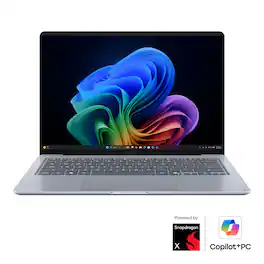
ASUS - Zenbook 14 14" 2K OLED Laptop - Snapdragon X1-26-100 (2026) - 16GB Memory - 256GB Storage - Copilot+ PC - Arctic Blue
4.7(11)

Nature-inspired color, crafted in Ceraluminum. ASUS Zenbook 14 combines a premium ceramic lid with an all-metal design in a lightweight 2.87 lb chassis. Powered by Copilot+ PC, Snapdragon X series processor, and a stunning OLED display, it delivers seamless AI performance and immersive visuals wherever you go.
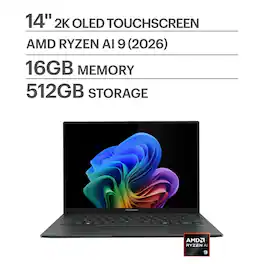
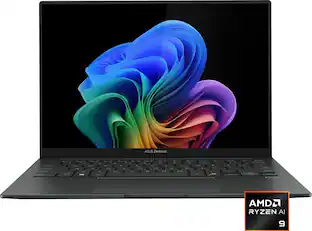
ASUS - Zenbook 14 14" 2K OLED Touchscreen Laptop - AMD Ryzen AI 9 465 2026 - 16GB Memory - 512GB Storage - Copilot+ PC - Jasper Gray

Go the extra mile with the remarkably sleek Zenbook 14, the ultimate ultraportable laptop that takes sophistication to a whole new level. Seize every moment using its enhanced extended-life battery, amplify your efficiency with an AMD Ryzen AI 9 465 processor and find seamless connectivity with full I/O ports. Immerse your senses in its vivid Lumina OLED touch screen and powerful super-linear speakers.
ASUS - Zenbook A14 14" 2K OLED Laptop - Snapdragon X Plus 2025 - 16GB Memory - 512GB Storage - Copilot+ PC - Zabriskie Beige

Feel light. Feel free. Feel unlimited. Just under 2.5 lb, Zenbook A14 is born to go places. Discover new ways to create and communicate with its Snapdragon X Plus processor. Find total freedom with a multi-day battery life. Made completely with Ceraluminum in Zabriskie Beige, this minimalist laptop effortlessly fits into your routine.

Pros for ASUS - Zenbook 14 14" 2K OLED Laptop - Snapdragon X1-26-100 (2026) - 8GB Memory - 256GB Storage - Arctic Blue
There were no pros for this product—There were no pros for this product—Overall Performance, Portability, Battery Life, Processor Speed, OLED QualityOverall Performance, Portability, Battery Life, Processor Speed, Weight
Cons for ASUS - Zenbook 14 14" 2K OLED Laptop - Snapdragon X1-26-100 (2026) - 8GB Memory - 256GB Storage - Arctic Blue
There were no cons for this product—There were no cons for this product—Heat DissipationCosmetic Condition, Connectivity

Specs

Be the first to ask a question.

We’ll try to get your question answered within 24 hours by a Best Buy customer or brand representative.

No content

Customers often buy these together

Sponsored