Deals for every list.Start early, save early.Shop now

Skip to contentGo to Product Search
Main Content

ASUS - V16 16" 2K Gaming Laptop - Intel Core 5 Processor 210H with NVIDIA GeForce RTX 3050 - 8GB Memory - 512GB SSD - Black

Model: V3607VJ-VS/V16_55
SKU: 6683981
Sold byBest Buy

About this product

Meet the ASUS V16, your all-access pass to gaming and creating on the move. A 16-inch 144Hz display with a 16:10 aspect ratio and 100% sRGB color keeps fast action smooth and detail sharp, while the anti-glare finish cuts reflections wherever you set up. Inside, an Intel Core 5 Processor 210H and the NVIDIA GeForce RTX 3050 Laptop GPU with 6GB GDDR6 bring smooth performance to your games and creative projects. ASUS IceCool thermal technology with dual fans and heat pipes holds performance steady through long sessions. 8GB of DDR5 memory handles heavy multitasking, dual memory slots leave room to expand, and a 512GB PCIe 4.0 NVMe SSD loads large files almost instantly. Wi-Fi 6, HDMI 2.1, USB Type-C with display output and charging, and a 63Wh battery in a 4.30 lb chassis mean you're ready to go anywhere.

Highlights

Features

  • WINDOWS 11 HOME, READY TO GO

    Sign in and start playing, creating, or working right away with Windows 11 Home preinstalled.

  • EXPERIENCE EVERY FRAME

    A 16-inch 16:10 display with a 144Hz refresh rate keeps fast action smooth, while 100% sRGB color and an anti-glare finish keep visuals clear in any lighting.

  • POWERFUL PERFORMANCE

    An Intel Core 5 Processor 210H powers through demanding games and creative projects with swift multitasking, so nothing slows you down mid-session.

  • IMMERSIVE INTENSITY

    The NVIDIA® GeForce RTX™ 3050 Laptop GPU with 6GB GDDR6 brings smooth performance to your games and creative work.

  • MEMORY BOOST

    8GB of fast 5600MHz DDR5 memory handles heavy multitasking without compromise, and dual memory slots let you expand when your workload grows.

  • BLAZING SPEED

    A 512GB PCIe® 4.0 NVMe™ SSD loads large files and intricate game worlds almost instantly, so you spend less time waiting and more time playing.

  • GAME HARD, STAY COOL

    ASUS IceCool thermal technology with dual fans and heat pipes keeps the CPU and GPU at peak performance through long sessions, with quiet operation under standard mode.

  • CONNECT WITH CONFIDENCE

    HDMI 2.1 for an external monitor, two USB Type-A ports for your gear, USB Type-C with display output and charging, plus a 3.5mm combo audio jack. No dongles needed.

  • TWO MONTHS OF GAME PASS PREMIUM

    Play hundreds of high-quality PC games right out of the box with 2 months of Game Pass Premium included. Terms Apply*

Specifications

  • Screen Type
    IPS
    Screen Size
    16 inches
    Screen Resolution
    1920 x 1200 (WUXGA)
    Touch Screen
    No
    Refresh Rate
    144Hz
Sponsored

Reviews

Rating 3.8 out of 5 stars with 18 reviews

72% would recommend to a friend

Customer Images

The vast majority of our reviews come from verified purchases. Reviews from customers may include My Best Buy members, employees, and Tech Insider Network members (as tagged). Select reviewers may receive discounted products, promotional considerations or entries into drawings for honest, helpful reviews.

  • Rated 4 out of 5 stars

    Balanced for Work & Mid-Tier Gaming

    This ASUS Vivobook does a good job balancing work functionality with moderate level gaming. High in functionality, but low in flash. The laptop doesn't have any unnecessary RGB lights, wild logos splashed across the lid, or crazy textures pressed into the plastic - but, ASUS was thoughtful in its simple design. I like the imbedded webcam - which is practically a necessity for Zoom calls these days. And while I appreciate the built-in shutter that can block the camera when not in use, I am disappointed that it is not capable of Facial Recognition (Windows Hello). Not only can the computer not log you in with your face, it also does not feature any fingerprint sensor, leaving me in the ancient past typing in a password to log-in (which is the slowest possible option). The extra-large trackpad is quite useful for navigating with gestures, but occasionally it seems to sense my palm which sends the cursor instantly to a random location causing me to type overtop of existing text. It hasn't happened too often, but it is wildly annoying when it does happen. There is no touchscreen, but thankfully the keyboard which does have a 10-keypad. The keyboard is backlit and easy to use with a moderate tactile feel to the keys. I don't particularly like that the WASD & directional keys are translucent, but this choice is the one tangible feature that feels like a gaming laptop. The 8 GB of RAM is a bit of a weakness when it comes to current AAA games like GTA IV. Thankfully I have had good luck playing my library of Steam Games along with less intensive new games such as Gravhounds (which is still in pre-release). The refresh rate has been great, and the screen does look good - even though it is not OLED (which I would prefer). Fans run reasonably quiet and do a good job of keeping the laptop from overheating...helped by the rubber feet which hold the laptop up off of the surface it rests upon. I would prefer more than one USB-C input, but thankfully many of my peripherals still use USB-A for which there are two inputs. I also prefer to charge using USB-C (as it is the most common cable in my house), but I understand that gaming performance requires more power. USB-C does work, but it will charge slowly (and not keep up with the drain experienced during gaming). If you consider yourself a gamer, make sure to use AI to verify that your computer can play your favorite games. You no longer need to guess or speculate on how well a game will run. Upload a screenshot of the computer's specs into CoPilot, ChatGPT, Muse, etc and ask if it can play a specific game. AI does a great job of explaining how well a specific title will run on a particular system. If you enjoy playing Steam Games or using XBOX Cloud Gaming, this laptop should be a decent match. But, again, ask AI how well it will run your favorite games. Do not guess. Overall, I am quite pleased with this laptop. I am thrilled that I can actually open the lid with one finger (without the base tipping upwards). Decent weight, good performance, quick to boot-up, good battery life, and thank God that it has an obvious Print Screen button. An easy recommend for the casual gamer on the go.

    Posted by TheDuke

  • Rated 4 out of 5 stars

    Capable Hybrid Gaming laptop but 8gb RAM limits

    Setup: Unboxing was straightforward, though the initial Windows out-of-box setup took roughly an hour. After reaching the desktop, I ran all pending Asus and Windows updates. A BIOS update applied during this process and reset my Windows Hello PIN, though reconfiguring it took only a minute. The included 150W power adapter is reasonably sized and uses a secure, proprietary plug. While it locks into place firmly and feels durable, it is not USB-C. Because of this, standard third-party chargers cannot be used as backups if the original adapter is misplaced. Use: The chassis and keyboard deck have a solid, premium feel. Instead of aggressive styling or bright RGB lighting, the clean exterior and subtle blue backlighting allow the laptop to fit naturally into an office or classroom setting. Typing is comfortable, with translucent WASD keycaps that make finger positioning quick during gaming, as well as a dedicated function key for bringing up the Windows emoji menu. However, the number pad is tight, and the shrunken Enter key requires some adjustment. The 1080p IPS display is sharp, adequately bright, and color-accurate, with a 144Hz refresh rate that pairs well with the internal graphics card. The oversized trackpad handles multi-touch navigation and gestures smoothly for productivity work, but the physical left-click was hit-or-miss during daily use. A standard-sized, more tactile mechanism would have been preferable. Port selection covers everyday essentials with a USB-C port, two USB-A ports, an HDMI output, and a microphone/audio jack. The webcam also features a physical slider switch, which is an excellent privacy touch for remote work or classes. Built-in audio quality was an unexpected highlight, delivering much fuller and louder sound than typical laptops in this tier. Thermal performance varies significantly by workload. In silent mode, the laptop remains quiet and cool for productivity tasks. Once gaming starts, the cooling fans become loud and the bottom panel generates noticeable lap heat. The 8GB of system memory is the main bottleneck. In Forza on low settings, the benchmark recorded 73 FPS, but live gameplay repeatedly triggered low-memory warnings and threats of game lockups, making it unplayable. In Fortnite at native 1200p on low settings, performance held steady at 130 FPS on the internal screen. However, connecting to an external 27-inch 1440p monitor caused frame rates to struggle below 30 FPS. Fortunately, the memory is user-upgradeable, which is essential to unlock the machine's full capability. The battery provided 55 min of life when gaming and 3.75hrs when using for mixed productivity. It is ok but there are better options if your trying to get thru a work day or school day without charging. Pros: • Crisp 144Hz high refresh display • Surprisingly strong built-in audio quality • Understated styling fits professional settings • Built-in webcam physical privacy slider • Memory is easily user upgradeable Cons: • Base 8GB memory bottlenecks gaming • Proprietary non-USB-C power plug • Trackpad left click feels inconsistent • Fans run loud under load • Cramped number pad and enter key Summary: This laptop provides a dependable balance of work productivity, subtle styling, and casual 1080p gaming, but the single 8GB stick of RAM restricts gaming stability. It is an easy recommendation only if you factor the cost of an immediate memory upgrade into the overall purchase. Also, the 16 x 10 display is another bonus if using for work or school since more is able to be displayed.

    Posted by KKCNIck

  • Rated 4 out of 5 stars

    Good Entry Gaming Laptop on a Budget Upgradeable

    ASUS - V16 16 2K Gaming Laptop - Intel Core 5 Processor 210H with NVIDIA GeForce RTX 3050 - 8GB Memory - 512GB SSD - Black Overall - A Budget minded entry into gaming laptops with a generous screen that suports a high refresh rate. Very capable laptop for everyday tasks. This specific 8GB RAM / RTX 3050 configuration has one considerable limit - its memory is tight for modern games and multitasking. Everyday tasks - Browsing the web, using office, playing content from Netflix and you tube works fine. Multitasking is possible and works surprisingly well given the limited memory. The CPU is quick as is the storage so I did not encounter any issues or slowdowns. The battery life was reasonably good when just surfing or watching a movie. The rated "5-6" hours was achievable easily when using for daily tasks. Gaming pulled the battery life for me down to about 1.5 hours. Gaming ! - I had no issues running a huge range of older titles. The 144hz panel keeps things smooth and framerates were acceptable for most indy and older titles I played. The 6GB GPU and limited memory did struggle a bit with a few of the latest games that I own however I was able to play some of them after adjusting performance settings. If you have a massive steam library and want to play a lot of less demanding games - this easily runs every 3d FPS game that is more than 3-4 years old that I tried to run at acceptable and high frame rates. Adding Memory - This laptop has two memory slots and on my unit, one slot is open and upgrades are supported. It took about 20 minutes total to add an additional 8gb stick. Given the current memory prices, I only added 8gb of DDR5 SODIMM - this was instantly recognized and it helped performance significantly when gaming on a few of the newer titles I tried to run. What I love: Good display and Keyboard ! Medium weight for a large screen portable Room for improvement: Advertised as "2k" resolution - But - It's simply or arguably not ? The native resolution is 1920 × 1200 (WUXGA). (I have no actual issue with this as the 16:10 aspect is perfect for games however I feel that is misleading) 8GB of ram is not enough and it holds back performance on this laptop.

    Posted by James K

  • Rated 4 out of 5 stars

    Great laptop for the majority of needs

    The ASUS V16 2K Gaming Laptop performs very well for the majority of games most people play. Most titles on the popular gaming platforms run on it with no problem. Games that lean heavily on ray tracing or path tracing may not run well at the highest settings, since the laptop has an NVIDIA RTX 3050 with 6GB of VRAM and 8GB of onboard memory, which is not the latest and greatest. Those top-tier games were designed with desktops in mind, where much more premium video cards and higher amounts of RAM are available. Still, the average person playing popular games will be just fine. As a laptop for content creation or design work, the V16 is an excellent machine. It takes on CAD work, video editing, music recording, 3D design, and general office tasks like a champ. I have observed absolutely no lag or stutter during professional level work. Surprisingly, even though this laptop has only 8GB of DDR5 memory and runs Windows 11, I have not seen much degradation in performance with multiple apps open at once. Given today’s ridiculous RAM prices, Asus must have done some optimization to keep the 8GB from becoming a limitation. The laptop also has an extra slot for future RAM expansion once prices drop a bit. The size and weight make it great for travel, thanks to its thinness and minimal weight. The battery is ample and lasts a long time during professional work. The laptop is also very quiet and is tuned not to get loud when graphics intensive apps are running. The screen is super clear and reproduces amazingly accurate colors. There are a couple of things this laptop lacks. First, it has no IR webcam, so there is no facial recognition for Windows Hello. I had to use one of the USB ports for a thumbprint reader to get biometrics for my password manager. Second, it has no built-in LAN port for native wired networking, so it relies on WiFi unless you use a USB expansion hub with a network port to take full advantage of Gigabit internet speeds. All in all, this is a great laptop for someone on the move. The 8GB of RAM seems fine at the moment, but as time goes on, a RAM upgrade will probably be needed. Until RAM costs as much as a new laptop, though, the ASUS V16 should meet most people’s needs for the near future.

    Posted by nautec

  • Rated 3 out of 5 stars

    Sleek/quiet 16" mid-range trapped by 8GB chokehold

    At a glance, the ASUS V16 presents with a modern, sensible mid-tier design. It’s relatively svelte, carries a gorgeous 16:10 matte/non-glare and non-reflective display, runs surprisingly quiet under load, and doesn't scream "RGB carnival" when you set it down on a desk. But then you boot into Windows 11 and fire up a single browser tab, you’ll quickly learn why virtually no gaming rig ships with a criminally underpowered 8GB of system RAM. While the chassis and screen punch above their weight class, the out-of-the-box memory bottleneck turns modern multitasking into an exercise in patience. BUT, this is a gaming laptop after all. So, how does it perform in its primary capacity? Well, if your gaming library leans heavily into well-optimized classics, esports titles, or games released closer to the premier of the first Guardians of the Galaxy movie, the ASUS V16 delivers a remarkably quiet, sharp-looking experience. However, for modern AAA gaming, that 8GB DDR5 stick and postage-stamp of a 512GB SSD mean immediate hardware upgrades aren’t just recommended—they are essentially mandatory before you do anything else. PROS: - Sharp, Vibrant 16:10 Display: Excellent matte coating, minimal backlight bleed, and great bright-light performance near windows almost completely eliminated reflections and glare. - Acoustics Under Control: Even under heavy gaming loads, the fans remain audible without devolving into a high-pitched jet engine whine. - Exceptional Keyboard Backlighting: High-contrast, mostly full-sized keycaps, on the chicklet keyboard deliver a crisp and easy-on-the-eyes "Turbo Blue" LED backlight. Fully illuminated WASD keys drive home the gaming DNA under the hood. - Upgrade-Friendly Architecture: refreshingly, not everything is soldered to the motherboard. There are dual DDR5 slots (supporting up to 64GB), a replaceable M.2 WiFi card, and a standard 2280 NVMe SSD slot that make user servicing simple. - Quietly Upgraded I/O: USB-C port natively supports both Power Delivery and DisplayPort-Alt mode–definitely a nice touch. CONS: - Crippling 8GB Out-of-the-Box RAM: Idle Steam usage hits 70–80% memory allocation; opening a single browser tab on top of that spiked utilization to 95%+ and caused system-wide stutters and severe slowdowns. - No mainstream Variable Refresh Rate: The cardinal sin of a high refresh-rate screen: the 144Hz screen lacks G-Sync or FreeSync which really hurt when framerates fluctuated wildly (which they will). - Anemic 512GB SSD: Installing only five modern titles left roughly 10% of free disk space remaining! Yes, that’s a sad commentary on the shipping size of modern PC games, but it’s still a logical constraint you need to deal with. - Port Shortage & Proprietary Power connector: Lacks a unified high-power USB-C power option, relying instead on a dedicated square jack. Only one usable USB-C and two USB-A ports. - Cramped Numpad Layout: Half-width keys and no persistent NumLock indicator light make long-term data entry awkward. DESIGN & ERGONOMICS The all-plastic construction is a bit of a double-edged sword: it keeps the 16-inch machine impressively lightweight and easy to tote around in a backpack or messenger bag, but the keyboard deck does suffer from noticeable flex if you type with a heavy hand, and the outer shell will be quick to show you just how much it LOVES your fingerprints. The chicklet keyboard itself is a highlight for visibility. The white-on-black keycaps are crisp, and the "Turbo Blue" LED backlighting is a welcome departure from standard white or obnoxious rainbow waves. Gamers will appreciate the fully backlit WASD keys, though the half-height backlit arrow keys feel too cramped for actual directional gameplay. The trackpad offers massive real estate—almost too much, as my palm occasionally fought with the lower edges during intense sessions. I/O selection is functional but tight: you get two USB-A ports, one USB-C (with DP-Alt mode and PD), HDMI, and an audio jack. Relying on a proprietary square connector for power feels like a missed opportunity for full USB-C charging parity (and giving you an extra USB-C port when not under wall power), especially when port real estate is already at a premium. DISPLAY & AUDIO For an IPS panel, the 1200p 16:10 screen is genuinely, even surprisingly, pleasant. No, it’s not flashlight-in-your-face bright, but colors looked balanced right out of the box without requiring manual calibration, and the anti-reflective matte coating held up admirably when gaming directly next to a sunlit window. On the audio front, the onboard speakers are also surprisingly decent, providing clean, non-distorted sound that gets comfortably loud for casual media consumption. The primary travesty here is the omission of G-Sync or FreeSync. If there is adaptive sync buried in there somewhere, I couldn’t find it and neither could the updated NVIDIA app or a fresh installation of the NVIDIA control panel. Without that frame synchronization to fall back on, framerate drops below native refresh or wild fluctuations around serviceable average framerates were immediately and distractingly noticeable. PERFORMANCE & BENCHMARKS The Intel Core 5 210H and RTX 3050 combo perform predictably well on older titles or with brilliantly optimized game engines, but the 8GB RAM chokepoint and only 6GB of VRAM heavily handicap modern AAA framerates. Even with DLSS attempting to lift heavy weights with lower-resolution scaling, 8GB of system RAM led to numerous micro-(and macro!)-stutters as Windows desperately swapped memory around behind the scenes. Here is how the machine handled some real-world testing: Doom (Ultra Settings): 105 – 140 FPS (Flawless, hyper-optimized performance) Fortnite: 160 – 200 FPS (Avg: 180 FPS) (Smooth, highly responsive esport experience) Tomb Raider GOTY (Ultimate Settings): Min 82 / Max 124 (Avg: 106.7 FPS) Dying Light 2 (DX12, High Quality, native resolution): Min 21.32 / Max 38.0 (Median 28.25 FPS) Dying Light 2 (DX12 High Quality, DLSS ON): Min 31.9 / Max 53.2 (Median: 41.3 FPS) (Passable, but required DLSS upscaling) Shadow of the Tomb Raider: Min 37 / Max 83 (Avg: 54 FPS) Doom: The Dark Ages: 45 – 52 FPS (Serviceable, but visual compromises are required to achieve anything close to its 10 year-old sibling) Horizon Zero Dawn (High Settings): Severe stuttering due to RAM limits. (Dropping to Medium resolved memory thrashing: Min 2 / Max 109 / Avg 48 FPS) Horizon Forbidden West: An unplayable slideshow that fluctuated wildly under 20 FPS, even with DLSS active. Bundling a free month of Xbox Game Pass alongside free copies of 1996’s Quake and Quake 2 feels almost poetically honest: this machine will make 30-year-old classics run like an absolute dream, but modern titles will demand a great deal of mercy and sacrifices on the graphics sliders before they start feeling legitimately playable. UPGRADABILITY & MAINTENANCE Thankfully, ASUS didn't solder down the memory or storage. Removing the 14 bottom screws (including one captive screw designed to pop the edge seam) gives quick access to the internals. Inside, you'll find a standard 2280 M.2 SSD slot, a swappable M.2 WiFi card (currently Wi-Fi 6 but without 6GHz band support), and two DDR5 SODIMM slots (one open). Because DDR5 natively operates in dual-channel mode on a single stick, you can easily pop a second stick of even non-matched capacity RAM into the empty slot to bring this machine up to a mandatory 16GB, 24GB or 32GB (with a theoretical ceiling of 64GB according to the spec sheet). VERDICT Honestly, the ASUS V16 has great bones: a solid display, quiet thermals, a reasonably comfortable keyboard, and an easier-than-most upgrade path. But out of the box, this “modern” gaming laptop is hamstrung by its own memory specs. In today’s market, assuming you have designs on playing today’s titles at even compromised graphics settings, you will need to budget at least an extra $120-$140 for an immediate RAM upgrade unless you have some (laptop DDR5 lying around). Do it, and you'll have a capable, attractive, mid-tier workhorse. Leave it at 8GB, and you'll be tearing your hair out before your second browser tab finishes loading.

    Posted by WyldeBlue

Compare similar products

ASUS - V16 16" 2K Gaming Laptop - Intel Core 5 Processor 210H with NVIDIA GeForce RTX 3050 - 8GB Memory - 512GB SSD - Black
3.8(18)

Meet the ASUS V16, your all-access pass to gaming and creating on the move. A 16-inch 144Hz display with a 16:10 aspect ratio and 100% sRGB color keeps fast action smooth and detail sharp, while the anti-glare finish cuts reflections wherever you set up. Inside, an Intel Core 5 Processor 210H and the NVIDIA GeForce RTX 3050 Laptop GPU with 6GB GDDR6 bring smooth performance to your games and creative projects. ASUS IceCool thermal technology with dual fans and heat pipes holds performance steady through long sessions. 8GB of DDR5 memory handles heavy multitasking, dual memory slots leave room to expand, and a 512GB PCIe 4.0 NVMe SSD loads large files almost instantly. Wi-Fi 6, HDMI 2.1, USB Type-C with display output and charging, and a 63Wh battery in a 4.30 lb chassis mean you're ready to go anywhere.
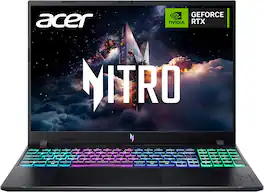
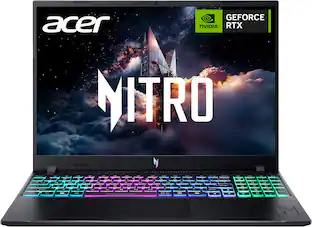
Acer - Nitro V – 16" WUXGA 165Hz Gaming Laptop - Intel Core 7 240H 2024 - NVIDIA GeForce RTX 5050 – 16GB Memory – 512GB Storage - Obsidian Black
4.8(71)

Elevate your gaming adventure with the Acer Nitro V 16, your gateway to an adrenaline-charged journey. This laptop is the perfect blend of power and style, pushing the boundaries of what’s possible on a laptop. Powered by the Intel® Core 7 processor 240H and NVIDIA® GeForce RTX 5050 Laptop GPU, the Acer Nitro V 16 unleashes exceptional speed and cinematic visuals for smooth, immersive gameplay and streaming.
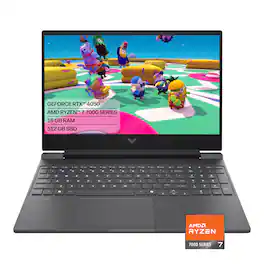
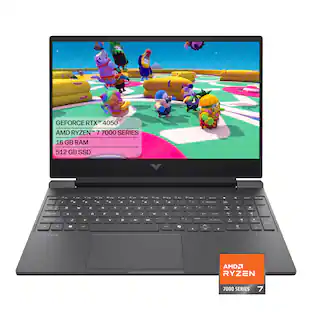
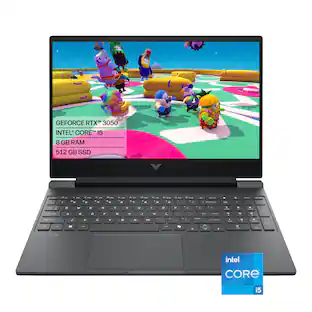
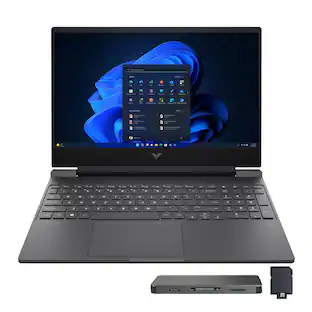
HP - Victus 15.6" 144Hz Full HD Gaming Laptop - AMD Ryzen 7 7445HS (2023) - 16GB Memory - NVIDIA GeForce RTX 4050 - 512GB SSD - Mica Silver

Begin your gaming journey with the perfect combination of power and customization. Get great, stable performance for all your games with the AMD processor, and use the OMEN Gaming Hub toolkit to open up your gaming possibilities.

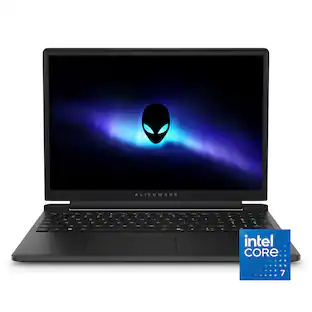
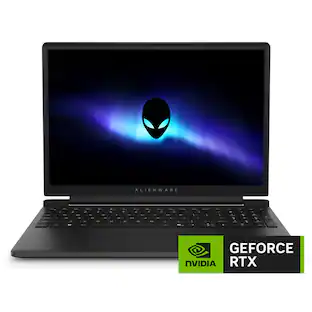
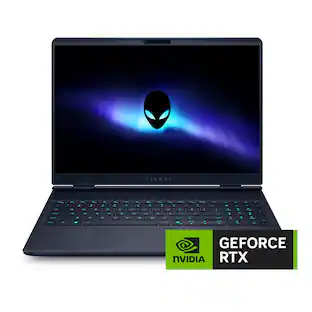
Alienware - 15.3" 2K Gaming Laptop - Intel Core 7 Series 2 240H 2026 - 16GB Memory - NVIDIA GeForce RTX 4050 6GB - 512GB Storage - Black
4.3(52)

Game on a sleek and durable laptop engineered to level the playing field. NVIDIA GeForce RTX 50 Series laptop graphics and Intel Core (Series 2) processors, the Alienware 15 delivers the premium experience you expect, now within reach.

Pros for ASUS - V16 16" 2K Gaming Laptop - Intel Core 5 Processor 210H with NVIDIA GeForce RTX 3050 - 8GB Memory - 512GB SSD - Black
There were no pros for this product—Overall Performance, Heat Dissipation, Portability, Processor Speed, Keyboard DesignOverall Performance, Portability, Heat Dissipation, Speed, Noise LevelHeat Dissipation, Portability, Build Quality, Refresh Rate
Cons for ASUS - V16 16" 2K Gaming Laptop - Intel Core 5 Processor 210H with NVIDIA GeForce RTX 3050 - 8GB Memory - 512GB SSD - Black
There were no cons for this product—Battery Life, Noise Level, Connectivity, Storage CapacityBattery Life, Storage Capacity, Connectivity, WeightStorage Capacity, Noise Level, Battery Life, Graphics Performance

Specs

Be the first to ask a question.

We’ll try to get your question answered within 24 hours by a Best Buy customer or brand representative.

No content

Customers often buy these together

Sponsored