Early Black Friday Deals & DoorbustersEnds Nov. 15.Shop now

Skip to contentGo to Product Search
Main Content

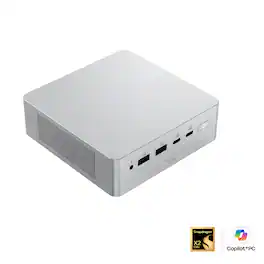
ASUS - Ascent QN10 Mini PC - Snapdragon X2 Elite (2026) - Qualcomm Adreno X2-90 - 16GB Memory - 512GB Storage - Copilot+PC - Silver

Model: QN10-VQ0010HN
SKU: 6685192
Sold byBest Buy

About this product

The ASUS Ascent QN10 is a powerhouse, ultra-compact solution designed for development of next gen AI workloads. Powered by the Snapdragon X2 Elite SoC with 18 cores and integrated Qualcomm Hexagon NPU providing up to 80 TOPS, Ascent QN10 enables high-performance, energy-efficient on-device AI inference and experimentation. It supports rich I/O with 7 USB ports, WiFi 7, and Bluetooth 6.0, and can support up to four simultaneous 4K displays – ideal for multi-model workflows, visualization, and edge deployment. Its sleek 0.7L form factor makes it a powerful yet space-efficient solution for development at home, in the office, or in the lab.

Highlights

Features

  • Ultra Premium Performance

    Unleash next generation AI with Snapdragon X2 Elite SoC, with 18 Cores for fast and power-efficient performance and integrated Qualcomm Adreno GPU.

  • Powerful AI Capabilities

    Featuring up to 80 TOPS of AI processing, the Qualcomm Hexagon NPU is built to run multiple intelligent experiences concurrently.

  • Ultimate Connectivity

    Connect up to four 4K monitors simultaneously and power all your gadgets with 7 USB ports and 1 HDMI port, plus Wi-Fi 7 and Bluetooth 6.0 for low-latency wireless connections.

  • Next-Gen Speed & Efficiency

    Up to 32GB LPDDR5x 9600 MHz, delivering up to 20% faster performance with 50% less power.

  • Security

    State-of-the-art security from chip to cloud powered by Qualcomm Secure Processing Unit (SPU) that supports Microsoft Pluton.

  • Developer Ready

    The ASUS Ascent QN10 gains access to the Qualcomm AI Hub, a faster, smoother machine learning repository for users to download ready-to-use Models, deploy Apps on QN10, and fine tune on Workbench.

Specifications

  • Processor Model
    Snapdragon X2 Elite
    Storage Type
    SSD
    Total Storage Capacity
    512 gigabytes
    System Memory (RAM)
    16 gigabytes
    Graphics Type
    Integrated
Sponsored

Reviews

Rating 4.2 out of 5 stars with 9 reviews

78% would recommend to a friend

Customer Images

The vast majority of our reviews come from verified purchases. Reviews from customers may include My Best Buy members, employees, and Tech Insider Network members (as tagged). Select reviewers may receive discounted products, promotional considerations or entries into drawings for honest, helpful reviews.

  • Rated 5 out of 5 stars

    ASUS's Niche Fast WIN64 RISC-based Compact Desktop

    At first, I didn't know quite what to make of the ASUS Ascent QN10 Mini PC. This computer is definitely aimed at localized AI Agentic usage and development. Since I am not yet up to speed with AI agents and have not found a great need for them, I found that I needed to find another application at which the Ascent QN10 excels. This Windows 11 Pro ACPI (Advanced Configuration and Power Interface) ARM64 (Advanced Reduced Instruction Set Computer (RISC) Machine 64 bit) is running the latest version of Qualcomm's Snapdragon System-on-a-Chip (SoC) consisting of: the Snapdragon X2 Elite - X2E88100 - 18 Core Oryon CPU (2026); the Qualcomm Adreno X2-90 GPU; the Qualcomm Snapdragon X2 Elite X2E88100 Hexagon NPU performing up to 80 TOPS (Trillion Operations per Second), surpassing qualifications for Copilot+PC; and 16GB of integrated Samsung TSOP LPDDR5 System Memory clocked at 8294 MHz. The Ascent QN10's configuration uses a Micron MTFDKBA512QGN-1BN1AAGBA 512GB PCIe NVMe Gen 4x4 M.2 2280 SSD for Storage and the unit has an M.2 slot open for expansion. First, I ran my UserBenchmark benchmarking software to check the overall performance of the QN10. Perhaps because of the ARM64 architecture, the performance benchmarks were missing the results of the Graphics Processing Unit and the SSD. I ran the tests twice to make sure I didn't make a mistake, however the same result appeared. Even without results on the GPU and SSD, the QN10 was "Performing above expectations (77th percentile)". The Snapdragon X2 Elite Oryon CPU was base clocked at 4.05 GHz with 4.2 Average at Turbo and compared to similar configurations benched "Very Good" at 76.9%. UserBenchmark states that the Processor "With a good single core score, this CPU can easily handle the majority of general computing tasks. Additionally this processor can handle typical workstation, and even moderate server workloads. Finally, with a gaming score of 76.9%, this CPU's suitability for 3D gaming is good." I think that if those results are on a single core, then 18 cores should be able to do some real multitasking. As for the RAM, UserBenchmark showed that the 16GB of Samsung system RAM performed "... way above expectations" with a 174% Outstanding performance compared to 755 User benchmarks. They remarked the following about the Memory: "16GB is enough RAM to run any version of Windows and it's more than sufficient for nearly all games. 16GB also allows for very large file and system caches, software development and batch photo editing / processing." After reading UserBenchmark's last comment on the RAM and reading several reviews on the Snapdragon X2 Elite led me to check out the Ascent QN10's possibly exciting usage in Adobe Photoshop. Several reviews stated that the Snapdragon X2 Elite SoC excelled in Adobe Photoshop and Adobe Premier benchmarking results. As a photographer, I may have found my best personal usage of this powerful little computer. The QN10's other features such as multiple high-speed USB-C ports with the ability to run multiple 4K displays, an HDMI port, the latest Bluetooth specs, and WiFi 7 add to the easy usability of this compact computer. I also find that the box is extremely quiet and keeps very cool, which are great pluses. Maybe AI Agentic use and development is your niche; photo and video editing is mine. This powerful petite ASUS Ascent QN10 has the ability to do both very well, along with some gaming on the side. Find your niche.

    Posted by NatureLover2

  • Rated 5 out of 5 stars

    Snappy Windows on ARM "well ported" little beast!

    The Asus Ascent QN10 is an extremely well “ported” mini PC with a baller fast Snapdragon CPU, decent Adreno X2-90 integrated graphics, all in a small robust feeling shell. If you want a tiny efficient system and know for a fact that you won’t run into the ever shrinking list of ARM compatibility issues, this little guy is a tiny speed demon! Asus really built a fancy little beast with this QN10, but also spec’d it with some pretty solid hardware as well. With ramageddon in full swing, getting 16GB of system memory was a bit of a letdown, but is perfectly fine at this time. The terribly named X2E-88-100 is actually a beast of a little chip, putting down performance that embarrasses the competition while using less energy! If you use a “desktop” for work or schooling that does not need more than 16GB of ram, you could easily use this in a dorm or office, and it would be easily tucked out of the way, and barely audible! Overall the QN10 is a fast little beast, runs circles around the competition, but due to the few remaining “Windows on ARM quirks”, it may not be what everyone is looking for. It technically has limited memory, but is very fast in most normal work loads. If you have no idea what I’m referring to, I would pass, but otherwise, this could be exactly what your workflow needs!

    Posted by GlennT

  • Rated 4 out of 5 stars

    Asus QN10 PC: Mini Snapdragon!

    It is probably safe, albeit obvious, that computer buying decisions are almost always derived from a critique of performance; for some, it can be a specific component such as a CPU, but it could also manifest in a combination of physical attributes such as size/weight. In general, it was accepted that smaller computers will sacrifice performance; to an extent, this still applies true today, but modern computing isn’t so clear cut to where we could nonchalantly categorize a slow PC from a fast one based off dimensions as we did in the past; computer hardware advances has effectively closed that gap. In essence, to critique performance requires us to observe through deeper technical commentary. As such, I have been enthralled with mini-PCs over the last couple of years, where performance isn’t necessarily sacrificed, but efficiency takes center stage, allowing for a better appreciation of the complex engineering that accompanies such hardware. Thus, I was extremely excited to test the newly released Asus QN10 Mini PC, featuring the Snapdragon X2 Elite 18-Core CPU (X2E-88-100), 512 GB PCIe Gen 4 SSD, and 16 GB-LPDDR5x 8533MHz. Physically, the Asus QN10 Mini PC was slightly bigger than I expected to be. Weight-wise, the QN10 clocks in at 1.65 lbs. and has a metal/aluminum frame. Construction wise, everything was as expected and feels of high quality. Interestingly, compared to my older Asus PN-53, the QN10 is slightly heavier and wider, but it isn’t as tall. Additionally, the QN10 is a bit more rounded off at the corners. Overall, I was fairly pleased with the build quality. As for ports, there are 3 USB 4.0 Type-C connections (2 Front, 1 Back), 3 USB 3.1 Gen 2 Type-A (1 Front, 2 Back), an HDMI 2.1 FRL port, and a 2.5G Ethernet port. There is also one USB 2.0 port in the front and a 3.5mm combo jack. Personally, I would have preferred if the 2.0 port would have swapped places with one of the 3.2 ports in the back. Next, all USB Type-C ports should support DisplayPort over the connection, however, at the time of this writing Asus has listed these as DP2.1 compatible, but on the Qualcomm website, the X2 Elite has only DP 1.4 listed. Unfortunately, I was unable to confirm which revision the QN10 actually has so just be aware there is a discrepancy. Lastly, the QN10 Mini was fairly straightforward to disassemble; the bottom has 4 screws, after those are removed, unlike most mini-PCs that are usually accessed from the bottom, the QN10 unit pulls apart from the top. As expected, the RAM is soldered down to the board, however, there is a secondary M2 SSD 2280mm slot available for extra storage. Lastly, the QN10 ships with an 180w power adapter. If you are unfamiliar with ARM-based CPUs, there are a couple of observations I would like to point out. As expected, the QN10 does not have any drivers listed under its support page; it is assumed that all of these drivers would be bundled with the ARM version of Win11 Home. As someone who enjoys monitoring/browsing my hardware via various utilities such HW Info, HW Monitor, and CPU-Z, the QN10 is quite bare; there are no RAM timings to report, no audio information (though device manager is aware/configured properly), CPU turbo frequency, TDP, cache amounts, and other attributes aren’t as numerous as the x86/x64 counterparts. The good news is it appears there are 4 CPU temperature sensors along with several others. With that said, the QN10 may feel incomplete, as if it is not configured properly, but that may just be because I love configuring things. Additionally, this brings me to the next issue which is depending on your software, you may need to look for an ARM based installer. The good news is all of the aforementioned monitor software are compatible; CPU-Z is worth highlighting in that if you tried to load the x86/x64 executables, you will receive an error. In addition, all of the benchmarking software, including Handbrake 1.11.2, all have ARM based installers. Furthermore, I haven’t ran into any incompatible issues with anything I personally use, though given the obvious time constraints, I could not test everything. Lastly, the QN10 did not have any Asus software installed such as Armory Crate or any of the 50+ executables you find on their laptops. Lastly, as expected, since this model only has 16 GB of RAM, after boot you are looking at anywhere from 30-40% used. All of my tests, unless otherwise noted, will be using its respective ARM-based installer and were conducted offline. The CPU was adjusted in control panel under power options for 1% minimum and 100% maximum processor state. Starting with my CPU tests, I first wanted to run a couple of synthetic workloads, starting with Cinebench 2026 and concluding with CPU-Z 1.06a. The X2 Elite 18-Core CPU (X2E-88-100) appears to have two compute clusters, one holds the 12 Prime Cores (4.7GHz) and the other has the 6 performance cores (3.4 GHz). For comparison, I also ran the tests on my older i7-1260P (ran on X86 version). The Cinebench results are as follows: X2 Elite: Single: 620 / Multi: 6,674 (18 Cores / 18 Threads) I7-1260p - Single: 395 / Multi: 2,121 (12 Cores / 16 Threads) For my next test, I ran the built in CPU-Z 1.06a benchmark. Unfortunately, I did not have a direct comparison with a previous generation snapdragon chip as that would have been more accurate, though I went ahead and included my i7-1260p despite the fact that it is probably best to assume these are a not direct 1:1 comparison since CPU-Z 2.20 was used. X2 Elite: Single: 915.6 / Multi: 12,279.2 (18 Cores / 18 Threads) I7-1260p - Single: 653.5 / Multi: 5,527.9 (12 Cores / 16 Threads) For my next CPU test, I ran a video encode using Handbrake 1.11.2. Using the Very Fast 1080p preset, I encoded a 90-minute 28 GB M2TS file to MP4; its original DTS-MA 7.1 audio, frame rate, color was preserved in the output file; cropping was disabled. In addition, I also used FLAC Frontend-H to encode a single 79-minute WAV file (801 MB) to FLAC 1.5.0. The encoder was set to mode 8, with the following switches (-8 -v -p -e -j 18), where -j equals the number of threads. The test is pretty intensive, but the X2 handled it with the ease. X2 Elite - 10 Minutes 27 Seconds / Avg FPS: 211.7 (Handbrake 1.11.2) X2 Elite – 58 Seconds (FLAC Frontend-H To FLAC 1.5.0 / 18 Threads) I7-1260p – 64 Seconds (FLAC Frontend-H To FLAC 1.5.0 / 18 Threads) Moving on from my CPU tests, the QN10 shipped with a Micron MTFDKBA512QGN SSD. I wanted to check its stock performance and also my Crucial X10 Pro external SSD over the USB 4.0 port. Unfortunately, while my X10 is only rated for 20 Gbps, it is the fastest drive I own though sadly the QN10 could not discern the extra speed, so it was treated as if it were a 10 Gbps USB 3.2 Gen 2 drive. Lastly, from the X10 Pro I sent a 48.9 GB music folder containing 7,697 files. The transfer was fairly consistent, ranging from around 650-730 MB/s, and finished in a little over a minute. Using Crystalmark 9.0.3, the drive results were as follows: Sequential Read Q8T1: 6,711.84MB/s / Sequential Write Q8T1: 3,667.46 MB/s (Micron) Sequential Read 4K Q1T1: 49.66 MB/s / Sequential Write 4K Q1T: 109.56 MB/s (Micron) Sequential Read Q8T1: 884.04MB/s / Sequential Write Q8T1: 879.67 MB/s (X10 Pro) Sequential Read 4K Q1T1: 24.65 MB/s / Sequential Write 4K Q1T: 54.63 MB/s (X10 Pro) Overall, the Asus QN10 is extremely efficient for such a small desktop; the X2 Elite CPU certainly surprised me with regards to its performance. Throughout my testing, the adjustment of the CPU frequencies occurred simultaneously across multiple cores as opposed to an individual core by core basis as some CPUs do. During my Handbrake test, the main Prime cores would adjust from 4 GHz down to around 3.2-4 GHz; SOC package temperature tended to favor the 65-75c range. Connectively, I assumed the first and second temperature sensors was reporting CPU core temp as those 2 were the hottest of the 4, usually hovering anywhere from 75-85c. Furthermore, the load between the two CPU clusters was also fairly even and never exceeded 10% of each other. Additionally, the CPU clusters rarely exceeded 35 watts. Handbrake kept power consumption at modest levels around 80 watts; with one brief 109w spike for a split second. After the test concluded, the CPU cores parked down to 355 MHz and the total system power dropped to a mere 3 watts. In conclusion, the QN10 is a fully capable mini-PC, providing plenty of ports and speed all the while featuring a stylish compact metal frame. However, I do think the QN10 is in a of an awkward position as while it is positioned as a workstation/AI PC, use case seems a bit limited/niche in that regard. Most people, if you care about AI, would probably be using a larger machine. As a daily PC, it could work fine, as it is certainly fast and quiet enough, though as far as mini-PCs go, there are probably cheaper options. I imagine this would also work quite well for a mini-Linux based PC; certainly, if you are a computer enthusiast, there are tons possibilities you could play around with. For the average user, however, I would probably just stick with x86/x64 based chips offerings, unless you are aware that limitations exist. With that said, the QN10 is certainly worth a look and comes recommended should it meet your computing needs.

    Posted by Dragonhunter281

  • Rated 5 out of 5 stars

    Tiny and powerful, but check your apps

    I'm a middle-aged dad who likes gear that works without a lot of fuss, and I picked up the ASUS Ascent QN10 because I wanted a small computer I could build projects around. My first reaction when I opened the box was that it looked too small to be a real computer. It's a tiny aluminum block that feels solid and well made, and it takes up almost no room on a desk or shelf. In a house where every flat surface already has something sitting on it, that size alone was a big selling point. What really stands out is how much power is packed into something this small. The Snapdragon X2 Elite chip has 18 cores, and it shows. Everyday tasks feel quick and responsive, and the machine never feels like it's making me pay for its small size. The 16GB of memory and 512GB of storage are plenty for what I'm doing with it, and the ports make it simple to add more storage later. For a computer I can hold in one hand, the performance is honestly impressive, and I don't say that lightly because I'm usually the guy asking if the old one can just be fixed. The other big win is flexibility. ASUS packed in a generous number of ports, and that makes this a great base for projects. There's room to plug in drives, displays, and accessories without reaching for a hub, which is a small thing until you've spent an evening hunting for the one adapter you need. I like gear that lets me start simple and add on as an idea grows, and this fits that way of working perfectly. Whatever I end up building next, I don't expect to run out of places to connect things. The NPU is where things get interesting, and also a little complicated. It's rated at up to 80 TOPS, and the idea of running AI features locally on a machine this small is appealing. As a Copilot+ PC, it's clearly built with that future in mind. The tradeoff is that this is not a traditional PC in every way. Because it runs on Arm instead of the usual desktop processors, some apps don't behave the way you'd expect, and that limits some of the more traditional PC functionality. I wouldn't call it a dealbreaker, but it is something you notice. It's the kind of thing that makes you stop and check whether a program will run before you count on it. That's really my one big wish. I'd love to see broader app support so the NPU feels like a bonus instead of a limitation. I expect that will improve as more developers catch up, but right now it's something to know going in. If there's one program you can't live without, look up whether it supports Arm before you buy. A little homework up front will save you some frustration later. Would I recommend it? Yes, with one small asterisk. If you want a tiny, capable machine that you can build around, and you're comfortable doing a little checking on software compatibility, this is a great fit. It's especially good for anyone who likes tinkering and wants room to grow a project over time. If you need every traditional PC app to run without a second thought, you may want to think it over first. For me, the size, the power, and all those ports more than make up for the quirks, and I'm curious to see how much better it gets as the software side catches up.

    Posted by Derek_T

  • Rated 5 out of 5 stars

    Really tiny powerhouse

    I’m an old guy and have never seen a computer this small. I remember when a desktop computer weighed a ton and took up a quarter of your desk. It had a heavy power supply with sometimes two big noisy fans which sucked in dust from every room in your house. The QN10 contains two whisper quiet fans which are needed because of the processing power of the unit You can hold the QN10 easily in the palm of your hand, it’s 5 inch square, weighs a little over a pound, and yet I’ve never seen any computer as powerful as this one. They say the power comes from the new 2026 Snapdragon X2 chip. Whatever it is, you can see the power difference from any older computer. Lots of ports on this little box. It has SEVEN USB ports (I never had a desktop computer with half that many), an HDMI port. It also has an ethernet port which you probably won’t need with the unit’s wi-fi 7 and Bluetooth 6.0. There’s also an audio jack in the front. A highlight of the QN10 is its AI performance. It’s powerful enough to give you LOCAL AI capability instead of relying on AI from the cloud. It’s all right there on your desk. Asus describes it as a Co-pilot plus PC. This little box also contains a 512 GB solid state drive and can handle up to FOUR 4K monitors at the same time! I don’t have four monitors, so I’ll take their word for it. If you do want to add more memory, it’s easy to do. On the bottom are just four screws. Opening the case you’ll find two M.2 slots. One slot contains the drive that comes with the machine, The other one is empty, ready for your use. Just make sure the accessory you want to add will fit in this small case. Asus says each slot will handle up to 2 TB, which means the QN-10 can handle a total of 4 TB of memory. Now just like the old ‘tower computers’ I was talking about before, you will still need a mouse, a keyboard and monitor at the least. If you’re old like me, you probably already have those somewhere in the basement. I think you’ll be amazed at what this tiny 5 inch square box will do..

    Posted by AlanD963

Compare similar products

ASUS - Ascent QN10 Mini PC - Snapdragon X2 Elite (2026) - Qualcomm Adreno X2-90 - 16GB Memory - 512GB Storage - Copilot+PC - Silver
4.2(9)

The ASUS Ascent QN10 is a powerhouse, ultra-compact solution designed for development of next gen AI workloads. Powered by the Snapdragon X2 Elite SoC with 18 cores and integrated Qualcomm Hexagon NPU providing up to 80 TOPS, Ascent QN10 enables high-performance, energy-efficient on-device AI inference and experimentation. It supports rich I/O with 7 USB ports, WiFi 7, and Bluetooth 6.0, and can support up to four simultaneous 4K displays – ideal for multi-model workflows, visualization, and edge deployment. Its sleek 0.7L form factor makes it a powerful yet space-efficient solution for development at home, in the office, or in the lab.

ASUS - Ascent GX10 Mini Desktop - NVIDIA GB10 (2025) - 128GB Memory - 1TB Storage - Black
4.6(11)

Behold the ASUS Ascent GX10 Personal AI Supercomputer, a revolutionary force echoing the power of NVIDIA DGX Spark with its cutting-edge NVIDIA GB10 Superchip. Unleashing petaflop-scale AI on your very desktop, this marvel ignites the potential of developers, AI researchers, and data scientists, fostering local AI breakthroughs with unparalleled performance and ingenuity.

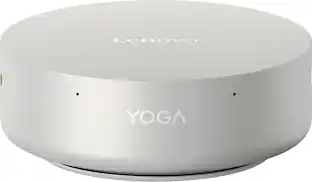
Lenovo - Yoga Mini Desktop - Core Ultra 5 Processor 325 2026 - 16GB Memory - 512GB SSD - Seashell
4.8(37)

Discover the silent force of AI computing. The Lenovo Yoga Mini harnesses Intel Core Ultra Series 3 processors to power through creative workflows and dominate multitasking, delivering pro-grade performance in a compact design that breaks all limits.

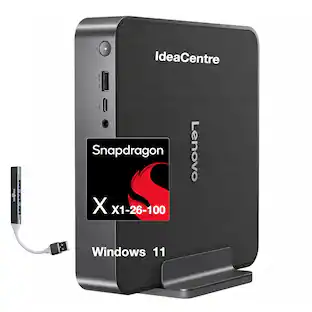
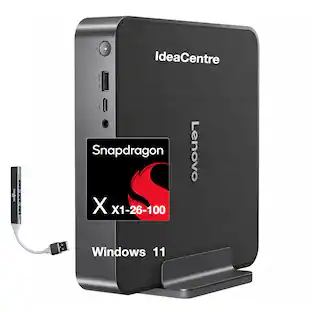
Bundle - Lenovo - IdeaCentre SDX126 Copilot + Mini Desktop (Snapdragon X X1-26-100, 32GB,512GB SSD,Qualcomm Adreno, Win 11 Home) w/USB Hub - Luna Grey

Velztorm sells computers with custom/upgraded configurations to enhance system performance. If the computer has modifications as listed above, the manufacturer’s box was opened by our highly skilled technicians for testing, inspection, and installation of the upgrades according to the specifications advertised. All computers and components are brand new.; ; - Model: Lenovo IdeaCentre SDX126; - Form/Style: Mini PC; - Processor: Snapdragon X X1-26-100 3.00GHz Processor (upto 3 GHz, 24MB Cache, 8-Cores, 8-Threads, ); - Memory: 32GB OnBoard LPDDR5X RAM; - Graphics: Qualcomm Adreno Integrated Graphics, ; - Storage: 512GB PCIe SSD (Solid State Drive); - Operating System: Windows 11 Home-64; - Display: ; - Connectivity: 802.11be, Bluetooth 5.4, RJ-45; - Ports/Slots:, 1 USB 2.0, HDMI, 1 Display Port, USB 3.2 Type-C, Headphone/Microphone Combo Jack; - Input/Output:, ; - Battery: 150W PSU, ; - Other Features, ; - Color: Luna Grey; - Weight: 3.9lb; - Product Dimensions (WxLxH): 10.7 IN x 12.25 IN x 4.5 IN; - 1 Year Manufacturer Warranty.

Pros for ASUS - Ascent QN10 Mini PC - Snapdragon X2 Elite (2026) - Qualcomm Adreno X2-90 - 16GB Memory - 512GB Storage - Copilot+PC - Silver
There were no pros for this product—PerformanceOverall Performance, Portability, Processor Speed, Design, Storage CapacityThere were no pros for this product—

Specs

Questions & Answers

  • Can this desktop be upgraded with more ram and an additional ssd?

    No, the RAM cannot be upgraded on this Ascent QN10 Mini PC . The system uses integrated LPDDR5x memory that is soldered directly onto the motherboard. However, it has an accessible M.2 PCIe SSD slot under the bottom cover that supports adding a secondary M.2 NVMe SSD.

    Answered by ASUS Answers
    ASUS Answers response
  • does it come with win11 pro?

    Yes, the ASUS Ascent QN10 Mini PC comes with Windows 11 Pro.

    Answered by ASUS Answers
    ASUS Answers response
Ask a question
No content

Customers often buy these together

Sponsored