WD - Blue 4TB PC Internal Hard Drive for Desktops
Storage Capacity
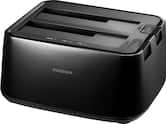
4000GB- Insignia™ - 2-Bay HDD docking station$49.99

More Buying Options
Related Item

Specifications
- Storage Capacity4000 gigabytesStorage Drive TypeHDDRotational Speed5400 revolutions per minuteMaximum Read Speed175 megabytes per secondMaximum Write Speed175 megabytes per secondForm Factor3.5 in.
- Key Specs
- Storage Capacity: 4000 gigabytes (Measured in megabytes (MB), gigabytes (GB) and terabytes (TB), this is the amount available for storing files, music, movies, photos and more. The total includes the capacity of the hard disk drive and solid state drive if both are included on the computer.)
- Storage Drive Type: HDD (Traditional, mechanical hard disk drives are the most common type of storage because they're relatively inexpensive and offer huge capacities. However, they also generate both noise and heat. Solid state drives, also known as SSDs, are many times faster than hard disk drives and have no moving parts to wear out, but typically offer less capacity for the same price.)
- Rotational Speed: 5400 revolutions per minute (The rate at which the hard drive spins its platters. The higher the rotational speed, the faster the drive can read and write data.)
- Maximum Read Speed: 175 megabytes per second (The greatest speed at which the device can read information; for example, opening files.)
- Maximum Write Speed: 175 megabytes per second (The greatest speed at which the device can write information; for example, saving files.)
- Form Factor: 3.5 in.
- Interface(s): SATA (Refers to the types of connections that devices use to interact and communicate with each other.)
- General
- Brand: WD
- Model Number: WD40EZAX
- Product Name: Blue 4TB PC Internal Hard Drive for Desktops
- Capacity
- Storage Capacity: 4000 gigabytes (Measured in megabytes (MB), gigabytes (GB) and terabytes (TB), this is the amount available for storing files, music, movies, photos and more. The total includes the capacity of the hard disk drive and solid state drive if both are included on the computer.)
- Performance
- Storage Drive Type: HDD (Traditional, mechanical hard disk drives are the most common type of storage because they're relatively inexpensive and offer huge capacities. However, they also generate both noise and heat. Solid state drives, also known as SSDs, are many times faster than hard disk drives and have no moving parts to wear out, but typically offer less capacity for the same price.)
- Rotational Speed: 5400 revolutions per minute (The rate at which the hard drive spins its platters. The higher the rotational speed, the faster the drive can read and write data.)
- Maximum Read Speed: 175 megabytes per second (The greatest speed at which the device can read information; for example, opening files.)
- Maximum Write Speed: 175 megabytes per second (The greatest speed at which the device can write information; for example, saving files.)
- Compatibility
- Internal Or External: Internal
- Product Compatibility: Desktop computers
- Form Factor: 3.5 in.
- Interface(s): SATA (Refers to the types of connections that devices use to interact and communicate with each other.)
- Bare Drive: true (Drive is sold without any pre-installed software.)
- Minimum System Requirements: PC: Windows 10, 8.1, or 7; macOS High Sierra, Sierra El Capitan
- Features
- Data Encryption: false
- Usage: Everyday computing, Backup
- Lighting Type: None
- Memory
- Cache Buffer Size: 64 megabytes (The data capacity of the cache buffer (or disk buffer) that acts as temporary memory for the drive. The cache holds the most recently and frequently used data to save the drive the extra step of pulling it from permanent storage every time it's needed, which helps increase the drive's overall speed.)
- Dimensions
- Product Height: 1.06 inches (The out of box height of the item. Height is measured as the vertical distance from the bottom of the item to the top as it would be primarily used or placed.)
- Product Width: 4 inches (The out of box width of the item. Width is measured as the horizontal distance from one side of the item to the other as it would be primarily used or placed.)
- Product Weight: 20.16 ounces (The out of box weight of the item.)
- Included
- Included Software: Acronis True Image WD Edition
- Warranty
- Warranty - Parts: 2 years limited
- Warranty - Labor: 2 years limited
- Other
- UPC: 718037898605
Store edited photos, videos, and games on this 3.5-inch Western Digital hard drive. It has dynamic cache for optimizing allocation between reads and writes, and there's plenty of space to store files with its 4TB capacity. 
- 4TB storage capacity: Provides plenty of space for documents, photos, music, videos and other data.
- Tested for Compatibility: Tested on hundreds of systems, inlcuding Mac and PC, and a multitude of platforms in our F.I.T. Lab to give customers confidence that our drives will work in their systems.
- Low Power Consumption: State-of-the-art seeking algorithms and advanced power management features help ensure low power consumption.
- NoTouch Ramp Load technology: The recording head never touches the disk surface ensuring significantly less wear to the recording head and data as well as better drive protection in transit.
- Acronis True Image WD Edition cloning software: This software enables you to copy all your data to a new drive so you don’t have to reinstall your operating system.
Whats Included
- WD Blue everyday 4TB Internal SATA Hard Drive for Desktop
- Mounting screws
- Quick Install Guide
Q: What is the cache buffer size of this hard drive?
A: This hard drive has a cache buffer size of 64 megabytes.
Q: What is the storage capacity of this Western Digital hard drive?
A: This Western Digital hard drive has a storage capacity of 4TB.
Q: Does this hard drive come with any software?
A: Yes, this hard drive comes with Acronis True Image WD Edition cloning software.
Q: What is the maximum read speed of this hard drive?
A: The maximum read speed of this hard drive is 175 megabytes per second.
Q: How is this hard drive protected from damage during transit?
A: This hard drive uses NoTouch Ramp Load technology where the recording head never touches the disk surface, which provides better drive protection in transit.
A: the 4th picture says the model on this is wd40ezaz. on western digital's site, it shows this: CMR: WD5000AZLX, WD5000AZRZ, WD10EZEX, WD10EZRZ, WD20EZRZ, WD30EZRZ, WD40EZRZ SMR: WD20EZAZ, WD20EZBX, WD30EZAZ, WD40EZAZ, WD60EZAZ unless the picture is wrong, this is an SMR drive.
A: MTBFs vary between manufacturers AND the characteristic usage class of the drive. Manufacturers like to claim this time to far exceed 11 years but reality shows a fairly high variance between manufacturers and the “class” of drive. In this case the WD 4TB “Desktop” drive in avg daily “consumer grade” usage, should last 7 years or more easily, even in 24/7 powered up state as I run such systems. The Western Digital quality is fairly high and you should see a low 2-3% overall annual failure rate across their quantity of shipped units. When you need higher grade performance, look to a “NAS” class drive . . . remember the old saying of you “get what you pay for” is a good rule of thumb. Hope it’s helps.
Q: Is this hard drive capable for my ps4?
A: I think as long as you have the data bank adapter youbshould be able to use it on a ps4
Compare similar products

Store edited photos, videos, and games on this 3.5-inch Western Digital hard drive. It has dynamic cache for optimizing allocation between reads and writes, and there's plenty of space to store files with its 4TB capacity.

Upgrade your computer with this Seagate BarraCuda internal HDD. The 4TB of total capacity provide optimum space for storing large files, while the data transfer speed of up to 190MB/sec. combined with a 256MB cache memory buffer delivers blazing-fast file transfers. This Seagate BarraCuda internal HDD has Self-Encrypting Drive technology and an Instant Secure Erase feature for efficient data removal and supports SATA III connectivity. Seagate equivalent and backward compatible models: ST4000DM004, ST4000DMZ04.
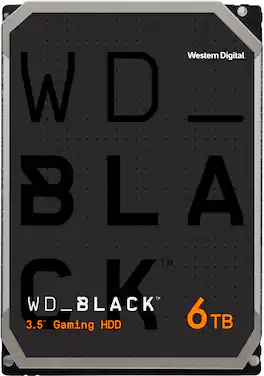
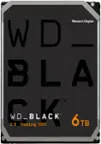
Upgrade today with the latest generation of the WD_BLACK Gaming Hard Drive for the capacity you need and the performance you want. Available with up to 512 MB of DRAM cache on higher-capacity models, WD_BLACK Gaming Hard Drives are optimized for performance so you can spend more time playing the games you love most. Combine WD_BLACK Gaming Hard Drive with a WD_BLACK SSD for a dual-drive configuration, enabling additional caching of the operating system onto the SSD for even greater PC gaming performance. All together, upgrading your older or slower hard drive to the latest generation of WD_BLACK HDDs gives you speedy performance, high capacities, and industry-leading 5-year limited warranty for an inspiring three-in-one storage solution.

Set up a data storage solution with this 3.5-inch Seagate IronWolf internal hard drive. AgileArray technology offers RAID optimization in a multi-bay configuration, while IronWolf Health Management enables data recovery and protection. This 8TB Seagate IronWolf internal hard drive supports 24/7 use, and the rotational vibration sensors provide increased reliability within your NAS setup. Seagate equivalent and backward compatible models: ST8000VN004, ST8000VNZ04.
| Pros for WD - Blue 4TB PC Internal Hard Drive for Desktops | |||
|---|---|---|---|
| Installation, Storage, Reliability, Ease of use, Price | Overall Performance, Storage Capacity, Installation | Overall Performance, Storage Capacity, Installation Ease, Read/Write Speed | There were no pros for this product— |
| Cons for WD - Blue 4TB PC Internal Hard Drive for Desktops | |||
| SATA Cable, Warranty | There were no cons for this product— | Noise Level | There were no cons for this product— |
Specs
Reviews
Customers are saying
Customers are enthusiastic about the Blue 4TB PC Internal Hard Drive, highlighting its ample storage space, reliability, and ease of use. Many find the hard drive to be a great value for its price and appreciate the simple installation process and quiet operation. However, some customers have noted that a SATA cable is not included, and the warranty is only two years.
Customer Images
The vast majority of our reviews come from verified purchases. Reviews from customers may include My Best Buy members, employees, and Tech Insider Network members (as tagged). Select reviewers may receive discounted products, promotional considerations or entries into drawings for honest, helpful reviews.
- Rated 5 out of 5 stars
Best products 10 by 10 clear no noise
Best HDD long working i recommend to buy everyone best part this hard drive is really clean and not noise coming out smoothly run and format
SHEHYARA Posted
- Rated 5 out of 5 stars
Arrived and works exactly as advertiesd.
Usually Getting around to buying hard drives is quite the unreaosnable gamble as its been inconsitent with the model numbers. Fortunately I got exactly what I was after: a 4TB CMR hard drive that ends with “EZAX”. As for the general review, its a simple plug-n-play setup for devices that can hold 3.5” hard drives. Included in the box are 4 mounting screws, as wall as general product documantion and warranty information.
Chris Posted
- Rated 5 out of 5 stars
get on sale
this is my 2nd blue WD purchased ,, since bestbuy put them on sale again ,, i wonder if these hdd are will be phased out in favor of ssd is the reason .. so getting some extra on sale seems logical to me .. also,, i been using the free acronis backup software making backups .. finally without having to buy it .. i used acronis to create a backups on the 1st blue ..and then created a bootable clone on the 2nd blue .. i also worked on creating a bootable clone on a usb WD passport drive too but not tested a boot with it yet .. however when the blue booted ,,, it took about 4 to 5 minutes where the motherboard ssd boots takes just a minute .. another thing which i liked was the boot ssd was 2TB and had 2 partitions of 1TB ,, and when the blue 4TB bootable was created ,, the acronis created 2 partitions of 2TB each .. .which make me even more happier .. my eventual plan is to use the bootable blue to now make a bootable 4TB ssd ,, and keep the 2TB ssd and boot blue as backup out of the desktop ..
Controler Posted