Labor Day Appliances SaleEnds 9/16. Limited quantities. No rainchecks.Shop now

Main Content

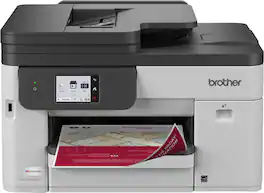
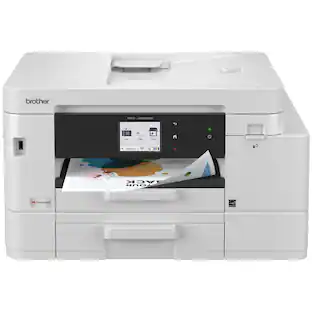
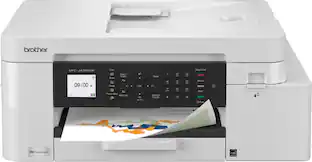
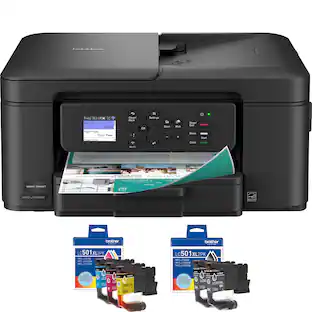
Brother - INKvestment 5010 Wireless Color Inkjet All-in-One Printer with 2-sided Copy/Scan & 2.7” Color Touchscreen (MFC-J5010DW) - Gray

Model: MFCJ5010DW
SKU: 12876103
Sold & shipped by

Customers are saying

Customers often highlight the impressive print speed and the straightforward setup process as key benefits of this product. Additionally, users appreciate that the touchscreen interface is highly responsive during operation. Overall, the feedback indicates a positive experience with the device's performance and usability.

Generated by AI based on customer reviews.
Features
  • All-in-One Printer

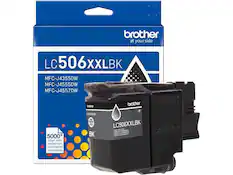
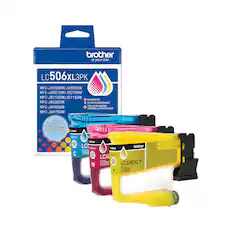
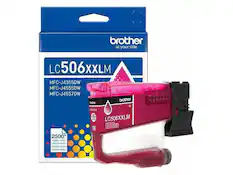
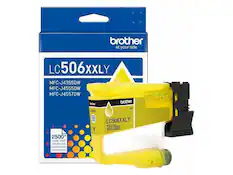
    This multifunction printer makes it easy to print, copy, scan, and fax —all in one powerful device, and includes one 1,800-page yield black ink cartridge and one 750-page yield cartridge for each color in cyan, yellow and magenta in the box(6).

  • Productivity-Focused Printing Features

    A 250-sheet paper tray(1), 50-page single-pass duplex (2-sided) automatic document feeder (ADF)(1), and automatic duplex printing provide advanced media-handling capabilities on paper up to 8.5”x14”.

  • Superior Printing

    Engineered with MAXIDRIVE Technology with impressive print speeds of up to 28 pages per minute (ppm) in black and up to 26 ppm in color(7). Plus, our PerfectPrint Auto Detection System helps ensure reliable, consistent print quality for results you can be proud of.

  • Advanced Security Features

    Your business stays your business. Included security features safeguard your data and create secure connections.

  • Innovative Technology

    Enhance your workflow with Wi-Fi Direct, which allows you to print wirelessly even without an external network connection.

  • Cloud App Connections

    Print from and scan to popular Cloud apps(3), including Google Drive, Dropbox, Box, OneDrive, and more, from an impressive 2.7” color touchscreen that enhances clarity and helps ensure effortless operation.

  • Wireless, Gigabit Ethernet, and USB Connectivity

    Connect your way. Multiple users can interface with your printer on your wireless network(2), or you can connect directly via Gigabit Ethernet or USB.

  • The Brother Mobile Connect app

    Put the power of printing at your fingertips. Go mobile with the simple-to-use Brother Mobile Connect app(5), which delivers easy on-screen menu navigation for printing, copying, scanning, and device management from your mobile device.

  • Customer Support

    For customer service, visit us at

  • Brother Genuine Ink

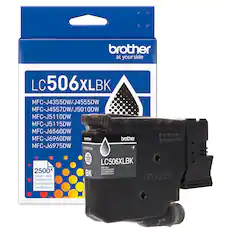
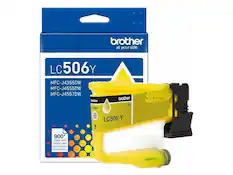
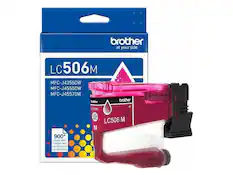
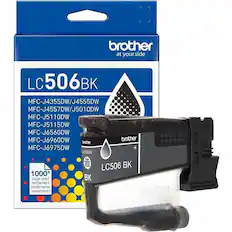
    Reliable performance you can count on. Brother Genuine Ink is quality-tested to work seamlessly with your Brother printer. Choose Brother Genuine LC506 Ink, the only brand we recommend for use with your printer.

See all features
Specifications
  • Networking
    Wireless, Wired
    ENERGY STAR Certified
    Yes
    Printer Type
    All In One, Printer, Copier, Scanner
    ISO Color Print Speed
    26 pages per minute
    ISO Mono Print Speed
    28 pages per minute
    Output Tray Capacity
    150
Sponsored

Reviews

Rating 4.6 out of 5 stars with 16 reviews

94% would recommend to a friend
Customers are sayingCustomers often highlight the impressive print speed and the straightforward setup process as key benefits of this product. Additionally, users appreciate that the touchscreen interface is highly responsive during operation. Overall, the feedback indicates a positive experience with the device's performance and usability.
This summary was generated by AI based on customer reviews.
  • Print Speed (8)
  • Ease of Setup (5)
  • Touchscreen Responsiveness (4)

Customer Images

The vast majority of our reviews come from verified purchases. Reviews from customers may include My Best Buy members, employees, and Tech Insider Network members (as tagged). Select reviewers may receive discounted products, promotional considerations or entries into drawings for honest, helpful reviews.


  • Rated 4 out of 5 stars

    Does the job

    Only had it for a week so rating doesn’t include reliability. Prints fast for an inkjet. Haven’t used copy/scan functions yet. Setup was a little confusing mainly around the brother connect for dashboard. It took several tries to successfully connect.

    This review is from Brother - INKvestment 5010 Wireless Color Inkjet All-in-One Printer with 2-sided Copy/Scan & 2.7” Color Touchscreen (MFC-J5010DW) - Gray

    Posted by William

  • Rated 2 out of 5 stars

    Not impressed

    Years ago, I had a Brother printer that I absolutely loved. It was a small MFC printer, and I never had any trouble with it until it got fried by lightning strike near my house. That's why I jumped at the chance to test this Brother MFC printer. This unit doesn't have a large footprint, although it is larger than my previous Brother printer. Initial setup was straight forward; the most challenging thing I had to do was contact my email provider and have them enable the ability to allow the printer to send scans via email using my email address. The whole setup took about 20 mins. The printer is fast and extremely quiet. The text and images are crisp and the color are exact. The display seems a bit small, but it's bright and clear, and finding the setting you want is fairly intuitive. I was really liking this printer... for the first few days. About 4-5 days after I started using the printer, I tried to print something, but nothing happened. I checked the printer queue, and it showed the printer being in an 'error' state. When I checked, the Wi-Fi icon on the printer's display showed that it wasn't connected. The Brother printer is in the same room as my router AND another popular name-brand printer, which I could still use to print. So, I went through the settings and selected "Recover WLAN", which failed. So, I rebooted the printer, and the Wi-Fi connection was restored, and I could print. Later that day, the same thing happened, and again, I had to reboot the printer to restore the connection. The next day, the same thing happened, multiple times. I called Brother support and after about 30 minutes of discussing the issue, I was told the problem was with my ISP. I thought this was a stretch, but I did contact my ISP, and of course they said the problem wasn't on their end. Moreover, the other printer, never lost connection. I went into my router settings and set a static IP for this printer; it continued to lose the Wi-Fi connection. Then I had the issue escalated, but when the email arrived and I replied, my response was kicked back because it said the sending email didn't match the account owner's email. The email also stated that I could log onto the Brother website and update the ticket, so I did that (using the email address that I was told didn't match my account), but I could find absolutely no way to access the ticket. So, I called support again and asked why my emails were being kicked back and/or how I could update the ticket through the website. The rep initially began trying to help me figure that out, but at some point, he decided he was going to help me fix the connection issue. While on the phone with the rep, I removed the printer from the device list on my laptop, but then I couldn't re-add it. After an hour on the phone, the rep told me the problem was with my ISP. After the call, I wound up installing a large software/driver package from Brother and was able to re-add the printer to my laptop, but even though the printer showed itself as being connected (on its display), and even though I could see it in the client list of my router, and even though the Brother software saw the printer and could access info (e.g. ink levels), and although I could see the printer from the Dashboard in my account on the Brother website, and all of the IP addresses matched, when I tried to print, the docs went to the queue but errored out. Today I rebooted the printer and was actually able to print several documents, but an hour later, the connection had dropped, so I just started using my other printer. I'm not really sure what the problem is, it could be something I'm missing with my router, but I don't understand how the other printer doesn't exhibit at least something similar. Overall, when the printer works, it's great. The problem is, the one I have hardly works. Maybe I need to rethink my fondness of Brother printers.

    This review is from Brother - INKvestment 5010 Wireless Color Inkjet All-in-One Printer with 2-sided Copy/Scan & 2.7” Color Touchscreen (MFC-J5010DW) - Gray

    Posted by Chuck

  • Rated 4 out of 5 stars

    Solid Printer

    This Brother Inkvestment MFC-J5010DW is a solid printer and my 3rd Brother MFC printer and 2nd Inkvestment printer. It is replacing my still functioning, 11yr old MFC-J885DW that has started to show signs of increasing gaps and streaking--largely due to my infrequent, random printing. While larger and a bit louder than my smaller, 11yr old J885 printer, the MFC-J5010DW is FAST in comparison: EVEN FOR COLOR PRINTOUTS! 28ppm B/W, 26ppm color. Unlike my J885, this printer will also hold 250 sheets of paper and will automatically print duplex if desired. The manual feed is great for specialty paper like sticker paper (for all the Cricut users out there) or 8.5x14. The ADF (automatic document feeder) is a non-negotiable for me: I need a printer that has an ADF and can do dual-sided scanning. For me, it is less about making copies and more about scanning to PDF which brings me to the onboard software and screen... The onboard touchscreen is the main reason I have knocked a star off the review. The screen is too small and the software/display is unchanged in over 11 years. In some ways it is nice that the software hasn't changed but it also feels like I am running Windows 3.1 on a brand-new device. All the basics are there from maintenance functions to email/scanning/copying/faxing functions, to an address book, etc. but they are hard to navigate on such a small screen. Fortunately, you can use a web browser (with password protection you set up when you onboard the printer to your network) to do much of the setup and maintenance. Plus, the web interface has FANTASTIC metrics about your ink levels, print history, error logging, etc. Much of my scanning to PDF goes to the cloud or email. Brother offers "easy" (in that the process is simple but the use of the touchscreen can again be a bit challenging for thicker fingers) connectivity to cloud sources like Google Drive and One Drive (and Dropbox, Sharepoint, OneNote, Box, Evernote). Fortunately, the entire process is NOT driven by the touchscreen. To scan to Google Drive, for example, you select "Scan to Google Drive" on the touchscreen to start your account setup. After that, the bulk of the activation is done by going to bwc.brother.com and authenticating your cloud service on a phone or computer rather than the tiny Brother printer screen. To complete registration, you grab a multi-digit code from your bwc.brother.com browser session and tap it into the printer touchscreen rather than having do all the authenticating on the device. The print quality is very good. A keen eye knows it is inkjet and not laser, but the quality is on par with laser at least for b&w printing. The "Inkvestment technology" effectively pours individual, higher yield ink cartridges into a storage pool in the printer resulting in less replacement of cartridges. Inkvestment is not an ink subscription program (however, Brother does offer a "Refresh" ink subscription service). Out of the box setup was easy. Unbox, peel off some blue tape holding things together in shipping, turn it on, select your language, scan a barcode, connect to your wifi, install the ink and follow prompts. (There was an option to set up the printer without the phone app or direct from the touchscreen but I was not willing to navigate the smaller screen.) There is a mandatory test print and optional scanner alignment process but all-in-all I think it took about 5 minutes. My Windows 11 PC found the printer almost instantly and configured it on my laptop within 60 seconds. Another reason for me to replace my 11yr old printer with the MFC-J5010DW is the Brother Mobile Connect app. I am not a huge fan of apps to control printers, but it was time to take advantage of the upgraded Brother app (which is not backwards compatible with my old printer). I would recommend the printer unless you have serious issues working with a small touchscreen. I am more than satisfied with the quality and speed of the printer as well as the perks to connect to various services for printing, scanning, faxing and copying.

    This review is from Brother - INKvestment 5010 Wireless Color Inkjet All-in-One Printer with 2-sided Copy/Scan & 2.7” Color Touchscreen (MFC-J5010DW) - Gray

    Posted by BenisJ

  • Rated 5 out of 5 stars

    This INKvestment Printer is a Great Investment

    Having tried a variety of printers from various brands has given me an affinity for Brother printers. They never let me down. This printer is easily discoverable by any device and prints double-sided in just seconds. It is definitely perfect for home-based and small businesses. *Quality of Product* The printer doesn’t make more space than the average home printer in width and depth, it is just slightly taller. It feels robust and well-made, all the hinges and opening feel durable and sturdy, plus the plastic is thick even on the extendable printout tray. The screen can be pulled up for easy viewing if it is below eyesight, is highly responsive to touch, and makes a satisfying click to register touch. The one downside is that I want to lower the volume of the clicks but can’t find a way to do so. It has volume settings for other noises but not for that. *Print* When it comes to printing, it is incredibly fast. It will print out a full double-sided page in about five seconds. The quality of the text is pretty good for its speed. There is a tiny bit of fuzziness when printing under “normal” quality, but the effect is so minimal that most people won’t notice it if they aren’t specifically looking at that as the text is completely legible. I have had similar results with another ink saving printer, and it seems to be a cause of ink conservation. With the “best” quality setting, the text is highly pigmented but there are still a few out of place ink “pixels,” just far less frequent that with the normal quality. It does, of course, take slightly longer to print out a page under this setting. I actually printed an entire 91-page textbook for a weekend course I took and am pretty satisfied with the quality and color. I also printed out a photo I took and it did a fantastic job at keeping the colors accurate. *Scan* This printer has duplex scanning capabilities, a feature that is absolutely worth it to have when the need arises, which for me is quite often due to my remote job. I like being able to have all the functions in one machine, rather than a separate scanner for just that. The printer was able to scan over 10 pages in under a minute. I had about three sets of 10 pages to scan and all had been folded in half, but it only jammed once and the compartments are easy to lift to clear the jam. *App* The Brother app is very simple and streamlined. It shows the function options clearly, plus the amount of ink level remaining. It has no frills, no distractions, just what is needed for printer use. *Conclusion* This is overall a great multi-purpose printer than is benefits any small business and even families that prints a lot. It is quick, prints adequately, saves ink, and has duplex scanning plus has a small footprint.

    This review is from Brother - INKvestment 5010 Wireless Color Inkjet All-in-One Printer with 2-sided Copy/Scan & 2.7” Color Touchscreen (MFC-J5010DW) - Gray

    Posted by Akire

  • Rated 5 out of 5 stars

    EXCELLENT PRINTER!

    FAST! Very clean print-outs that rival my laser printer and Brother DOES NOT force you to buy their ink! Does everything I need for my small business, and then some!

    This review is from Brother - INKvestment 5010 Wireless Color Inkjet All-in-One Printer with 2-sided Copy/Scan & 2.7” Color Touchscreen (MFC-J5010DW) - Gray

    Posted by LarryG

Compare similar products

Brother - INKvestment 5010 Wireless Color Inkjet All-in-One Printer with 2-sided Copy/Scan & 2.7” Color Touchscreen (MFC-J5010DW) - Gray
4.6(16)

The INKvestment 5010 Wireless Color Inkjet All-in-One Printer delivers maximum productivity with minimal space impact, making it a powerful workplace companion that doesn’t overwhelm your workspace. With power-driven all-in-one capabilities, you can print, copy, scan, and fax from a single convenient printer. Deliver your best work with a 250-sheet paper tray(1), 1-sheet manual feed slot(1), and a 50-page 2-sided automatic document feeder (ADF)(1). Plus, connect with convenient dual-band wireless(2), Gigabit Ethernet, and cloud connectivity(3), all navigable from a generously sized, easy-to-operate 2.7” color touchscreen. This color inkjet printer reliably outputs vibrant colors and bold, rich blacks, and Page Gauge(4) monitors your ink usage, so you know when you’re running low. When paired with the Brother Mobile Connect app, you can get started quickly with an intuitive step-by-step guided setup – plus, you’ll gain the ability to print from virtually anywhere on your mobile device(6). Produce beautiful prints in vibrant color and bold blacks at fast print speeds with Brother Genuine LC506 Ink cartridges – the only brand we recommend for your Brother printer.
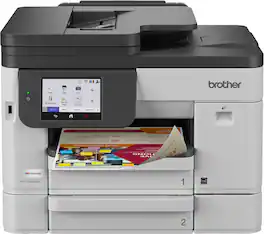
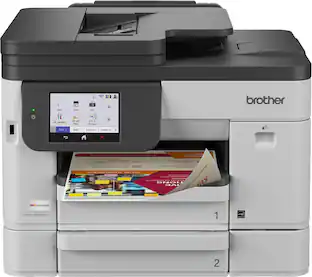
Brother - INKvestment 5110 Wireless Color Inkjet All-in-One Printer with 500-sheet paper tray/4.3” Color Touchscreen (MFC-J5110DW) - Gray
4.6(14)

The INKvestment 5110 Wireless Color Inkjet All-in-One Printer optimizes your workflow with business-minded features and a small footprint that fits within your space. The INKvestment 5110 keeps small businesses in mind, with productivity-enhancing capabilities including single-pass duplex (2-sided) copy and scan capabilities up to 50 sheets via the automatic document feeder (ADF)(1), a 500-sheet paper capacity between two trays, and a 100-sheet multipurpose tray(1). Convenient dual-band wireless(2), Gigabit Ethernet, and Cloud connectivity options(3) are available on the 4.3” color touchscreen. This color inkjet printer reliably outputs vibrant colors and bold, rich blacks, and Page Gauge(4) monitors your ink usage, so you know when you’re running low. When paired with the Brother Mobile Connect app you can get started quickly with an intuitive step-by-step guided setup – plus, you’ll gain the ability to print from virtually anywhere on your mobile device(5). Produce beautiful prints in vibrant color and bold blacks at fast print speeds with Brother Genuine LC506 Ink cartridges – the only brand we recommend for your Brother printer.

Brother - INKvestment 4555 Wireless Color All-in-One Inkjet Printer with 2 Paper Trays (MFCJ4555DW), Great for Small Offices - White
4.9(17)

Designed with next-level innovation, the INKvestment 4555 Wireless Color Inkjet All-in-One Printer is easy-to-use with a 2.7” color touchscreen that provides enhanced functionality, with the ability to connect directly to popular Cloud apps(1), and a front USB Port(2). An included 400-sheet paper capacity between 2 trays(3), 20-sheet single-sided automatic document feeder (ADF)(3), and automatic duplex (2-sided) printing, plus 1-sheet manual feed slot(3) provides flexibility and convenient media handling. Get things done quickly with advanced print speeds, Wi-Fi Direct, and multiple connectivity options including ethernet and wireless(4). What’s more, you’ll enjoy the convenience of completing your work wherever you go – print directly from your mobile device from virtually anywhere(5) with the Brother Mobile Connect app(5). Produce beautiful prints in vibrant color and bold blacks at fast print speeds with Brother Genuine LC506 Ink cartridges – the only brand we recommend for your Brother printer.
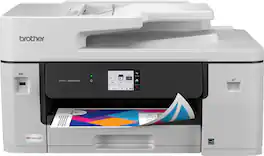
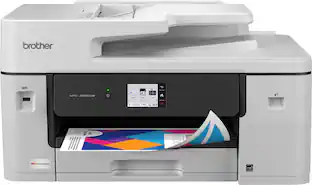
Brother - INKvestment 6560 Wireless Color All-in-One Inkjet Printer with 11”x17” capabilities (MFCJ6560DW) - Gray
4.8(24)

With advanced features designed to improve your productivity, the INKvestment 6560 Wireless Color Inkjet All-in-One Printer means business. Handle your toughest tasks with print, copy, scan, and fax capabilities up to 11” x 17”, automatic duplex (2-sided) printing on standard or ledger/tabloid sized paper, a 250-sheet paper tray, 1-sheet manual feed slot, and a 50-page single-sided automatic document feeder(1). Convenient dual band wireless(2) and Cloud connectivity options(3) are available on the generously sized 2.7” color touchscreen. Maintain superior productivity from day one with fast print speeds and the right amount of ink in-box. This color inkjet printer reliably outputs vibrant colors and bold, rich blacks, and Page Gauge(4) monitors your ink usage so you know when you’re running low. When paired with the Brother Mobile Connect app, setup is quick and easy – plus, you’ll gain the ability to print from virtually anywhere on your mobile device(5). Engineered with MAXIDRIVE Technology with impressive print speeds of up to 31 pages per minute (ppm) in black and up to 30 ppm in color(7), you can produce beautiful prints in vibrant color and bold blacks with Brother Genuine LC506 Ink cartridges – the only brand we recommend for your Brother printer.

Pros for Brother - INKvestment 5010 Wireless Color Inkjet All-in-One Printer with 2-sided Copy/Scan & 2.7” Color Touchscreen (MFC-J5010DW) - Gray
Print Speed, Ease of Setup, Touchscreen ResponsivenessPrint Speed, Setup EasePrint QualityPrinting Speed, Connectivity, Overall Performance
Cons for Brother - INKvestment 5010 Wireless Color Inkjet All-in-One Printer with 2-sided Copy/Scan & 2.7” Color Touchscreen (MFC-J5010DW) - Gray
There were no cons for this productThere were no cons for this productThere were no cons for this productSize

Specs

Questions & Answers
  • Does it have a scan to email feature

    Yes, the Brother MFCJ5010DW supports scan to email.

    Answered by Brother
    Brother response
  • does this printer allow saving documents to OCR files to edit text

    Yes, the Brother MFCJ5010DW includes a software ( the Brother iPrint&Scan) that has the capability to scan and save OCR (Editable text).

    Answered by Brother
    Brother response
  • This printer is listed for $249.99 at Walmart. Can Best Buy match this price?

Ask a question
No content

Customers often buy these together

Sponsored

Finance Options

My Best Buy® Credit Card
Choose a benefit:Or
Buy Now, Pay Later
Lease to own