Brother - PT-P700 PC-Connectable Label Printer for PC and Mac - Black
Brother - PT-P700 PC-Connectable Label Printer for PC and Mac - Black
FREE shipping to
More Buying Options
Related Item

About This Item
- General
- Brand: Brother
- Model Number: PT-P700
- Product Name: PT-P700 PC-Connectable Label Printer for PC and Mac
- Color: Black
- Warranty
- Warranty - Parts: 2 year limited
- Warranty - Labor: 2 year limited
- Other
- Product Width: 6 inches (The out of box width of the item. Width is measured as the horizontal distance from one side of the item to the other as it would be primarily used or placed.)
- Product Height: 5.6 inches (The out of box height of the item. Height is measured as the vertical distance from the bottom of the item to the top as it would be primarily used or placed.)
- Product Weight: 1.6 ounces (The out of box weight of the item.)
- Product Length: 3.1 inches (The out of box length of the item. Length is measured as the longest dimension of the item.)
- Handheld or Desktop: Desktop
- UPC: 012502635888
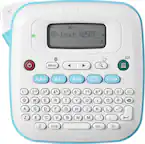
Print labels quickly and easily. The PT-P700 offers simple connectivity – so there's no software or drivers to install. Simply connect to your computer via the included USB cable and launch the built-in software to get started creating professional labels using your own keyboard. Create multi-line labels using fonts and graphics on your computer. Fast print speeds and automatic label cutting help speed large labeling jobs along. For more advanced labeling, such as including bar codes or printing from a database, you can use the P-touch Editor software for Windows. Print labels up to 24mm wide, with large crisp text up to 48pt. The PT-P700 is compatible with durable, TZe series tapes – great for indoor applications or harsher environments – such as outdoors. Choose from a variety of colors and sizes, including Extra-strength adhesive, Acid free, Cable and wire, Tamper evident, Fabric iron-on, Super narrow or decorative Simply Stylish. The split back tapes offer a hassle-free application, with easy peel and stick.
- No software or drivers to install: Just connect via included USB cable to get started
- Create large, durable labels up to ~1” (0.94”) wide: Suitable for indoor or outdoor use
- Customize labels using fonts and graphics on your computer: Quickly create multi-line labels using the built-in software and your own keyboard
- Fast and Efficient: Fast print speeds and automatic label cutting help support efficient labeling
- Flexible Power Options: Works with AC adapter (included) or 6 x AA batteries (sold separately)
- Compatible with ~9/64” (0.13"), ~1/4” (0.23"), ~3/8” (0.35"), ~1/2” (0.47"), ~3/4” (0.7") and ~1” (0.94”) tapes: Including a variety of indoor and outdoor labels for versatility
Whats Included
- Brother P-touch PTP700 PC-Connectable Label Maker
A: The Brother PTP700 machine will print the barcodes as designed, it will not add any extra data.
Q: Can you use this as a handheld (have a keyboard for input) or only use with computer?
A: Only with a computer, there's no keyboard on the device
A: Yes you can print a single label. It only uses tape made for this label maker and it is fairly expensive, but then not many labels of any type are cheap. Google PT-P700 and you will see where others have tweaked the defaults settings to get it to waste less tape between labels.
A: Yes, there is a driver available to use the Brother PTP700, you can download the driver in the Brother support web site at https://support.brother.com/
Reviews
Customer Images
The vast majority of our reviews come from verified purchases. Reviews from customers may include My Best Buy members, employees, and Tech Insider Network members (as tagged). Select reviewers may receive discounted products, promotional considerations or entries into drawings for honest, helpful reviews.
Compare similar products
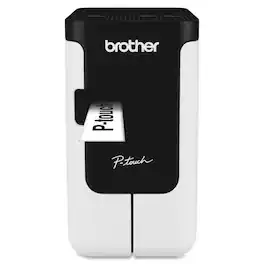
Print labels quickly and easily. The PT-P700 offers simple connectivity – so there's no software or drivers to install. Simply connect to your computer via the included USB cable and launch the built-in software to get started creating professional labels using your own keyboard. Create multi-line labels using fonts and graphics on your computer. Fast print speeds and automatic label cutting help speed large labeling jobs along. For more advanced labeling, such as including bar codes or printing from a database, you can use the P-touch Editor software for Windows. Print labels up to 24mm wide, with large crisp text up to 48pt. The PT-P700 is compatible with durable, TZe series tapes – great for indoor applications or harsher environments – such as outdoors. Choose from a variety of colors and sizes, including Extra-strength adhesive, Acid free, Cable and wire, Tamper evident, Fabric iron-on, Super narrow or decorative Simply Stylish. The split back tapes offer a hassle-free application, with easy peel and stick.

The Brother QL-600 Label Printer is an affordable, cost-effective way to print a virtually endless variety of paper or film labels up to 2.4 inches (62mm) wide for your home, home office or small office. The Brother QL-600 Label Printer fits today’s contemporary spaces, fitting easily into tight areas, delivering high-res printing and big power to print paper and film labels. The Brother QL-600 Label Printer with built-in auto cutter provides a clean, accurate edge so you can easily create custom labels to handle almost any organizing task in your home, home office or small office. It connects to both PC and Mac(R) computers with the included USB cable and can print up to 44 labels per minute(1). It prints crisp, high-res labels at up to 300 x 600 dpi so it’s great for creating professional labels including mailing and shipping labels, small signage and banners, filing tags, and other identification labels. At home users will appreciate the ability to print one, a few or hundreds of labels at a time along with banners up to 3 feet long without ever needing to worry about ink or toner. Available MS Office add-ins and Excel database connectivity enable easy printing of address, gift and mailing list labels. Small office and home office users will be able to easily print barcodes, images and logos along with being able to print signage labels. P-touch Editor software lets you choose from pre-installed label templates, built-in fonts, symbols and styles or create your own labels using a robust library of frames, fonts and images. The software integrates with Microsoft applications such as Excel and Word, helping you create labels using information stored on your computer. The Brother QL-600 is Windows, Linux and Mac(R) compatible. (1) Based on using standard address labels, black text only, at 300 x 300 dpi. All trademarks and registered trademarks referenced herein are the property of their respective companies. Mac is a registered trademark of Apple Inc.

Say goodbye to unnecessary sheet label waste. This dedicated label printer with direct thermal print technology quickly prints exactly the right number of labels and eliminates the need for expensive desktop printer ink or toner. Use the free software to design custom labels or choose one of the convenient pre-loaded label templates for quick label creation. Microsoft Office plugins are available for printing directly from Word, Excel or Outlook. Uses only high-quality, BPA-free DYMO Authentic LabelWriter labels.
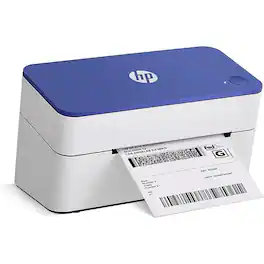
Complete your workspace by adding the HP Label Printer for Shipping Packages. This innovative thermal printer is the perfect addition to group with your office supplies. Connect this 203 dpi thermal shipping label printer to your Mac or PC and print out easy-to-read labels without needing to load your compact printer with ink, thanks to direct thermal technology. Create barcodes, gift tags, shipping labels, address stickers, and more at home in no time with a printing speed of 6 ips. Whether it is for yourself or a small business, you can create a variety of labels for shipping packages with ease. Purchase reliable HP printer shipping labels or use other major brand thermal labels with a compatible printer and you’re ready to begin. Take full advantage of a desktop label printer that works as hard as you do from HP.