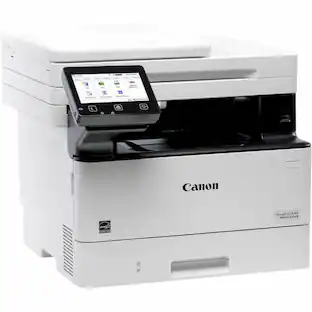
Canon - MAXIFY MB2720 Wireless All-In-One Printer - Black
More options from Marketplace sellers
Related Item

Specifications
- NetworkingWired, WirelessENERGY STAR CertifiedYesPrinter TypeCopier, Fax, Printer, ScannerISO Color Print Speed15.5 pages per minuteISO Mono Print Speed24 pages per minuteOutput Tray Capacity500
- Key Specs
- Networking: Wired, Wireless
- ENERGY STAR Certified: true (Devices carrying the ENERGY STAR service mark, such as computer products and peripherals, kitchen appliances, and other products, generally use 20% to 30% less energy than required by federal standards.)
- Printer Type: Copier, Fax, Printer, Scanner
- ISO Color Print Speed: 15.5 pages per minute (The number of color pages able to be printed per minute in the device's default single-side mode, as tested by the International Standards Organization (ISO).)
- ISO Mono Print Speed: 24 pages per minute (The number of black ink (grayscale) pages able to be printed per minute in the device's default single-side mode, as tested by the International Standards Organization (ISO).)
- Output Tray Capacity: 500
- Touch Screen: false (Touch-screen devices make navigating more intuitive. Using a touch-screen display, you can do things such as tap to select, hold and drag to move items, swipe to scroll, and pinch to zoom.)
- General
- Brand: Canon
- Model Number: 0958C002
- Product Name: MAXIFY MB2720 Wireless All-In-One Printer
- Color: Black
- Display Screen: true
- Display Screen Size: 3 inches
- Dimensions
- Product Height: 12.6 inches (The out of box height of the item. Height is measured as the vertical distance from the bottom of the item to the top as it would be primarily used or placed.)
- Product Width: 18.3 inches (The out of box width of the item. Width is measured as the horizontal distance from one side of the item to the other as it would be primarily used or placed.)
- Product Depth: 18.3 inches (The out of box depth of the item. Depth is measured as the distance from the front of the item to the back as it would be primarily used or placed.)
- Product Weight: 26.5 pounds (The out of box weight of the item.)
- Features
- Automatic Document Feeder: true
- Photo Printing: true
- Monochromatic/Color: Color
- Automatic Reduction/Enlargement: true
- Automatic Two-Sided Printing: true
- Tray Capacity: 250
- Duty Cycle: Up to 20,000 (The maximum number of pages per month that the device can produce without failing, as specified by the manufacturer.)
- Certifications Listings & Approvals
- EPEAT Qualified: false (The Electronic Product Environmental Assessment Tool (EPEAT) was designed to provide an environmental assessment tool for purchasers. In order to qualify for EPEAT, a product must meet all 23 required criteria.)
- TWAIN Compliant: true (Products with this label are compliant with standards set by the TWAIN Working Group for regulating communication between software and digital imaging devices. Devices that are TWAIN compliant are compatible for use with each other without requiring additional software, even if they have different capabilities.)
- Scanner Info
- Scanner Type: Flatbed
- Duplex Scan Function: true
- Scanner Resolution: Up to 1200 x 1200 (Refers to the number of pixels/dots, both horizontally and vertically, of the image produced by the scanner. Generally, the higher the resolution, the sharper and cleaner the produced image.)
- Fax Info
- Integrated Fax: true
- Ink
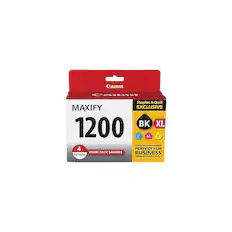
- Compatible Cartridges: PGI-1200 Black (Std/XL); PGI-1200 Cyan (Std/XL); PGI-1200 Magenta (Std/XL); PGI-1200 Yellow (Std/XL)
- Ink Subscription Service Available: false (The printer monitors ink usage and alerts the subscription provider when levels are low. A purchased subscription provides refills of ink based on usage.)
- Memory
- Memory Card Slot: false
- Paper Info
- Automatic Document Feeder Capacity: 50 sheets
- Maximum Document Length: 14 inches
- Maximum Document Width: 8.5 inches
- Supported Paper Sizes: 4" x 6"; 5" x 7"; 8" x 10"; Letter; Legal; U.S. #10 Envelopes
- Paper Feeder: Top loader
- Media Weight (Minimum): 64 grams per square meter
- Media Weight (Maximum): 105 grams per square meter
- Compatible Media Types: Plain and High Resolution Paper; Photo Paper Plus Glossy II, Glossy, Plus Semi-Gloss, Pro Luster, Matte; Business Card; Label Paper; U.S.#10 Envelopes
- Copier Info
- Maximum Number Of Copies: 99
- Performance
- Printer Resolution (Black): Up to 600 x 1200 (Refers to the number of pixels/dots, both horizontally and vertically, of the image produced by the printer in black ink. Generally, the higher the resolution, the sharper and cleaner the produced image.)
- Connectivity
- Minimum System Requirements: Windows 10, 8, 8.1, 7, 7 SP1, Vista SP1, Vista SP2, Server 2012, 2012 R217, Server 2008, 2008 R217; Mac OS X v10.8.5 - 10.11; iOS; Android; Windows RT20; Windows 10 Mobile
- Other
- UPC: 013803266047
Satisfy all home office or small business printing needs with this Canon MAXIFY printer. This all-in-one printer lets you manage scan, copy and print jobs via built-in Wi-Fi to reduce reliance on cords. The 500-sheet paper capacity and high-yielding ink cartridge options ensure this Canon MAXIFY printer handles big printing jobs at a reasonable cost. .
- Be sure you have the right cartridge: Enter your printer's model number into our Ink and Toner Finder to find compatible cartridges. Get started ›
- Prints up to 24 ISO ppm* in black, up to 15.5 ISO ppm* in color: To generate documents quickly.
- Inkjet printers are best for home or small business use: They offer excellent print quality for photos and documents and accept a variety of paper types and sizes.
- Wireless and mobile printing capability: Connect this printer to your home or office network with built-in Ethernet or wireless LAN. Plus, print from your mobile device with the Canon PRINT app.
- Apple® AirPrint enabled: For Apple iPad® and iPhone® printing.
- Up to 600 x 1200 dpi (dots per inch) color and black resolution: High resolution for producing incredible quality and detail in documents and photos.
- 4 individual print cartridges are economical: Only replace ink cartridges (black, cyan, magenta and yellow) when a color runs out.
- Large paper trays for high-volume printing and copying: Reload less often with two 250-sheet trays. Copy, scan or fax multiple pages easily with the 50-sheet automatic document feeder.
- 3" high-resolution LCD touch screen: Easily input commands for printing, copying and scanning directly from the printer.
- USB port for simple connectivity: 1 high-speed USB port offers a standard connection to your PC or a simple way to plug in and print with a USB drive, camera or other device.
- Built-in duplex printing: Print on both sides of the page without turning it over manually, to minimize your printing costs and help the environment.
Whats Included
- Canon MAXIFY MB2720 Wireless All-In-One Printer
- Setup CD-ROM
- Full set of ink tanks
- Power cord
- Telephone cable
Q: Will the printer print in grayscale even if a color cartridge is empty?
A: No if any ink out it will not print
Q: What is the height and width of this printer
A: Height: 12.5 inches; Width: 18 inches; Depth (including extended tray): 17.5 inches
Q: Can I print business cards or on cardstock?
A: Yes you can print business cards and on card stock. I use it for notecards all of the time.
Q: does the Maxify MB2720 work on a 5 ghz network?
A: DEPENDS. GENERALLY, ANY PERIPHERAL WILL WORK ON A NETWORK IF IT IS HARD WIRED. PER CANON SUPPORT, WIFI FREQUENCY IS 2.4.GHZ, ONLY. IF YOU HARDWIRE THIS PRINTER TO YOUR ROUTER (VIA ETHERNET CABLE) OR COMPUTER (VIA USB CABLE), WILL IT WORK ON A 5GHZ SYSTEM, JUST NOT ON WIFI. (***IMPORTANT NOTE: DEPENDING ON YOUR AREA, SOME CABLE/INTERNET ENTITIES ARE PROVIDING 5GHZ ROUTERS, ONLY, WITH NO DUAL BAND CAPABIITY. MANY WIFI DEVICES STILL OPERATE ON 2.4GHZ ONLY. SO IF YOU HAVE PROBLEMS WITH A DEVICE NOT WORKING; I.E. SOME SMART PHONES, WIFI CAMERAS, BABY MONITORS, PRINTERS, ETC; THAT MIGHT BE THE PROBLEM. SPECTRUM COMES TO MIND.***)
Q: Can this printer scan 2 sided and print to one sided? 2-1? Or 2-2? Thanks!
A: When you SCAN you create a file. The SCAN operations (single or two-sided) are therefore independent of the PRINT operation. Yes, with this printer you can scan two-sided documents. After the file is created, you can set the printer to print it either one-sided or two-sided. Presumably your question relates to use of the Automatic Document Feeder (ADF) to scan multiple pages, since it's obvious that individual sheets can always be loaded onto the platen manually, whether they are one- or two-sided. When you SCAN a two sided document with multiple pages with this printer using the ADF, it will scan one side of all of the sheets and deliver them to the scanner output tray. You then will manually lift the stack of pages and load them back into the ADF (there's a screen picture that appears on your PC with the instruction on how to manually remove the pages from the SCAN output tray back into the ADF to complete the second side SCAN.) You first use the SCAN utility tool to instruct the printer whether you are scanning one-sided pages or two-sided pages. That way it will pause after all side-one pages are scanned and wait for you to load the stack into the ADF. When you decide to PRINT the scanned file, use the PRINT Properties selection to determine if your printed output will be one- or two-sided.
A: Most likely it is NOT as good. The reason is that the design of the printhead for photo printing vs that for text printing presents some compromises. A dedicated photo printer will never produce TEXT as well as a dedicated TEXT printer. This printer is designed for printing text and charts and does a pretty fine job on photos when you use the best quality and suitable photo paper. But my experience is that by the time you pay for the ink and paper, you get a better product for less cost at your local drug store! And if you don't like the output, you don't have to pay for it when you use a professional printer service!
Q: Does the printer have an AirPrint feature?
A: You actually can download the Canon Print app which allows management of your wireless printer and printing directly from your phone or tablet.
A: Yes, I am running Mojave 10.14.4 on a MacBook Pro and the printer and scanner work great. To use the scanner, you need to use the “Canon IJ Scan Utility 2”. It is in the Canon Utilities that are installed when the drivers are installed. You should find it by using launch pad. Good luck.
Compare similar products
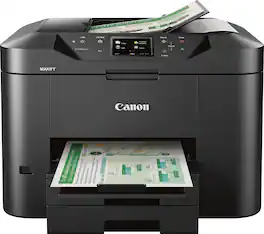
Satisfy all home office or small business printing needs with this Canon MAXIFY printer. This all-in-one printer lets you manage scan, copy and print jobs via built-in Wi-Fi to reduce reliance on cords. The 500-sheet paper capacity and high-yielding ink cartridge options ensure this Canon MAXIFY printer handles big printing jobs at a reasonable cost. .
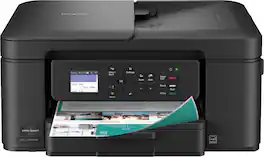
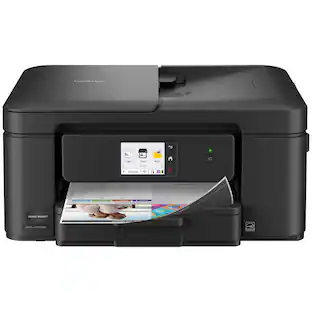
The Brother Work Smart 1360 Wireless All-in-One Refresh Subscription Eligible Inkjet Printer is the perfect choice for a reliable printer with robust efficiency-boosting features. With tools like automatic duplex (2-sided) printing, a 20-page single-sided automatic document feeder(1), and wireless(2) and Cloud connectivity(3) options available on the 1.8” color display, this multifunction printer helps you get your work done with simplicity and ease. Perfect for printing anything from to-do lists to business reports, this color inkjet printer outputs quality prints at fast speeds. Brother Page Gauge(4) monitors your ink usage so you know when you’re running low. When paired with the Brother Mobile Connect app(5), setup is quick and easy – plus, you’ll be able to print from virtually anywhere on your mobile device(6). Print Confidently with Brother Genuine LC501 Ink in your Brother Work Smart 1360 for reliable, consistent prints –it’s the only brand we recommend for your Brother printer.
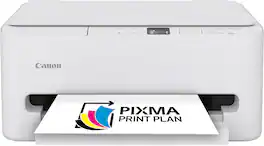
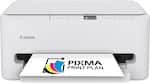
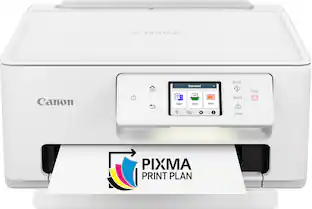
The PIXMA TS6520 strikes a perfect balance between functionality and affordability. While it doesn’t include an ADF like the TR7120, it still offers high-quality printing, scanning, and copying for everyday tasks. Its auto 2-sided printing helps save on paper and its 1.42” OLED display and simple setup make it user-friendly, and its compact design fits easily into any home workspace. With reliable Wi-Fi and mobile printing support, it’s great for printing school projects, recipes, and vibrant photos—without the extra bells and whistles. Best for: Families and students who want a reliable, easy-to-use printer for occasional use without needing advanced features.
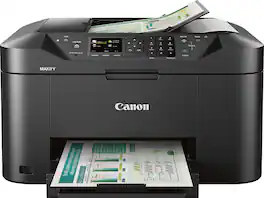
Create colorful documents, send faxes or makes copies with this Canon Maxify ink-jet printer. With a print speed of up to 19 images per minute, this printer delivers big jobs quickly, and it holds up to 250 sheets of paper to reduce the time spent reloading. This Canon Maxify ink-jet printer is Wi-Fi compatible to accommodate multiple users.
| Pros for Canon - MAXIFY MB2720 Wireless All-In-One Printer - Black | |||
|---|---|---|---|
| There were no pros for this product— | Print Quality, Size, Connectivity, Noise Level, Overall Performance | Print Quality, Connectivity, Size, Noise Level, Setup Ease | There were no pros for this product— |
| Cons for Canon - MAXIFY MB2720 Wireless All-In-One Printer - Black | |||
| There were no cons for this product— | Setup Difficulty | Features | There were no cons for this product— |
Specs

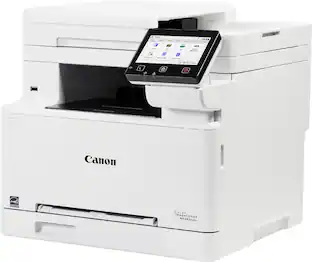
- Canon - imageCLASS MF663Cdw Wireless Duplex Color Laser All-In-One Printer with 50-Sheet ADF - White$349.99The price was $479.99
- Canon - PIXMA PRO-200S Professional Wireless Inkjet Photo Printer - Black$549.00The price was $647.00
Reviews
Rating 4.3 out of 5 stars with 532 reviews
Customer Images
The vast majority of our reviews come from verified purchases. Reviews from customers may include My Best Buy members, employees, and Tech Insider Network members (as tagged). Select reviewers may receive discounted products, promotional considerations or entries into drawings for honest, helpful reviews.
Customers often buy these together
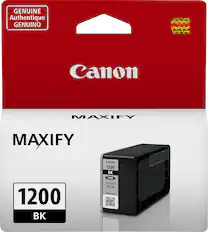
Canon - PGI-1200 Ink Cartridge - Black
$27.99The price was $32.84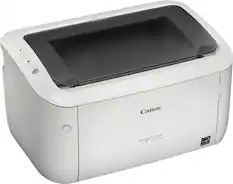
Canon - imageCLASS LBP6030w Wireless Black-and-White Laser Printer - White
$87.99The price was $171.32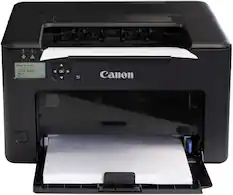
Canon - imageCLASS LBP122dw Wireless Black-and-White Laser Printer - Black
$129.99The price was $194.99

More to consider
 $109.99The price was $139.99
 $349.99The price was $479.99


Explore tech essentials Sponsored
- $349.99The price was $479.99


Discover related products
 $399.99The price was $455.99
 $13.99The price was $19.99
 $141.49The price was $144.99
 $94.99The price was $99.99
 $30.99The price was $32.99