Canon - imageCLASS LBP6030w Wireless Black-and-White Laser Printer - White
Customers are saying
Customers consistently note the excellent print quality and strong overall performance of the product. They also appreciate its ease of use, straightforward setup, compact size, and quiet operation. However, a recurring concern among customers is the difficulty experienced with its connectivity, particularly with Wi-Fi.
Prints up to 19 ISO ppm* in black
Creates the first print in as little as 8 seconds*.
Built-in wireless LAN (802.11b/g/n)
Ensures fast data transfer from a wireless connection.
Up to 600 x 600 dpi resolution
Promotes highly visible text.
Single-cartridge system
Combines the toner and drum into an easy-to-replace unit.
Compact design
Helps conserve space.
150-sheet front-loading paper cassette
Enables you to complete large tasks with ease.
USB 2.0 connectivity
For simple connection to your computer.
*Print speeds vary with use. See manufacturer for info on print speeds.
- NetworkingWirelessENERGY STAR CertifiedNoPrinter TypePrinterDuty CycleUp to 5,000ISO Mono Print Speed19 pages per minuteMonochromatic/ColorMonochromatic
Reviews
Rating 4.2 out of 5 stars with 190 reviews
- Print Quality (63)
- Overall Performance (58)
- Ease of Use (26)
- Size (17)
- Noise Level (5)
- Connectivity (22)
Customer Images
The vast majority of our reviews come from verified purchases. Reviews from customers may include My Best Buy members, employees, and Tech Insider Network members (as tagged). Select reviewers may receive discounted products, promotional considerations or entries into drawings for honest, helpful reviews.

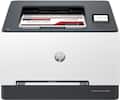
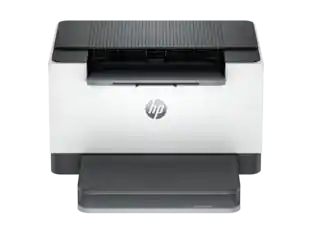
- HP - LaserJet M140w Wireless AI-Enabled Black and White Laser Printer - White$139.00The price was $209.00
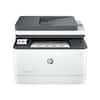
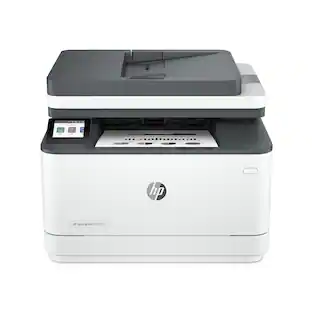
- HP - LaserJet Pro MFP 3101sdw Wireless AI-Enabled Black-and-White All-in-One Laser Printer - White$229.99The price was $349.99


Compare similar products

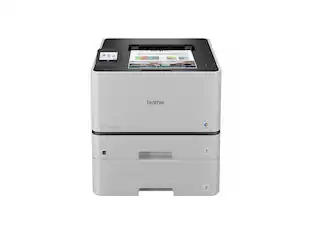
With a 150-sheet front-loading paper cassette and built-in wireless networking, this imageCLASS LBP6030w 8468B003 printer makes it easy to generate documents. The compact design takes up minimal space on your desk.

Designed for small and medium-size businesses, the imageCLASS MF273dw model balances speedy performance and minimal maintenance. The MF273dw is easy to set up and offers media versatility to print on a variety of media types and sizes, including envelopes. The 5-line, adjustable screen delivers an intuitive user experience. Produce crisp, bold documents with fast print speeds of up to 30 pages per minute 1, using high quality Canon Genuine Toner 071 / 071 H. The MF273dw offers paper capacity of up to 150 sheets in the paper tray and 35-sheet automatic document feeder. Easily connect and print through wirelessly2 from computers or mobile devices. Print using a variety of mobile apps, including the Canon PRINT Business app3 using your compatible mobile device. The MF273dw comes with a 1-year limited warranty4 and is backed by Canon's Service and Support network.
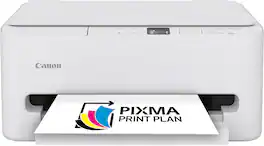
The PIXMA TS6520 strikes a perfect balance between functionality and affordability. While it doesn’t include an ADF like the TR7120, it still offers high-quality printing, scanning, and copying for everyday tasks. Its auto 2-sided printing helps save on paper and its 1.42” OLED display and simple setup make it user-friendly, and its compact design fits easily into any home workspace. With reliable Wi-Fi and mobile printing support, it’s great for printing school projects, recipes, and vibrant photos—without the extra bells and whistles. Best for: Families and students who want a reliable, easy-to-use printer for occasional use without needing advanced features.
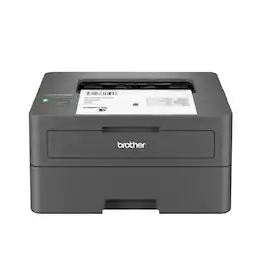
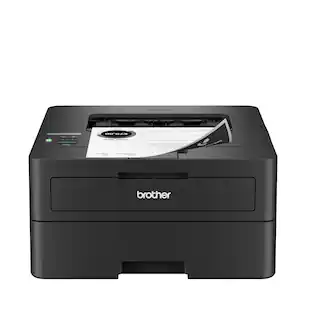
Best for homes and home offices, the Brother HL-L2405W Wireless Compact Black & White (Monochrome) Laser Printer is the sensible, time-saving choice for connected printing. Simple and affordable, this reliable printer consistently produces crisp, easy-to-read black & white prints and offers print speeds up to 30 ISO pages per minute (1) (ppm). The 250-sheet paper tray (2) reduces the frequency of paper refills, helping to save you more time in the workday. You can connect this dependable printer to multiple devices using built-in dual-band wireless or connect locally to a single device with the USB 2.0 interface. Safeguard your information and maintain secure connections while printing with advanced security features. Efficient, durable, and cost-effective, this wireless printer is a time-saving addition to any home workspace.
| Pros for Canon - imageCLASS LBP6030w Wireless Black-and-White Laser Printer - White | |||
|---|---|---|---|
| Print Quality, Overall Performance, Ease of Use, Size, Noise Level | Overall Performance, Print Quality, Ease of Use, Setup, Connectivity | Print Quality, Connectivity, Size, Noise Level, Setup Ease | Print Quality, Overall Performance, Setup, Connectivity, Ease of use |
| Cons for Canon - imageCLASS LBP6030w Wireless Black-and-White Laser Printer - White | |||
| Connectivity | User Interface | Features | There were no cons for this product— |
Specs
More to consider
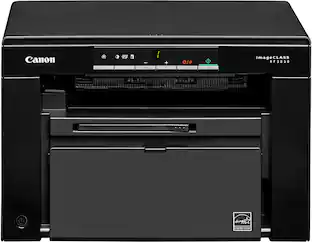 $160.99The price was $174.25
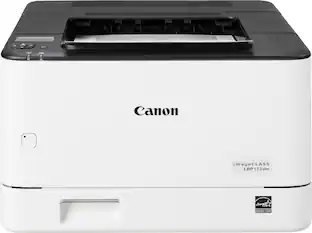 $257.84The price was $266.00
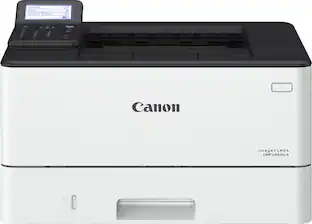 $251.38The price was $324.99
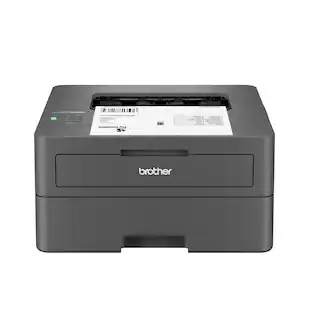




Explore tech essentials Sponsored
 Top Deal$199.99The price was $239.99
 $229.99The price was $349.99

Discover related products
 $63.62The price was $83.84
 $799.00The price was $899.00
 $12.99The price was $13.99








Keep exploring
 $429.99The price was $434.99
 $229.99The price was $290.82
 $1,606.99The price was $2,069.95
 $879.87The price was $954.49
 $893.56The price was $899.95