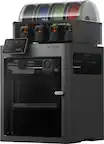
HP - LaserJet Enterprise Flow MFP M527z Wireless Black-and-White All-In-One Printer - White/Black
Model: F2A78V#BGJ
SKU: 5705664
This item is no longer available in new condition. See similar items below
- Key Specs
- Networking: Wired, Wireless
- ENERGY STAR Certified: true (Devices carrying the ENERGY STAR service mark, such as computer products and peripherals, kitchen appliances, and other products, generally use 20% to 30% less energy than required by federal standards.)
- Printer Type: All In One, Copier, Fax, Scanner
- Duty Cycle: Up to 150,000 (The maximum number of pages per month that the device can produce without failing, as specified by the manufacturer.)
- ISO Mono Print Speed: 45 pages per minute (The number of black ink (grayscale) pages able to be printed per minute in the device's default single-side mode, as tested by the International Standards Organization (ISO).)
- Monochromatic/Color: Monochromatic
- General
- Product Name: LaserJet Enterprise Flow MFP M527z Wireless Black-and-White All-In-One Printer
- Brand: HP
- Model Number: F2A78V#BGJ
- Dimensions
- Product Height: 19.55 inches (The out of box height of the item. Height is measured as the vertical distance from the bottom of the item to the top as it would be primarily used or placed.)
- Product Width: 18.98 inches (The out of box width of the item. Width is measured as the horizontal distance from one side of the item to the other as it would be primarily used or placed.)
- Product Weight: 49.1 pounds (The out of box weight of the item.)
- Certifications Listings & Approvals
- EPEAT Qualified: true (The Electronic Product Environmental Assessment Tool (EPEAT) was designed to provide an environmental assessment tool for purchasers. In order to qualify for EPEAT, a product must meet all 23 required criteria.)
- EPEAT Level: Silver (The Electronic Product Environmental Assessment Tool (EPEAT) was designed to provide an environmental assessment tool for purchasers. In order to qualify for EPEAT, a product must meet all 23 required criteria. Products are rated Bronze, Silver or Gold based on how many of 28 optional criteria they meet (below 50%, 50%, 75%).)
- Ink
- Compatible Cartridges: HP 87A Black Original LaserJet Toner Cartridge, HP 87X Black Original LaserJet Toner Cartridge
- Copier Info
- Copier Resolution (Black): Up to 600 x 600 (Refers to the number of pixels/dots, both horizontally and vertically, of the image produced by the copier in black ink. Generally, the higher the resolution, the sharper and cleaner the produced image.)
- Scanner Info
- Duplex Scan Function: true
- Scanner Resolution: Up to 600 (Refers to the number of pixels/dots, both horizontally and vertically, of the image produced by the scanner. Generally, the higher the resolution, the sharper and cleaner the produced image.)
- Scanner Type: Flatbed
- Fax Info
- Integrated Fax: true
- Paper Info
- Maximum Document Length: 13 inches
- Maximum Document Width: 8.5 inches
- Supported Paper Sizes: Letter, Legal, Executive, Envelopes (No. 10, Monarch), 4" x 6", 5" x 8", 8.5" x 13"
- Media Weight (Minimum): 60 grams per square meter
- Media Weight (Maximum): 200 grams per square meter
- Performance
- Printer Resolution (Black): Up to 1200 x 1200 (Refers to the number of pixels/dots, both horizontally and vertically, of the image produced by the printer in black ink. Generally, the higher the resolution, the sharper and cleaner the produced image.)
- Output Tray Capacity: 250
- Recommended Monthly Volume: 2000 - 7500 (The maximum number of pages that can be printed per month, as recommended by the manufacturer. Printing in excess of this number may reduce the machine's overall lifespan or print quality over time.)
- Connectivity
- Minimum System Requirements: Windows 10/8,7 SP1/Vista/XP SP3. Mac OS X v10.8 or later
- Other
- UPC: 852664023020
Conserve energy and produce your first print in as little as 8.5 seconds with this responsive HP LaserJet Enterprise Flow printer. Compact yet multifunctional, this printer fits in tight spaces, making it ideal for smaller multi-person offices. Print directly from NFC-enabled devices or use your smart device to send jobs to this HP LaserJet Enterprise Flow printer remotely.
- Prints up to 45 ISO ppm* in black: To generate documents quickly.
- Laser printers are best for high-volume printing: They handle large volumes quickly and at a low cost per page. Toner (powder) is used instead of ink, so you get smudge-free images and text.
- 4-in-1 functionality: Allows print, scan, copy and fax capabilities so you can accomplish all necessary tasks with just one device.
- Wireless and mobile printing capability: Connect this printer to your home or office network with built-in Gigabit Ethernet or wireless LAN. Plus, print from your mobile device with the free HP ePrint app or Apple® AirPrint.
- Simple touch-to-print functionality: NFC (near-field communication) technology allows quick and easy wireless pairing with enabled mobile devices.
- Apple® AirPrint enabled: For Apple iPad® and iPhone® printing.
- 1200 dpi (dots per inch) for excellent print quality: Medium resolution for producing sharp text, even at 6 points or smaller, and graphics with thin lines and curves.
- Large paper trays for high-volume printing and copying: Reload less often with the 100-sheet multipurpose tray, 550-sheet input tray and 250-sheet output bin.
- 8" LCD with touchscreen rotating (adjustable angle) display: Easily input commands for printing, copying and scanning directly from the display.
- 2 USB Host ports and USB port for simple connectivity: 3 high-speed USB 2.0 port offers a standard connection to your PC or a simple way to plug in and print with a USB drive, camera or other device.
- Built-in duplex printing: Print on both sides of the page without turning it over manually, to minimize your printing costs and help the environment.
- Prints up to 45 ISO ppm* in black: To generate documents quickly.
- Laser printers are best for high-volume printing: They handle large volumes quickly and at a low cost per page. Toner (powder) is used instead of ink, so you get smudge-free images and text.
- 4-in-1 functionality: Allows print, scan, copy and fax capabilities so you can accomplish all necessary tasks with just one device.
- Wireless and mobile printing capability: Connect this printer to your home or office network with built-in Gigabit Ethernet or wireless LAN. Plus, print from your mobile device with the free HP ePrint app or Apple® AirPrint.
- Simple touch-to-print functionality: NFC (near-field communication) technology allows quick and easy wireless pairing with enabled mobile devices.
- Apple® AirPrint enabled: For Apple iPad® and iPhone® printing.
- 1200 dpi (dots per inch) for excellent print quality: Medium resolution for producing sharp text, even at 6 points or smaller, and graphics with thin lines and curves.
- Large paper trays for high-volume printing and copying: Reload less often with the 100-sheet multipurpose tray, 550-sheet input tray and 250-sheet output bin.
- 8" LCD with touchscreen rotating (adjustable angle) display: Easily input commands for printing, copying and scanning directly from the display.
- 2 USB Host ports and USB port for simple connectivity: 3 high-speed USB 2.0 port offers a standard connection to your PC or a simple way to plug in and print with a USB drive, camera or other device.
- Built-in duplex printing: Print on both sides of the page without turning it over manually, to minimize your printing costs and help the environment.
Whats Included
- CDs containing software and electronic documentation
- HP 87A Black Original LaserJet Toner
- LaserJet Enterprise Flow MFP M527z Wireless Black-and-White All-In-One Printer
- Power Cord
- User Guide
- CDs containing software and electronic documentation
- HP 87A Black Original LaserJet Toner
- LaserJet Enterprise Flow MFP M527z Wireless Black-and-White All-In-One Printer
- Power Cord
- User Guide
Today's top picks
- $449.99The price was $649.99