
HP - LaserJet M234dw Wireless AI-Enabled Black-and-White Laser Printer - White & Slate

Key Accessories:
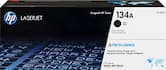
- HP - 134A Standard Capacity Toner Cartridge - Black$64.99
More Buying Options from Best Buy and Marketplace sellers
Related Item

Specifications
- NetworkingWired, WirelessENERGY STAR CertifiedYesPrinter TypePrinter, Scanner, Copier, FaxDuty CycleUp to 20,000Monochromatic/ColorMonochromatic
- Key Specs
- Networking: Wired, Wireless
- ENERGY STAR Certified: true (Devices carrying the ENERGY STAR service mark, such as computer products and peripherals, kitchen appliances, and other products, generally use 20% to 30% less energy than required by federal standards.)
- Printer Type: Printer, Scanner, Copier, Fax
- Duty Cycle: Up to 20,000 (The maximum number of pages per month that the device can produce without failing, as specified by the manufacturer.)
- Monochromatic/Color: Monochromatic
- General
- Brand: HP
- Model Number: M234dw/6GW99F#BGJ
- Product Name: LaserJet M234dw Wireless AI-Enabled Black-and-White Laser Printer
- Color: White & Slate
- Display Screen: true
- Display Screen Size: 1.27 inches
- Dimensions
- Product Height: 10.43 inches (The out of box height of the item. Height is measured as the vertical distance from the bottom of the item to the top as it would be primarily used or placed.)
- Product Width: 14.49 inches (The out of box width of the item. Width is measured as the horizontal distance from one side of the item to the other as it would be primarily used or placed.)
- Product Depth: 17.07 inches (The out of box depth of the item. Depth is measured as the distance from the front of the item to the back as it would be primarily used or placed.)
- Product Weight: 16.76 pounds (The out of box weight of the item.)
- Features
- Automatic Document Feeder: false
- Photo Printing: false
- Automatic Reduction/Enlargement: false
- Touch Screen: false (Touch-screen devices make navigating more intuitive. Using a touch-screen display, you can do things such as tap to select, hold and drag to move items, swipe to scroll, and pinch to zoom.)
- Automatic Two-Sided Printing: true
- Connectivity
- Wired Connectivity: Ethernet
- Wireless Connectivity: Bluetooth, Wi-Fi (The manner in which a device sends data to another device over a short distance without the use of wires or cables.)
- Certifications Listings & Approvals
- EPEAT Qualified: true (The Electronic Product Environmental Assessment Tool (EPEAT) was designed to provide an environmental assessment tool for purchasers. In order to qualify for EPEAT, a product must meet all 23 required criteria.)
- EPEAT Level: Silver (The Electronic Product Environmental Assessment Tool (EPEAT) was designed to provide an environmental assessment tool for purchasers. In order to qualify for EPEAT, a product must meet all 23 required criteria. Products are rated Bronze, Silver or Gold based on how many of 28 optional criteria they meet (below 50%, 50%, 75%).)
- Ink
- Compatible Cartridges: HP 134
- Ink Cartridges Required: 1 x Black (The quantity and color of ink cartridges required for the printer to operate.)
- Ink Cartridges Included: 1 x Black (The quantity and color of ink cartridges included.)
- Copier Info
- Copier Resolution (Black): Up to 600 x 600 (Refers to the number of pixels/dots, both horizontally and vertically, of the image produced by the copier in black ink. Generally, the higher the resolution, the sharper and cleaner the produced image.)
- Scanner Info
- Duplex Scan Function: false
- Scanner Resolution: Up to 600 x 600 (Refers to the number of pixels/dots, both horizontally and vertically, of the image produced by the scanner. Generally, the higher the resolution, the sharper and cleaner the produced image.)
- Scanner Type: Flatbed
- Paper Info
- Paper Feeder: Cassette tray
- Paper Handling: Input Capacities: Up to 150 sheets Standard; Up to 10 envelopes Auto document feeder capacity: Standard, 40 sheets Output Capacities: Up to 100 sheets Standard Duplex Options: Auto-duplex Standard paper trays: 1
- Supported Paper Sizes: Plain, envelopes, rough, bond, label, cardstock, postcards
- Tray Capacity: 150
- Performance
- Approximate Page Yield (Black): 1100
- Printer Resolution (Black): Up to 600 x 600 (Refers to the number of pixels/dots, both horizontally and vertically, of the image produced by the printer in black ink. Generally, the higher the resolution, the sharper and cleaner the produced image.)
- Output Tray Capacity: 100
- First Page Out Time: 7 seconds (The time it takes the printer to print and deliver the first page in the output tray. May depend on the complexity of the copy being printed.)
- Warranty
- Warranty - Parts: 1 year limited
- Warranty - Labor: 1 year limited
- Other
- UPC: 194850664212
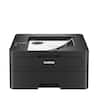
From America's most trusted printer brand¹, the compact, multifunction LaserJet MFP M234dw boosts productivity with smart mobility solutions and wireless two-sided printing.
- Perfectly formatted prints with AI²: Print web pages and emails with precision—no wasted pages or awkward layouts; HP AI easily removes unwanted content, so your prints are just the way you want
- Super compact performance for small business and home office: Print, scan and copy professional-quality documents and reports. Save paper with auto 2-sided printing, and scan or copy a range of document sizes on the flatbed scanner. Perfect for 1-5 people.
- Stays connected: Dual-band Wi-Fi with self-reset automatically detects and resolves connectivity issues
- Fastest two-sided printing in its class³: Up to 30 black-and-white pages per minute single-sided, up to 19 black-and-white images per minute two-sided
- Strong security: Built-in security features help protect your printer from potential attacks
- Easy to set up: Get started fast with easy setup that guides you, step by step. Simply download the HP app, connect to a network, and share your printer across all your devices
Whats Included
- HP LaserJet MFP M234dw Printer
- HP Black LaserJet Toner Cartridge
- Power cord
- Dust Cover; Reference Guide, Setup Poster, Warranty Guide & Flyer in some countries
Product Manuals
Disclaimers
- ¹Based on 2022 semi-annual internal brand surveys commissioned by HP.
- ²Requires Windows 11. HP AI features are available in U.S. English only and require a U.S. location for printer setup. Availability of features varies by supported printers. Requires HP AI-enabled printer set-up after September 15, 2025, and the HP app. Internet access is required and must be purchased separately. Wireless operations are compatible with 2.4GHz and 5.0GHz operations only.
- ³Compared to in-class monochrome laser printers and MFPs less than $210 USD for single function or less than $310 USD for multifunction, all with a published maximum monthly duty cycle of 20,000 or lower. Buyers Lab September 2020 study commissioned by HP, based on a research survey OEM published specifications publicly available information as of 09/01/2020. Market share as reported by IDC Quarterly Hardcopy Peripherals Tracker - Final Historical 2020Q2 for North America.
- Requires a high-speed Internet connection.
- Print speeds vary with use. See manufacturer for info on print speeds.
Q: Does this HP printer offer two-sided printing?
A: Yes, this printer offers two-sided printing, allowing you to print on both sides of the paper.
Q: What is the function of the HP Smart app?
A: The HP Smart app allows you to send mobile faxes, monitor printing, and receive notifications, enhancing convenience and remote management.
Q: How many pages can the printer's output tray hold?
A: The printer's output tray has a capacity of 100 sheets.
Q: Does this printer have a touchscreen display?
A: No, this printer does not have a touchscreen display.
Q: What is the approximate page yield for black ink cartridges?
A: The approximate page yield for black ink cartridges is 1100 pages.
Q: What type of connectivity does this printer support?
A: This printer supports both wired and wireless connectivity options, including Ethernet and Bluetooth.
Q: Do I need a USB connector to set up the bluetooth connection?
A: Hello and thank you for asking. The HP LaserJet MFP M234dw printer does not have the ability to receive items to be printed over Bluetooth. The printer has Bluetooth LE (Low Energy) for the purpose of setting up the printer wireless over Wi-Fi (802.11 b/g/n) ONLY as Bluetooth LE cannot be used to send items to the printer. If you need further assistance, please contact HP Support.
Q: Product is listed as having fax capability. Where would the fax be loaded on this product?
A: Thank you for the question. The LaserJet M234dw does not have fax capability. A quick way to locate a laser printer with a fax module is to look for "f" in the suffix (as in -fdw). With those all-in-one models, you would place a single-page original on the scan bed or, if faxing a multiple-page document, stack the originals in the automatic document feeder at the top.
Compare similar products

From America's most trusted printer brand¹, the compact, multifunction LaserJet MFP M234dw boosts productivity with smart mobility solutions and wireless two-sided printing.

From America's most trusted printer brand¹, the compact, multifunction LaserJet MFP M234dw boosts productivity with smart mobility solutions and wireless two-sided printing.

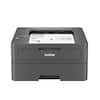
Best for small businesses, the Brother DCP-L2640DW Wireless Compact Black & White (Monochrome) Multi-Function Laser Printer combines three critical business functions in one footprint. Scan, copy, and produce professional-quality prints quickly and easily with this compact multi-function wireless printer. The DCP-L2640DW is the smart way for any business to create and share pristine prints, economize workspaces, simplify supply management, and reach operational goals. Efficient and affordable, this 3-in-1 printer is the practical choice for high-volume printing, copying, and scanning. Designed with features to save you time and cost: print speeds up to 36 ISO pages per minute (1) (ppm); automatic duplex printing; a 250-sheet paper tray (2) that reduces the frequency of paper refills; and a 50-page auto document feeder (2) that expedites multi-page copy and scan jobs. Dual-band wireless, Ethernet, and USB 2.0 interfaces provide an array of flexible connection options. Finally, advanced security features help safeguard information and maintain secure connections while printing.
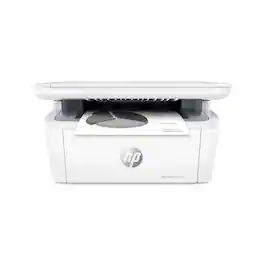
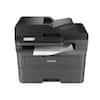
From America's most trusted printer brand¹, the compact, multifunction LaserJet MFP M140w boosts productivity with smart mobility solutions and wireless printing.
| Pros for HP - LaserJet M234dw Wireless AI-Enabled Black-and-White Laser Printer - White & Slate | |||
|---|---|---|---|
| There were no pros for this product— | There were no pros for this product— | Print Quality, Overall Performance, Ease of use, Connectivity, Setup | There were no pros for this product— |
| Cons for HP - LaserJet M234dw Wireless AI-Enabled Black-and-White Laser Printer - White & Slate | |||
| There were no cons for this product— | There were no cons for this product— | Duplex Scanning | There were no cons for this product— |
Specs


Reviews
Rating 4.7 out of 5 stars with 37 reviews
Customer Images
The vast majority of our reviews come from verified purchases. Reviews from customers may include My Best Buy members, employees, and Tech Insider Network members (as tagged). Select reviewers may receive discounted products, promotional considerations or entries into drawings for honest, helpful reviews.