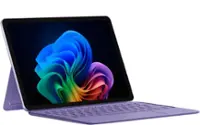
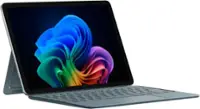
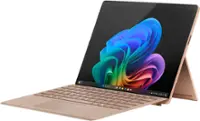
Microsoft - Surface Slim Pen (2nd Edition) - Matte Black
FREE shipping to
- UAG - Scout Series Case with Hand Strap for Microsoft Surface Pro 12" - Black$49.95


More Buying Options
About This Item
- Key Specs
- Model Compatibility: Microsoft Surface Book, Microsoft Surface Book 2, Microsoft Surface Book 3, Microsoft Surface Duo, Microsoft Surface Laptop, Microsoft Surface Laptop 2, Microsoft Surface Laptop 3, Microsoft Surface Laptop 4, Microsoft Surface Pro X, Microsoft Surface Studio, Microsoft Surface Studio 2, Microsoft Surface Pro 3, Microsoft Surface Pro 4, Microsoft Surface Pro 5, Microsoft Surface Pro 6, Microsoft Surface Pro 7, Microsoft Surface Go, Microsoft Surface Go 2, Microsoft Surface Pro 8, Microsoft Surface Go 3, Microsoft Surface Laptop Studio, Microsoft Surface Duo 2
- Screen Compatibility: Built for Windows Ink (Active)
- Operating System Compatibility: Windows
- General
- Brand: Microsoft
- Model Number: 8WV-00001
- Product Name: Surface Slim Pen (2nd Edition)
- Color: Matte Black
- Stylus Tip Material: Rubber
- Material: Plastic
- Compatibility
- Brand Compatibility: Microsoft
- Model Compatibility: Microsoft Surface Book, Microsoft Surface Book 2, Microsoft Surface Book 3, Microsoft Surface Duo, Microsoft Surface Laptop, Microsoft Surface Laptop 2, Microsoft Surface Laptop 3, Microsoft Surface Laptop 4, Microsoft Surface Pro X, Microsoft Surface Studio, Microsoft Surface Studio 2, Microsoft Surface Pro 3, Microsoft Surface Pro 4, Microsoft Surface Pro 5, Microsoft Surface Pro 6, Microsoft Surface Pro 7, Microsoft Surface Go, Microsoft Surface Go 2, Microsoft Surface Pro 8, Microsoft Surface Go 3, Microsoft Surface Laptop Studio, Microsoft Surface Duo 2
- Screen Compatibility: Built for Windows Ink (Active)
- Operating System Compatibility: Windows
- Features
- Comfort Grip: false
- Ergonomic Design: true
- Replaceable Stylus Tip: true
- Integrated Writing Pen: false
- Pocket Clip: false
- Dimensions
- Product Length: 5.38 inches (The out of box length of the item. Length is measured as the longest dimension of the item.)
- Product Diameter: 0.25 inches (The out of box diameter of the item, measured as a straight line passing from side to side of the item, through its center.)
- Product Weight: 0.48 ounces (The out of box weight of the item.)
- Warranty
- Warranty - Parts: 1 year limited
- Warranty - Labor: None Available
- Other
- UPC: 889842778717
Write, sketch, navigate, and recharge. Take handwritten notes and draw with the same feeling you get with pen on paper, with exceptional accuracy and a new storable design. Surface Slim Pen (2nd Edition) also delivers incredible shading and exceptional pressure sensitivity.¹
- Our most advanced pen: Turn ideas into reality with powerful creative tools supercharged by AI
- Create, store, charge, repeat: Write, sketch, navigate, and recharge. Take handwritten notes and draw with the same feeling you get with pen on paper, with exceptional accuracy and a new storable design. Surface Slim Pen (2nd Edition) also delivers incredible shading and exceptional pressure sensitivity.¹
- Fast, fluid, and perfect with your Surface: Our best performing pen yet, with real-time writing, pin-point accuracy, and incredible shading thanks to a sharper pen tip and improved design.
- Note-taking, sketching, and navigating for everyone: Experience natural and intuitive note-taking, sketching, and navigating with the same feeling you get with pen on paper, thanks to feedback you control when paired with Surface Pro 8 or Surface Laptop Studio.³⁴⁵
- Surface Slim Pen (2nd Edition) can help improve your productivity: You control the level of feedback you feel when you successfully select objects, hover, delete, and more.⁴
- Always charged and ready: You’ll always know where it is with built-in, wireless charging and secure storage in Surface Pro Signature Keyboard or Surface Laptop Studio.⁵
- Capture ideas instantly: Brainstorm and sketch with others over Microsoft Teams or when using Microsoft Whiteboard. Plus, edit presentations on the spot, fill out and sign documents, or take personal handwritten notes in Microsoft Journal.⁵
- Our most advanced pen: Turn ideas into reality with powerful creative tools supercharged by AI
- Create, store, charge, repeat: Write, sketch, navigate, and recharge. Take handwritten notes and draw with the same feeling you get with pen on paper, with exceptional accuracy and a new storable design. Surface Slim Pen (2nd Edition) also delivers incredible shading and exceptional pressure sensitivity.¹
- Fast, fluid, and perfect with your Surface: Our best performing pen yet, with real-time writing, pin-point accuracy, and incredible shading thanks to a sharper pen tip and improved design.
- Note-taking, sketching, and navigating for everyone: Experience natural and intuitive note-taking, sketching, and navigating with the same feeling you get with pen on paper, thanks to feedback you control when paired with Surface Pro 8 or Surface Laptop Studio.³⁴⁵
- Surface Slim Pen (2nd Edition) can help improve your productivity: You control the level of feedback you feel when you successfully select objects, hover, delete, and more.⁴
- Always charged and ready: You’ll always know where it is with built-in, wireless charging and secure storage in Surface Pro Signature Keyboard or Surface Laptop Studio.⁵
- Capture ideas instantly: Brainstorm and sketch with others over Microsoft Teams or when using Microsoft Whiteboard. Plus, edit presentations on the spot, fill out and sign documents, or take personal handwritten notes in Microsoft Journal.⁵
Whats Included
- Surface Slim Pen
- Quick Start Guide
- Safety and warranty documents
- Surface Slim Pen
- Quick Start Guide
- Safety and warranty documents
Disclaimers
- ¹Surface Slim Pen (2nd Edition) experiences and compatibility vary by which device you are using it with. Visit aka.ms/SurfaceSlimPenCompatibility to learn more.
- ²Zero force inking will only work when Surface Slim Pen (2nd Edition) is used with Surface Pro (11th Edition), Surface Pro 9, Surface Pro 8, Surface Pro X, Surface Laptop Studio , and Surface Duo 2. Additional compatibility details can be found at aka.ms/SurfaceSlimPenCompatiblity.
- ³Surface Slim Pen (2nd Edition) shown with Surface Pro 8.
- ⁴Tactile signals in Surface Slim Pen (2nd Edition) can be experienced on some applications on Surface Laptop Studio and Surface Pro 8 running Windows 11. Surface Laptop Studio and Surface Pro 8 sold separately.
- *Some software, accessories, and devices sold separately. App availability may vary by market.
- ⁵Surface Slim Pen (2nd Edition) does not come with a charger. Surface Slim Pen (2nd Edition) can charge with Surface Slim Pen Charger, Surface Pro Keyboard, Surface Pro X Signature Keyboard, Surface Laptop Studio, and Surface Duo 2 Pen Cover. All are sold separately.
- ⁶Surface Slim Pen (2nd Edition) tilt functionality is available with Surface Laptop Studio, Surface Pro 3-Pro 8; Surface Pro X; Surface Go 1-Go 3; Surface Laptop 1-4; Surface Studio 1,2; Surface Book 1-3. Additional compatibility details can be found at aka.ms/SurfaceSlimPenCompatibility.
- ⁷Pairing functionality requires Windows 10, Windows 11, or Android with the latest updates.
- ⁸Battery life varies significantly based on usage, network and feature configuration, signal strength,settings and other factors. See aka.ms/SurfaceBatteryPerformance for details.
- ⁹The USB-C Charging Base that came in-box with Surface Slim Pen 1 requires a firmware update through Windows Update to charge Surface Slim Pen (2nd Edition). Visit aka.ms/SurfaceSlimPenChargerUpdate for more information.
- ¹⁰Microsoft’s Limited Warranty is in addition to your consumer law rights.
- ¹Surface Slim Pen (2nd Edition) experiences and compatibility vary by which device you are using it with. Visit aka.ms/SurfaceSlimPenCompatibility to learn more.
- ²Zero force inking will only work when Surface Slim Pen (2nd Edition) is used with Surface Pro (11th Edition), Surface Pro 9, Surface Pro 8, Surface Pro X, Surface Laptop Studio , and Surface Duo 2. Additional compatibility details can be found at aka.ms/SurfaceSlimPenCompatiblity.
- ³Surface Slim Pen (2nd Edition) shown with Surface Pro 8.
- ⁴Tactile signals in Surface Slim Pen (2nd Edition) can be experienced on some applications on Surface Laptop Studio and Surface Pro 8 running Windows 11. Surface Laptop Studio and Surface Pro 8 sold separately.
- *Some software, accessories, and devices sold separately. App availability may vary by market.
- ⁵Surface Slim Pen (2nd Edition) does not come with a charger. Surface Slim Pen (2nd Edition) can charge with Surface Slim Pen Charger, Surface Pro Keyboard, Surface Pro X Signature Keyboard, Surface Laptop Studio, and Surface Duo 2 Pen Cover. All are sold separately.
- ⁶Surface Slim Pen (2nd Edition) tilt functionality is available with Surface Laptop Studio, Surface Pro 3-Pro 8; Surface Pro X; Surface Go 1-Go 3; Surface Laptop 1-4; Surface Studio 1,2; Surface Book 1-3. Additional compatibility details can be found at aka.ms/SurfaceSlimPenCompatibility.
- ⁷Pairing functionality requires Windows 10, Windows 11, or Android with the latest updates.
- ⁸Battery life varies significantly based on usage, network and feature configuration, signal strength,settings and other factors. See aka.ms/SurfaceBatteryPerformance for details.
- ⁹The USB-C Charging Base that came in-box with Surface Slim Pen 1 requires a firmware update through Windows Update to charge Surface Slim Pen (2nd Edition). Visit aka.ms/SurfaceSlimPenChargerUpdate for more information.
- ¹⁰Microsoft’s Limited Warranty is in addition to your consumer law rights.
Q: Does this pen have a built-in wireless charging feature?
A: Yes, this pen has built-in wireless charging.
Q: What is the primary material used in making this pen?
A: The Surface Slim Pen (2nd Edition) is made of plastic.
Q: Is the stylus tip replaceable on this pen?
A: Yes, the stylus tip is replaceable on the Surface Slim Pen (2nd Edition).
Q: How long does the manufacturer's warranty last on this product?
A: This pen comes with a 1 year limited manufacturer's warranty for parts, but labor is not covered.
Q: Does this pen have a comfortable grip?
A: The Surface Slim Pen (2nd Edition) does not have a comfort grip but it does have an ergonomic design.
Q: What is the diameter of this pen?
A: The diameter of the pen is 0.25 inches.
Q: What can I use this pen for?
A: This pen can be used for note-taking, sketching, navigating, and recharging.
A: Thank you for the question. Surface Slim Pen 2 is compatible and allows tilt functionality with Surface Pro 7; however, zero force inking will only work when Surface Slim Pen 2 is used with Surface Pro 8, Surface Pro X, Surface Laptop Studio, and Surface Duo 2.
Reviews
Customers are saying
Customers find value in the Surface Slim Pen (2nd Edition)'s ease of use, overall performance, and lightweight design. Compatibility and accuracy are also appreciated, along with its comfortable feel and full-size pen experience. However, some customers have expressed concerns about the lack of an included charger and the product's high price.
Customer Images
The vast majority of our reviews come from verified purchases. Reviews from customers may include My Best Buy members, employees, and Tech Insider Network members (as tagged). Select reviewers may receive discounted products, promotional considerations or entries into drawings for honest, helpful reviews.
Compare similar products

Write, sketch, navigate, and recharge. Take handwritten notes and draw with the same feeling you get with pen on paper, with exceptional accuracy and a new storable design. Surface Slim Pen (2nd Edition) also delivers incredible shading and exceptional pressure sensitivity.¹
HP Rechargeable MPP 2.0 Tilt Pen - Active - Replaceable Stylus Tip - Black - Notebook Device Supported

Annotate and take notes the modern way with this Wacom Bamboo Ink stylus pen for Windows Ink. The sensitive fine tip supports up to 4,096 pressure levels and enables writing precision, while the lightweight cylindrical design, durable aluminum material and long battery life let you focus on note-taking with no distractions. This Wacom Bamboo Ink stylus pen lets you use a soft, medium or firm nib (not included) based on your writing preference.

The Lenovo Digital Pen 2 is a testament to innovation and user-centric design. With an enhanced grip, elastomer pen tip for precision, extended battery life, and quick-access buttons, it provides an elevated creative experience. Whether you're a professional artist, a student, or simply someone who values seamless functionality, this pen is designed to transform your digital interactions into natural and fluid expressions. Unleash your creativity, sign documents with finesse, and sketch your imagination into reality with the Lenovo Digital Pen 2.
| Pros for Microsoft - Surface Slim Pen (2nd Edition) - Matte Black | |||
|---|---|---|---|
| Ease of use, Overall Performance, Weight, Compatibility, Design | There were no pros for this product— | Ease of use, Overall Performance, Compatibility, Weight, Price | Overall Performance, Weight, Ease of Use, Battery Life, Connectivity |
| Cons for Microsoft - Surface Slim Pen (2nd Edition) - Matte Black | |||
| Lag, Charger, Price, Tip, Magnet Strength | There were no cons for this product— | Lag, Battery Life, Connectivity, Button Placement, Pressure Sensitivity | Compatibility |