1-3 of 3 Answers
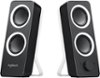
Hello Best Buy customer Scuba and thank you for asking this great question as answers which are provided may help a lot of other owners/users of this laptop--and others also! Answers have already been provided indicating that the sound is good; however, I would like to attempt to describe ways in which I have enhanced the sound quality of my laptops that I've owned in the past in profound ways. My recommendations would apply to home or in situations where the laptop is stationery (i.e., not in portable use situations), but I'll present them anyway. I have this laptop connected to an Insignia Brand 32" 720p TV via an HDMI cable. One end of the HDMI cable is connected to the laptop's HDMI port and the other end is connected to the TV's HDMI ARC1 port. This way I can use my TV's remote control volume button to control both the TV and laptop volume at the same time. I leave the laptop volume set to "100" in this type of set up. Next, go into your computer's display settings and select "112" for display "type" and then under scale and layout select "100% (recommended)" and then for resolution select "1366 X 768 (recommended)" and then for multiple displays select "duplicate these settings. To have it so all of the computer's icons fit on the TV screen which are located on the lower task bar and in the left vertical column of the desktop saver screen click onto the TV's menu button and go into the picture column and then scroll down to "advanced settings" and then set the TV's "OVERSCAN" feature to OFF! If you have a brand of television other than Insignia that "OVERSCAN" function may be referred to by another name! One option is to use the television's speakers as your sound source; however, I also make frequent use of over-the-ear headphones and you (or anyone!) would be amazed at the sound quality. In addition (i.e., if your laptop is stationery at home or elsewhere) you can consider using laptop speakers. In the past, I've used the Logitech brand model Z200 2.0 Multimedia Speakers (2-Piece) (Best Buy SKU: 3001006). They, also, have a nice sound. One of the two (2) speakers has a volume control knob and there is also a 3.5mm female port where you can connect a set of headphones if you would like. On Best Buy's website there are lots of other laptop speakers to choose from; however, the Logitech model which I have cited has been around for years! Please see my recommendation below. I've also sent along a photo of a type of HDMI cable which I use. You may notice what is referred to as the "chokes" near each of the two (2) ends and they are supposed to aid in filtering out nearby electrical interference. The HDMI cable I use is 15 foot in length and I don't really have any performance issues. Thank again for asking your question Best Buy customer Scuba.
Sorry, there was a problem. Please try again later.Quality is actually decent
Sorry, there was a problem. Please try again later.Yes great sound quality have used to watch workout videos and CD's with background music.
Sorry, there was a problem. Please try again later.