“Is this computer good for watching videos on YouTube and school work”
Answer This Question
1-2 of 2 Answers
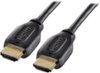
Hello Best Buy customer Cole and thank you for asking this question as a somewhat detailed answer might help a lot of other people out there who want to experience a lot of long term enjoyment from watching videos on YouTube.com, Bing.com, etc. The answer to your question is => You sure can! However, if you want a real superior video viewing experience and you are willing and able to do so you (and others!) can connect this great laptop to any television that has an HDMI port. Simply connect the HDMI cable from the television into this laptop's HDMI port and then go into your computer's display settings and select "112" for display "type" and then under scale and layout select "100% (recommended)" and then for resolution select "1366 X 768 (recommended)" and then for multiple displays select "duplicate these settings. To have it so all of the computer's icons fit on the TV screen which are located on the lower task bar and in the left vertical column of the desktop saver screen if you have an "Insignia Brand" TV click onto the TV's menu button and go into the picture column and then scroll down to "advanced settings" and then set the TV's "OVERSCAN" feature to OFF! For other brands of televisions they "may" refer to this "OVERSCAN" feature by a different name so you might want to ask their tech support team how to address this issue so that all of your icons "fit" on the television screen so that you can use your brand of TV as a PC monitor. Try and connect your HDMI cable into the HDMI ARC1 port if your TV has one (like the Insignia TV's which I've seen have) and this way you can control the volume of the PC and TV together. I always leave my laptop volume at 100% when I have it connected to my TV. I wish you hours of enjoyment Cole with this type of connection as viewing your YouTube videos, etc. on your "larger screen" TV will enhance your program viewing experience--as you and others can imagine! Oh, we can't forget about school work! I believe that this laptop would really be great for school work also Cole as search engines like Google Chrome, Mozilla Firefox, Bing, etc. will take you just about anywhere in terms of your fact finding missions. In addition, if you go on YouTube.com and other sources you can learn how to download programs such as Apache OpenOffice 4.1.5. (the "current" version) and with this tool you can type your research papers and other documents and do other things which require Excel-type functionality, etc.
I would recommend:
Sorry, there was a problem. Please try again later.Thank you for your question! This computer would work very well for streaming videos online and doing school work and productivity!
Sorry, there was a problem. Please try again later.