“I use this monitor to display my camera security system on my bedroom wall. Can the monitor be turned on and off with a remote control? If so, any suggestions? Thanks.”
Answer This Question
1-4 of 4 Answers
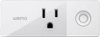
Not on it's own. However you can purchase a "smart" outlet (Wemo, etc.) and plug the monitor into that.
I would recommend:
Sorry, there was a problem. Please try again later.NO
Sorry, there was a problem. Please try again later.Ha ha ha. Plug it into a power hub with a master on-off switch, or just pull the plug. No known remote for the monitor itself.
Sorry, there was a problem. Please try again later.This monitor does not include a remote control. You would need to check with the vendor of the security system to see how to connect the monitor to the system. If it can be connected via HDMI, DVI or VGA it should work.
Sorry, there was a problem. Please try again later.