Questions & Answers
- Model:
- 4K50N400A/B08SVZ775L
- |
- SKU:
- 6479707
Q: QuestionDoes the TV come with an HDMI cable and what type of remote?
Asked by JD.
- A:Answer Hi JD! The 50" Class 4-Series 4K TV does not come with an HDMI cable in the box. This TV comes with the Fire TV Alexa Voice Remote. This remote will allow you to press and ask to find favorite apps, movies, and shows, plus check the weather, sports scores, and more. Thanks for the question, have a great day!
Answered by Amazon Devices Customer Support
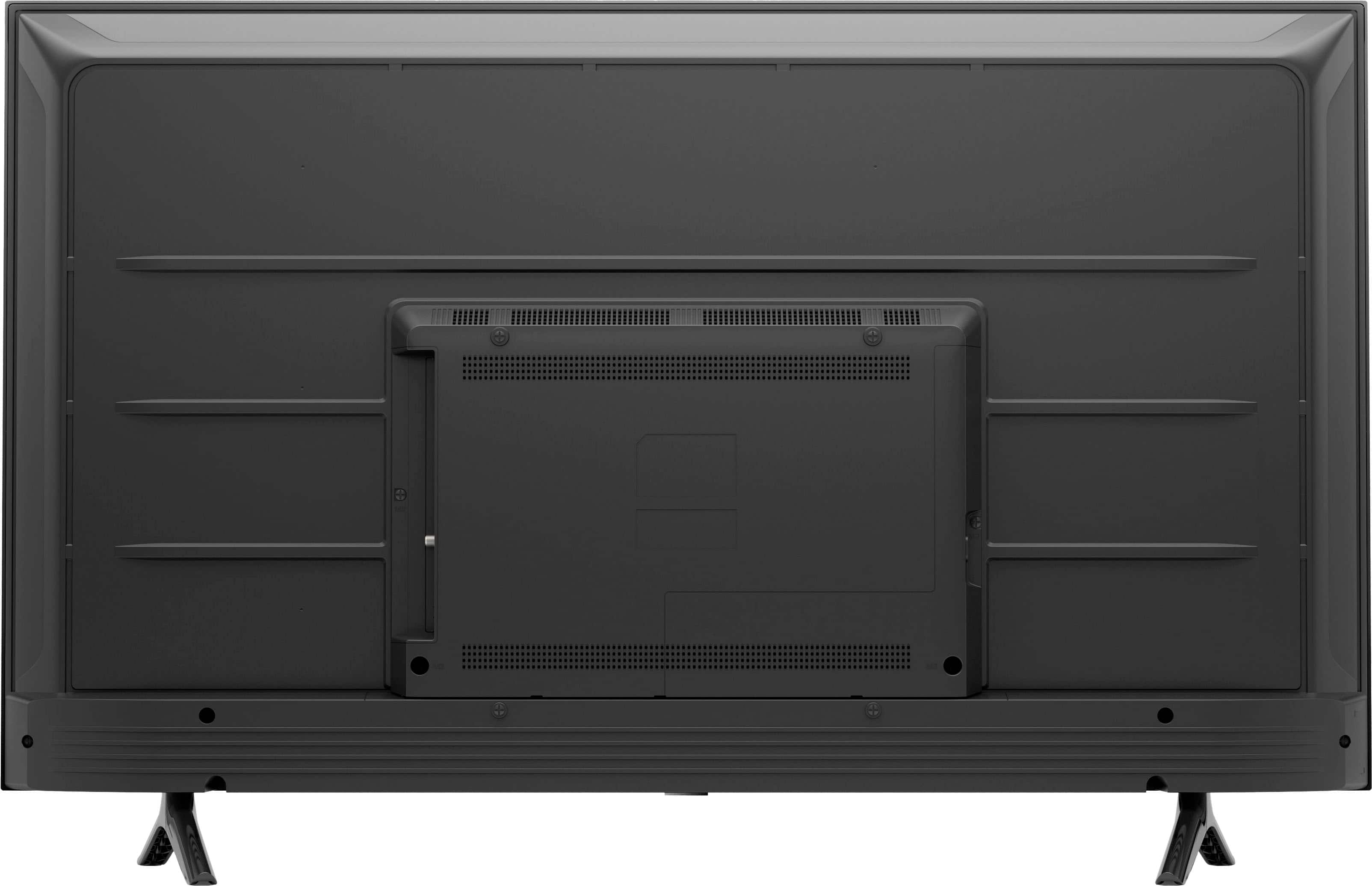
Q: QuestionWhen you look at the pictures of the back it doesnt seem like there is more than two holes for mounting. Can you suggest a proper mount that would work?
Asked by BW.
- A:Answer Hello BW! There are 4 holes for mounting on this device and a number of standard 300mm x 300mm mounts will fit this. You can refer to your Best Buy home theater associate for additional details and recommendations. Thanks so much for your question and I hope you have an amazing day!
Answered by Amazon Devices Customer Support
Q: QuestionDoes this TV have have Blue tooth for my headphones to connect.
Asked by Bluetooth.
- A:Answer Yes under remotes and Bluetooth
Answered by Micneitzel
Q: QuestionIs ROKU included in this TV?
Asked by Fred.
- A:Answer Hello, Fred! This TV has many different streaming services offered that you can download. The Roku channel is one of those that can be downloaded. You can search for it in the "Apps" section of the TV. Once downloaded, you can log in and begin streaming. Have a great day!
Answered by Amazon Devices Customer Support
Q: QuestionHello, what is the width between the legs? Thanks.
Asked by PRSB.
- A:Answer Hello PRSB! The distance between the legs is 36.4 inches in length. Thanks so much for your question and have an amazing day!
Answered by Amazon Devices Customer Support
Q: QuestionHI i just this tv and it does not have any display setting to change. I cant choose dynamic or standard can you help?
Asked by toantt05.
- A:Answer Hi toantt03, to change settings Press and hold the Home button on the Fire TV remote for 5 seconds. If your Fire TV remote has a Settings button use that instead. Select Picture. Change the sliders and options to your preferred viewing settings. Thank you!
Answered by Amazon Devices Customer Support
Q: QuestionIs the Spectrum TV App still available to download on this tv?
Asked by RYAN.
- A:Answer Hello Ryan, you want to know if the Spectrum TV app is available for download on the Amazon - 50" Class 4-Series 4K UHD Smart Fire TV. At this given time the Spectrum TV app is not available for download on the Amazon - 50" Class 4-Series 4K UHD Smart Fire TV. Hope this has answered your question. Have an amazing day!
Answered by Amazon Devices Customer Support
Q: QuestionI bought Mom this TV from out of state and now she is struggling with getting the Comcast remote control to operate the TV What is the universal code to sync them? Thank you!
Asked by RemoteCode.
- A:Answer Hello RemoteCode! Currently at this time there are no official supported universal remote codes for this device. You can utilize Bluetooth connectivity where available as well as use the Alexa voice supported controls on the Alexa Voice Remote that comes with this device as well as any Alexa Echo device. I hope this helps answer your question and that you have a tremendous day!
Answered by Amazon Devices Customer Support
Q: QuestionHow do I get an instruction manual
Asked by Ray.
- A:Answer Hello Ray, you want to know how you can get the instruction manual for the Amazon 50” Class 4-Series 4K UHD Smart Fire TV. The manual/start guide is inside the box of the Amazon 50” Class 4-Series 4K UHD Smart Fire TV, you can also find it on the support site for the device. Hope this has answered your question. Have an amazing day!
Answered by Amazon Devices Customer Support
Q: QuestionIs there a list of apps that can be downloaded? Is HBO Max and Paramount Plus available on this tv?
Asked by Jonetta.
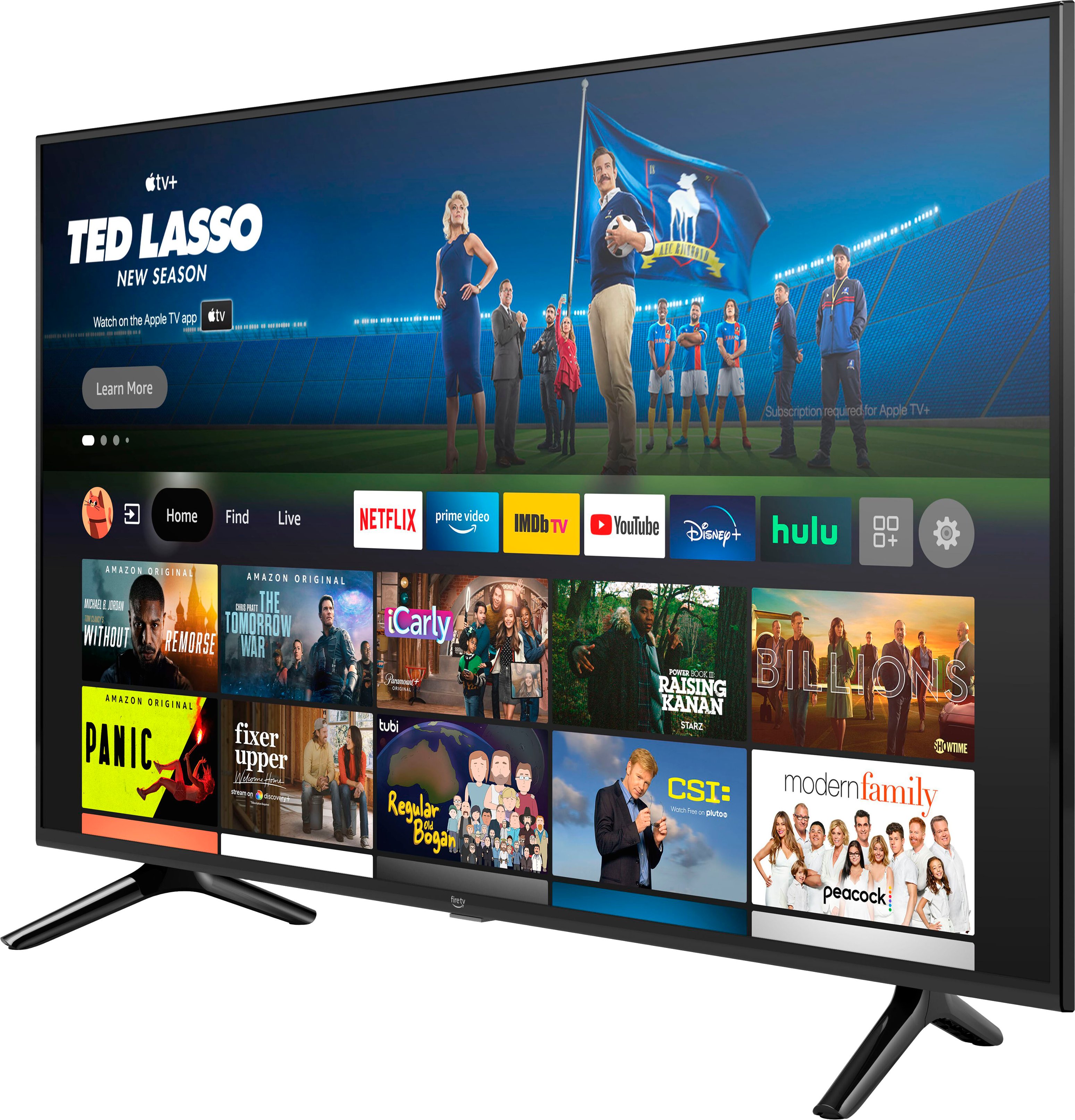
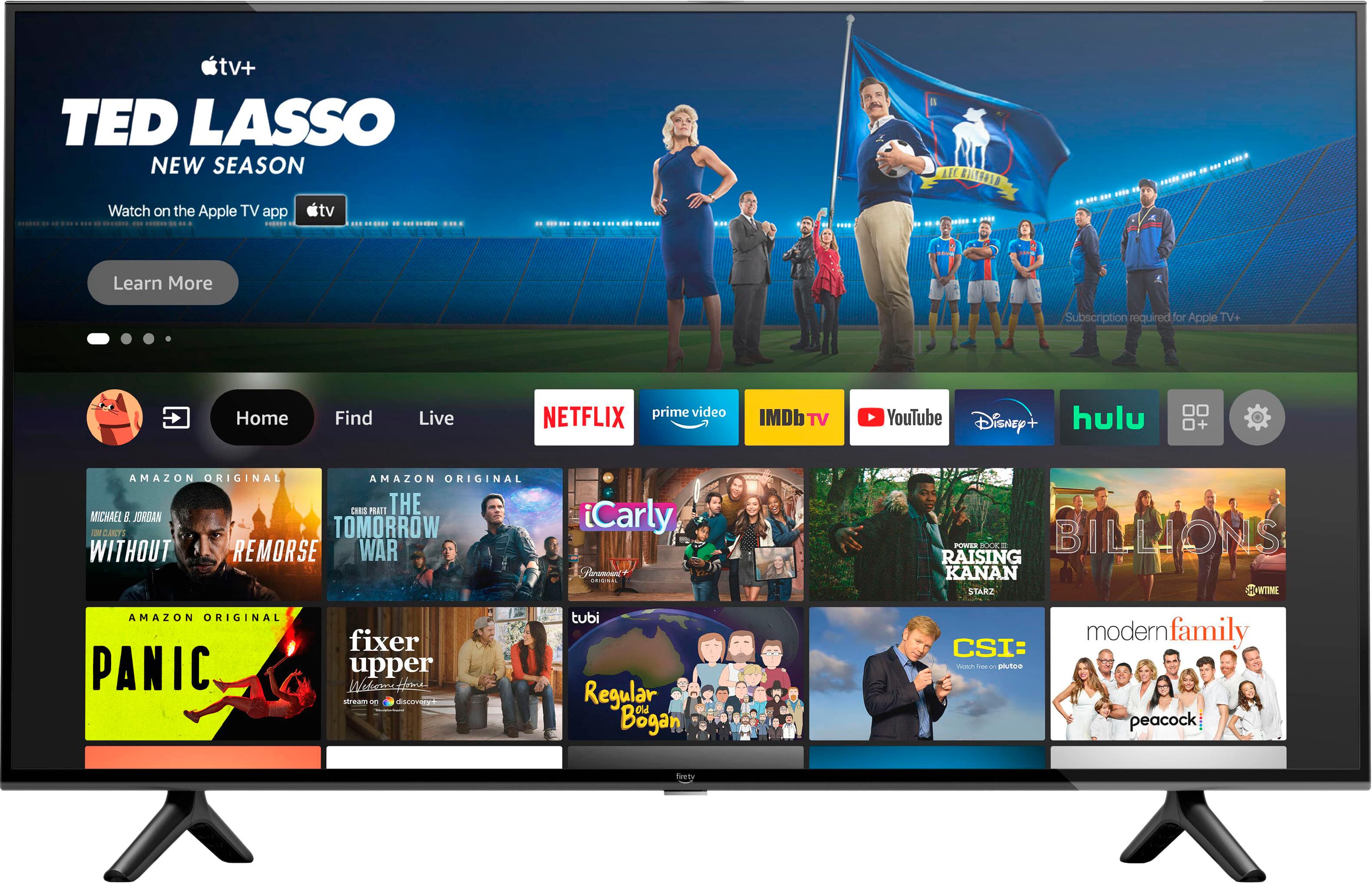
- A:Answer Hi Jonetta, The 50" Class 4- Series 4K UHD Smart Fire TV gives you access to over 1 million movies and TV episodes. Watch favorites with subscriptions to Netflix, Prime Video, YouTube, Disney+, HBO Max, Peacock, IMDb TV, Pluto TV, Tubi, Paramount+, and others. To search for an app that is available on your device you can ask Alexa via the included Alexa Voice Remote. From there, you will be able to download apps of your choosing onto your TV! Subscription rates may apply. Hope that helps!
Answered by Amazon Devices Customer Support
Q: Questionwhat is the VESA bolt pattern for Mount?
Asked by Anonymous.
- A:Answer Hello, the VESA bolt pattern is 300mm x 300mm. Have a great day!
Answered by Amazon Devices Customer Support
Q: QuestionIs there a way to not have to enter a password when there has been a power outage or cable outage ?
Asked by utbud.
- A:Answer Sounds like you may have parental controls or multiple accounts set up. With these you will need to enter a password to disable. Mine is set up with one account and no parental controls and has never asked for a password when either condition occurs.
Answered by Anonymous
Q: QuestionRemote works with the tv...does the tv NEED a FIRE STICK? or does it operate internally?
Asked by Firestick.
- A:Answer Hi there! The 4-Series TVs do not need a Fire Stick to operate, they run Fire OS just like the Fire Sticks do. Everything you need to get the TV set up and accessing streaming content will come with it. Hope this helps, have a great rest of your day!
Answered by Amazon Devices Customer Support
Q: QuestionCan I operate this TV hands-free with an echo? And can the echo be used as a Bluetooth speaker?
Asked by Chet.
- A:Answer Hi Chet, You can! However, The Amazon 50" Omni Series with Alexa Built in for a hands free experience would be a better fit for you. Here is how to pair your Echo with your 4 Series: For the devices to pair properly and work together, your Alexa device and Fire TV must be registered to the same account. You can link multiple Alexa devices to the same Fire TV. Not all features are supported on Echo Show devices or for a paired Fire TV Cube (2nd generation). Tip: Before linking your Alexa-enabled device and Fire TV, check that you have the latest version of the Alexa app. Open the Alexa app . Open More and select Settings . Select TV & Video. Select Fire TV. Select Link Your Alexa Device and follow the on-screen instructions. Hope that helps!

Answered by Amazon Devices Customer Support
Q: QuestionCan I put the Peloton app on here ?
Asked by Jyldavid.
- A:Answer Hello Jyldavid! Yes, that app is available on the Fire TV Device. Apps can be easily downloaded from the main screen on your Fire TV device. Here are the steps: 1. Use the main menu on your Fire TV to search for apps. You can also use your voice to search for specific apps. Just press the voice button on your Alexa Voice Remote. 2. Select the app you want to download. 3. Select Get or the shopping cart icon to start your download. Have a great day!
Answered by Amazon Devices Customer Support
Q: QuestionHow to turn ON Sound on new Insignia F-50 TV ?? The sound goes off if I plug in headphones. Can someone listen through headphones and someone else listen to TV sound?? THANX
Asked by JMRF.
- A:Answer Hello, JMRF! You will only be able to use on audio source for the television. If you choose headphones, then that is where the sound will go. If you choose the sound through the TV, that is where the sound will go. If you are having issues with your device giving you sound in general, please feel free to reach out to Amazon Customer Support for further information to help resolve your issue. Thank you, and have a great day!
Answered by Amazon Devices Customer Support
Q: QuestionWill an Amazon Echo be able to control this TV similarly to how it controls a Fire Stick, or to have any type of control by voice will I have to purchase the Omni edition? Thank you!
Asked by Shopper.
- A:Answer Hello Shopper! Thanks so much for your question! The Omni Series will have Alexa and a far reaching microphone built in allowing you to access her without using the remote like you would a regular Fire TV device or an Amazon Echo. This 4-Series set will allow you to utilize the remote control or an Amazon Echo to do exactly that instead. It just doesn't come with the built in microphone that the Omni Series does. I hope this answers your question and you have an awesome day!
Answered by Amazon Devices Customer Support
Q: QuestionHow many inches below center line is the VESA pattern on the back of the TV?
Asked by Mel.
Q: Questionjust purchased the fire TV stick4k for my next tv. Will this work on this Amazon 50" class 4 series 4k UHD smart Fire TV
Asked by Anonymous.
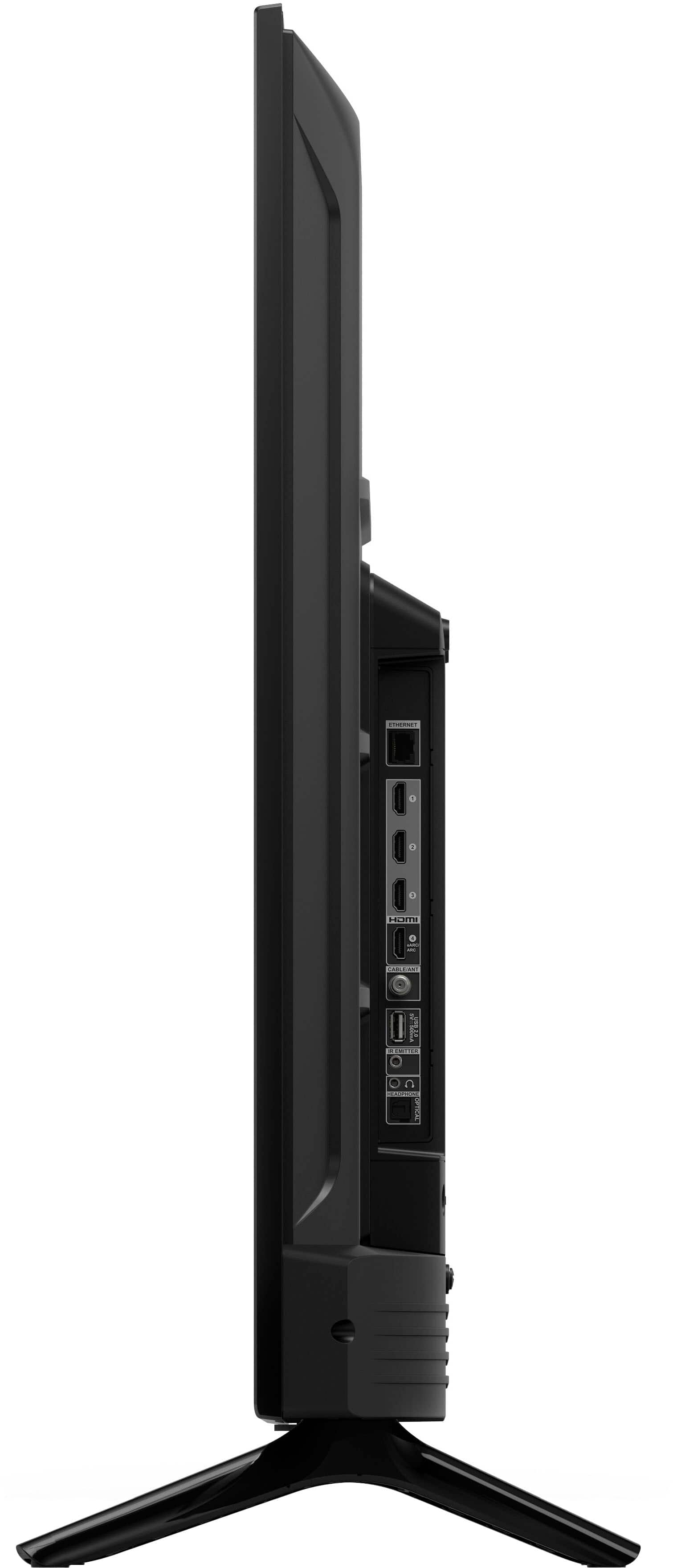
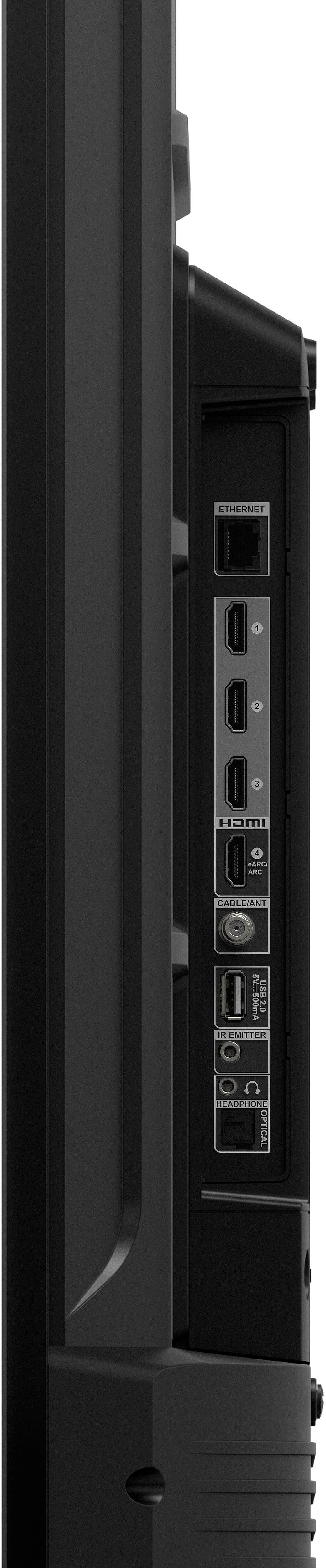
- A:Answer Hi there! The 50" 4-Series TV has 4 HDMI ports, so it will work just fine with your Fire TV Stick 4k. Having said that, the 4-Series TVs run Fire OS naturally, so you may find that you're perfectly happy using the built in streaming features instead of the Fire TV Stick! I hope that helps, have a great rest of your day!
Answered by Amazon Devices Customer Support
Most-viewed items
- $149.00$149.00The price was $399.00
- $329.99$329.99The price was $469.99
- $159.99$159.99The price was $179.99
- $122.00$122.00The price was $129.99
- $449.99$449.99The price was $649.99
- $1,149.00$1,149.00The price was $1,299.00