A:AnswerVery easy, download Itunes to your Windows PC or MAC. All you have to do is back up your old Ipad via Itunes and then connect your new one and do a restore.
Thanks
-MA
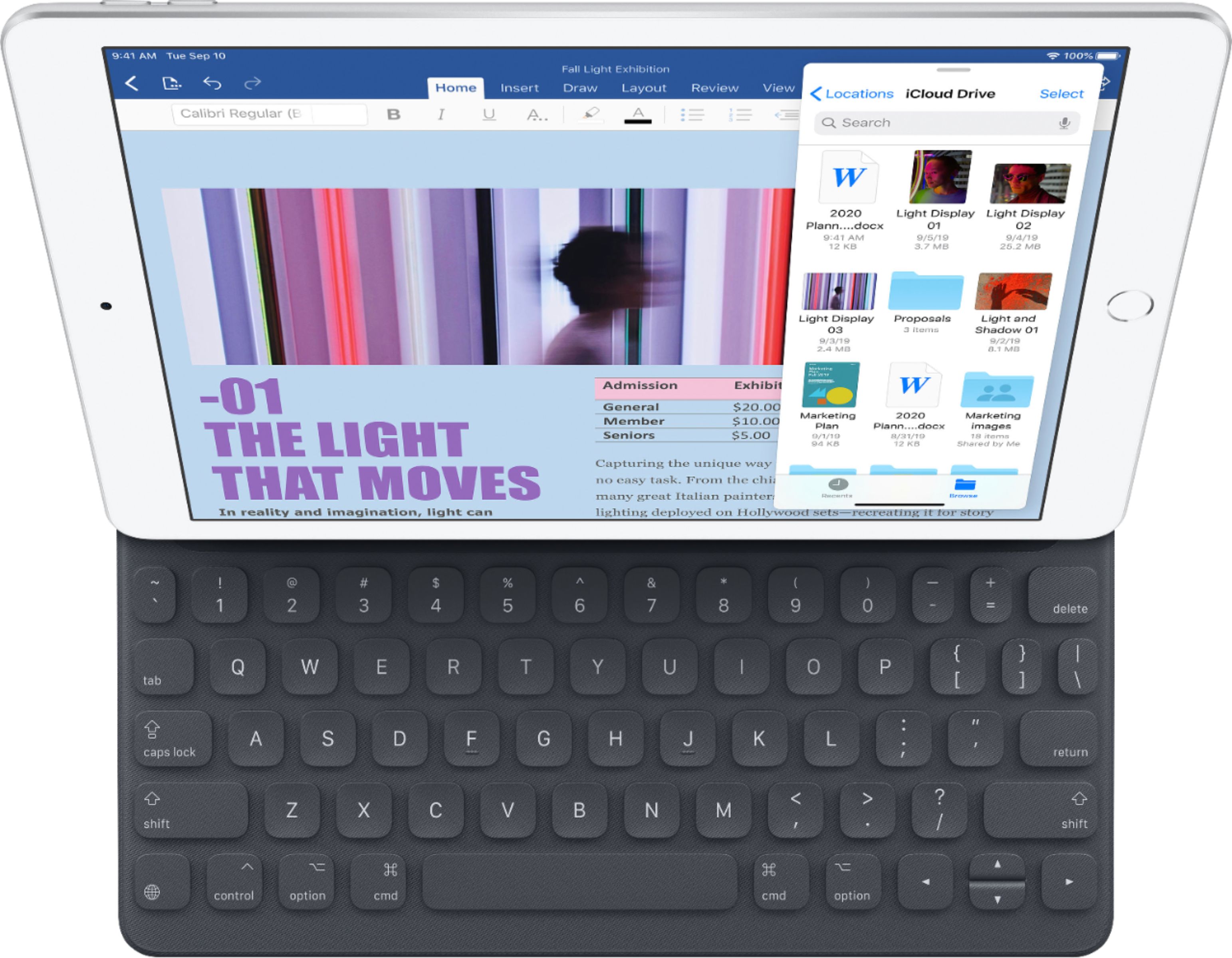
A:AnswerIt comes with a digital keypad like an iPhone, so you can send messages and use email and sign in to stuff and such. But it does not come with the cool case that has a keyboard that mimics a laptop. That is sold separately.
A:AnswerThe keyboard shown in pictures does not come with the ipad. It is an option that can be purchased.
All ipads have a keyboard that displays when needed
A:AnswerI like the Apple instant transfer between my iPad and IPhone. I suggest for a pc you transfer your photos to a cloud like free Google account or the like and then download the ones you to your iPad. I use the Apple cloud and Google cloud but there are others. You can print your photos from your iPad but unless you have a great printer you might be happier with a service like Walgreens or any photo printer. There is an adapter you can buy from Apple to transfer photos from your camera card to your iPad too. I don’t use a pc so good luck.
A:AnswerI asked when I bought mine and they said it could go off anytime, that corporate tells them when to change. I was also told it goes on and off sale over time.
A:AnswerMake sure the plug on the headphone is FULLY inserted especially if using a cover is some kind. Test the headphone on other equipment to cross that off as a fault. Sill but make sure you don't have them muted or the volume down...especially if the headphones have their own volume control. Check the iPad connector with a cable to a speaker or TV or similar. Otherwise take to an apple store or best buy to get it checked.
A:AnswerI have owned and still own several IPads. I am familiar with almost every case made for the product on the market and most I have owned. I am not familiar with any case that is very difficult to remove. You did mention what case you are using. You should be able to peel back one corner to start the process. In the case of the tightest case I am aware of the Otter Box. It requires you to grasp the outer protective layer edge and roll it back with easy but consistent pressure. Once one edge is rolled back use the same process to work your way around the outer edge. If this does not answer your question go to the manufacturers website or contact their customer service line.