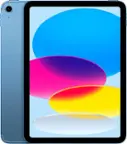
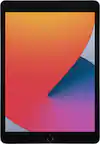
A:AnswerI went on line and put the model number (from the back of the box) into the google search box with iPad case. I got the option of several to choose from. I recommend you search by model number so things fit
A:AnswerThe iPad is identical to your iPhone. It also has the finger print where the power button is located. Although there is no face feature to unlock your iPad.
Your iCloud will help you sync all your apps from your iPhone to your iPad. Takes less than 30 mins.
A:AnswerNo. It has a two inch wide white bar at the bottom of the screen, that you swipe straight up, that will close the screen or the app that you are currently viewing.
It will take you back to the previous Home Screen page that you were viewing, immediately before the page that you just now closed.
Basically, it performs the same function that the home button performed on earlier models.
A:AnswerI have both the iPads and iPads Pro Bluetooth connected to mine. They both work perfectly.
I tried to connect a pair of wired AirPods. Even when using a “lightning” to “C” adapter on a wired pair of Apple EarPods , I could not get them to work.
So I guess you are limited to bluetooth connected AirPods. I have connected a pair of Miniso, Bluetooth over the ear pods, which were a snap to connect, and they work perfectly. So it may be likely that other brands of Bluetooth connected EarPods, earphones or headphones may work as well.
A:AnswerWhat I bought is wi-fi ONLY, no phone chip and unable to add one.
However, there is an identical iPad WITH the phone chip ... just a few(!) dollars more.